
ByteDance announced Seedream 5.5 on November 9, 2026, and most of what has been written since repeats the launch claims. We wanted to see what it does on real prompts, so we ran it inside MagicShot's text to image tool. The Seedream 5.5 model page has the specs. This post covers three tests, what passed, and the one that failed.
How we tested Seedream 5.5
All runs happened on November 11, 2026, with default settings in MagicShot. We spent about 1,115 credits in total, including retries. Nothing here comes from ByteDance's own benchmarks; those are noted separately below.
Test 1: text on a chalkboard
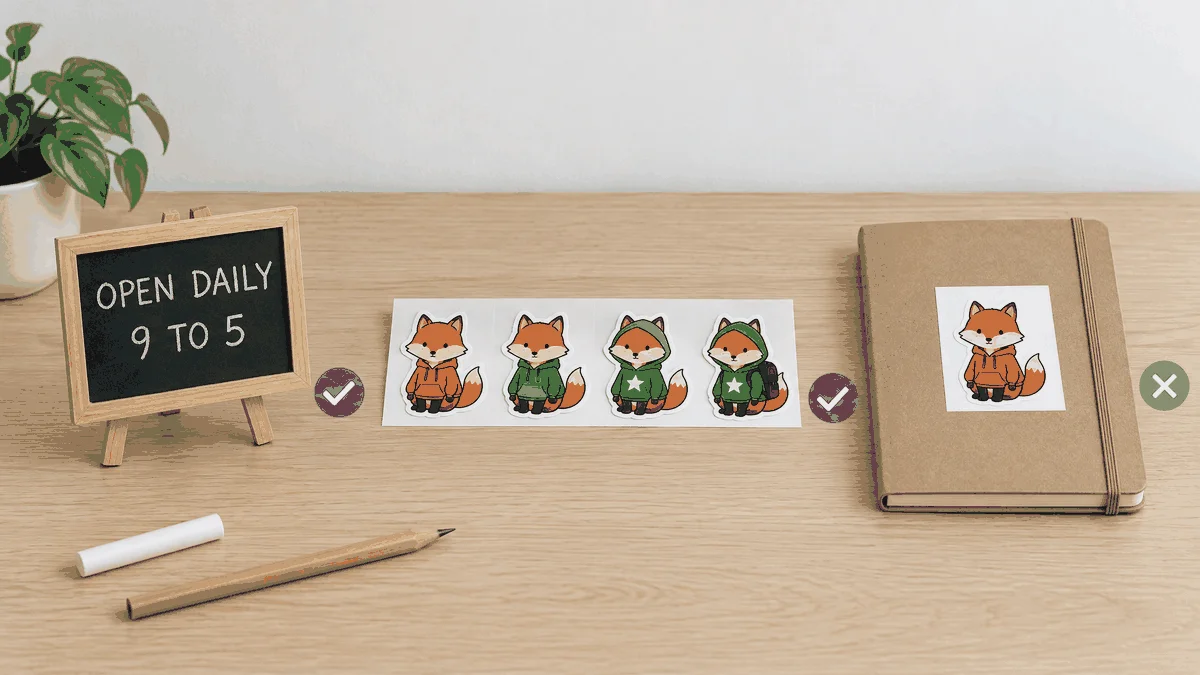
Text rendering is where image models usually slip, so we started there. We gave Seedream 5.5 a chalkboard-style prompt with several lines of writing. Every word came back spelled correctly and placed where we asked. It cost 80 credits.
We ran the same prompt on Nano Banana 2.1, which also returned exact text. The cost was 120 credits. On this one test, quality was a tie and Seedream 5.5 was cheaper. One prompt is not a benchmark, so treat it as a single data point.
Test 2: four edits in a row
Next we took a fox sticker and fed each result back into the Image Editing tool for four rounds of changes. Each round cost 167 credits and took about 30 seconds. All four edits were applied.
The fox's face, fur and tail stayed recognisable the whole way through. The weak spot was the first edit: the hood and coat shape changed, and the sticker moved in the frame, even though we had not asked for either. Later rounds drifted less. If you chain edits, check each result before you feed it forward.

One practical note: MagicShot does not have an "edit this result again" button, so each round means downloading the output and uploading it again.
Test 3: transparent background
This one failed. We asked for a sticker on a transparent background. The file came back with a plain white background and no alpha channel, so you would still need a background remover before using it as a cutout. Our downloaded outputs were 2048 x 2048 pixels.
What we did not test
ByteDance says Seedream 5.5 can handle up to 100 rounds of editing. We did not try that and cannot confirm it. The company also reports very low text corruption rates (0.4% severe and 1.7% minor) and says the model beat GPT Image 2.5 Sunburst and Nano Banana 2.1 in its own comparisons. We have not seen independent numbers for either claim.
Who should use it
Seedream 5.5 is a good fit if your images contain readable text, such as menus, posters and labels, or if you want to adjust one picture several times. It is a poor fit if you need a transparent PNG straight from the model. For other editing jobs, compare it with the other Seedream models on the Seedream 5.5 model page.
Want to run your own tests? Open the MagicShot text to image tool, pick Seedream 5.5 and try a prompt with text in it. Credit cost per image varies by model, so check the price before you run a batch.