A GTA 6 AI filter takes one photo of you and rebuilds it in the look of the game: a purple-to-pink-to-orange sunset, hard golden light, neon on wet streets, a pastel convertible somewhere nearby. You do not need the game, a console or any editing skill. You need a clear photo and a tool that knows the style. This guide covers what the style really is, the exact colors behind it, seven video effects and a set of photo styles you can run today, and how to do all of it without copying anything that belongs to Rockstar.
Why everyone wants the GTA 6 look this week
Grand Theft Auto VI launches on Thursday, November 19, 2026 on PlayStation 5 and Xbox Series X|S. Rockstar confirmed the date a year ago and it has held. There is still no announced PC version, which leaves a very large group of people watching the launch from the outside with nothing to play.
That gap is where the trend lives. Going by Ahrefs keyword data, US searches for "GTA 6 color palette", "GTA 6 aesthetic" and "GTA 6 art style" are running at two to three times their twelve-month average, and "GTA filter" and "GTA AI filter" sit well above every other game-style filter. People are not only asking when the game comes out. They are asking how to look like they live in it.
What actually makes a picture look like GTA 6
Most "GTA filters" get this wrong because they are still copying GTA V: thick black outlines, flat comic shading, a Los Angeles haze. The new game looks different. If your result feels off, check it against this list.
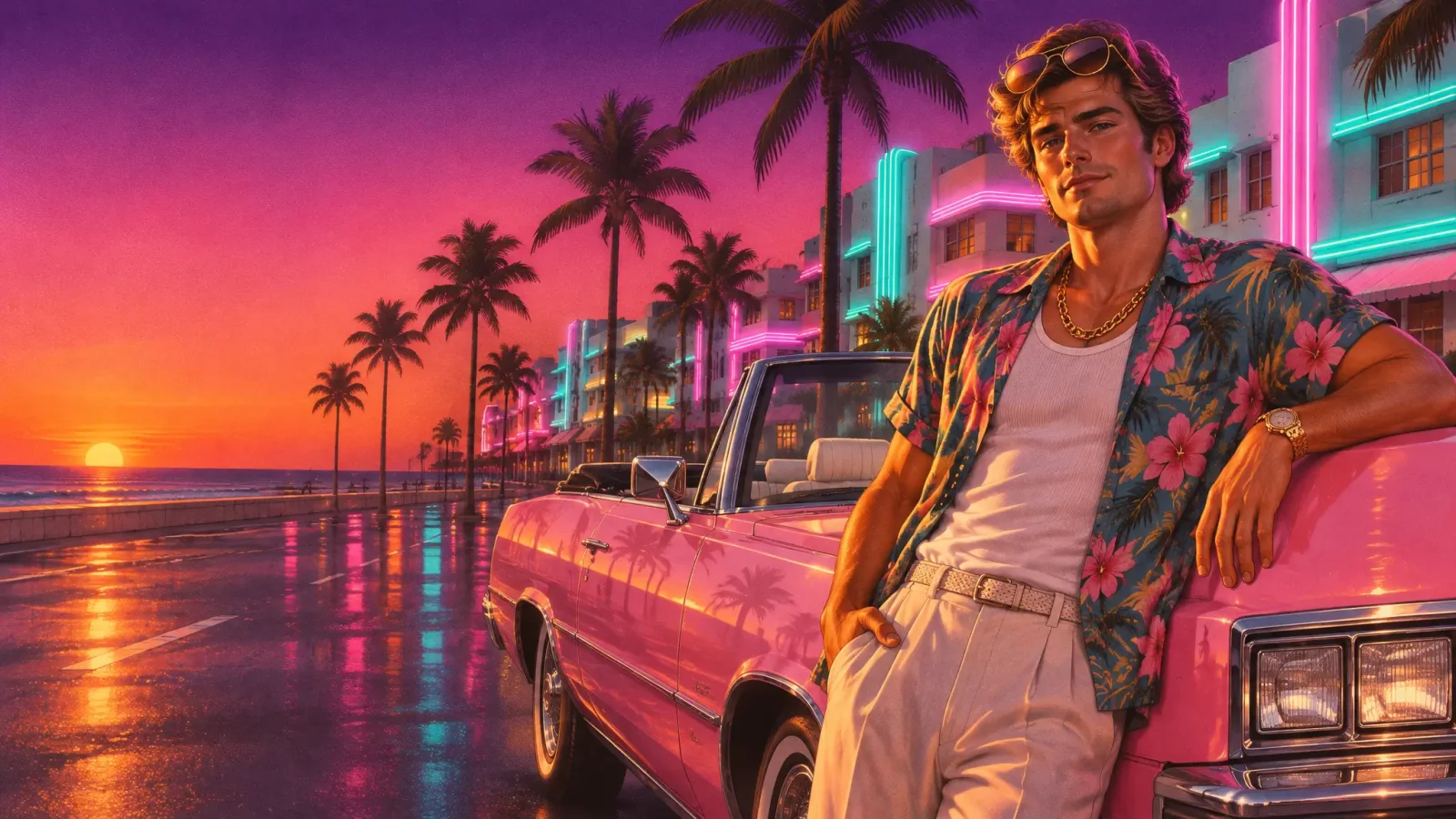
The sky. A three-color sunset that runs from deep purple at the top, through flamingo pink, to a burning orange horizon. This is the single biggest signal.
The light. Hard, low, golden sun from one side, with long shadows. Faces are lit like a magazine shoot, never flat.
The night. Teal and magenta neon, reflected in wet asphalt, with a little haze in the air. Never pure black.
The place. Pastel art-deco hotels, tall royal palms, oceanfront boulevards, rooftop pools, swamp and shallow turquoise water. It is a version of Florida, so it should feel humid.
The props. A pastel convertible, a speedboat, an airboat, a lifted truck. One vehicle, not a parking lot.
The clothes. Open printed shirts over white tanks, cargo pants, crop tops, linen suits in pink or mint, gold chains, aviators.
The camera. Low and behind the shoulder, like a third-person game, or a wide tracking shot from a moving car.
The GTA 6 color palette, with hex codes
These are the values we use across every MagicShot Vice style and effect so that a photo and a video sit together on the same feed. They are our own palette, built to capture the mood of a neon coast at sunset. They are not an official Rockstar color sheet, and Rockstar has not published one.
Sky top: bruised purple, #3B1C6E
Sky middle: flamingo pink, #FC94AF
Horizon: burning orange, #FF8A3D
Neon one: lagoon teal, #12C2C4
Neon two: hot magenta, #FF2FB3
Night base: deep violet, #1B0F38
If you are grading your own footage, push shadows toward the purple and highlights toward the orange, and keep skin natural. The mistake to avoid is the teal-and-orange blockbuster grade. That has cold shadows. This look has warm, purple ones.
Style is fine. Copying is not. Where the line sits
This is the part most guides skip, and it matters if you plan to post what you make.
A visual style, meaning a palette, a kind of light, a type of location, is not something anyone owns. A logo, a character and a piece of key art are. In April 2026 a fan account that had spent months posting AI images dressed up as leaked GTA 6 screenshots said it had received a cease-and-desist from Take-Two and apologized publicly. The problem was not that the images were AI. It was that they used Rockstar's material and could be mistaken for the real thing.
So the rules we built the MagicShot Vice set around are simple, and they are worth following whatever tool you use:
No logo, no title. The Grand Theft Auto name and the VI mark are trademarks. Our cover-art effect leaves the title strip blank on purpose.
No game characters. The result should be you, not a lookalike of Jason or Lucia.
No recreated key art or trailer shots. Same family of pose is fine. A frame-for-frame copy is not.
No fake leaks. Never present an AI image as a screenshot, a leak or anything official.
Say what it is. "GTA 6 style" or "inspired by" is honest. "Official GTA 6 filter" is not, and no such thing exists.
None of this is legal advice. It is the practical line between being inspired by a game and borrowing from it.
7 GTA 6 style video effects you can run from one photo
Each of these takes a single photo and returns a short vertical video. They are under Trending in MagicShot's AI video effects, and each keeps your own face, hair and outfit.
All seven are under Trending in AI video effects. |
1. Character Switch
The camera pulls straight up into the sunset until the city is a pastel grid, whips across the coast and dives back down to you beside a pink convertible. It is the character-swap camera move every open-world player knows, and it is the strongest opener in the set. Try Character Switch.
2. Cover Grid
Your photo snaps into an airbrushed illustration, then splits into a grid of panels: you by a convertible, on a speedboat, on a neon strip, on a beach, on a rooftop. The grid holds, then collapses back to the real you. Pause on the full grid for a thumbnail. Try Cover Grid.
3. Orbit Cam
A low third-person camera circles you a full 360 degrees under hard sun, and you slide on aviators as it comes back around. Use a full-body photo. It doubles as an outfit reveal. Try Orbit Cam.
4. Hood Hang
You, sitting up on the door of a moving pink convertible, one arm in the wind, palms and hotels streaming past. Pure energy, and the easiest one to post on its own. Try Hood Hang.
5. Boat Jump
A white speedboat on turquoise water hits a wake and launches in slow motion with spray hanging in pink light. Summer clothes in the source photo help. Try Boat Jump.
6. Flashing Lights
Your scene drops to a purple night and red and blue light strobes across you from off-frame while you calmly put on sunglasses. No cars, no sirens, just the mood. Cut it on a beat drop. Try Flashing Lights.
7. Vice Sunset
The subtle one. It keeps your real location and regrades it into the palette above: the sky shifts, golden light rakes in, neon fades up on the edges. It works on almost any photo, which makes it the best place to start. Try Vice Sunset.
GTA 6 style photos: the Vice looks
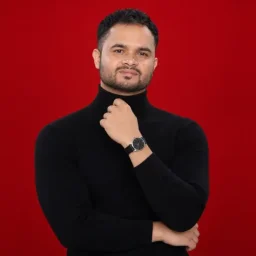
Video gets the views, but most people want a still first: a profile picture, a cover, a post. The Vice photo styles in MagicShot's Avatar Generator use the same palette as the effects, so the two match. Every image below came from one uploaded photo.
|
|
|
|
|
|
|
|
|
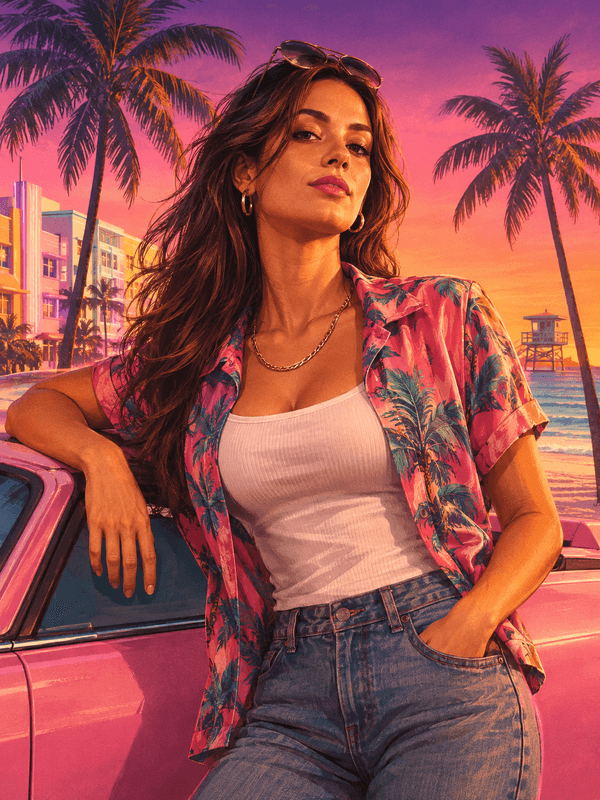
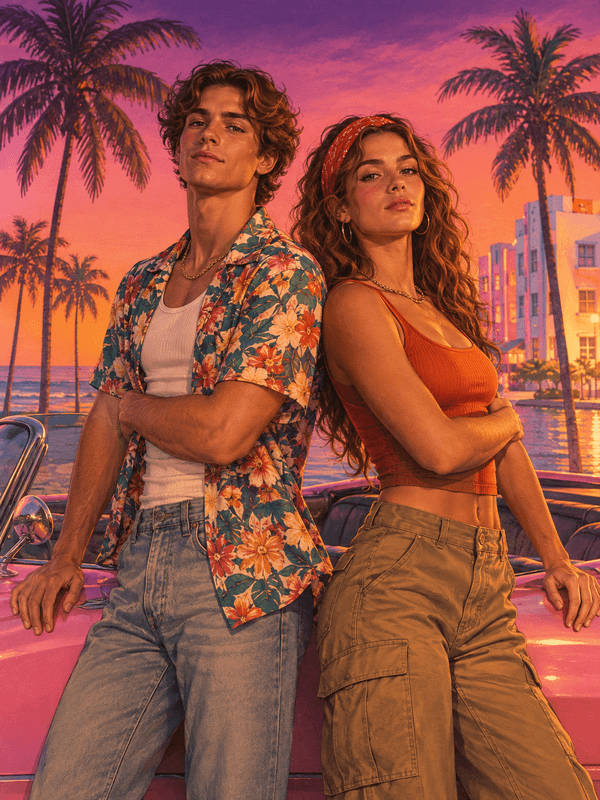
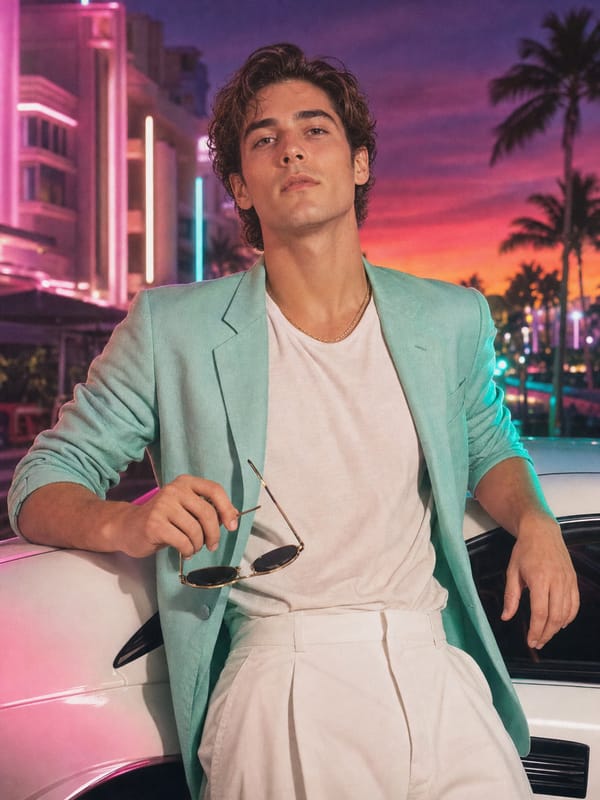
Vice Cover and Vice Duo. The cover-art look, solo or as a pair, beside a pink convertible. Vice Duo leaves a blank strip where a title would go. Add your own name in an editor if you want text.
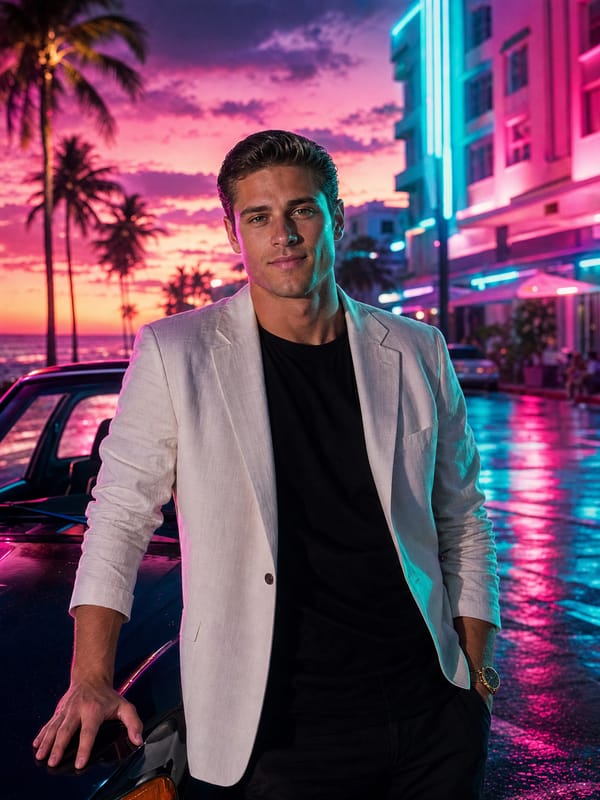
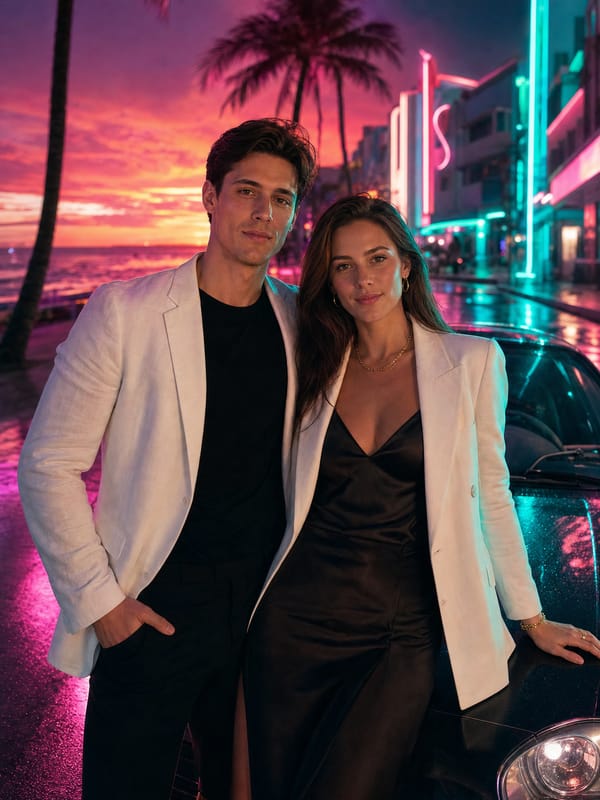
Neon Drive and Neon Pair. A white blazer, a wet street and teal and magenta light. The night half of the palette.
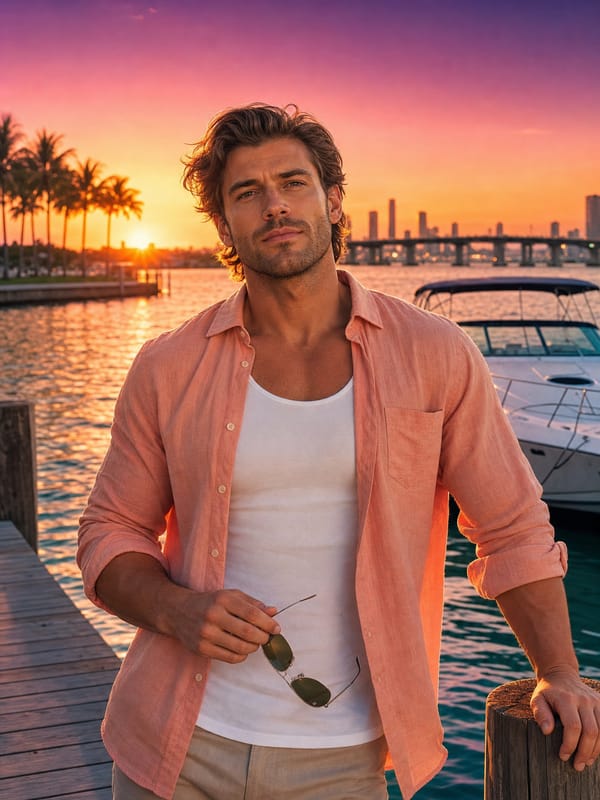
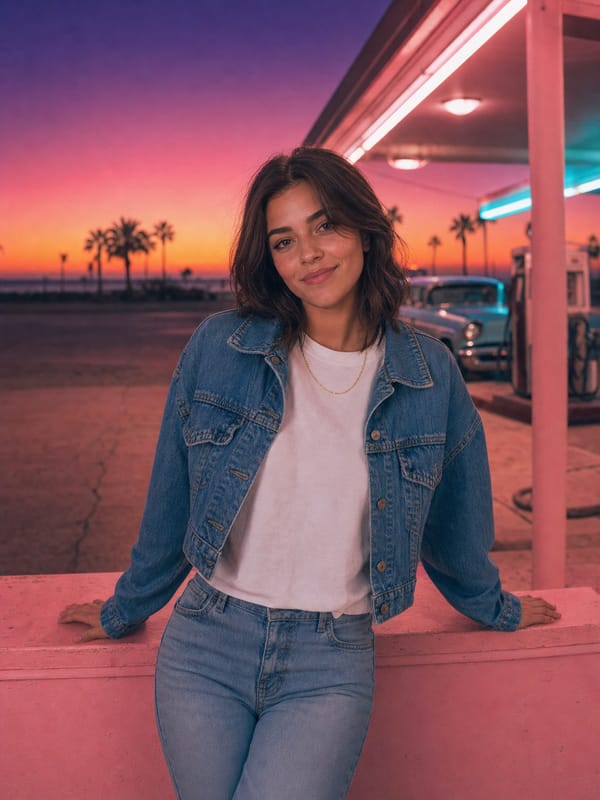
Dock Sunset and Gas Station Glow. The easy ones: golden hour, casual clothes, a marina or a pastel forecourt. Good first tries.
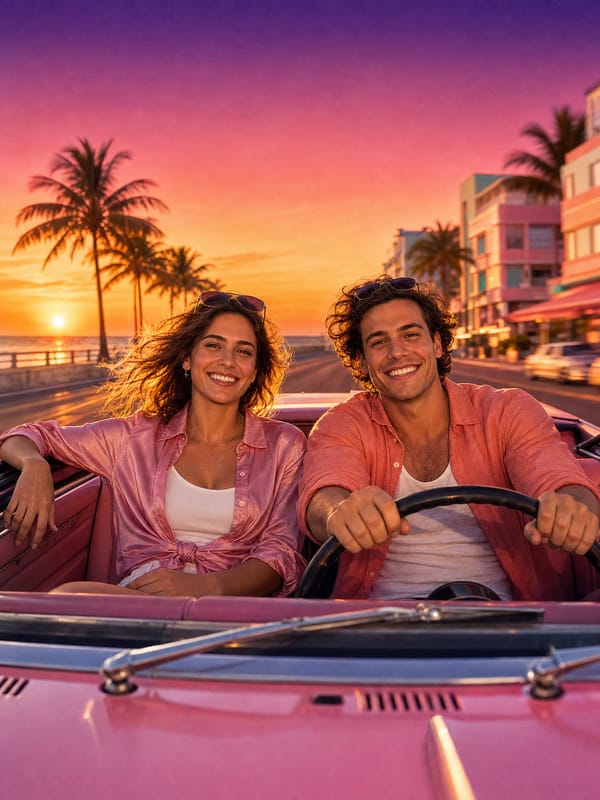
Front Seats. Two people in a pink convertible with the top down, shot from just in front of the windshield.
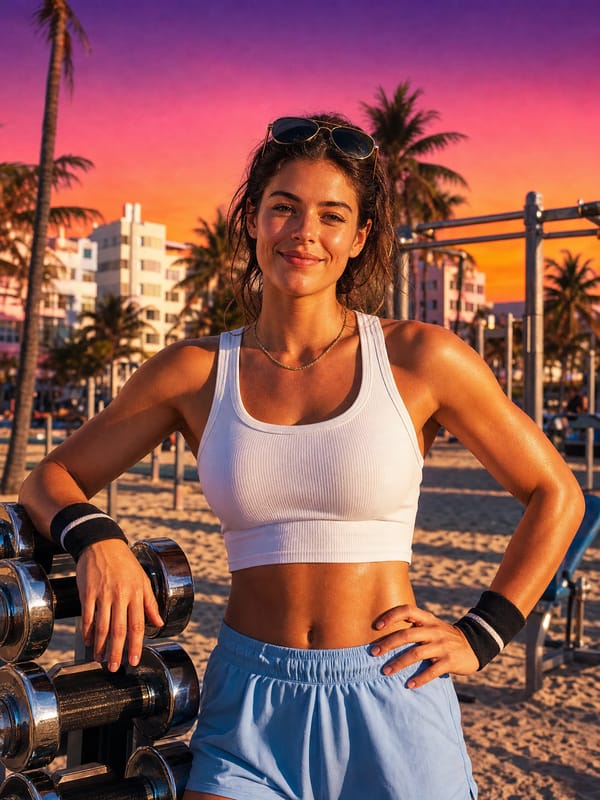
Muscle Beach and Vintage Vice. An outdoor beach gym in hard sun, and a 1980s mint blazer beside a white sports car.
Vice Duo, Neon Pair and Front Seats are built for two: upload one photo with both of you, or one photo each. The wardrobe in every style is written to suit whoever is in the photo, so the same look works for anyone.
GTA 6 style couple videos: two Vice kisses
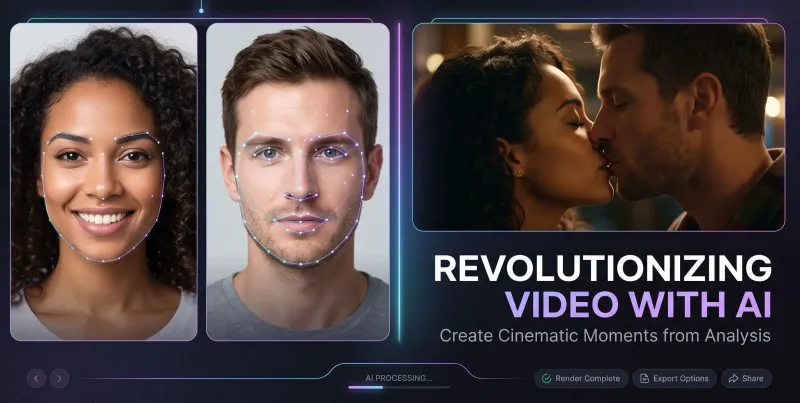
The seven effects above are built for one person. For two, there are now a pair of Vice styles in MagicShot's AI Kissing Video Generator. Use one photo of the two of you, or one clear photo of each person, and you get a short clip of both of you in the same sunset-and-neon world, ending in a kiss.
Vice Sunset Kiss. The daytime one: the two of you leaning against a pastel-pink convertible on the boulevard, palms and art-deco hotels behind, the purple-pink-orange sky overhead.
Vice Night Kiss. The night half of the palette: a wet neon strip, teal and magenta light on the hotel fronts, a dark sports car, blazers and satin.
Both restyle your clothes to suit the scene and keep your faces as they are, and both follow the same rules as the rest of the set: no logos, no game characters, no readable signs. If you have not made one of these before, our guide to the AI kissing generator covers which photos work best.
5 copy-paste GTA style prompts
If you would rather write your own, these work in most image generators that accept a reference photo. For more, see our full list of AI photo prompts.
Keep my face and hair exactly as in the photo. Painterly airbrushed cover-art portrait, chest-up, open tropical print shirt over a white tank, gold chain, leaning on the door of a pastel-pink 1980s convertible, oceanfront boulevard with tall palms and pastel art-deco hotels, sunset sky from deep purple to flamingo pink to orange, hard low golden sun from the left, saturated colors, fine film grain, no text, no logos.
Keep my face exactly as in the photo. Cinematic night portrait on a wet neon-lit street, white linen blazer over a black tee, teal neon rim light from the right and magenta key light from the left, palm trees uplit in pink, reflections on the asphalt, light haze, 50mm lens, no readable signs, no text.
Keep my face exactly as in the photo. Standing waist-deep at the edge of a rooftop infinity pool glowing magenta at night, forearms on the pool edge, city skyline with teal and magenta lights behind, last band of orange on the horizon, wet-look hair, high-contrast night grade, no text.
Keep my face exactly as in the photo. Golden-hour photo on the bow of a small white boat in glassy turquoise shallows, white linen shirt, straw hat, mangrove islands behind, purple-pink-orange sunset sky, hard warm sun from the left, 35mm lens, no text.
Keep both faces exactly as in the photo. Two people standing back to back against a pastel-pink convertible, arms folded, cool expressions, painterly cover-art illustration style, palms and art-deco hotels, purple-pink-orange sunset, hard golden side light, no text, no logos.
Two things to notice. Every prompt ends by ruling out text and logos, which is what keeps the result yours. And none of them names the game, because the look comes from the light and the place, not from the title.
How to get a result that looks right
Start with a clear face. Good light, eyes visible, no sunglasses. Several effects add sunglasses at the end, and two pairs looks wrong.
Use one person per photo unless the style is built for two.
Match the clothes to the scene. A winter coat on a speedboat reads as a mistake. Summer or streetwear sits best.
Shoot portrait. Everything here is made for vertical feeds.
Check hands and text before you post. Count fingers, and re-run anything with a readable sign or number plate.
Pair a still with a clip. A Vice Sunset video next to a cover-art portrait looks like a set, because they share one palette.
Questions people ask
Is there an official GTA 6 AI filter?
No. Rockstar has not released one, and Take-Two's chief executive said earlier this year that generative AI plays no part in what Rockstar is building. Every GTA 6 filter you see, including ours, is a third-party style inspired by the game.
Can I add the GTA 6 logo to my picture?
We would not. The name and logo are trademarks, and adding them is what turns a tribute into something that can be taken down. Use your own name or channel name in the title space.
Do I need a video to use the effects?
No. All seven Vice effects start from a single photo and generate the motion for you.
Will it still look like me?
Yes. The styles and effects are built to hold your face, hair and skin tone and change only the world around you. A sharp, well-lit source photo makes the biggest difference.
Does it work for couples and friends?
Yes. The couple photo styles and the two Vice kissing videos take one photo of two people or two separate photos. The seven video effects are built for one person each.
Is GTA 6 out on PC?
Not at launch. The game arrives on PlayStation 5 and Xbox Series X|S on November 19, 2026, and Rockstar has not announced a PC date.
The short version
The GTA 6 look is a sunset, a kind of light and a coastline, and all three are free for anyone to use. Pick Vice Sunset if you want to see your own street in those colors, Character Switch if you want the shot everyone recognizes, and leave the logo out. For more style ideas, our 1980s AI photo prompts pair well with the retro side of this look, and AI art trends covers where styles like this are heading.
MagicShot's Vice styles and effects are originals inspired by a neon-coast aesthetic. MagicShot is not affiliated with, endorsed by or sponsored by Rockstar Games or Take-Two Interactive. Grand Theft Auto is a trademark of its owner.