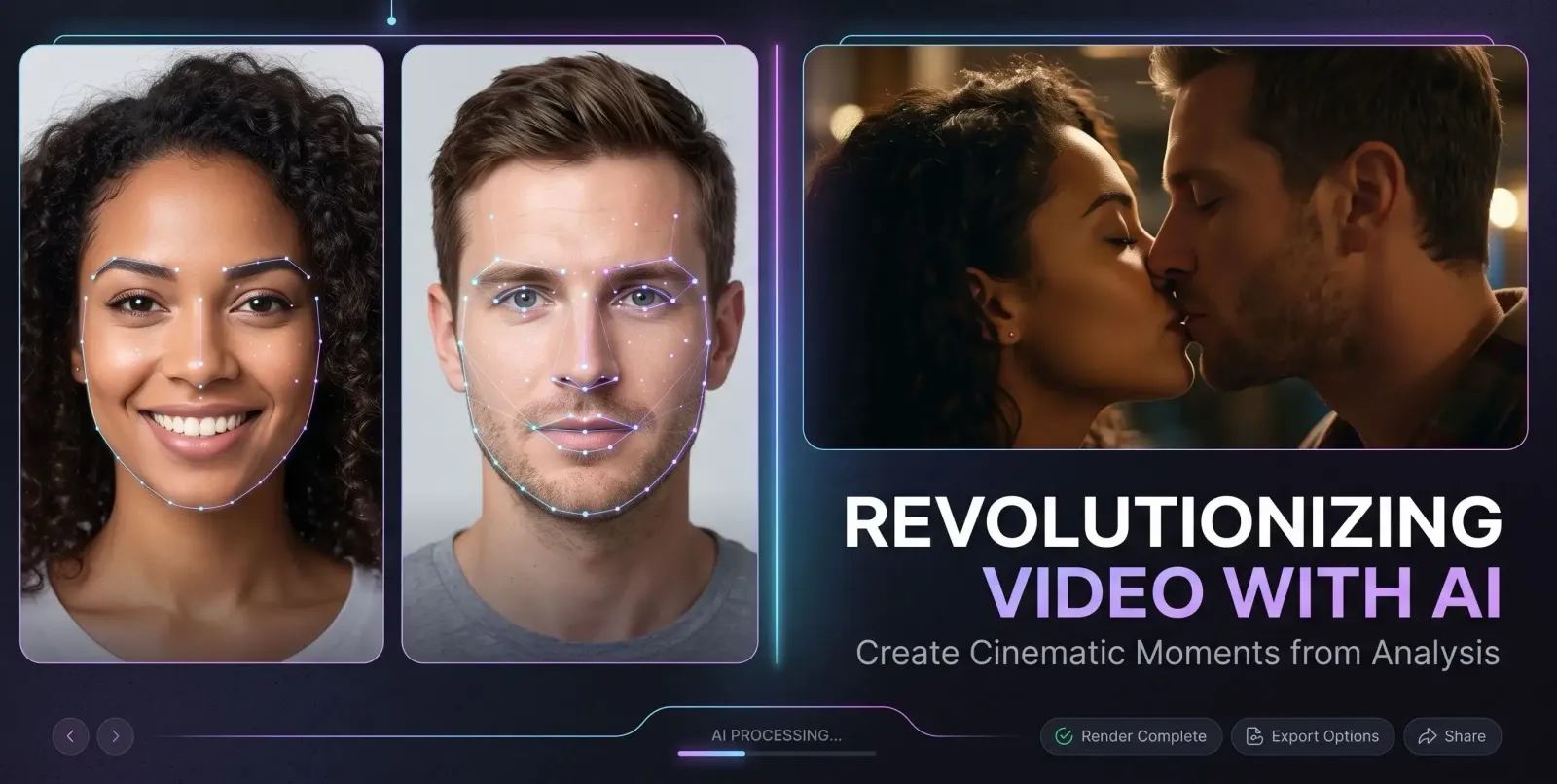
An AI kissing generator takes two still photos and animates them into a short video where the people lean in and share a kiss. You upload the images, the model maps each face, and it generates the in-between motion, head turns, and lip movement automatically. The whole thing happens in seconds, which is why the format has exploded across TikTok, Reels, and Shorts in 2025.
But not every tool is built the same. The biggest difference between a clip that goes viral and one that gets deleted is face consistency, whether the people in the video still look like themselves once they start moving. After testing seven of the most talked-about tools, here's how they stack up, and why MagicShot's AI Kissing Booth came out on top.
What is an AI kissing generator and how does it work?
An AI kissing generator is a type of AI video generator that specializes in one motion: a believable kiss between two subjects. Instead of writing a prompt from scratch, you feed it a preset "kiss" template plus your photos. Under the hood it does three jobs:
Face detection and mapping: it identifies each person's facial landmarks so it knows what to animate.
Motion synthesis: it generates the lean-in, the head tilt, and the lip contact frame by frame.
Identity preservation: the best models lock the original features so the output still resembles the people you uploaded.
That last step is the hard part. Weaker tools "drift," meaning the face slowly morphs into a stranger as the clip plays. A strong AI kiss generator holds the likeness steady from the first frame to the last.
Why the AI kissing generator trend is everywhere right now
A few things lined up at once. Short-form video rewards quick, emotional hooks, and a kiss is about as emotionally loaded as a three-second clip can get. Couples use it for anniversaries and reveals, fans recreate moments with celebrities or fictional characters, and creators use it for nostalgic "what if" edits. Because the input is just two photos, the barrier to entry is tiny, anyone with a phone gallery can make one.
The result is a feed full of romantic clips, and a wave of tools racing to make them. That's exactly why picking the right AI kiss video generator matters: the market is crowded, and quality varies wildly.
The 7 AI kissing generators we compared
Here's an honest rundown of the main contenders, what each is known for, and the trade-offs to expect.
1. MagicShot AI Kissing Booth
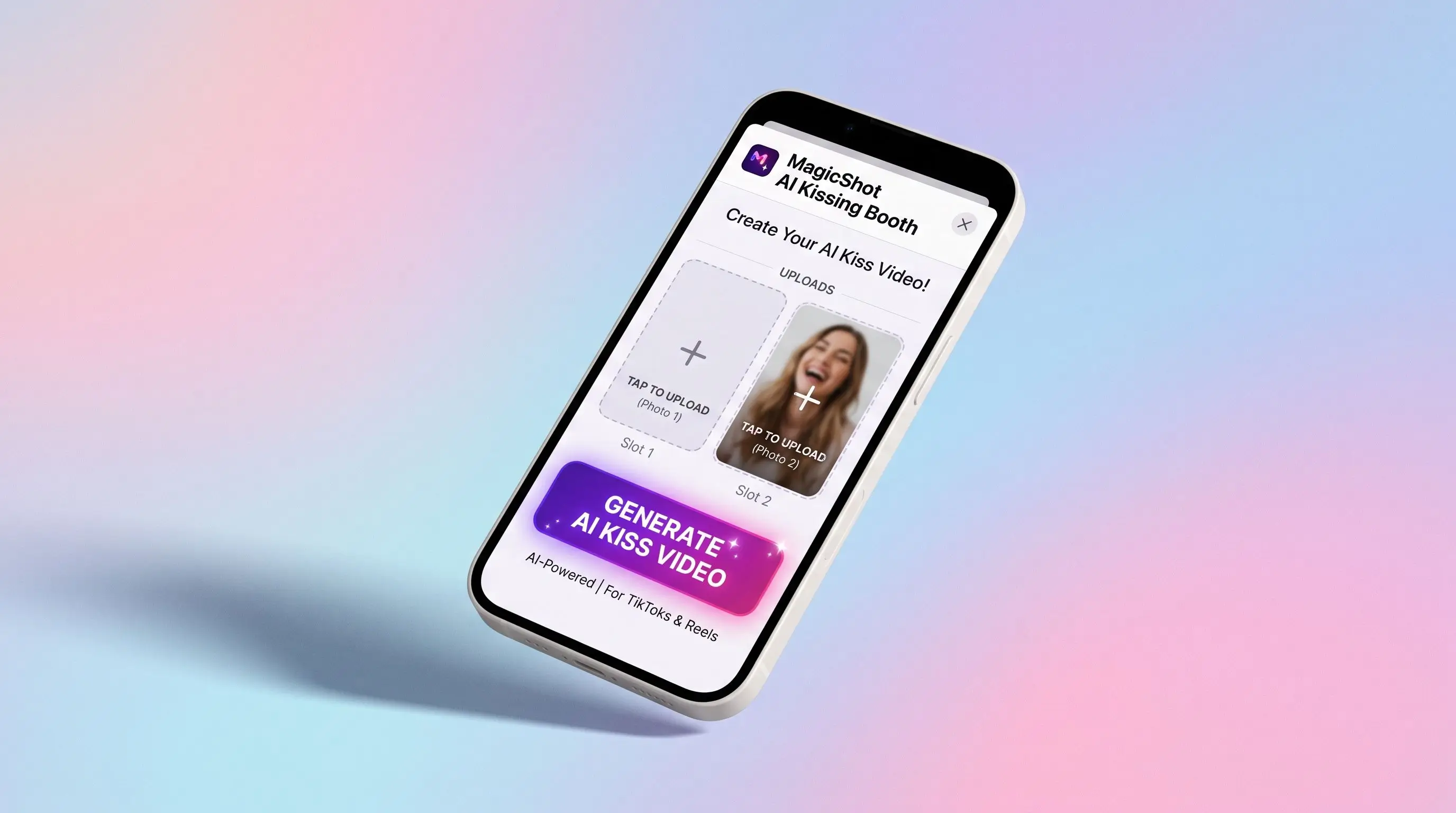
MagicShot's kissing booth is purpose-built for this single job, and it shows. You upload two photos, pick the kiss effect, and it animates a natural lean-in while keeping both faces consistent, the people in the output still look like the people you uploaded. The motion is smooth rather than rubbery, the timing feels human, and the output is clean enough to post without a second pass. It sits inside a broader suite that also includes an AI image generator and a full AI video generator, so you can create the source images and the final clip in one place.
2. Vidu AI Kissing Generator
Vidu is a general-purpose video model that offers a kissing template among many others. It's capable and produces fluid motion, but because it's a broad platform rather than a dedicated kiss tool, dialing in reliable face consistency can take more attempts. Good for users who already live inside Vidu's wider toolset.
3. DomoAI French Kiss Template
DomoAI leans into stylized, anime-flavored output and offers a French kiss template. It's fun if you want a more illustrated or character-driven look, but realism and photo-accurate likeness aren't its strong suit. Expect a stylized vibe rather than a true-to-life clip.
4. AIReel AI Kiss Effect
AIReel packages the kiss as one of many "AI effects." It's quick and template-driven, which is convenient, though the kiss effect is more of a feature within a large library than a finely-tuned specialty. Results are serviceable for casual social posts.
5. Wavespeed AI Kissing
Wavespeed positions itself around speed and developer-friendly access to multiple models. The kissing app is fast, but it's aimed more at users comfortable with a model-marketplace experience than at someone who just wants a polished, finished clip with minimal fiddling.
6. AILabTools AI Kiss
AILabTools is an API-first platform with a kiss feature among its many image and video utilities. That makes it appealing for developers building their own apps, but for an everyday creator the workflow is less hand-held than a dedicated consumer tool.
7. Easemate AI Kissing Video Generator
Easemate offers a straightforward kissing video generator with a simple upload flow. It's approachable, though consistency and motion quality can vary from clip to clip, so you may need a few tries to land the version you'll actually keep.
Why MagicShot is the better AI kissing generator
Most of the tools above can produce a kiss. The difference is what you get on the first try and whether it actually looks like the people in your photos. Here's where MagicShot pulls ahead.
Face consistency that holds. The most common failure in this category is identity drift. MagicShot keeps both subjects recognizable across the whole clip, so the kiss reads as your photo, not a lookalike.
Built for the kiss, not bolted on. The kissing booth is a dedicated tool, not a single template buried in a giant model menu. That focus translates into cleaner motion and fewer retries.
An all-in-one creative pipeline. Generate or polish your source photos with the AI image generator, then animate them with the AI video generator, no jumping between five different sites.
Post-ready output. The clips come out framed and timed for short-form platforms, so they're ready to share without heavy editing.
The fastest way to ruin a kiss clip is a face that morphs mid-motion. The whole point of MagicShot's kissing booth is that it doesn't, your subjects stay themselves from start to finish.
How to make an AI kiss video with MagicShot
Open the AI Kissing Booth on MagicShot.
Upload two clear, front-facing photos, good lighting and unobstructed faces give the best results.
Select the kissing effect and start the generation.
Preview the clip, regenerate if you want a different take, then download and share.
For the cleanest result, choose photos where both faces are roughly the same size and angle. Heavy sunglasses, extreme side profiles, and motion blur make it harder for any AI kiss generator to lock the likeness.
Choosing the right tool for you
If you want a stylized or anime look, a tool like DomoAI fits that aesthetic. If you're a developer wiring a kiss feature into your own product, an API-first option like AILabTools or Wavespeed makes sense. But if you're a creator or couple who wants a realistic clip that actually looks like the two people in the photos, with as little trial-and-error as possible, a dedicated, consistency-first tool is the smarter pick. That's the lane MagicShot owns.
How we evaluated each AI kissing generator
To keep the comparison fair, every tool was judged on the same five criteria, the things that actually decide whether a kiss clip is worth posting.
Face consistency: Does each person still look like themselves once the motion starts? This is the single biggest quality gap between tools.
Motion realism: Is the lean-in smooth and naturally timed, or stiff and rubbery?
First-try success rate: How often does the very first generation look good, versus needing several retries?
Ease of use: Can a non-technical person get a finished clip without reading a manual?
Output readiness: Is the clip framed and timed for short-form platforms, or does it need extra editing?
A general-purpose AI video generator can score well on raw capability yet stumble on consistency, because the kiss is just one of hundreds of things it tries to do. A dedicated kiss tool trades breadth for reliability, and for this specific job, reliability wins.
Common ways AI kiss videos go wrong
Once you've made a few, the failure patterns become obvious. Knowing them helps you pick the right tool and the right photos.
Identity drift
The face slowly morphs as the clip plays until it looks like someone else entirely. This is the most damaging flaw because it breaks the whole illusion. Tools with strong identity preservation, like MagicShot's kissing booth, are built specifically to prevent it.
Warping and rubber motion
Cheeks stretch, jaws wobble, and the lean-in looks elastic rather than physical. This usually comes from weaker motion models or low-quality source photos.
Awkward timing
The kiss happens too fast, too slowly, or with an unnatural pause. Good timing is subtle, and it's one of the reasons purpose-built tools feel more polished out of the box.
Who actually uses an AI kissing generator
The audience is broader than you'd guess. Couples make anniversary and "first kiss recreation" clips from old photos. Long-distance partners turn two separate selfies into a shared moment. Content creators build nostalgic or "what if" edits for storytelling. Even small brands and meme accounts use the format for playful, attention-grabbing posts. Because the input is just two images, the same AI kiss generator serves a 20-year-old making a TikTok and a couple celebrating a decade together.
A quick word on consent and responsible use
Animating real people's faces carries responsibility. Use photos of yourself, your partner, or people who have agreed to it, and avoid creating clips that could mislead, harass, or misrepresent anyone. Treat the tool the way you'd want your own photos treated. Responsible use keeps the format fun and keeps you on the right side of platform rules.
Tips to get a flawless kiss clip on the first try
Match the angles. Pick two photos where both faces point in roughly the same direction and sit at a similar size in the frame.
Prioritize lighting. Even, front-on light helps the model read facial landmarks cleanly.
Clear the face. Skip heavy sunglasses, hands over the mouth, or hair covering the cheeks.
Start sharp. Blurry or low-resolution inputs amplify warping, so use the crispest photos you have.
Refine the source first. If a photo is rough, clean it up with an AI image generator before animating.
Final take
The AI kissing generator category is having a moment, and most tools can technically animate a kiss. What separates a clip you'll proudly post from one you'll quietly delete is face consistency and motion that feels human. Across the seven tools we looked at, MagicShot's kissing booth delivered the most reliable likeness and the smoothest result, backed by an image-and-video pipeline that keeps your whole workflow in one place. If you want a kiss video that looks like you, start there.