The biggest football tournament in history is almost here, and fans want more than a profile picture buried in a group chat. They want to look the part. That is exactly why FIFA World Cup 2026 AI avatars have become the breakout trend of the build-up: portraits that turn a single selfie into a kit-clad supporter, a tunnel-walk hero, or a confetti-soaked champion. This guide explains what these avatars are, why they have caught fire, and how to create your own in dozens of national-team jersey styles with MagicShot.
Before we get to the creative side, a quick reality check on the event itself, because the details matter when you are building avatars meant to feel current and authentic.
What are FIFA World Cup 2026 AI avatars?
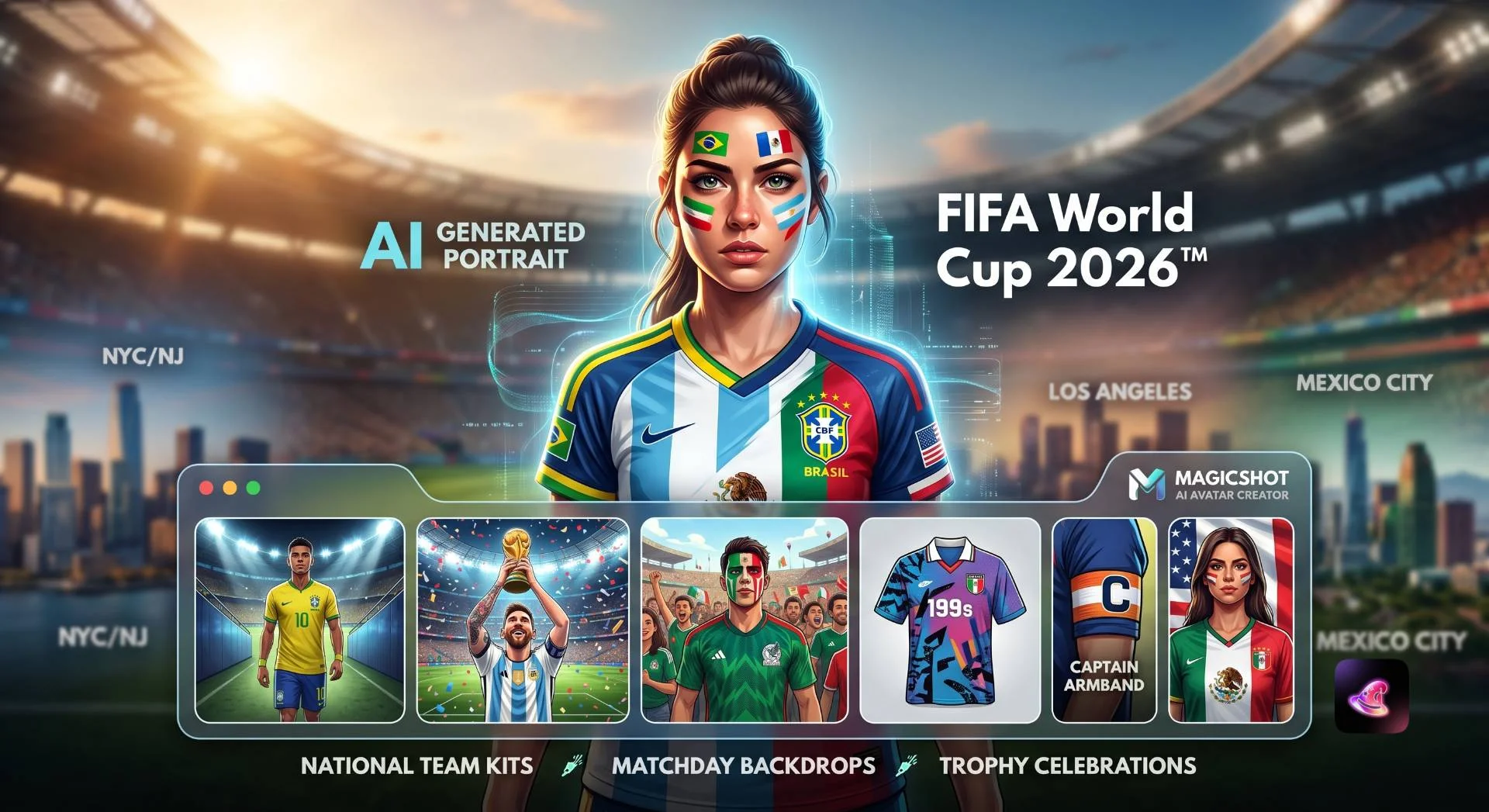
A FIFA World Cup 2026 AI avatar is a stylized portrait generated from your own photo, redesigned around the look and energy of the tournament: national-team jerseys, stadium lighting, supporter face paint, trophy moments, and matchday backdrops. Instead of editing a photo by hand, you upload a clear selfie to the AI Avatar Generator and describe the style you want, and the AI renders a polished image that still looks like you.
The appeal is simple. The 2026 edition is enormous. The FIFA World Cup 2026 will take place across the United States, Canada and Mexico from June 11 to July 19, 2026, and it is the largest World Cup ever held. Bigger tournament, more teams, more rivalries, and far more reasons to show your colors online.
Why the World Cup 2026 makes avatars irresistible
Context fuels creativity. A few facts shape the kind of avatars people are making this year.
It is the first 48-team, three-nation World Cup
This is a genuinely new format. The tournament expands from 32 to 48 national teams and is spread across three host nations for the first time. That means more flags, more debut squads, and a wider palette of jersey styles to play with than any previous edition. If your country is in, there is a kit worth wearing.
Sixteen host cities, sixteen vibes
The matches are spread across a continent. The sixteen host cities are split between two in Canada, three in Mexico and eleven in the United States, including Atlanta, Boston, Dallas, Guadalajara, Houston, Kansas City, Los Angeles, Mexico City, Miami, Monterrey, New York/New Jersey, Philadelphia and the San Francisco Bay Area. Each one gives you a different backdrop idea, from a sun-baked Mexican stadium to a packed East Coast arena.
A showpiece final everyone wants to picture
There is one image every fan imagines: lifting the cup. The New York/New Jersey stadium will host the final on Sunday, July 19, 2026, the climax of the biggest World Cup yet. A trophy-moment avatar set in that confetti storm is one of the most requested styles right now, and it is exactly the kind of scene AI renders beautifully.
Top national-team jersey styles to try
The heart of the trend is the kit. A great avatar starts with choosing a jersey style that matches your team or your mood. Here are the looks fans are leaning into most.
Classic home kits
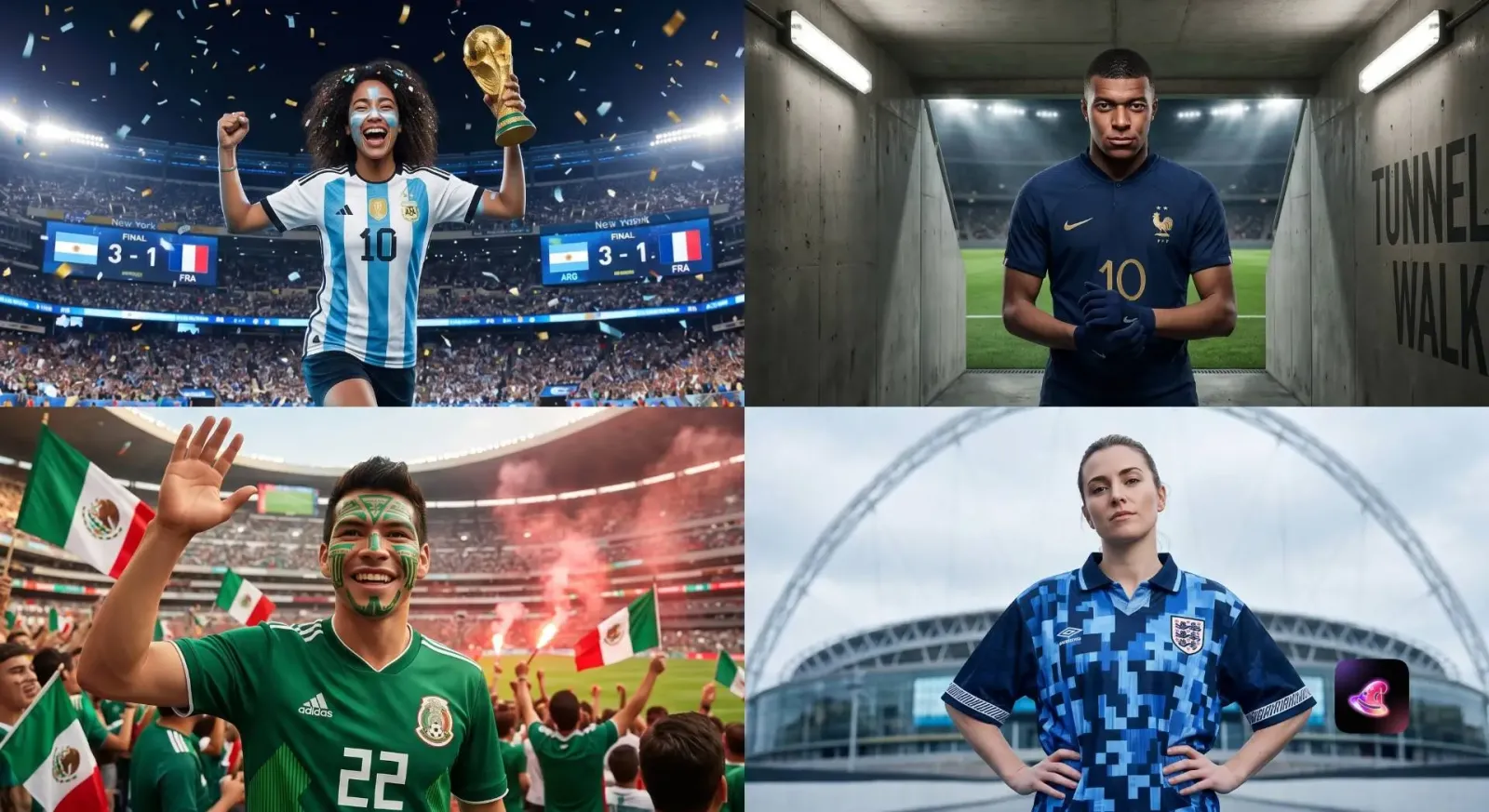
Brazil in canary yellow with green trim, the most iconic shirt in the sport.
Argentina in sky-blue and white stripes, perfect for clean, bold portraits.
France in deep navy blue, sharp against a floodlit night backdrop.
England in crisp white, ideal for high-contrast, classic studio looks.
Germany in white with black detailing, understated and timeless.
Bold and colorful identities
Mexico in vivid green, a host-nation favorite with massive home support.
Morocco in red, riding a wave of momentum after recent deep tournament runs.
Senegal in green and white, energetic and instantly recognizable.
Norway and Ecuador for fans who want a less-expected, standout palette.
Creative jersey concepts
You are not limited to real kits. Popular concept styles include:
Retro 1990s shirts with baggy fits and pixel-pattern graphics.
Captain's armband portraits with a leadership, locker-room feel.
Goalkeeper looks with dramatic, electric color blocking.
Two-nation mashups for fans with dual heritage who want both flags represented.
Future-kit concepts with metallic and neon accents for a sci-fi edge.
How to create your World Cup avatar with MagicShot
You do not need design skills or sports-editorial software. The workflow with MagicShot's avatar generator is built to take you from selfie to share-ready in a few steps.
Upload a clear selfie. Face the camera, use even lighting, and avoid sunglasses or heavy shadows so the AI can preserve your features.
Pick your jersey style. Choose a national-team color scheme or a creative concept kit from the styles above.
Set the scene. Describe the backdrop: stadium tunnel, packed stands, confetti final, or a clean studio for a profile picture.
Generate and refine. Review the result, then adjust the prompt for color, crop, or mood until it feels right.
Download and share. Export your favorite and post it across your social profiles for matchday.
The best avatars look like the real you in an unreal moment. Keep the face authentic, then push the kit, lighting, and crowd as far as you like.
Prompt ideas that actually work
Specific prompts produce better results than vague ones. Use these as starting points and swap in your own team and city.
"Portrait of me in a Brazil home jersey, stadium tunnel lighting, intense game-face, cinematic depth."
"Me in an Argentina striped kit lifting a golden trophy, confetti falling, packed stadium at night."
"Supporter portrait in Mexico green with subtle face paint, bright daytime crowd behind me."
"Retro 1990s-style football shirt, bold geometric pattern, vintage film grain, head-and-shoulders crop."
"Goalkeeper concept kit in electric blue, dramatic floodlights, dynamic action pose."
Small tweaks matter. Naming the lighting ("floodlit," "golden hour," "studio softbox"), the crop ("head-and-shoulders," "waist-up"), and the emotion ("focused," "celebrating") gives you sharper, more usable images.
Tips for avatars that stand out
Start with a strong source photo
The single biggest quality factor is your selfie. A sharp, well-lit, front-facing photo gives the AI more to work with and keeps your likeness intact across styles.
Match the avatar to where you will post it
A tight head-and-shoulders crop reads best as a profile picture, while a wider trophy-celebration scene works better for a feed post or banner. Generate a couple of versions so you are covered for both.
Build a small collection
Many fans create a set: one classic kit portrait, one celebration shot, and one playful concept. Rotating them through the group stage keeps your profile fresh as your team progresses.
Respect badges and brands
Lean into your nation's colors and supporter culture rather than trying to reproduce official crests or sponsor logos. Color-led, concept-driven avatars look cleaner and sidestep trademark issues entirely.
Matchday backdrops worth experimenting with
The kit gets the attention, but the scene behind you decides whether an avatar feels like a snapshot or a moment. Because the 2026 tournament stretches across sixteen cities and three countries, you have a huge range of believable settings to borrow.
Stadium and tunnel scenes
Tunnel-walk portraits, with concrete walls, harsh overhead lights, and a sliver of pitch in the distance, give your avatar a pre-match intensity that reads well as a profile picture. Pitch-side scenes with blurred advertising boards behind you feel like a still pulled straight from a live broadcast. Both work especially well for the classic home-kit looks.
Crowd and supporter scenes
If you want energy, put the crowd to work. A packed stand of fans in your team's colors, flares of color in the background, and a wide grin make for a celebratory, shareable image. Daytime crowd scenes suit bright kits like Mexico's green or Senegal's green and white, while night-time floodlit stands flatter darker shirts such as France's navy.
Trophy and celebration scenes
The single most-requested backdrop is the title moment. Picture confetti raining down, a golden trophy raised overhead, and a stadium roaring around you. With the final set for the New York/New Jersey stadium on July 19, 2026, a champion-style avatar lets every fan imagine the ending they are hoping for, no matter which team they support.
Common mistakes to avoid
A few small errors are the difference between an avatar you post proudly and one you quietly delete. Steering around them keeps your results consistent.
Using a low-quality selfie. Blurry, dark, or heavily filtered photos confuse the AI and distort your likeness. Start clean and well-lit.
Cramming too much into one prompt. Ten ideas in a single sentence produce a muddled image. Pick a kit, a backdrop, and a mood, then iterate.
Ignoring the crop. A celebration scene squeezed into a tiny circular profile photo loses all its drama. Match the composition to the platform.
Over-relying on one render. The first result is rarely the best. Generate a few variations and choose the strongest.
Keeping your avatars current as the tournament unfolds
One of the quiet advantages of AI avatars is how fast you can refresh them. The group stage alone gives you weeks of moments to react to, and the format rewards staying engaged. As the tournament expands, the top two teams from each group, along with the eight best third-placed finishers, advance to a new Round of 32 knockout stage, so there is plenty of drama to ride.
Treat your avatar like a living thing. Open with a clean home-kit portrait for the group stage, switch to a defiant, game-face look if your team faces elimination, and save the confetti-and-trophy version for a deep run. Each update is a couple of minutes of work and keeps your profile feeling tied to the action.
Who these avatars are for
The format is broad enough for almost anyone following the tournament:
Supporters who want a matchday profile picture in their team's colors.
Content creators building themed thumbnails and posts around fixtures.
Friend groups and offices running a sweepstake who want avatars for each assigned country.
Dual-heritage fans who want a single image that honors both of their teams.
The wrap-up
With a 48-team field, three host nations, sixteen cities and a New York/New Jersey final on July 19, 2026, this World Cup is built for self-expression. FIFA World Cup 2026 AI avatars let you turn that excitement into an image that is unmistakably yours, dressed in the kit you love. Pick a jersey style, write a vivid prompt, and create your World Cup avatar with MagicShot doing the heavy lifting so you can show up to matchday looking like part of the squad.