What LinkedIn actually looks for in a profile photo
Before you generate anything, know what makes a profile photo work on LinkedIn. It's not what you think.It's not about being conventionally attractive. It's not about wearing a suit. It's about three specific things:Your face fills the frame. Head and shoulders. Not a full body shot. Not a tiny face in the corner of a beach photo.
Your eyes are visible and looking at the camera. Sunglasses kill engagement. So do photos where you're looking off into the distance like you're contemplating quarterly earnings.
The background isn't fighting you. Soft, neutral, or a clean office setting. Anything else competes for attention.
Step-by-step: from selfie to download
Here's the actual process. No fluff.Step 1: Pick your input photos
Most AI headshot tools want 5 to 15 photos of your face. Some need only one. Either way, the quality of your input directly determines the quality of your output. Garbage in, garbage out, same rule as always.Use recent photos. Different angles. Good lighting. Don't use heavily filtered Instagram shots because the AI will lock onto the filter and try to recreate it.Step 2: Upload to your AI tool of choice
For this walkthrough I'm using MagicShot's headshot generator. Drag your photos in. The interface accepts all type of image formats.Step 3: Choose your style
This is where most people get it wrong. They pick the most dramatic option, moody lighting, edgy expression, that kind of thing. Don't. For LinkedIn, pick the most boring professional option available. Boring is good. Boring builds trust.Look for: neutral office, soft natural light, business casual or business formal depending on your industry.Step 4: Generate
Click. Wait. The AI processing takes about 30 to 40 seconds for most tools.Step 5: Review and download
Now the part nobody talks about. You have to actually look at each result and check that it still looks like you. Sometimes AI subtly changes your jawline. Or makes your eyes a slightly different shape. Reject those. Keep only the ones where someone who knows you would say yeah, that's them.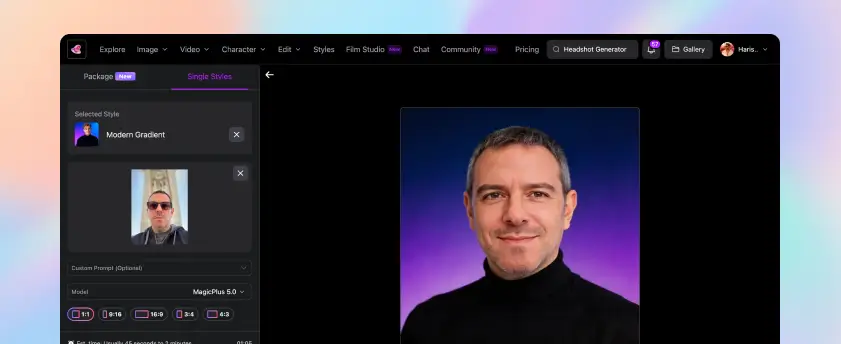
Best background styles for LinkedIn
Background choice matters more than people realize. It signals industry, level, and personal style without you having to write a single word in your bio.| Background Style | Best For | Avoid If |
|---|---|---|
| Soft gray or beige studio | Finance, law, consulting, executive roles | You're in a creative field that values personality |
| Blurred modern office | Tech, startups, marketing, sales | Your industry expects more formality |
| Outdoor natural light | Real estate, wellness, freelance creatives | You're applying to traditional corporate roles |
| Pure white or off-white | Healthcare, science, research, academia | You want warmth or personality |
| Bookshelf or library | Education, writing, publishing, legal | Looks staged in tech or modern fields |
Tips for the best input selfie
The single biggest factor in your result quality. By far. I cannot stress this enough.Here's what works:Natural light from a window. Stand facing it. Don't have it behind you.
Plain wall or simple background. The AI handles the new background. Your input shouldn't compete.
Neutral expression with a slight smile. Full toothy grins sometimes confuse the AI's face mapping.
Look directly at the camera. Eye contact in the input means eye contact in the output.
Recent photos only. Don't mix photos from 5 years ago with current ones. The AI averages your features across inputs and you'll end up looking like nobody specifically.
Variety in angle, but not extreme. Slight left, slight right, straight on. Skip the dramatic over-the-shoulder shots.
Before and after: what real results look like
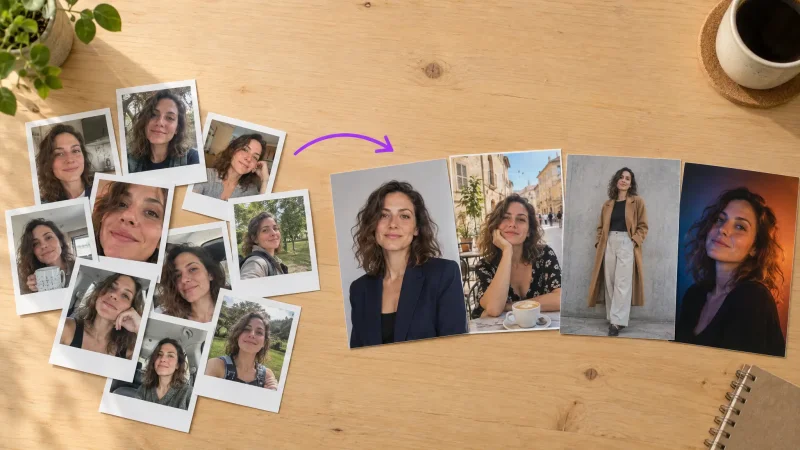
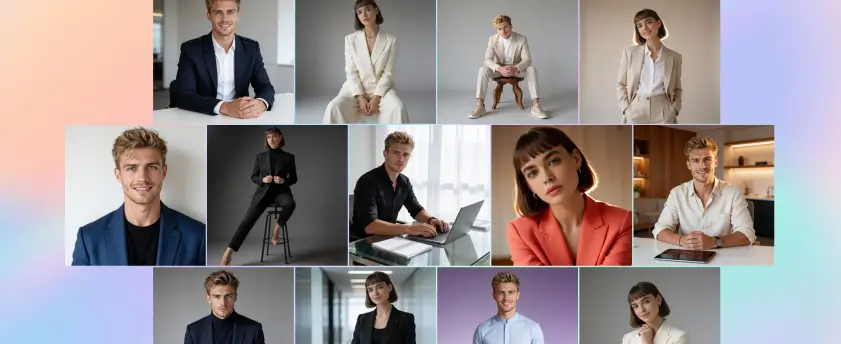
Let me be honest about what AI headshots can and can't do.What they nail: lighting, background, professional polish, outfit consistency, that subtle studio-quality skin tone that real photographers spend hours editing for. The output often looks better than what most photographers under $200 would deliver.What they sometimes miss: hands (skip hand-in-frame poses), unusual jewelry, specific tattoos, distinctive scars, very recent hairstyle changes. The AI works from patterns, and patterns don't always include your specific quirks.I had one round where the AI gave me a slightly stronger jawline than I actually have. Looked great. But not me. Tossed it. The next round was perfect.Actually, scratch that, not perfect. There's no perfect. But it was the best LinkedIn photo I'd ever had, and it took 8 minutes total.For a deeper walkthrough of the upload-to-final process, this guide on turning a simple photo into a professional headshot covers each step in detail.How to choose the best AI tool for LinkedIn headshot generation
Not all AI headshot tools are equal. Some give you that obvious AI-generated plastic look. Others produce photos that pass for actual studio work.What to check before you commit:Sample gallery quality. Look at their public examples. If the eyes look slightly off or the skin looks airbrushed to the point of melting, skip them.
Number of variations per generation. You want at least 20 to 40 outputs to choose from. Anything less and you're rolling the dice.
Background and outfit options. Pre-made styles save time but customization helps if you have specific needs.
Pricing structure. Watch for tools that charge per photo. Subscription models with unlimited generations usually work out cheaper if you want options.
Privacy policy. Your face data matters. Read what they do with your uploads.