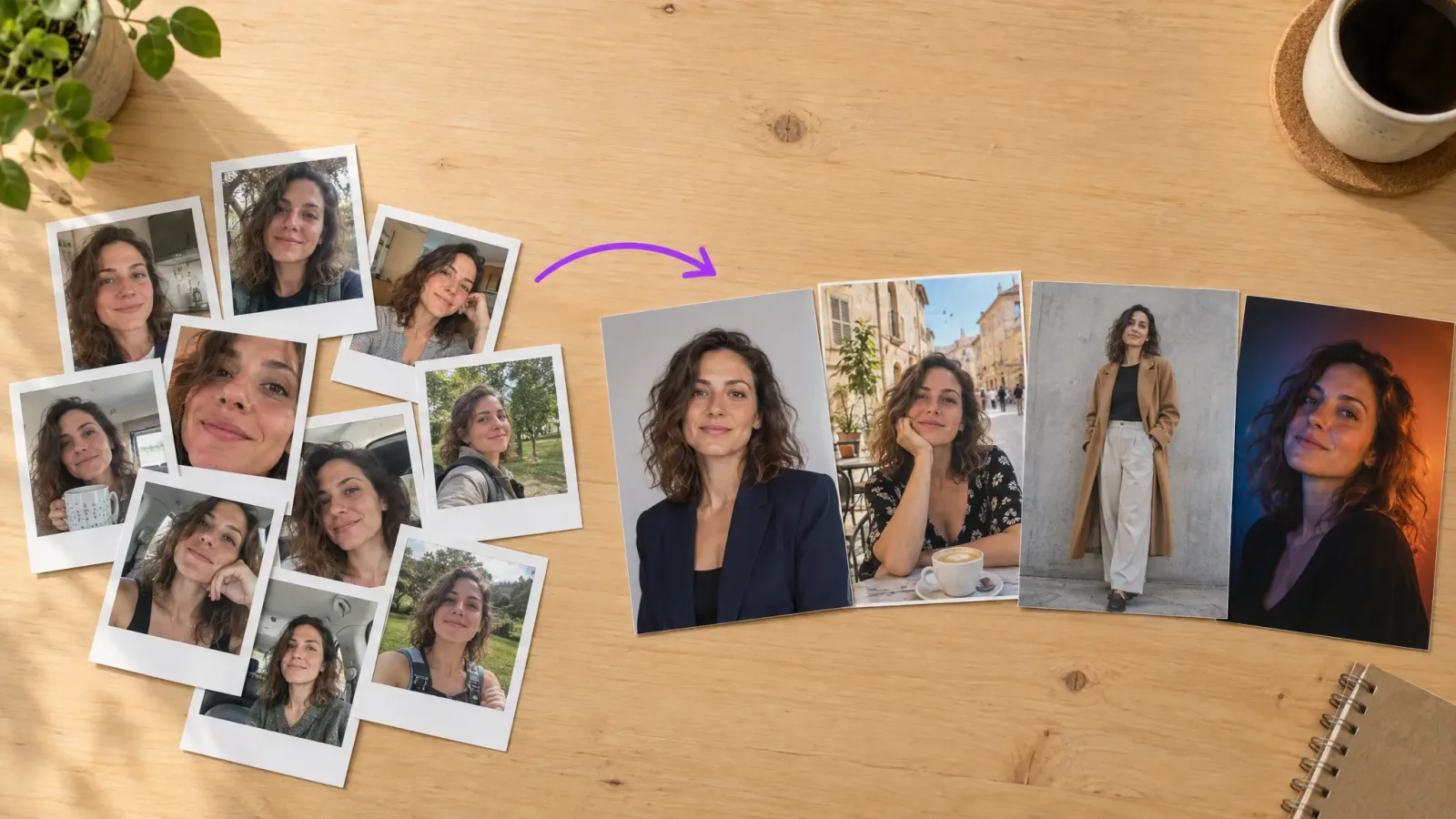
You can make AI photos of yourself from a handful of selfies, and the quality depends mostly on the photos you start with. An AI photoshoot learns your face from your pictures, then creates new images of you in different outfits, places and styles. This guide shows how to get natural results, not the plastic look people complain about.
How to make AI photos of yourself in five steps
Collect your selfies. Use 8 to 15 clear photos of your face. Include different angles, expressions and lighting.
Open the AI photo generator and choose a style: professional, casual, travel, fashion or something creative.
Upload your photos. Only pictures of you, no group shots.
Generate your set. Most tools create a batch of images in a few minutes.
Pick and download your favourites. Most people keep a handful out of the batch.
Which selfies work best
Variety beats volume. Aim for daylight photos, a mix of smiles and neutral looks, some close-ups and some half-body shots. Avoid sunglasses, heavy filters, group photos and pictures where your face is small.
Choosing a style
Pick the style for the job: a clean, neutral background for LinkedIn, a lifestyle look for Instagram, a stylised look for creative profiles. Generate one style first, then try others once you know your face comes out well.
How to avoid the fake look
Do not upload only filtered or heavily retouched selfies.
Include photos with natural skin texture.
Keep the number of photos in the recommended range. Too few causes weak likeness.
Pick results with natural light and relaxed expressions.
Where to use your AI photos
Common uses are profile pictures, dating apps, social media, travel-style photo sets and creative avatars. If a platform requires real photos, such as a work ID or a visa, use real photos only.
Be upfront about it
Many people disclose that images are AI generated, especially in professional or dating contexts. Being open avoids awkward moments later.
Start your photoshoot
Gather your selfies and open the AI photoshoot generator. A first batch is a quick way to see what works.