
Skip to content
MagicShot
Image
AI Art Generator Generate any image from text AI Image Enhancer Sharpen blurry photos Logo Generator Create logos for your brand Product Photo Generator Listing-ready product photos Sticker Maker Create die cut stickers QR Code Generator Scannable and branded Face Enhancer Flawless in seconds Multi View Image One photo, multiple angles
Explore all AI Image Tools →
Video
AI Podcast Creator Turn audio into a YouTube-ready podcast video UGC Videos Creator-style video ads Image to Video Animate any photo into video Film Studio Generate trailers and films Text to Video Generate any video from text AI Video Effects Generator AI-driven cinematic effects Real Estate Video Generator Property marketing videos Motion Control Create with total control
Explore all AI Video Tools →
Photoshoot
Professional Headshots LinkedIn-ready profile headshots AI Baby Generator See your future baby Baby Photoshoot Cute moments instantly Pet Portraits Your dog as a Renaissance duke Wedding Photos Perfect wedding portraits Avatar Generator Create amazing avatars AI Fashion Model Your apparel on photoreal models Interior Designer Preview furniture inside any room
Explore all AI Photoshoot Tools →
Photo Editor
Image Editing Edit photos from text Image Upscaler Sharpen any image instantly Object Remover Remove any object from an image Background Remover Backgrounds gone in one click Image Colorizer Colorize old photos Photo Restorer Scratches, fading, creases Brighten Image Improve lighting and boost brightness Anime Generator Turn photos into anime characters
Explore all AI Photo Editing Tools →
Audio
AI Music Generator Original tracks in any genre Audio Transcriber Convert audio into readable text Video Sound Generator Add sound effects to videos Text to Speech Realistic voices, perfect narration
Explore all AI Audio Tools →
For Influencers Daily posts, headshots, and UGC without a content team For Ecommerce Product shots and video ads from one phone photo For Agencies Run every client campaign on one subscription For Real Estate Listing photos, virtual staging, and tour videos
Why MagicShot →
Models Pricing 30% OFF

Nothing matches “” — try a tool name like “headshot” or “logo”.

Get started Get started
MagicShot
Browse all AI Image Tools → AI Art Generator AI Image Enhancer Logo Generator Product Photo Generator Sticker Maker QR Code Generator Face Enhancer Multi View Image
Browse all AI Video Tools → AI Podcast Creator UGC Videos Image to Video Film Studio Text to Video AI Video Effects Generator Real Estate Video Generator Motion Control
Browse all AI Photoshoot → Professional Headshots AI Baby Generator Baby Photoshoot Pet Portraits Wedding Photos Avatar Generator AI Fashion Model Interior Designer
Browse all AI Photo Editing Tools → Image Editing Image Upscaler Object Remover Background Remover Image Colorizer Photo Restorer Brighten Image Anime Generator
Browse all AI Audio Tools → AI Music Generator Audio Transcriber Video Sound Generator Text to Speech
For Influencers For Ecommerce For Agencies For Real Estate Why MagicShot →
Models Pricing 30% OFF About Contact
Get started
  1. Home
  2. Models
  3. Veo 3.1
Video model Google Featured

Veo 3.1

Veo 3.1 is Google's flagship video model on MagicShot. It generates cinematic clips with native audio — dialogue, ambient sound and effects rendered together with the footage — and handles camera direction like pans, dollies and drone moves from a plain-language prompt. Use it through Text to Video or Image to Video when you want the most film-like motion available.
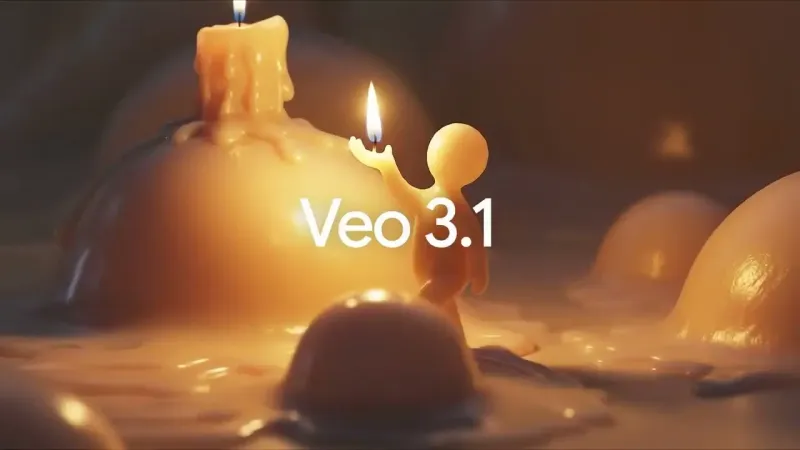
Built into MagicShot · One subscription, every model · Commercial license included
Create with Veo 3.1 → All video models
Veo 3.1

Overview

What is Veo 3.1?

Under the hood

What Veo 3.1 can do

Text to video

Describe a scene and get a moving clip back, with no camera or footage.

Image to video

Animate a single still photo into smooth, natural motion.

Getting started

How to use Veo 3.1 on MagicShot

1

Open a tool

Head to Image to Video and Text to Video or any video tool. No model settings to configure.

2

Add your prompt

Describe what you want, or upload your own media to work from. Plain language is all it takes.

3

Generate and download

Veo 3.1 returns your video in seconds, ready to download and use commercially on paid plans.

Put it to work

Tools powered by Veo 3.1

Image to Video

One photo in. Cinematic motion out.

Try Image to Video →
New Trending

Text to Video

Type the scene, get the clip.

Try Text to Video →

One subscription. Every top video model.

Veo 3.1 is one of 18 AI video models built into MagicShot. Instead of paying for, learning, and switching between a different app for each one, you get them all in a single place. We benchmark the newest models as they ship and swap in the best, so your results keep improving and everything you make is yours to use commercially.

Browse all models → See pricing →

Keep exploring

Other AI video models on MagicShot

HappyHorse 1.1

Featured

Alibaba

HappyHorse 1.1 is a video generation model from Alibaba that turns text prompts and still images into short motion clips. Inside MagicShot, it produces original footage on demand so you skip the film crew, the shoot day, and the reshoot.

View HappyHorse 1.1 →

Kling v3 Omni

Featured

Kuaishou

Unified multimodal video generation with reference images and video editing.

View Kling v3 Omni →

Seedance 2.0

Featured

ByteDance

Accepts multiple reference inputs including images, videos and audio.

View Seedance 2.0 →

PixVerse V6

Featured

PixVerse

PixVerse V6 generates cinematic 1080p videos with synchronized native audio from a single text prompt or image, combining multi-shot storytelling, 20 professional lens controls, stable character consistency across scenes, and flexible 16:9, 9:16, or 1:1 output for social media, ads, and film-quality productions.

View PixVerse V6 →

Happy Horse 1.0

Featured

Happy Horse 1.0 is an AI video generator that turns text prompts and images into smooth, high-quality animated video with vivid motion, character consistency, and flexible aspect ratios for social media, ads, and creative projects.

View Happy Horse 1.0 →

Kling 3.0 Omni

Featured

Kling 3.0 Omni is an AI video generator that turns text prompts and images into cinematic 1080p video with native audio, Motion Brush control, camera motion presets, and subject consistency across every frame.

View Kling 3.0 Omni →

FAQ

Veo 3.1 — FAQ

Veo 3.1 is Google's flagship video model on MagicShot. It generates cinematic clips with native audio — dialogue, ambient sound and effects rendered together with the footage — and handles camera direction like pans, dollies and drone moves from a plain-language prompt. Use it through Text to Video or Image to Video when you want the most film-like motion available.

It handles text to video and image to video, all inside MagicShot with no setup.

It powers tools like Image to Video and Text to Video. Open any of them and MagicShot runs your request on Veo 3.1 automatically.

No. MagicShot routes every video request to the right model for you, so you get Veo 3.1-grade results without picking a provider or managing an API key.

Every MagicShot plan includes Veo 3.1 — pick a plan and your credits work across it and every other model, with a commercial license covering everything Veo 3.1 creates.

Ready to create something magical?

Join 500,000+ creators making images, videos and voiceovers in seconds.

Get started
MagicShot

Every photo, video and voice clip you need — made in seconds. The all-in-one AI studio for creators.

Start creating

AI Image Generator

  • AI Art Generator
  • AI Image Enhancer
  • Logo Generator
  • Product Photo Generator
  • Sticker Maker
  • View all →

AI Video Generator

  • AI Podcast Creator
  • UGC Videos
  • Image to Video
  • Film Studio
  • Text to Video
  • View all →

AI Photoshoot

  • Professional Headshots
  • AI Baby Generator
  • Baby Photoshoot
  • Pet Portraits
  • Wedding Photos
  • View all →

AI Photo Editor

  • Image Editing
  • Image Upscaler
  • Object Remover
  • Background Remover
  • Image Colorizer
  • View all →

AI Audio Generator

  • AI Music Generator
  • Audio Transcriber
  • Video Sound Generator
  • Text to Speech
  • View all →

Solutions

  • For Influencers
  • For Ecommerce
  • For Agencies
  • For Real Estate
  • Why MagicShot

Company

  • About
  • Trust
  • Pricing
  • Features
  • Contact

Resources

  • Blog
  • News
  • How-to guides
  • Styles
  • Gallery
  • Video Effects

© 2026 MagicShot. All rights reserved.

Privacy Terms Refunds

We use cookies to improve your experience and measure traffic. Choose what you allow.

Seedream 5.0 Pro
What's new

Seedream 5.0 Pro

A flagship image model that separates one render into 10+ editable PNG layers, reads spatial annotations, and renders in-image text across roughly 14 languages. Here's what it does and why it matters.

Try Seedance 5.0 Pro →