Image editing on MagicShot now runs on Nano Banana 2 Lite, the fastest editing model we have put in front of creators to date. It does one thing and does it quickly: you upload a photo, describe the change, and get an edited image back without waiting on a render queue or booking a reshoot. No photographer, no second session, no swapping between five apps to fix one detail.
This is an announcement, so let me be direct about what changed. MagicShot has trimmed its editing setup down to a single model built for speed, and Nano Banana 2 Lite is it. If you have ever sat staring at a spinner while a background clears or a color shifts, this is the update you have been waiting for.
What Nano Banana 2 Lite Brings to Image Editing
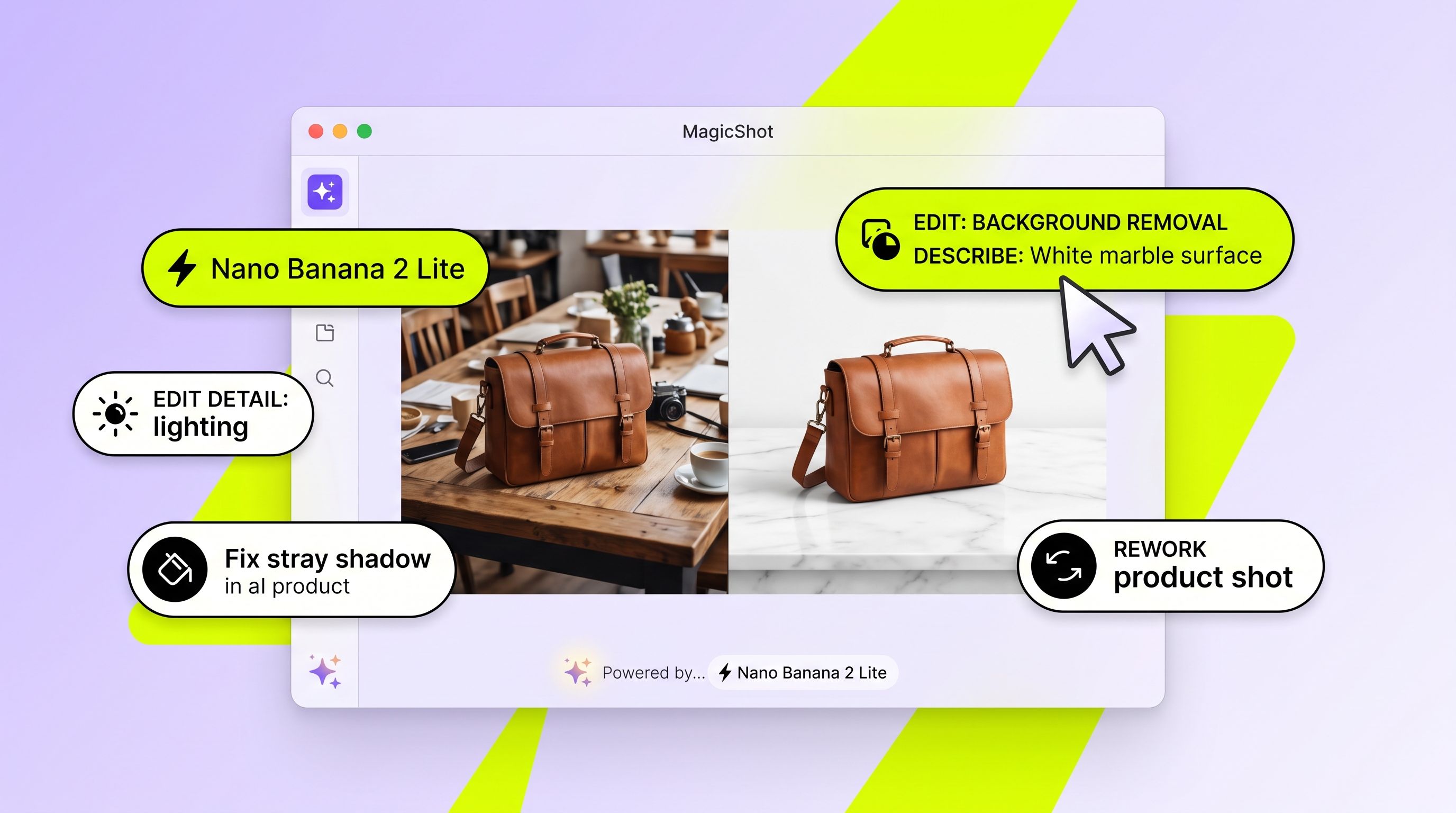
Nano Banana 2 Lite is a lightweight editing model tuned to return results fast. You give it an image and an instruction, and it edits the photo you uploaded. Think of it as the fast lane for the edits you make most: cleaning up a background, adjusting a subject, fixing lighting that went wrong on set, or reworking a product shot that almost worked.
The "Lite" in the name is the point. It is stripped down so it responds quickly, which matters when you are editing a batch of photos before a launch, not just one hero shot. Speed changes how you work. When an edit comes back in the time it takes to sip your coffee, you stop rationing your attempts and start actually iterating.
Why speed is the headline here
Most editing tools make you pay for quality with time. You wait, you check, you tweak, you wait again. That loop kills momentum, especially when you have a content calendar breathing down your neck. A faster model means the gap between "I want this changed" and "there it is" shrinks to almost nothing, so you can run more variations and pick the best one instead of settling for the first that finished rendering.
Who This Update Is For
If you sell online, you know the pain of a product photo that looks fine until you zoom in. A stray shadow, a cluttered background, a color that photographed a shade off. Nano Banana 2 Lite lets you fix those without shipping the item back to a studio. Sellers prepping an Etsy or Shopify listing can clean up a dozen shots in the time an agency would spend on one.
Social creators live and die by turnaround. When a trend breaks on TikTok or Reels, the edit that ships today beats the perfect edit that ships next week. Small teams without a designer on payroll get the same benefit: fast edits mean nobody waits on a queue, and nobody blows the budget on a $400 studio session for a single Instagram post.
Real scenarios where it earns its keep
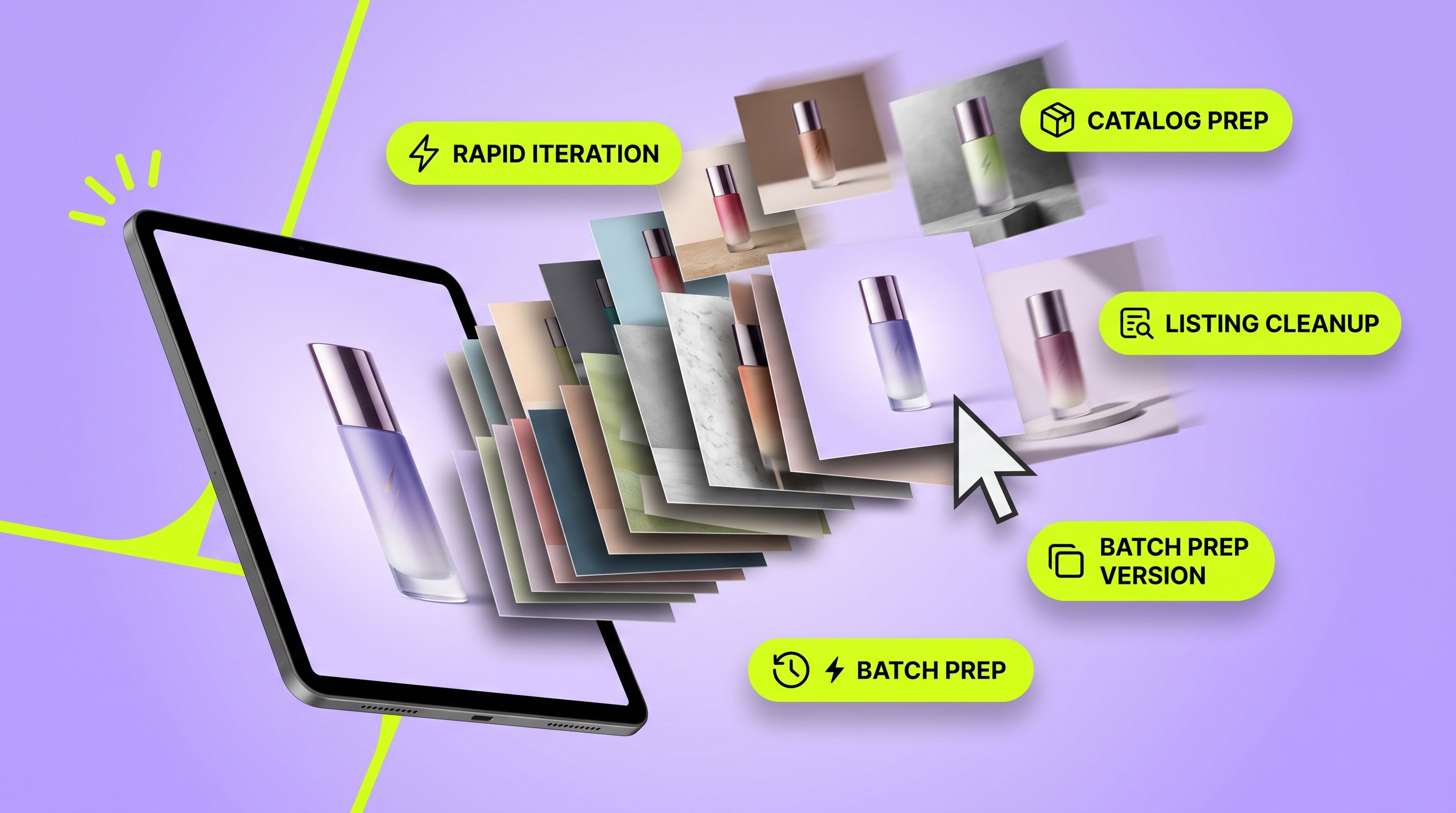
Listing cleanup: Remove distractions behind a product before it goes live, then move to the next SKU.
Portrait touch-ups: Fix uneven lighting from a phone shot without redoing the whole photo.
Batch prep: Push a set of images through the same edit ahead of a campaign, back to back.
Last-minute swaps: Change a detail an hour before a post goes out, when there is no time to reshoot.
How Image Editing Works on MagicShot
The flow is short on purpose. Here is the whole thing:
Upload your photo. Bring the image you want to change into the image editing tool.
Describe the edit. Tell it what to change in plain language, the way you would brief a designer.
Get your result. Nano Banana 2 Lite returns the edited image fast, so you can accept it or run another pass.
Because the model is built for speed, that third step is where the difference shows up. You are not committing an afternoon to one edit. You are working through your list.
Where It Fits in Your MagicShot Workflow
Editing rarely happens in isolation, so Nano Banana 2 Lite plays well with the rest of your toolkit. Once an edit looks right, you might push it into the image upscaler to bring it up to size for print or a large banner. If you need the image sharper and bigger for a product page, that is the next stop.
From there, the paths branch depending on what you are making. Turn a cleaned-up product shot into motion with image to video for a scroll-stopping Reel, or build out a full catalog look with the product photo generator. The edit is the starting point; the rest of the studio takes it wherever the campaign needs to go.
A note on what this model does and does not do
Nano Banana 2 Lite is an editing model. It works from the image you upload and the change you ask for. It is the tool you reach for when a photo already exists and needs fixing, not when you are starting from a blank canvas. For that, MagicShot has generation tools; for edits, this is now the fast default.
Why We Consolidated to One Editing Model
More models is not the same as better editing. Juggling a shelf of options slows you down because you spend energy deciding which one to use instead of doing the work. By making Nano Banana 2 Lite the editing model on MagicShot, the choice is made for you. Open the tool, upload, describe, done. That clarity is the feature.
Speed and simplicity tend to pull in the same direction. A single fast model means fewer decisions, quicker results, and a workflow that keeps up with how much content you actually need to ship in a week.
The Short Version
Nano Banana 2 Lite is now the image editing model on MagicShot, and it is the fastest one we have shipped. Upload a photo, say what to change, get it back quickly, and move on. For sellers, social creators, and small teams who edit constantly and cannot afford to wait, that speed is the whole story.