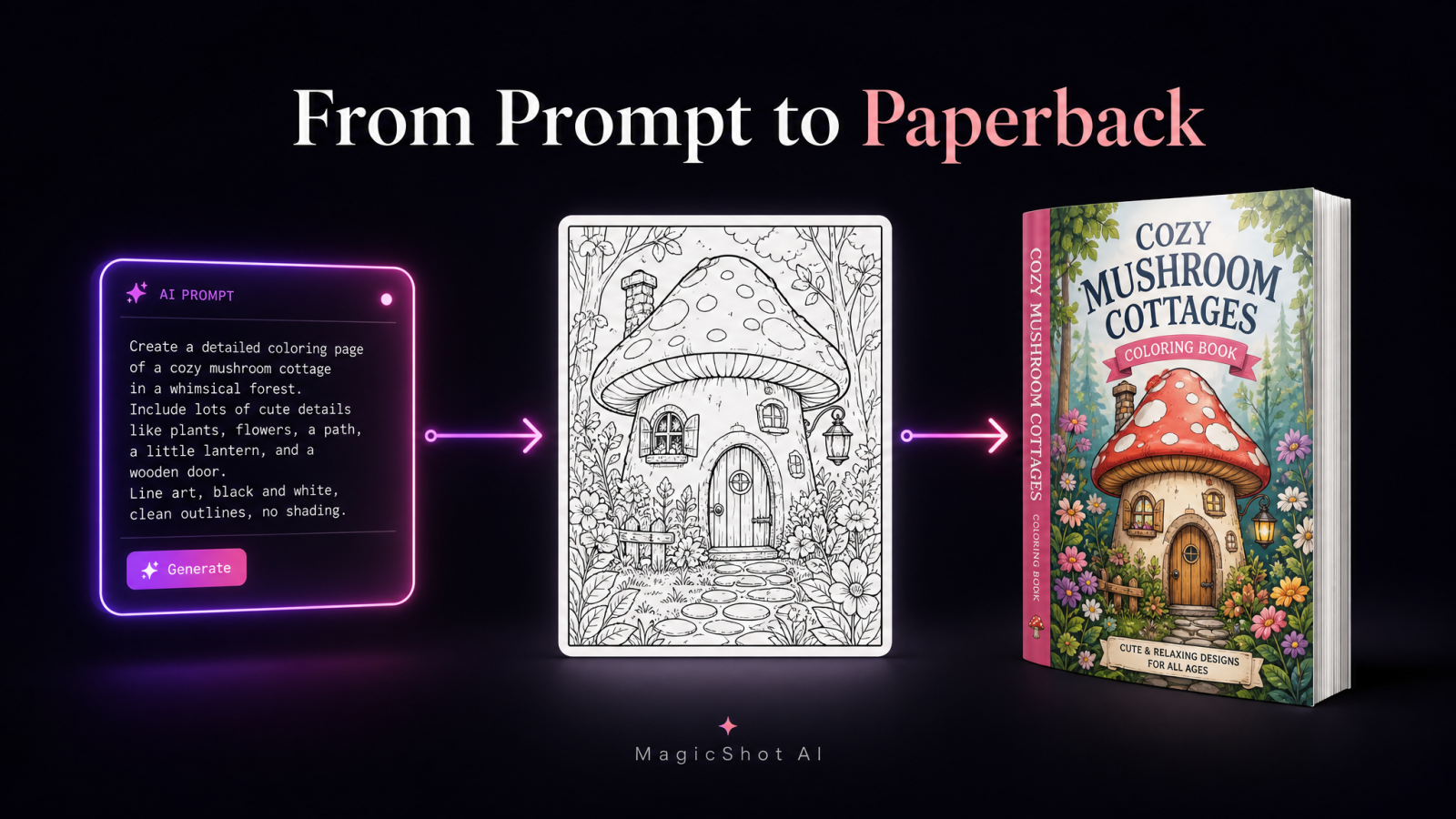
Here is the short version: you can publish AI coloring books on Amazon KDP by generating clean black-and-white line art with an AI coloring book generator, exporting it at print resolution, dropping the pages into a properly sized PDF interior, and uploading it through KDP as a paperback. No illustrator on retainer. No $500 per-page commissions. No design degree. The hard part is not the software. It is prompting for line art that actually prints well and picking a niche that sells.
I have watched this niche go from a quiet corner of the self-publishing world to a crowded shelf, and the sellers who still win are the ones who treat it like a product, not a lottery ticket. So this guide walks through the real workflow: prompting, resolution, page setup, KDP specifics, and the mistakes that get books rejected or ignored.
What is a KDP coloring book, and why AI changed the math
A KDP coloring book is a paperback of black-and-white outline illustrations that buyers fill in with pencils or markers, printed on demand through Amazon's Kindle Direct Publishing. You upload a cover and an interior file, set a price, and Amazon prints and ships each copy when someone orders. You hold no inventory and pay nothing to list.
The old bottleneck was art. A 40-page book meant 40 original illustrations, which meant either weeks of your own drawing or hundreds of dollars per page to a freelancer. An AI coloring book generator collapses that. You can produce dozens of consistent coloring pages ai outputs in an afternoon, iterate on a theme, and reprint variations without a reshoot or a new commission. That is the enemy this workflow kills: the slow, expensive art pipeline that used to gatekeep the whole niche.
Step 1: Pick a niche before you generate a single page
Most failed coloring books fail here. "Animals" is not a niche. "Cozy mushroom cottages for adults" is. "Monster trucks with big friendly faces for ages 4 to 7" is. Narrow themes rank for specific searches and give your prompts a consistent visual identity.
Look at what buyers actually type into Amazon: bold and easy designs for seniors, mandalas, kawaii food, dinosaurs, floral patterns, spooky-cute Halloween. Pick a theme you can generate 30 to 50 strong pages around without repeating yourself. If you cannot imagine 30 distinct scenes, the niche is too thin.
Adult vs. kids books: different line art
Adult coloring books lean on dense, intricate patterns, thin lines, and small fillable spaces. Kids' books need bold, thick outlines, large open areas, and simple shapes. Your prompts change accordingly, and you should never mix the two in one book. A four-year-old cannot color a fine mandala, and an adult buyer feels cheated by three lonely balloons on a page.
Step 2: Prompt an AI coloring book generator for clean line art
This is the skill that separates sellable books from muddy, gray messes. Generic image prompts give you shaded, painterly art that looks awful in black and white. You are prompting for something specific: pure outlines.
Start with an AI art generator and build your prompt around these ideas:
Name the style directly: "black and white line art, coloring book page, clean outlines, no shading, no grayscale, white background."
Control line weight: add "bold thick outlines" for kids or "fine detailed linework" for adults.
Kill the fill: phrases like "no color, no gradient, high contrast" push the model toward flat outlines.
Set the scene, not the mood: describe the subject and composition plainly. A coloring page wants a clear central subject and open, colorable regions.
Generate in batches, then cull hard. Expect to keep maybe one in three. If a page has gray patches, closed-off tiny shapes, or a busy background that leaves no room to color, cut it. Consistency matters too: buyers notice when page 12 has a totally different line style than page 11, so lock in a prompt formula early and reuse it.
Fixing near-miss pages
Sometimes an output is 90 percent there but carries a stray shadow or a distracting object. Rather than reroll and lose the composition, clean it up. A quick pass through an object remover pulls out a rogue element instead of forcing you to regenerate the whole page and gamble on a worse result. It is far faster than redrawing, and it keeps the composition you already liked.
Build a reusable prompt template
Once one prompt reliably gives you clean line art, freeze it. Keep the style block identical and swap only the subject: "[subject], coloring book page, clean bold black outlines, no shading, no grayscale, white background." That single habit is what makes a 50-page book look like one coherent product instead of 50 unrelated experiments. It also cuts your generation time in half, because you stop re-solving the style problem on every page.
Step 3: Get the resolution right (this is where books get rejected)
Print is unforgiving. AI images often come out at 1024 by 1024 pixels, which looks sharp on screen and blurry on paper. KDP wants interior images at 300 DPI. For a standard 8.5 by 11 inch page, that means roughly 2550 by 3300 pixels for the full page.
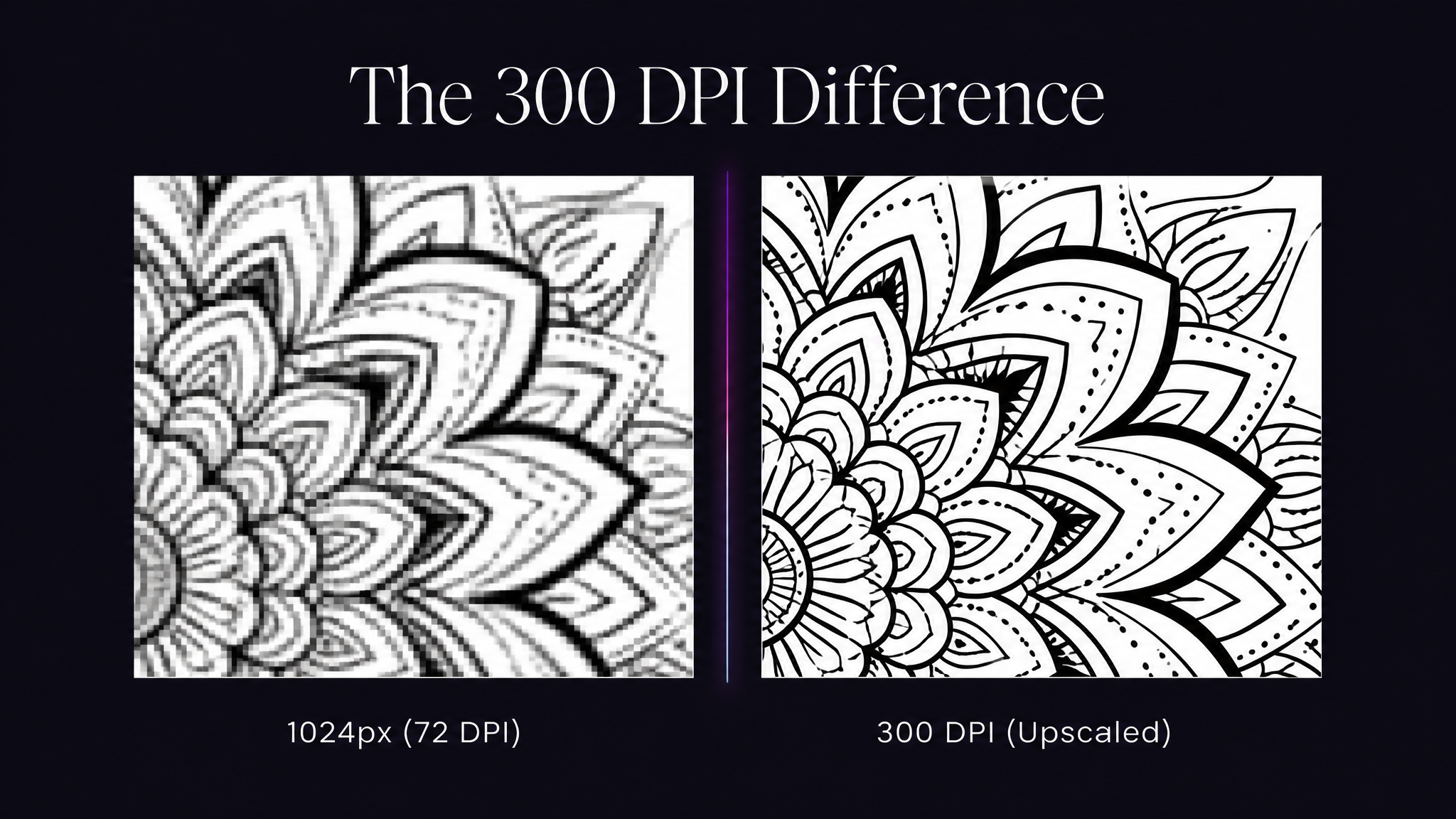
If your generator maxes out below that, run each keeper through an image upscaler before you place it. Upscaling line art is one of the cleanest use cases for the technology because you are sharpening crisp black edges, not inventing texture. Skip this step and your lines print fuzzy, which is the fastest way to earn one-star reviews.
Step 4: Set up the interior file
Amazon accepts a print-ready PDF for the interior. Build it right and the upload sails through.
Choose a trim size. 8.5 by 11 inches is the coloring book standard. Bigger pages mean more room to color.
Add bleed if art runs to the edge, or keep a white margin if it does not. KDP's bleed spec is an extra 0.125 inches on the outer edges.
Mind the inside margin (the gutter). Give at least 0.5 to 0.75 inches on the binding side so art does not vanish into the spine.
Print single-sided or add blank backs. Markers bleed through paper, so put each design on its own page with a blank or lightly patterned reverse.
Convert to grayscale. Even pure black-and-white art should be exported in grayscale to keep the file clean and printing predictable.
Export the finished layout as a single PDF. A 40 to 60 page book is a comfortable, sellable length that keeps your print cost, and therefore your royalty math, healthy.
Step 5: Design a cover that earns the click
Your interior is black and white. Your cover should not be. This is the one page where color, a clear title, and a legible font do the selling in a crowded search grid.
Generate a colored version of one of your best interior scenes, then build the title treatment around it. If you want a small brand mark or series logo for the spine and back, a logo maker handles that quickly. Use KDP's cover calculator to get exact spine width and bleed, since those depend on your page count and paper choice.
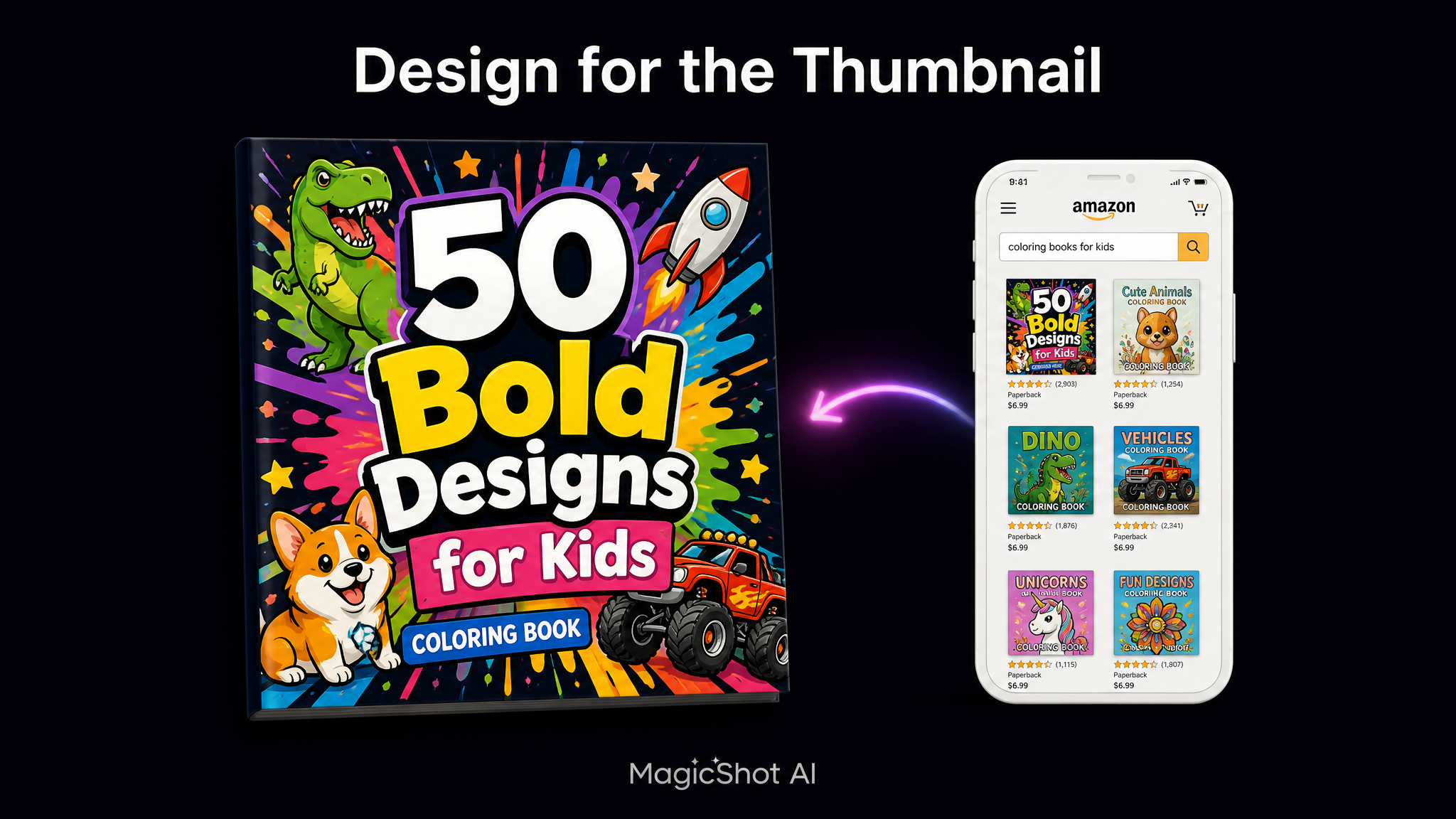
A few cover details move sales more than people expect. Keep the title readable at thumbnail size, because most buyers first see your book two centimeters wide on a phone. State the audience and count right on the cover: "50 Bold Designs for Kids Ages 4 to 8" tells a shopper everything in one glance. And match the cover art to the interior style, since a lush painted cover over scratchy interiors is the fastest path to a refund and a bad review.
Step 6: Publish on Amazon KDP
Now the upload. In your KDP dashboard, create a new paperback and work through the three sections:
Details: title, subtitle, author or pen name, description, and up to seven keywords. Write the keywords like a buyer searches: "adult coloring book flowers relaxation," not "flowers." Your description should state who the book is for, the page count, and the theme in the first two lines, because Amazon truncates the rest.
Content: pick your trim size, upload the interior PDF and the cover, and run the online previewer. The previewer flags margin and bleed problems before you commit, so read every warning.
Pricing: set your price above the printing cost so your royalty stays positive. Coloring books commonly sit between $6.99 and $9.99. KDP shows your exact per-copy print cost as you go.
Hit publish and Amazon reviews the book, usually within 72 hours. Order a proof copy before you promote it. Screens lie about how line weight and contrast look on real paper.
Publishing AI coloring books on Amazon KDP without breaking the rules
Two things sink otherwise good books. First, content policy: no copyrighted characters, no trademarked logos, no celebrity likenesses. Generating a page of a famous cartoon mouse is a fast route to a takedown and account trouble. Keep your themes original.
Second, quality. Amazon has grown stricter about low-effort, mass-produced titles. A book of near-identical, sloppy pages invites removal. The fix is the same discipline that makes a book sell anyway: tight niche, consistent line art, real resolution, and a length that feels worth the price. Treat AI as your art department, not your autopilot.
Where MagicShot fits your publishing stack
The coloring pages are the core, but a self-publishing side hustle runs on more than interiors. If you promote your books on TikTok or Reels, short clips of a page filling in with color perform well, and the AI video effects generator turns a static cover into scroll-stopping motion for a launch reel. It is the same account, one set of tools, from first outline to first sale.
Scaling from one book to a catalog
One book rarely pays the bills. A shelf of them can. Once your prompt template and interior workflow are dialed in, the second book takes a fraction of the time of the first, because you are only swapping the theme. Sellers who earn steady KDP income usually run a series: same trim size, same line style, same cover format, with the subject rotating from farm animals to sea creatures to holiday scenes.
Two habits protect that catalog. Keep a simple spreadsheet of every title, its keywords, and its niche, so you stop accidentally competing with yourself. And re-check each book against Amazon's content guidelines whenever the policy updates, since a rule change can quietly put an old title at risk. Build the system once and every new coloring book rides on the same rails.
Start with a niche you can carry for 40 pages, prompt for clean outlines, respect 300 DPI, and let the previewer catch your mistakes. Do that and your first KDP coloring book is a weekend of work, not a season of freelance invoices.