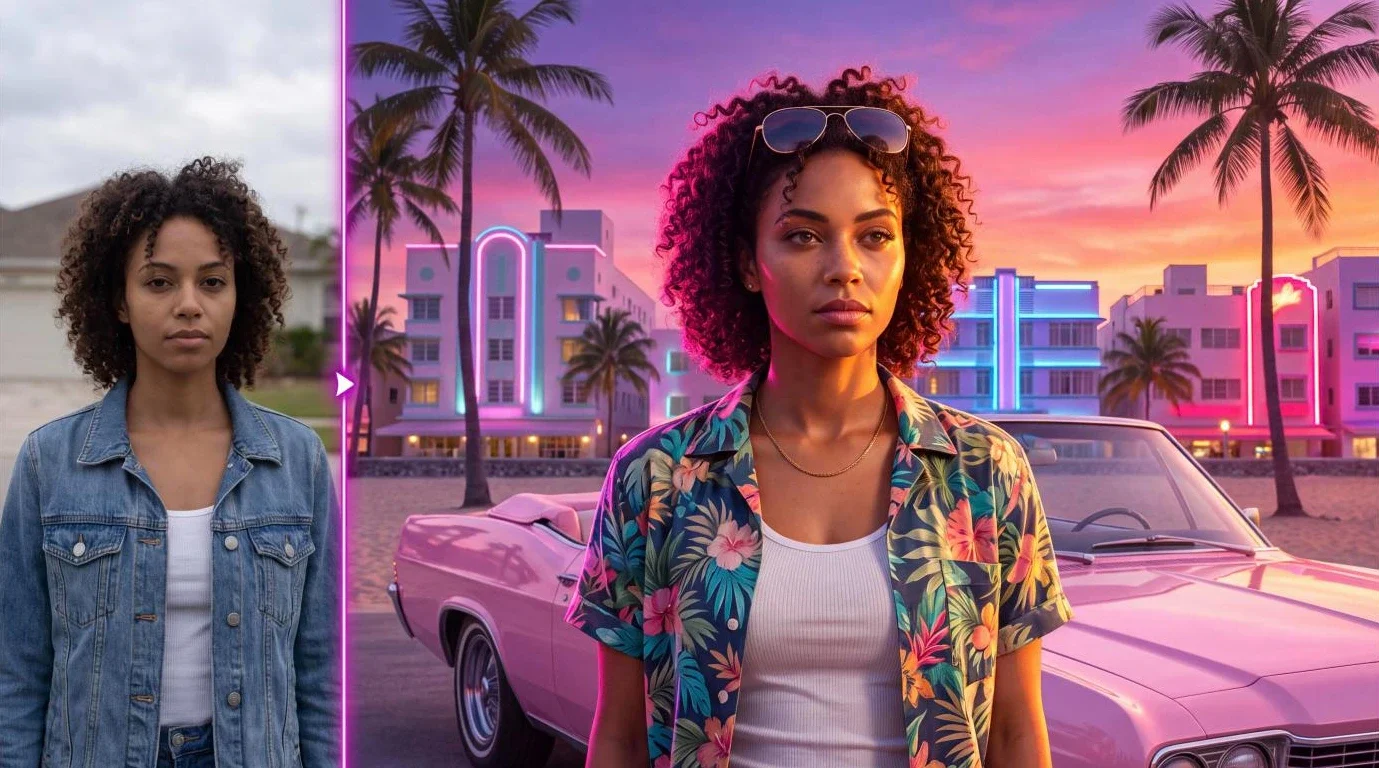
To make a GTA 6 style poster of yourself, upload one clear photo to MagicShot's AI Image Editing, choose GPT Image 2.6 Sunburst, and paste a prompt that does three jobs: locks your face, rebuilds the scene, and names the poster layout. We ran the five prompts below on November 21, 2026. Each one comes with the image it produced, what it got right, and where it missed.
Grand Theft Auto VI launched on November 19, 2026, and feeds have been full of fan-made posters since. This guide is for people who want more control than a one-tap filter gives: your ratio, your car, your name in the title.
The people in our examples are AI-generated test subjects made with MagicShot's Photo Generator, not real customers.
What people are making this week
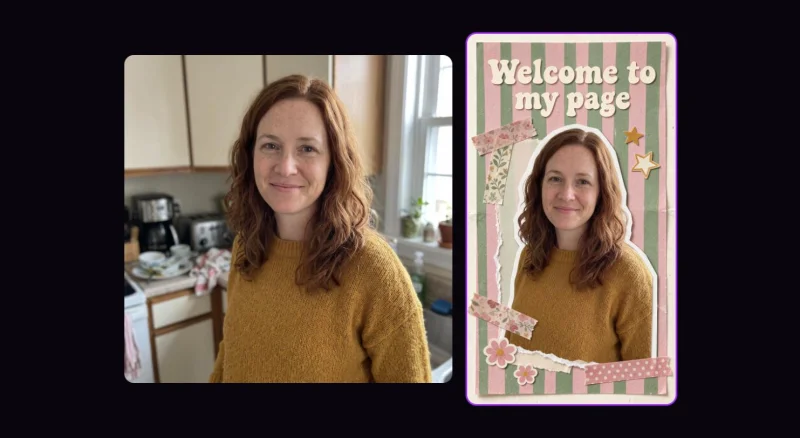
The loading-screen reveal. A plain photo, then the game-style version of the same person. Most of these edits run on CapCut templates and get posted to TikTok and Instagram Stories, so the shape is 9:16.
The cover collage. The official cover is a nine-panel collage with the two leads in the center. Fans keep the grid and put themselves in the middle.
The couple cover. Two people, one car, one sunset.
The wall poster. Rockstar offered the official cover art as a free printable poster at launch, so a personal version in the same tall shape makes an easy companion piece.
Set up AI Image Editing first
Open AI Image Editing and add your photo. The first photo is the one being edited. Any photos you add after it act as references.
Pick GPT Image 2.6 Sunburst in the model menu.
Choose the aspect ratio for where the poster is going.
Leave Maintain face consistency switched on.
Paste a prompt and generate. The Generate button shows the credit cost before you run it.
Use a photo where your face is sharp, evenly lit, and not hidden by sunglasses or a hand. The uploader accepts JPG, PNG, WebP, and HEIC. For more on writing prompts that hold a likeness, see our AI photo prompts guide.
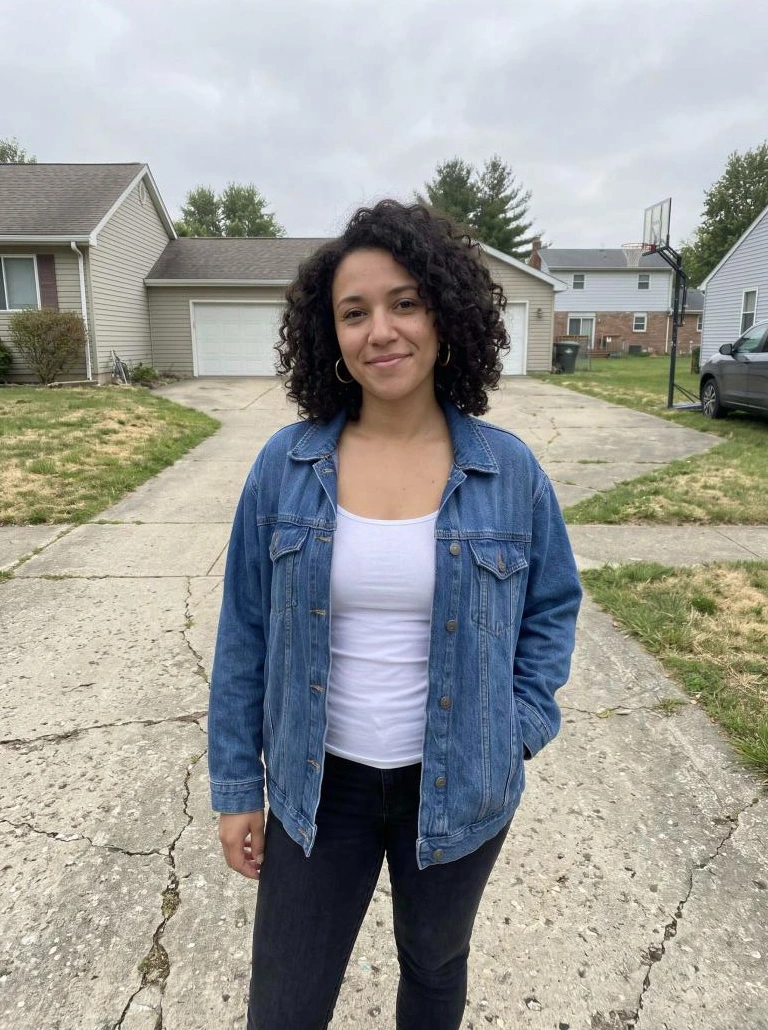
The plain photo we started from.
Why these prompts ask for a hyper-real look
Older GTA cover art is drawn with thick outlines and flat comic shading. The new game looks different: closer to a movie still, with real skin, hard golden light, and neon on wet pavement. So each prompt below asks for a hyper-real render. If you prefer the painted poster look, swap that sentence for this one: "Crisp painterly game-cover illustration, saturated color, hard-edged highlights."
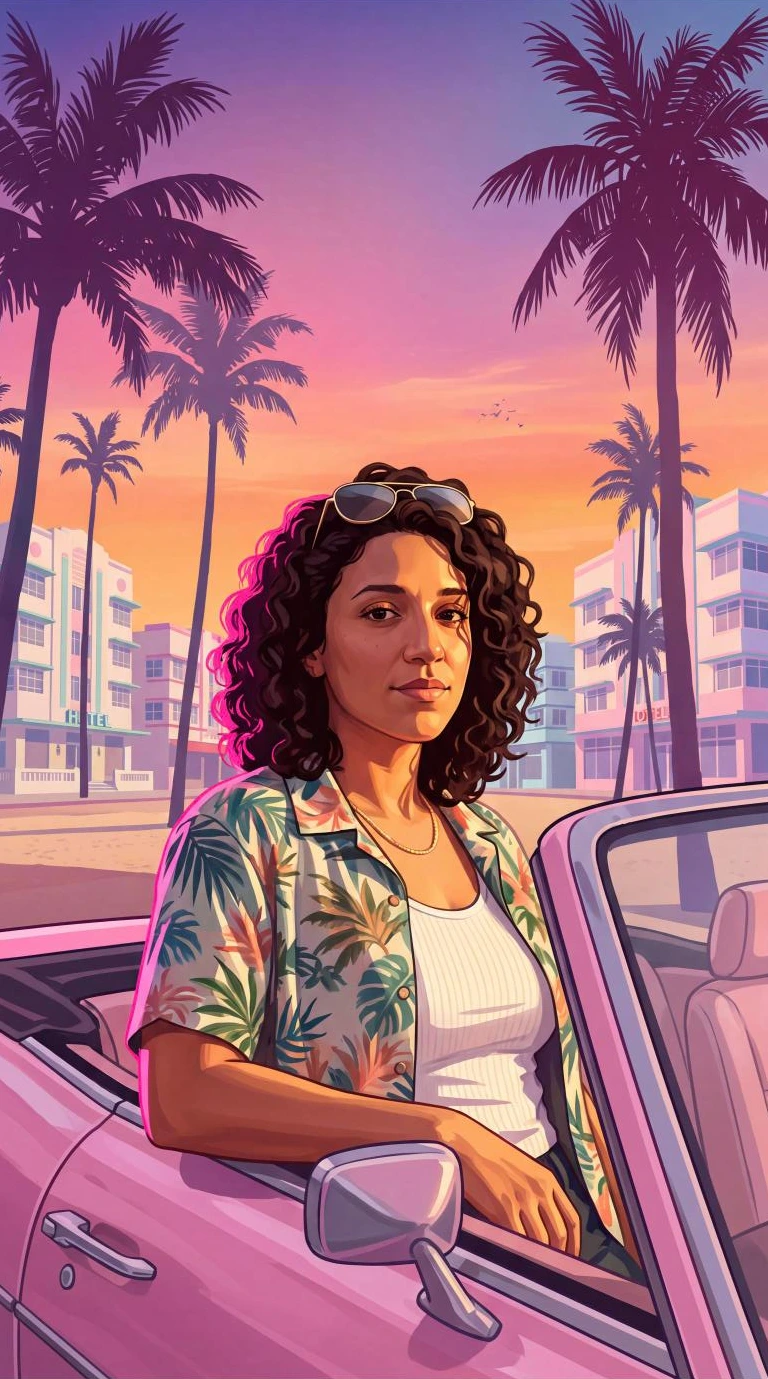
The same subject with the painted finish instead.
The five GTA 6 poster prompts
1. GTA 6 loading screen for Stories (9:16)
Best for the before-and-after reveal.
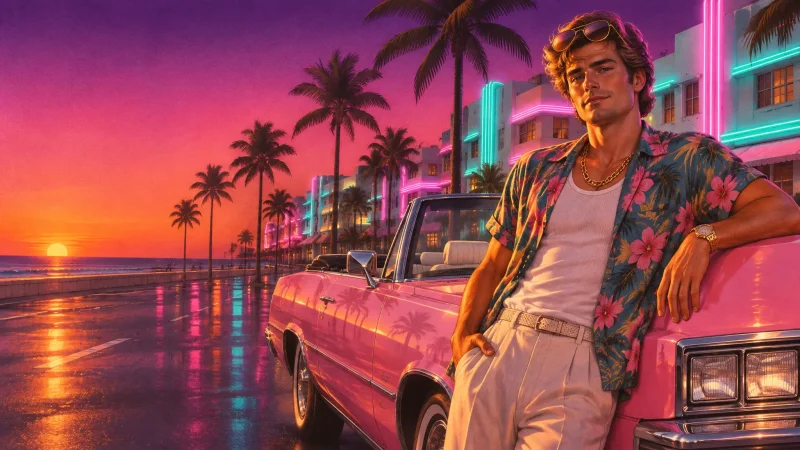
Turn this photo into a fan-made cover image in the look of a modern open-world crime game set in a neon Florida beach city. Keep me instantly recognizable: same face, features, skin tone, and hair, with real skin texture. Restyle my outfit as an open tropical-print shirt over a white ribbed tank, a thin gold chain, and aviators pushed up into my hair. I am standing on the sidewalk, waist up, with a parked pastel-pink 1980s convertible behind me, one hand resting on its door. Behind us: tall royal palms, pastel art-deco hotels with neon tubes shaped as lines and curves, and a sunset sky fading from deep purple through flamingo pink to burning orange. Hard low golden sun across my face, hot pink rim light on my hair and shoulders. Render it hyper-real and richly saturated, like key art from a big-budget game: real human skin, detailed fabric, glossy paint reflections, punchy color, crisp edges, deep focus. Not a cartoon, not a comic, no outlines. Vertical 9:16, with open sky above me. No text, no lettering, no logos, no titles.
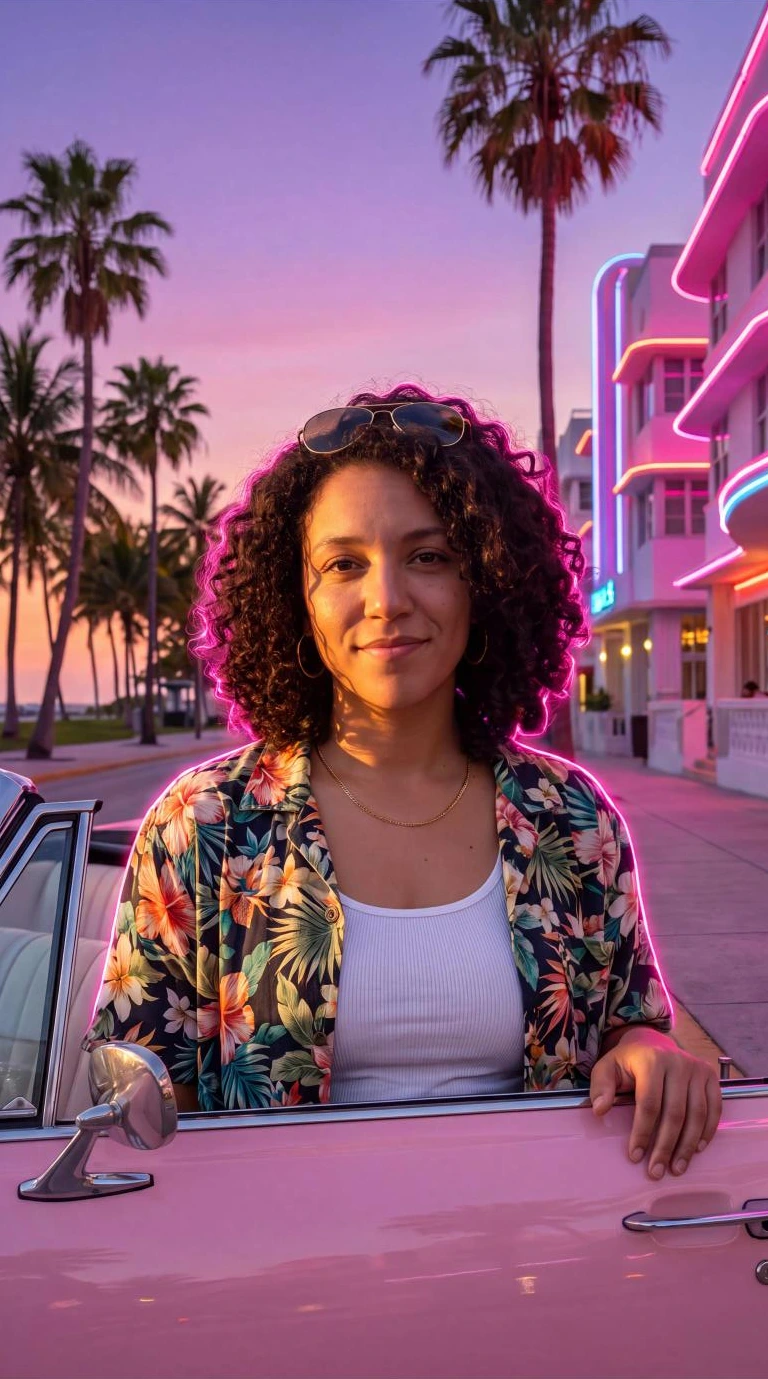
What we got: The likeness held, down to the curls and face shape. Our subject is standing outside the car with a hand on the door, as asked, and the hotels carry neon tubes instead of signs.
Where it missed: One small neon sign still crept onto a hotel in the background.
Make it yours: For a closer match to the TikTok reveal, swap the outfit sentence for "Keep my own outfit from the photo."
2. Cover collage (2:3)
Best for a print or a feed post that reads as box art.
Turn this photo into a fan-made game cover collage in the look of a modern open-world crime game set in a neon Florida beach city. Split the image into nine irregular panels separated by thin white borders. Put me in the large center panel, chest up, instantly recognizable: same face, features, skin tone, and hair, with real skin texture, wearing an open tropical-print shirt over a white tank with a gold chain. Fill the other panels with scenes from the same city, with no other close-up faces: a helicopter over the skyline, a pastel-pink convertible on a palm-lined boulevard, a white speedboat on turquoise water, an alligator in the mangroves, a flamingo in the shallows, a lifeguard tower on the beach, a sports bike on a causeway, a beach at sunset. Sunset palette of deep purple, flamingo pink, burning orange, and teal. Render every panel hyper-real and richly saturated, like key art from a big-budget game: punchy color, hard golden light, crisp edges. Not a cartoon, not a comic, no outlines. Vertical 2:3. No text, no lettering, no signs, no logos, no titles.
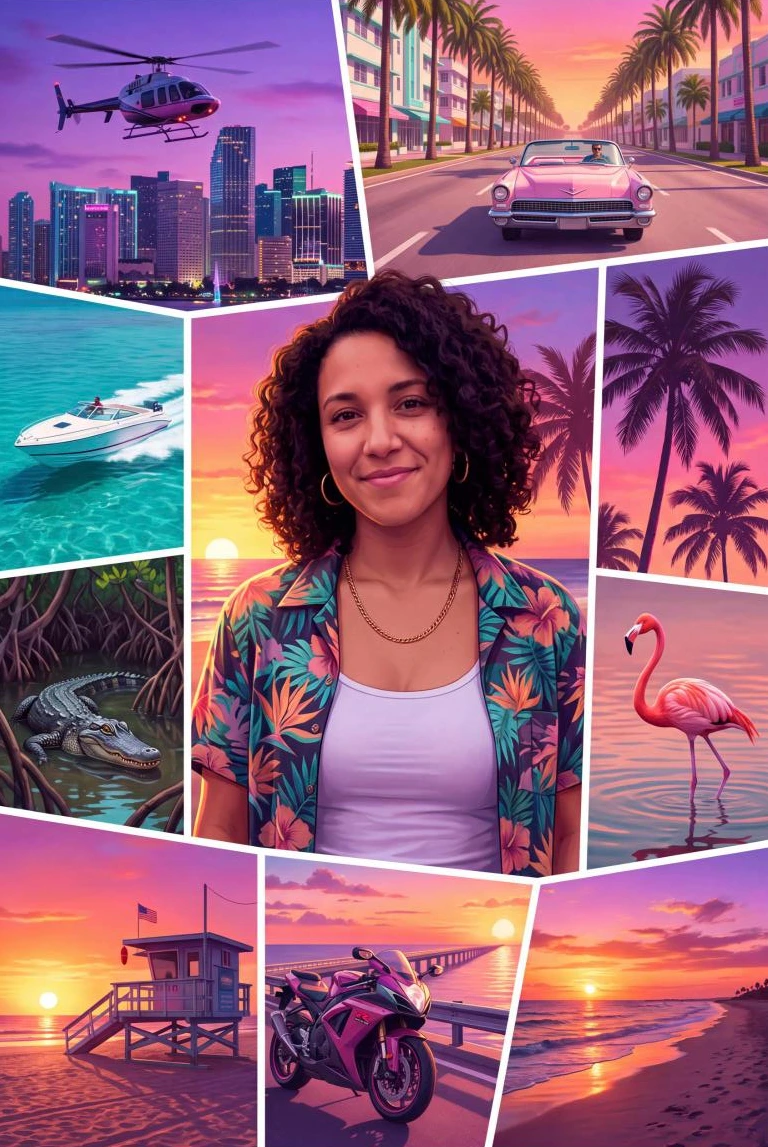
What we got: Our subject in the large center panel, every scene we listed, and no lettering anywhere.
Where it missed: We asked for nine panels and got ten. An earlier version with a motel panel came back with a readable MOTEL sign twice, even after we asked for no lettering. Naming a building that normally carries a sign invites one, so this version uses a lifeguard tower instead.
3. Couple cover from two photos (3:4)
Add your photo first, then your partner's as the second photo. A tight, well-lit headshot works well as the second one.
Create one fan-made cover image in the look of a modern open-world crime game set in a neon Florida beach city, starring the two people in the uploaded photos. Photo 1 is the first person, photo 2 is the second. Keep each one instantly recognizable, with their own face, features, skin tone, and hair, real skin texture, and do not blend or swap their faces. They stand back to back, waist up, in front of a parked pastel-pink 1980s convertible, both looking at the camera with cool, unbothered expressions. The person in photo 1 wears a white linen blazer over a black tee, the person in photo 2 wears an open tropical-print shirt over a white tank, both with thin gold chains. Behind them: royal palms, pastel art-deco hotels with neon tubes shaped as lines and curves, and a sunset sky fading from deep purple through flamingo pink to burning orange. Hard low golden sun, hot pink rim light. Render it hyper-real and richly saturated, like key art from a big-budget game: real human skin, detailed fabric, punchy color, crisp edges. Not a cartoon, not a comic, no outlines. Exactly two people, one car. Vertical 3:4. No text, no lettering, no logos, no titles.
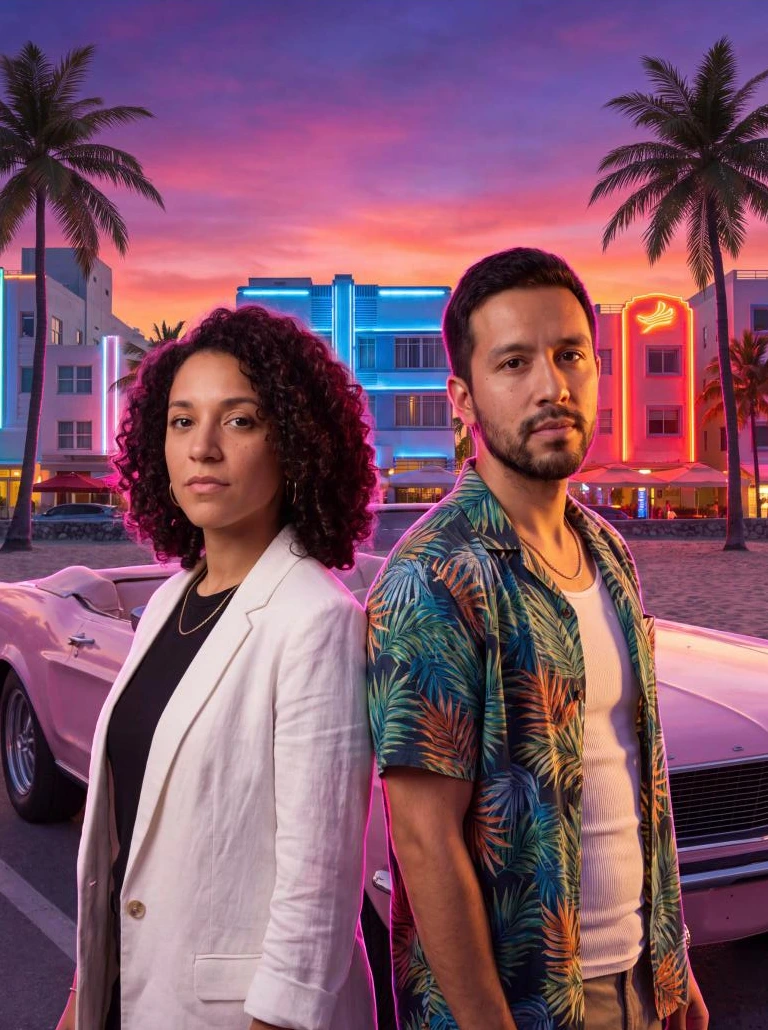
What we got: Two distinct, recognizable faces from two separate photos, posed back to back. Each person got the outfit we assigned by photo number.
Make it yours: Change the outfits, but keep the "photo 1" and "photo 2" labels so the model knows who wears what.
4. You and your car (3:2)
Start from a photo that shows you and the whole car.
Turn this photo into a fan-made cover image in the look of a modern open-world crime game set in a neon Florida beach city. Keep my car exactly as it is: same body shape, color, wheels, and stance, but with a plain grille and no brand badge. Keep me instantly recognizable: same face, features, skin tone, and hair, with real skin texture. Move us to an oceanfront boulevard at golden hour: the car parked at a three-quarter front angle, shot from a low angle, me leaning on the front fender with my arms crossed. Restyle my outfit as an open short-sleeve shirt over a white tank with a thin gold chain. Behind us: royal palms, pastel art-deco hotels with neon tubes shaped as lines and curves, and a sunset sky fading from deep purple through flamingo pink to burning orange, reflected in the paint. Render it hyper-real and richly saturated, like key art from a big-budget game: real human skin, glossy paint reflections, punchy color, crisp edges. Not a cartoon, not a comic, no outlines. Landscape 3:2. No text, no lettering, no license plate text, no badges, no logos.
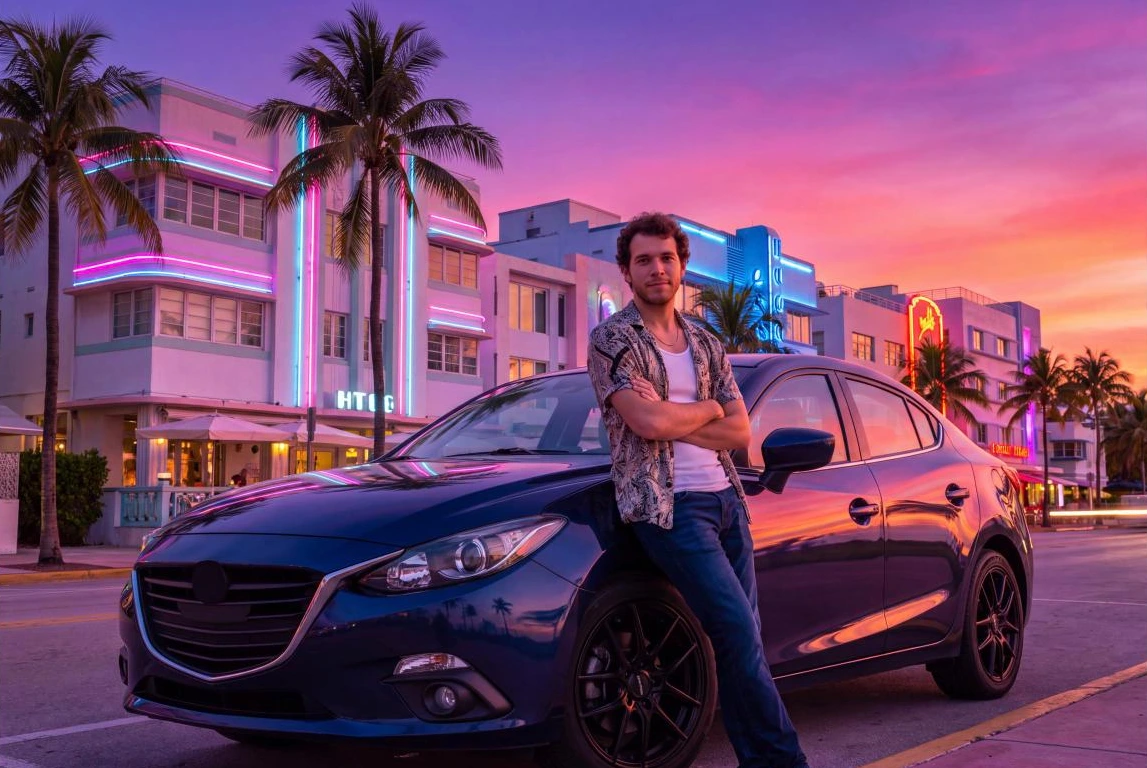
What we got: The same car, with its color, body shape, and black wheels intact, moved from a parking lot to a neon boulevard. Asking for "a plain grille and no brand badge" removed the badge, which a plain "no logos" did not do in an earlier run.
Where it missed: A hotel in the background picked up a garbled neon sign. Review the result before you post it.
5. Wallpaper with your name in the title (16:9)
Swap in your own name and line. Keep both short.
Turn this photo into a wide fan-made game cover wallpaper in the look of a modern open-world crime game set in a neon Florida beach city. Place me on the right third, waist up, instantly recognizable: same face, features, skin tone, and hair, with real skin texture, in a white linen blazer over a black tee with a thin gold chain. Behind me: a city skyline across the bay at dusk, royal palms, and a sky fading from deep purple through flamingo pink to burning orange, with teal and magenta neon reflecting on the water. Hard low golden light on my face, hot pink rim light. On the left, add the title "MAYA" in big, bold, rounded capital letters with a pink-to-orange gradient and a thin white outline, and under it the smaller line "NIGHTS IN TAMPA" in clean white capitals. Render it hyper-real and richly saturated, like key art from a big-budget game: real human skin, punchy color, crisp edges. Not a cartoon, not a comic, no outlines. Wide 16:9. No other text, no logos.
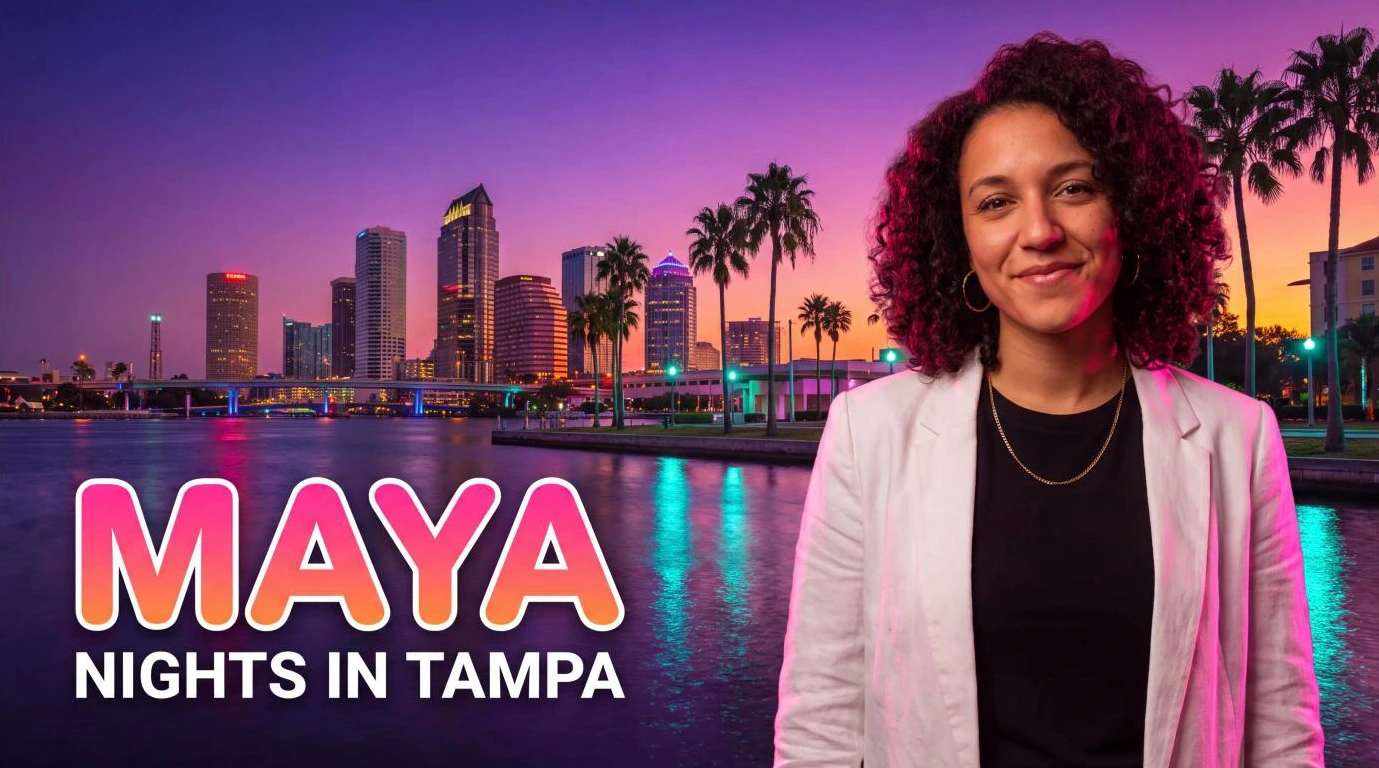
What we got: Both lines came back spelled correctly, with the gradient and outline we described.
Check before you post: Read every letter. Longer titles give the model more chances to slip.
Build your own: the seven-part prompt
Part | What it does | Example wording |
|---|---|---|
Format | Names the poster type | "fan-made cover image in the look of a modern open-world crime game" |
Identity lock | Keeps you looking like you | "same face, features, skin tone, and hair" |
Wardrobe | Restyles or keeps your clothes | "open tropical-print shirt over a white tank" |
Scene | Sets the place and props | "royal palms, pastel art-deco hotels, a pastel-pink convertible" |
Light and color | Sets the sunset look | "deep purple through flamingo pink to burning orange" |
Finish | Chooses hyper-real or painted | "hyper-real and richly saturated, like key art from a big-budget game" |
Layout and exclusions | Shapes the frame and blocks text | "Vertical 9:16. No text, no lettering, no logos." |
With GPT Image 2.6 Sunburst, the prompt box takes up to 2,000 characters.
Where each size goes
Ratio | Use it for |
|---|---|
9:16 | Stories, Reels, TikTok, phone lock screen |
2:3 | Printed posters |
3:4 | Feed posts |
3:2 | Car pages, landscape prints |
16:9 | Desktop wallpaper |
Our 2:3 collage came out at 3,392 × 5,056 pixels, which is about 300 dpi at 11 × 17 inches. Output size can differ by model and ratio, so check the file before you send it to a printer. The ratio menu also changes with the model you pick. If you need a larger print, MagicShot's Image Upscaler is the next step.
Fixes for the misses we hit
Readable signs. Describe neon as "tubes shaped as lines and curves" and leave out buildings that normally carry a sign, such as a motel. That cut most stray lettering in our tests, but not all of it. For a small leftover, try the Object Remover.
Pose drift. Say where your body is in relation to the car: "standing on the sidewalk," "one hand resting on its door."
Car badges. Ask for "a plain grille and no brand badge" by name.
Panel count. Expect one more or one fewer than you asked for.
Turn the poster into a moving loading screen
On the result screen, the "Do more with this" menu sends your poster to Image to Video or the AI Video Effects Generator. Our GTA 6 AI filter guide walks through the video effects built for this look.
Prefer one tap?
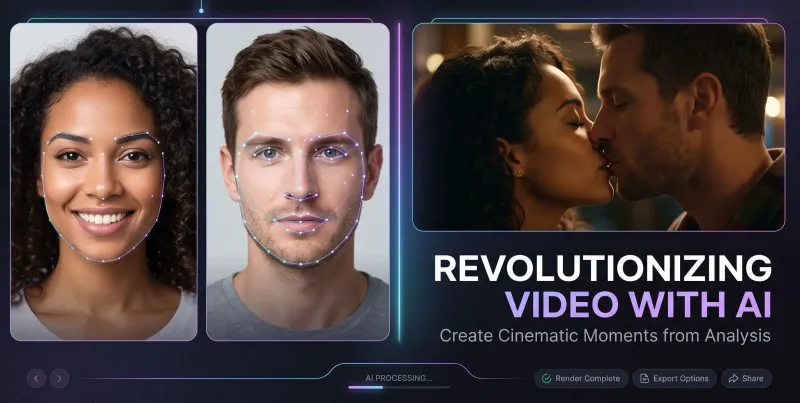
MagicShot's Vice styles in the Avatar Generator give you the same sunset look without writing a prompt, and the AI Kissing Video Generator has Vice scenes for couples. For the retro side of the look, try our 1980s AI photo prompts.
Keep it fan-made
Leave out the game's logo, wordmark, and character names.
Label your post as fan-made and AI-made.
Only upload photos of people who have agreed to it.
MagicShot is not affiliated with Rockstar Games or Take-Two Interactive. For where the line sits between style and copying, see this section of our filter guide.
The short version
Pick the poster shape first, lock your face in the first sentence, and describe the scene the way a cover artist would. Then check the result for stray text before you post it.