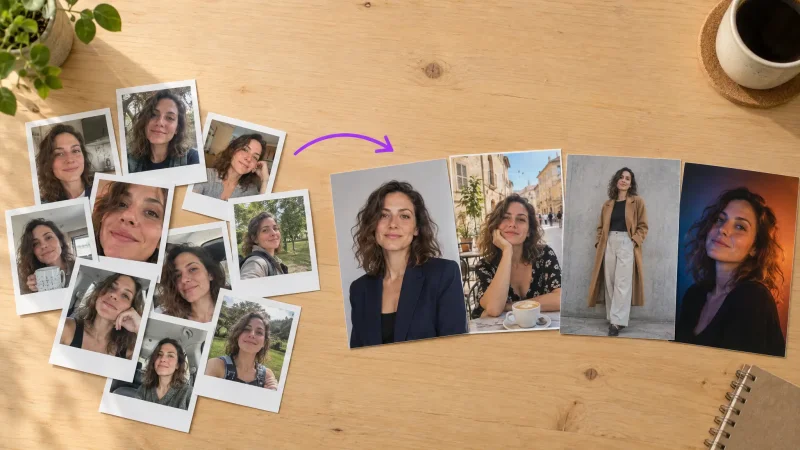
Generate one great AI portrait and you feel like a genius. Generate a second one and the face has quietly changed: different nose, softer jaw, eyes set a little wider. That gap between one good image and a matching set is the whole problem of character consistency, and it is the single hardest thing to get right in AI imagery. This guide walks through why the same face drifts, and the exact steps that keep a consistent AI character looking like one person across ten, twenty, or fifty shots.
The payoff is real. A locked character means you can build a brand mascot, a fictional spokesperson, or a personal headshot library without booking a $400 studio session every time you need a new angle. No photographer, no reshoot, no praying the second batch matches the first.
Why AI struggles with character consistency
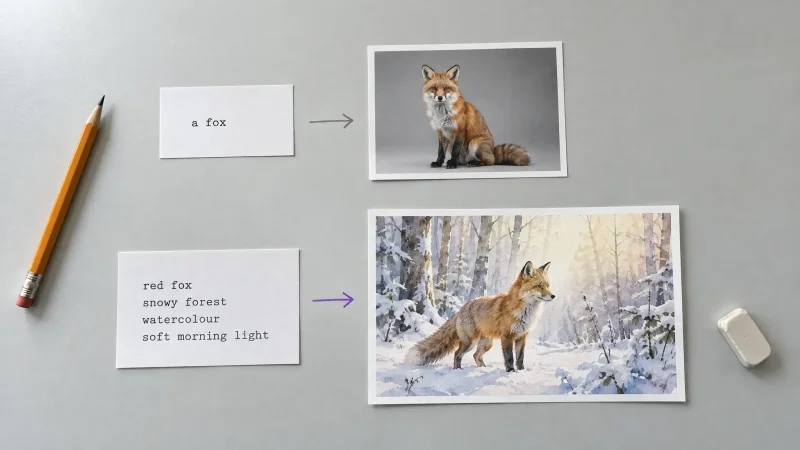
Text-to-image models do not store a person. They rebuild a face from scratch on every generation, guided by your prompt and a random seed. Change one word, or let the seed roll, and the model happily invents a new human who roughly fits the description. That is why "a 30-year-old woman with brown hair" gives you a different woman every time. The description is loose, so the output is loose.
Getting the same face in different photos with AI means giving the model something far more specific than words. You have to anchor identity with a reference, a trained model, or a fixed seed, then control everything else around it. Miss that step and you get siblings, not one person.
The three things that break a matching set
Seed roulette. A new random seed on every render nudges every feature. Small nudges add up to a different person.
Prompt drift. Rewriting the description between shots, even to change the pose, quietly rewrites the face too.
Weak identity anchor. One blurry selfie or a vague text prompt gives the model too much room to improvise.
Understanding this changes how you work. Instead of chasing the perfect one-off render, you build a system: a fixed anchor for identity, and a small set of controlled variables for everything else. That mental shift is most of the battle.
How to get a consistent AI character: the reliable methods
There is no single magic switch. Pick the method that matches how tight your matching set needs to be, then layer the others on top for extra control.
1. Train on a real face (the tightest lock)
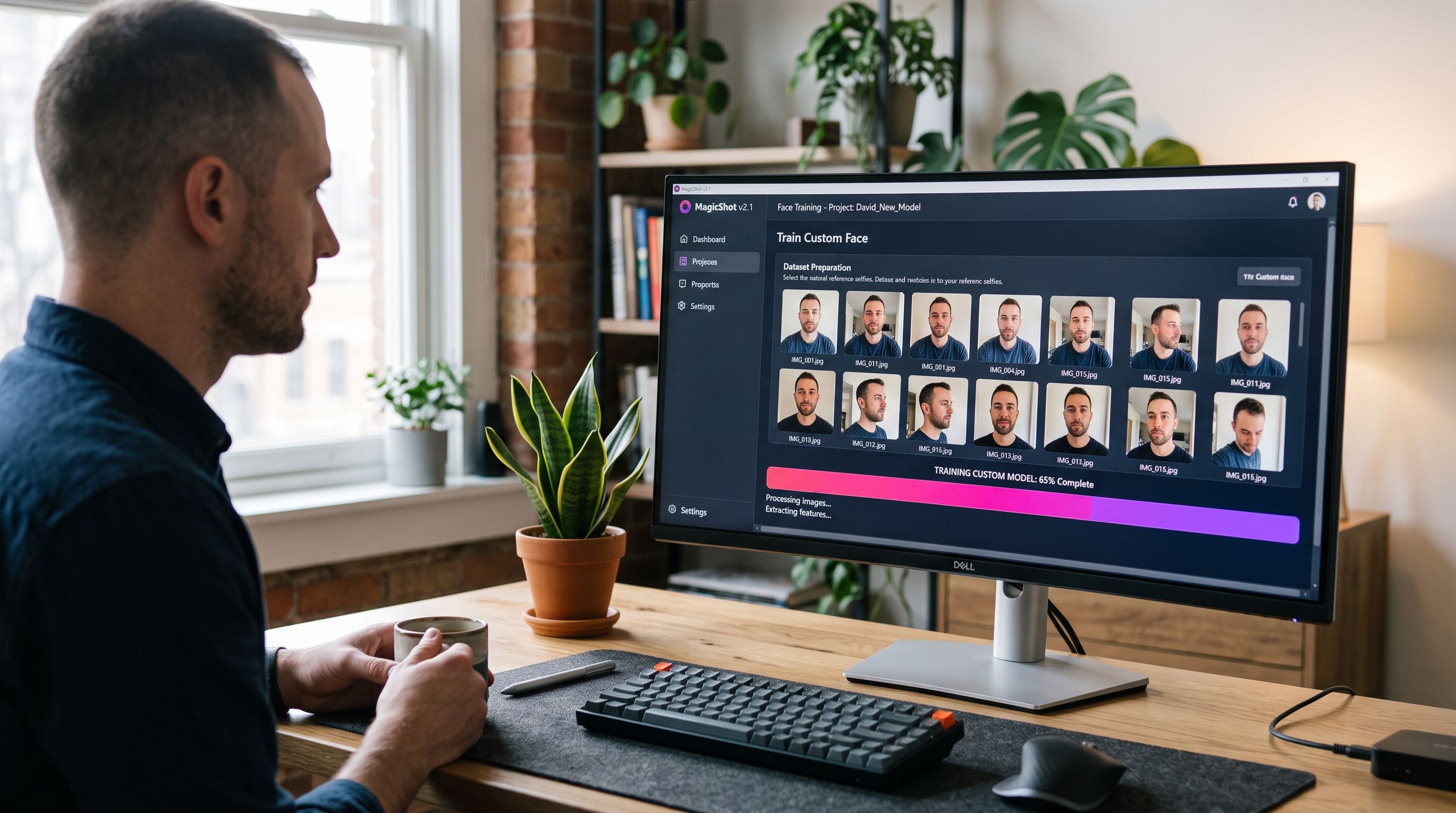
Feeding a model a set of photos of one person is the strongest way to hold identity. This is exactly how a trained portrait system works: you upload 10 to 20 clear photos of the same face from different angles and lighting, and the model learns that specific person. After that, every new prompt draws the same human. This is the engine behind tools like Professional Headshots, where the whole point is a library of shots that all read as you, not a stranger who resembles you.
Rules that make training work:
Use sharp, well-lit photos. Blurry inputs teach a blurry, unstable face.
Vary angle and expression, but keep it the same person, same era. Don't mix a 2015 haircut with last week's.
Avoid heavy filters, sunglasses, and other faces in frame. The model should have no doubt who the subject is.
2. Lock the seed, then change one thing at a time
A seed is the numeric starting point for a generation. Reuse the same seed with the same prompt and you get the same image. The trick is to lock the seed, then edit only the part you want to move, like the pose or the background, while leaving the identity words untouched. Change the prompt in small, deliberate steps and the face holds far better than if you rewrite the whole thing.
3. Use an image reference to carry the face forward
Once you have one portrait you love, use it as the reference for the next batch. Reference-driven generation reads the face from your image and rebuilds it in a new scene, so the identity travels with you instead of resetting. Combine this with a locked seed and a stable prompt and you get a genuinely matching set rather than a family reunion.
4. Freeze your prompt as a template
Write one master prompt that describes the person in precise, repeatable language. Keep the identity block word for word every time. Then add a separate, swappable block for the scene. Something like: [fixed identity description] + [changeable: standing in a sunlit kitchen, morning light]. You only ever touch the second block. This alone kills most prompt drift.
5. Stack the methods for the hardest cases
These four are not mutually exclusive, and the tightest results come from stacking them. A trained face plus a locked seed plus a frozen identity block gives you three independent brakes on drift. If one slips, the other two hold. When you absolutely need forty portraits that could pass as one shoot, this is the combination to reach for. When you just need three quick variations, a single reference image is usually enough.
Writing an identity block that actually holds
Most drift traces back to a vague identity description, so this part deserves its own attention. Treat the identity block like a spec sheet, not a mood. List the features that define recognition and leave out the ones that change with lighting or mood.
Include the traits that stay put: face shape, jaw and cheekbone structure, nose shape, eye color and spacing, hair color, length, and texture, skin tone, and any signature marks like freckles or a scar. Then keep those exact words identical on every render. Leave out anything a viewer would not use to recognize the person, and let the scene block carry the pose, outfit, and background. A tight, repeatable identity block is the cheapest consistency upgrade you can make, and it costs nothing but discipline.
A step-by-step workflow for a matching portrait set
Here is the process I use when I need ten portraits that all clearly show one person.
Build the anchor. Either train on 10 to 20 photos of the subject, or generate one hero portrait and save it as your reference.
Write the master prompt. Lock the identity block. List hair, face shape, age, and any signature detail in fixed words.
Set and record the seed. Note the seed of your best result so you can return to it.
Change one variable per render. New pose, new background, or new outfit, never all three at once.
Cull hard. Generate a batch, then keep only the shots where the face matches your hero. Discard the near-misses without mercy.
Clean up and scale. Send keepers through an Image Upscaler for print-ready resolution, and use a Background Remover when you need the same character dropped onto clean or varied backdrops.
The fastest way to a consistent set is boring discipline: one anchor, one prompt template, one change at a time. Chaos in, chaos out.
Consistency for stylized and non-human characters
The same rules apply when your character is not a real person. A brand mascot, an illustrated avatar, or a fantasy hero still needs an anchor and a frozen identity block. If you are inventing the character from scratch in an AI Art Generator, generate your hero image first, then treat that image as the reference for every follow-up scene. The workflow does not change: nail one look, then defend it.
Pets are a fun edge case. Fur patterns and markings drift just like human features, so a reference photo of the actual animal matters even more. Pet Portraits handle this by anchoring on your uploads, so the golden retriever in shot five is the same dog as shot one.
Taking a consistent character into video and voice
A locked face is the foundation for far more than stills. Once you have a matching set, you can animate a hero portrait into motion with Image to Video, or turn your character into a talking spokesperson using an AI Avatar Video. Give that avatar a repeatable voice with Text to Speech and you have a spokesperson who looks and sounds the same in every clip, which is exactly what a brand mascot needs.
For a locked character to hold up across a whole video project rather than a single clip, open-weights models like LTX-2.5 let you fine-tune the model itself on your trained face, so identity stays consistent across every shot rather than resetting between generations.
Where a consistent character pays off
The reason character consistency is worth the effort is that a locked identity turns one face into an asset you reuse for months. A few scenarios where it earns its keep:
A brand face that shows up everywhere
A recurring spokesperson for a small brand needs to look identical on the website, the ad, and the email. With a trained character, you generate a product shot on Monday and a testimonial-style frame on Tuesday, and both clearly show the same person. This is the same discipline that keeps UGC Videos believable: viewers trust a face they recognize across clips, and instantly clock when it swaps.
An e-commerce model who never asks for a day rate
Sellers who want a consistent model across a catalog can lock one character and dress them in every product. Pair a locked identity with an AI Fashion Model and your lookbook reads like one photoshoot with one model, not forty strangers. No booking fee, no reshoot when a new SKU lands.
Personal libraries: headshots and profiles
For your own face, consistency means one training run feeds a whole library. The same trained character can produce a corporate headshot for LinkedIn and a relaxed set for Dating Profile Photos, and every image still looks like you on a good day. That is the difference between a novelty render and a set you would actually publish.
Common mistakes that wreck consistency
Regenerating from text alone once you have a good face. Switch to a reference or trained model. Words cannot hold identity on their own.
Over-editing the prompt. Every extra adjective is a chance for the model to reinterpret the face.
Mixing training photos of different ages or heavy makeup. The model averages them into a person who looks like nobody.
Skipping the cull. A matching set is defined by what you throw away, not just what you generate.
Wrapping up
Character consistency comes down to anchoring identity and then refusing to let it move. Train on real photos or lock a hero reference, freeze the identity half of your prompt, hold the seed, and change one variable at a time. Do that and a whole matching set of portraits stops being luck and starts being a repeatable process, no reshoot required.