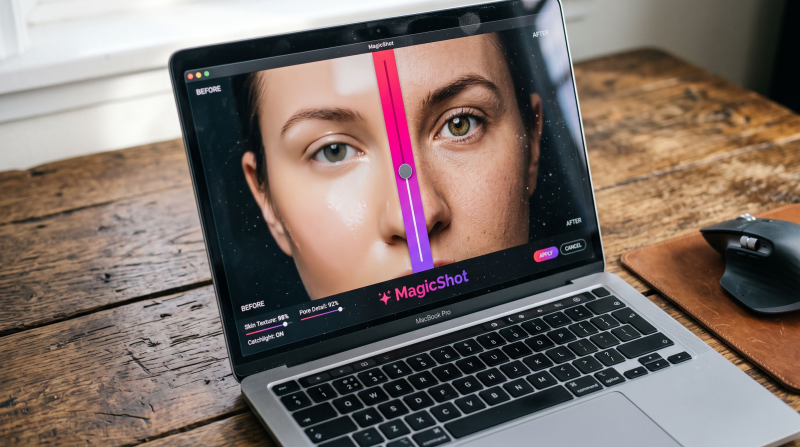
AI will not teach you to see a good photograph, but it can rescue a good one that was shot in bad light, tidy a distracting background, or finish an edit that would otherwise take an evening. This post is a working guide to using AI editing on photos you have already taken: what to fix first, what to leave alone, and how MagicShot's tools fit into that routine.
Get the capture right first
Editing cannot invent detail that was never recorded. A sharp, well-exposed original gives the AI more to work with, and you will see the difference in every tool below.
Shoot at the highest resolution your camera or phone allows. - Hold steady and focus on the eyes or the main subject. - Use soft, even light where you can, such as a window or open shade. - Leave breathing room around the subject so you can crop later.
A simple editing order
Following the same order each time keeps results consistent and stops edits from fighting each other.
Crop and straighten. Fix composition before anything else, since later edits depend on the framing. - Fix exposure and colour. Brighten shadows and correct a colour cast with the image editing tool. - Clean the background. Swap or remove the background if it distracts from the subject. - Apply a look. Choose a style or preset last, so it sits on top of a clean base. - Compare with the original. If the edit feels heavy, step back a notch.
Where AI helps most
Backgrounds. Cutting out a subject and placing it on a clean backdrop is quick and works for portraits, profile photos and listings. - Product photos. A plain shot can be turned into a styled one with the product photo generator, which is useful for shops and listings. - Quick fixes. Colour, brightness and general clean-up that would take several steps in manual software. - Creative variations. Trying several styles on one photo to see which suits the project.
Where to be careful
Heavy retouching of faces can make people look unlike themselves. Keep it subtle. - AI-edited photos used as evidence, in ID applications or in documents where authenticity matters should not be altered. - If you publish edits that change a scene materially, say so, especially for news or documentary work. - Always check hands, text and fine patterns after an edit, since these are common weak points.
For different kinds of photographers
Hobbyists get the most from speed: edits that used to need practice are now a few clicks, which leaves more time to shoot. Professionals use AI for the repetitive parts of a workflow, like cleaning backgrounds across a set, while keeping judgement over the final look. Small sellers benefit most from consistent backgrounds and styled product images.
Habits worth building
Keep your original files and edit copies. - Make the same type of edit across a set so the results look consistent. - Review your finished picture at full size before you publish. - Study what the edits fix, and use that to improve how you shoot next time.
If you want to see the full range of tools, the features guide lists them, and you can try them from MagicShot. Generation and edits use credits.

Try Countless AI Image, Video, and Audio features on MagicShot.ai
Generate realistic photos of anything. Imagine, describe and create those images within seconds. Enhance your existing photos with our advanced AI engine.