Good professional headshot examples have a few things in common no matter the industry: a background that does not compete with the face, a crop that shows head and shoulders without crowding, and an expression that looks approachable instead of stiff. What changes between fields is mostly the backdrop and how formal the clothing is. Here is what that looks like in four common categories, and how to check your own.
Corporate Headshot Examples
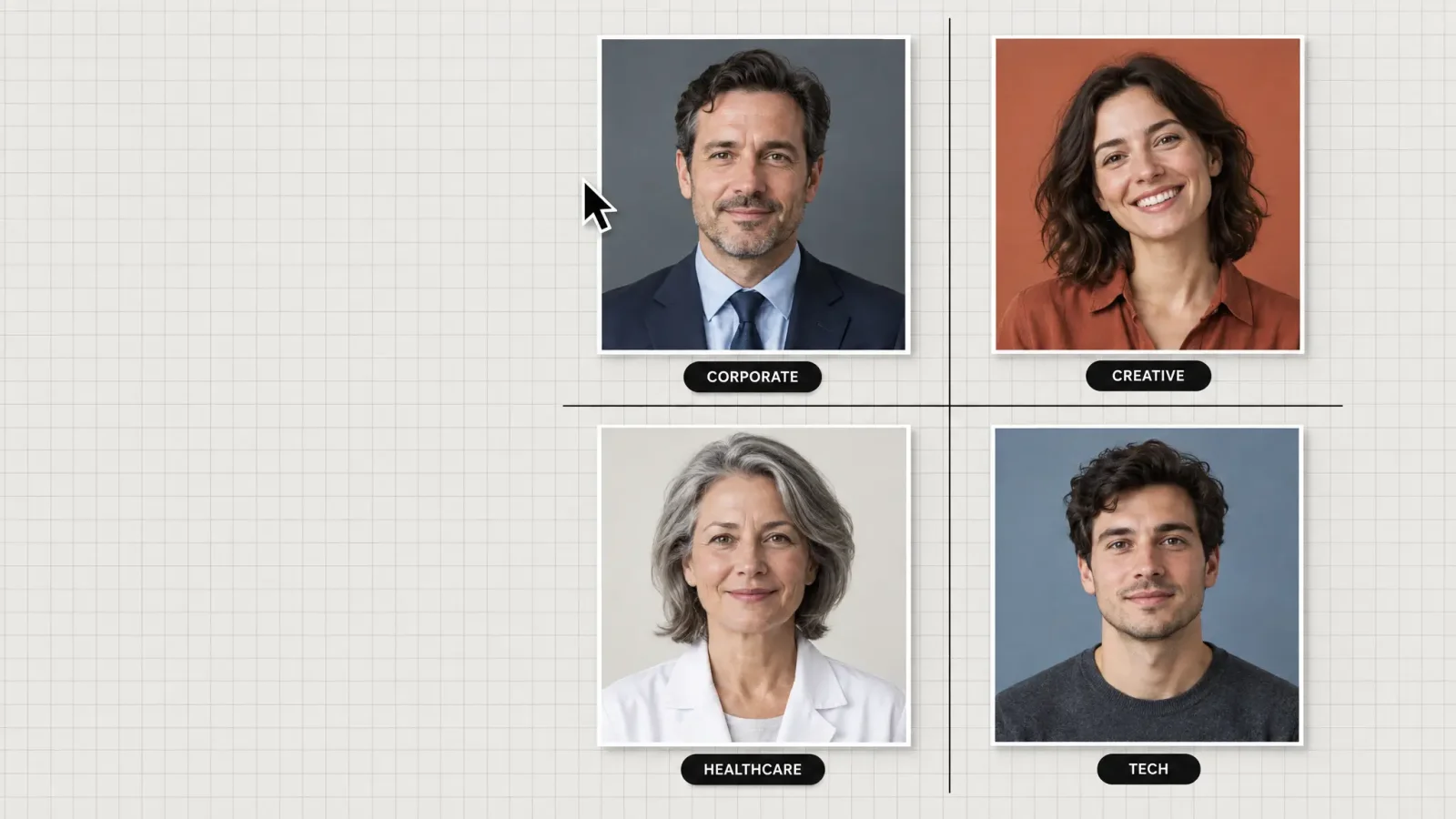
Corporate headshots usually use a solid or softly graded background in a neutral or brand-adjacent color, dark business attire and a straight-on crop with the eyes roughly a third of the way down the frame. The expression is a closed-mouth or light smile, not a broad grin. MagicShot's corporate style preset targets this look.
Creative Headshot Examples
Creative headshots loosen most of those rules. The background can be a textured wall, a soft-blurred outdoor scene or a color that says something about the person's field. Clothing leans business-casual or reflects an actual creative practice. There is more room in the expression too: a real smile or a slight head tilt reads as personality, not a mistake.
Healthcare Headshot Examples
Healthcare headshots are conservative for a reason: patients read the photo as a signal of trust. A plain light background, a white coat or clean scrub top and a warm but composed expression is the standard across most practice websites and hospital directories.
Tech Headshot Examples
Tech headshots sit between corporate and creative. Plain or blurred-office backgrounds are common, clothing is usually business-casual rather than a suit, and the expression tends to be relaxed and direct. Many company about pages use exactly this combination.
What Ties These Headshots Together
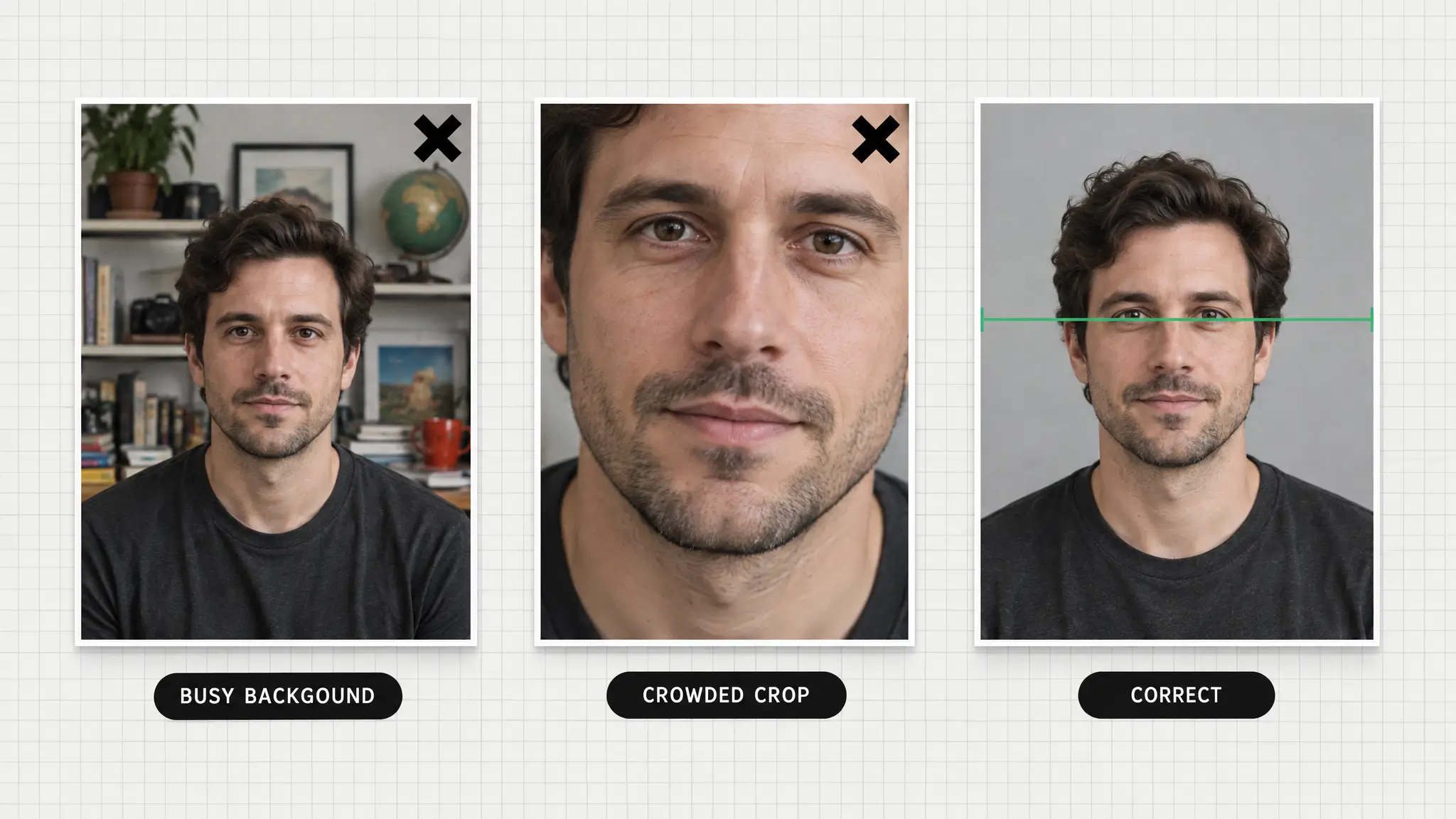
Across all four, the headshots that work share three traits. The background never pulls focus from the face. The crop is consistent, usually head and shoulders or down to mid-chest. And the expression looks like a real moment, not a forced pose.
Size matters more than people expect, because most platforms show your photo as a tiny circle. LinkedIn's own guidance suggests your face should fill most of the frame, so a wide shot with lots of background shrinks you to a dot.
A Quick Checklist for Your Own Headshot
Does the background stay quiet next to the face?
Is the crop head and shoulders, with eyes in the upper third?
Would a stranger say you look friendly, not rehearsed?
Is the style right for your industry, as described above?
Does it still read clearly when shrunk to thumbnail size?
If you are generating your own, pick the Professional Headshot Generator style preset closest to your industry and you get most of this automatically. For a step-by-step from your own photo, see How to Turn a Regular Photo Into a Professional Headshot, then open the Professional Headshot Generator to try it.