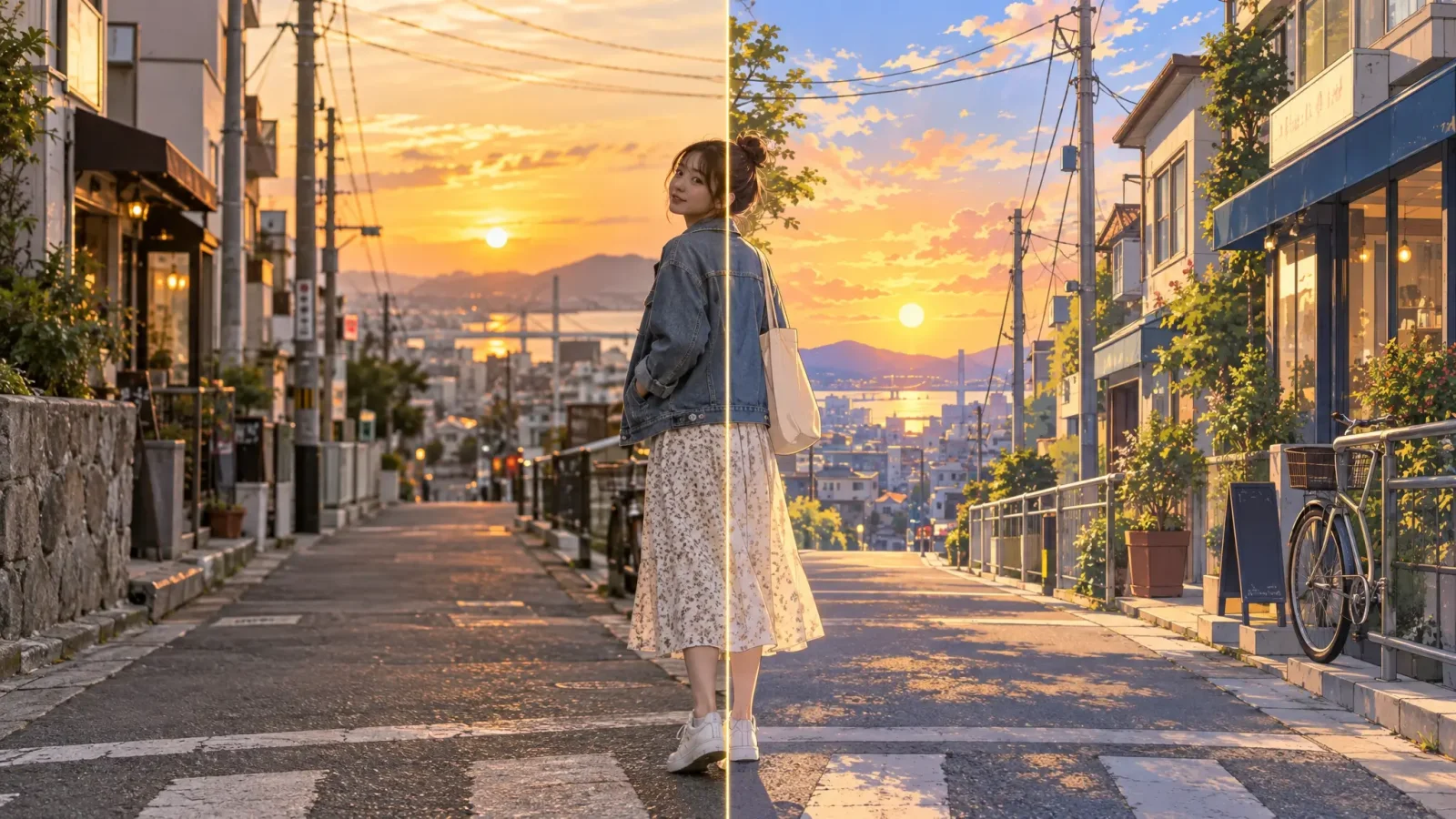
An anime filter redraws a real photo as anime art while keeping what is actually in it: your pose, your outfit, the room behind you. That is different from an anime character generator, which invents a character from a text description with no photo at all. This guide covers how to turn a photo into an anime picture, what happens with full-body and scene shots, and when a filter is the wrong tool.
What Makes a Photo Look Like Anime
Anime style is mostly a set of simplifications: clean outlines, flat or lightly stepped shading (often called cel shading), larger and more expressive eyes, smoother skin and simplified hair in chunky strands. A good filter applies those rules to your photo instead of laying a texture over it, which is why the face changes more than the background does.
Beyond the Headshot: Full-Body and Scene Photos
Photo-to-anime conversion is not limited to a cropped face. A full-body shot, a photo with a friend or partner, or a picture with a background scene all restyle as a complete anime image. The filter reinterprets the whole frame, including clothing, pose and setting, in the chosen art style.
Old Photos and Lower-Quality Sources
You can apply the filter to older or lower-resolution photos, but a clear source gives a cleaner result, as it does for any AI edit. If an old photo is also faded or damaged, restore it first. The filter styles what is visible in the source, so scratches and fading tend to carry through into the anime version.
Anime Filter vs Anime Generator
A filter takes an existing photo and reinterprets it in a new style, keeping your pose, outfit and scene. A generator builds an anime image from a written description with no photo, which suits an original character rather than a stylized version of yourself. If you would rather start from your own face, the Avatar Generator builds stylized avatars from a photo too. If you are starting from a blank page, see our guide to the anime character generator.
Controlling How Strong the Effect Is
Style choices apply the anime look at different strengths. Some presets stay close to the original proportions and detail, while others push toward an exaggerated, stylized look. Try two or three styles on the same photo and decide how much realism you want to keep.
Tips for a Better Anime Photo
Use a sharp photo with the face clearly lit. Shadows across the eyes turn into odd shapes.
Simple backgrounds convert more cleanly than crowded ones.
Group photos work best when everyone faces the camera and nobody overlaps.
Try the Anime Filter
Upload your photo to the Anime Generator, choose a style and generate. For a face-focused profile picture, see our guide to an anime pfp. The Avatar Generator also has anime-adjacent stylized categories if you want to compare looks.