An anime character generator builds a character from words alone. You describe the hair, eyes, outfit and mood, and it draws someone who did not exist a minute ago. That is different from the anime filter or the avatar generator, which restyle your own photo. Use text-based generation when the character does not need to look like you: a mascot, a protagonist for a story, a game character, or a design you simply want to see. This guide shows how to design one on purpose, not by luck.
Decide who the character is first
A prompt works better when you know the character before you write it. Answer four questions:
Role. Hero, rival, mentor, comic sidekick, mascot? - Personality. Three words, such as shy, stubborn and kind. - World. School, fantasy kingdom, cyberpunk city, modern office? - Silhouette. What shape would you recognise in shadow: spiky hair, a long coat, twin tails, a hat?
Build the prompt in layers
Structure it so each part has a job.
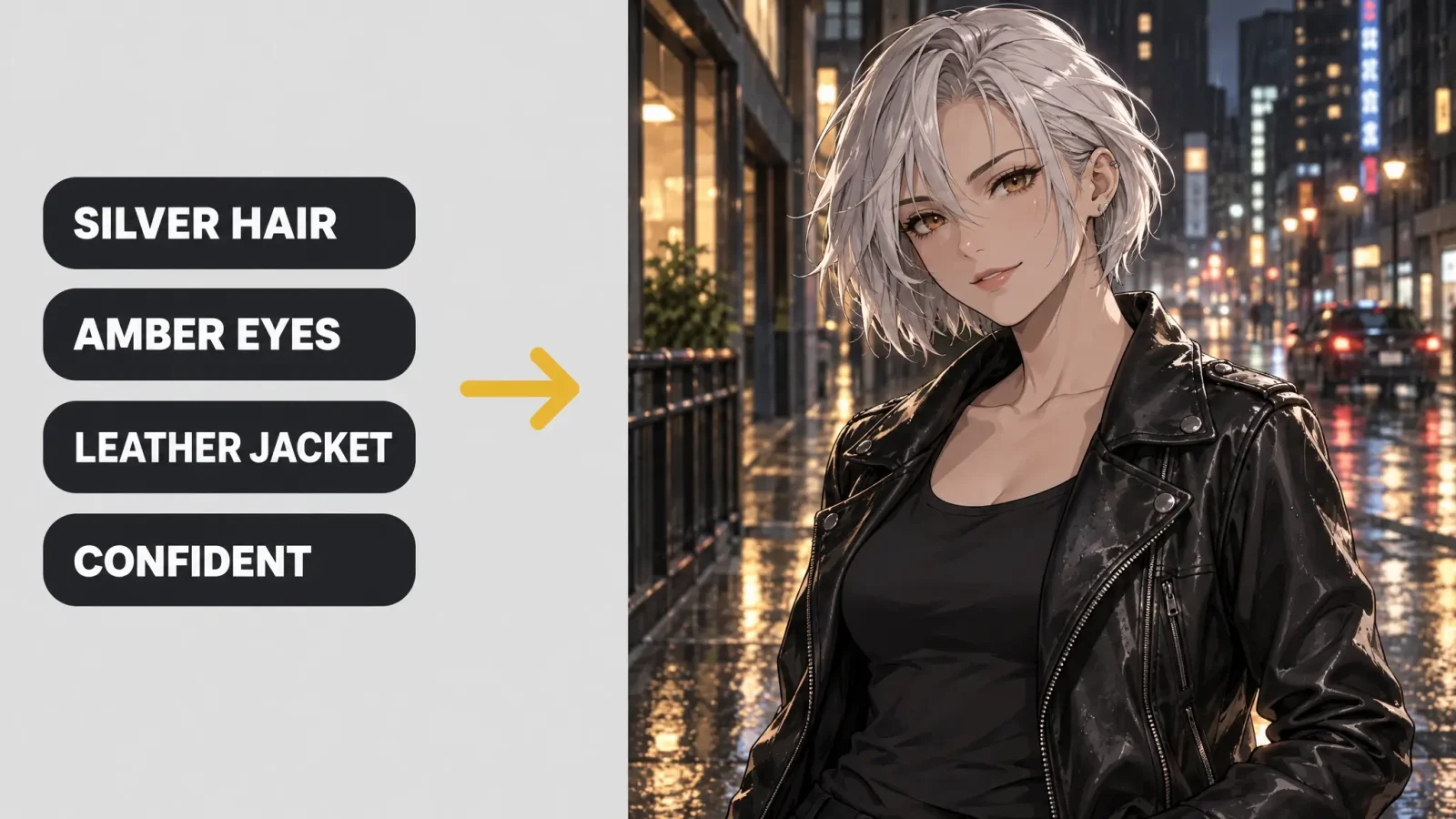
Hair. Colour, length, style. "Short silver hair with a side-swept fringe." - Eyes. Colour and shape. "Sharp amber eyes." - Outfit. Two or three concrete items. "A worn leather jacket over a school uniform." - Expression and pose. "Confident half-smile, hands in pockets." - Setting and light. "A rain-lit city street at night, neon reflections." - Style. "Clean line art, cel shading" or "soft watercolour anime".
Compare "anime girl" with "short silver hair, sharp amber eyes, worn leather jacket over a school uniform, confident expression, standing in a rain-lit city street, cel shading". The second gives the model something to commit to.
Two characters from the same method
The gentle one. Pastel pink hair in twin braids, round green eyes, an oversized cardigan, a shy smile, a quiet library in afternoon light. - The cold one. Slicked-back black hair, narrow red eyes, a tactical jacket, a calculating expression, a dark rooftop with city lights.
Both are valid, and they are very different, because each prompt makes specific choices and leaves little to chance.
Is the character original?
The generator creates a new image from your description and does not copy an existing character's exact design. Still, do not name an existing anime character in your prompt. Describe the visual traits you want instead, such as hair, eyes, outfit and mood. That gets a similar feel without copying someone else's character, and it keeps your design on safe ground for publishing.
Keep the same character across images
Tools do not remember a character between sessions, so consistency comes from your prompt. Save your base description as a character block: hair, eyes, outfit and one or two signature details. Paste it at the start of every new prompt, and change only the pose, the scene or the camera angle. If the result drifts, make the signature details more specific, such as a red scarf with a gold clasp, a scar over the left eyebrow, or a particular hair clip.
Make a simple character sheet
Generate a front view and a three-quarter view with the same character block. - Add one expression variation, such as happy, angry or surprised. - Save the final prompt along with a note on the palette. - Use these as references for future images, comics or animation.
Common problems
Generic face. Add specifics about eye shape, brows and expression. - Busy outfit. Reduce to two or three clear items. - Hands. Hide them in pockets or sleeves, or choose a pose where they are not the focus. - Text on clothes. Avoid it, as lettering is often garbled. - Style mismatch. Name one style, not three.
Where to go from here
Open the anime generator for anime-specific styles, or the broader AI art generator if you want another look. Export at the highest resolution available when you plan to print. If you would rather start from your own photo, see our guides to an anime profile picture and the anime filter. Generation uses credits.