You've got the idea in your head. Maybe it's a fine-line fox curling around your forearm, or a full sleeve of geometric mountains, or your grandmother's handwriting turned into something you'll wear forever. The problem is getting from "idea in your head" to "design you can actually show an artist" without paying a consultation fee just to find out it doesn't work on paper. That's the exact gap an AI tattoo generator closes. Instead of guessing, sketching badly on a napkin, or scrolling Pinterest for three hours, you type what you want and get a real design back in seconds.
MagicShot's Tattoo Generator was built for exactly this moment, the one right before you commit to permanent ink. Here's how it works, why it beats sketching blind or hoping a chatbot understands what "American traditional" actually looks like, and how to get a design you'll still love in ten years.
What Is an AI Tattoo Generator?
An AI tattoo generator is a tool that turns a text description, or a reference photo, into a finished tattoo design using AI image generation. You describe the subject, the style, and the placement, and the tool produces artwork that mimics how that piece would actually look inked, whether that's bold blackwork, delicate fine-line, Japanese irezumi, or neo-traditional color work.
It's not a filter that slaps a tattoo texture over a stock photo. A proper tattoo generator understands linework, shading, and composition well enough to produce something an artist could realistically use as a reference or a starting point for your consultation.
Why Design a Tattoo Online Before You Sit in the Chair
Walking into a shop with nothing but a vague idea puts the whole design job on the artist's shoulders, and you on the hook for their hourly rate while they sketch. Custom flash and consultation sketches routinely run into real money before a single needle touches skin, and you still might not love the first draft. Designing a tattoo online first means you show up with something concrete.
No wasted consultation time. Bring three fully realized directions instead of one vague description, and let your artist refine rather than start from zero.
No regret ink. Tattoos are permanent. Testing five variations on screen before picking one is a lot cheaper than testing them on your arm.
No design fees for exploration. Many artists charge separately for custom design work. Doing your own first pass with an ai tattoo generator means you're only paying for the drawing you actually want inked.
Placement clarity. Seeing a design mocked up roughly where it'll sit helps you judge scale and flow before it's forever.
How the MagicShot Tattoo Generator Works
Getting a design out of the Tattoo Generator takes three steps, no drawing skill required.
1. Describe the Design
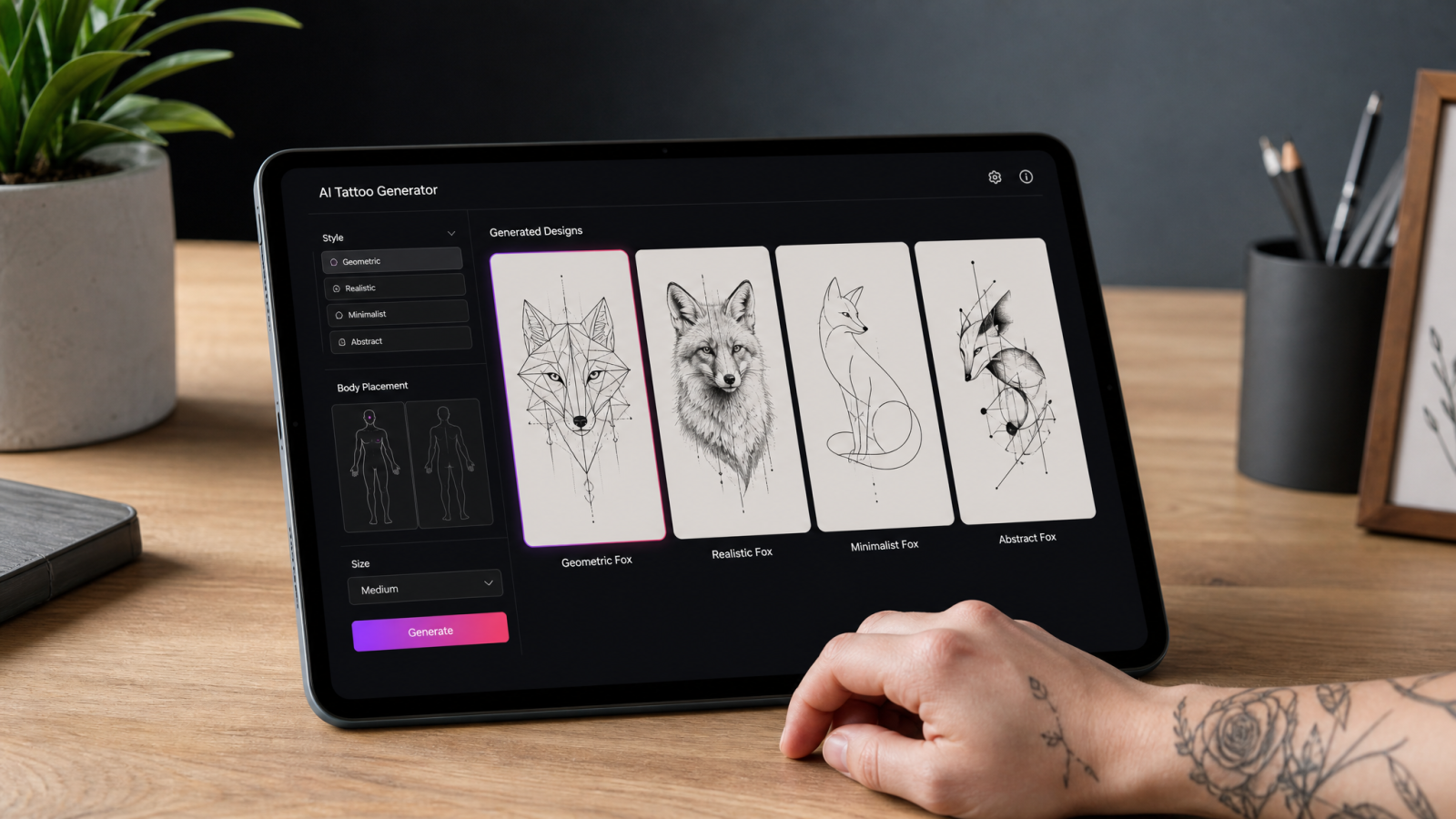
Type what you want: subject, style, and any details that matter to you. "A minimalist line-art wolf howling at a crescent moon, forearm placement" gives the tool enough to work with. The more specific you are about style words like fine-line, dotwork, blackwork, or watercolor, the closer the first result lands to what you pictured.
2. Generate and Compare
The generator produces design options based on your prompt. Because tattoos are permanent, generating a few variations and comparing linework, weight, and composition side by side is worth the extra minute before you settle on one.
3. Refine and Export
Adjust your prompt to tighten details, simplify busy areas, or change the composition, then export the design at a resolution your artist can actually work from. If you need the file larger or sharper for a print-out at the shop, running it through an image upscaler keeps the linework crisp instead of pixelated.
ChatGPT Tattoo Generator vs. a Dedicated Tattoo Tool
A lot of people try asking a general chatbot for a tattoo design first, since it's already open in another tab. The results are usually rough: inconsistent linework, shading that wouldn't survive being tattooed, and compositions that ignore how skin, curves, and placement actually affect a design. A general-purpose chatbot wasn't trained specifically on how tattoo art reads on a body. A purpose-built tattoo ai generator is tuned toward the visual language tattoo artists actually use, which means fewer rounds of "no, simpler" and more designs you can hand over as-is.
What Makes the Best AI Tattoo Generator
Not every image tool that claims to make tattoos actually understands tattoo composition. When you're comparing options, look for a few specific things:
Style range. Fine-line, traditional, blackwork, Japanese, geometric, and script should all be genuinely distinct outputs, not the same design with different line weights.
Clean linework. Tattoos live and die on line quality. Blurry or broken lines in the design mean a rough guess for the artist doing the actual stencil.
Fast iteration. You'll want to try several directions before picking one, so speed matters more here than in most design tasks.
Export quality. A design that looks fine on your phone screen but falls apart printed at full size isn't usable at the shop.
The best ai tattoo generator for you is the one that gets you to a design you'd actually show an artist without ten rounds of re-prompting.
Popular Tattoo Styles You Can Generate
Style is where most tattoo projects go right or wrong, so it helps to know what each direction actually looks like before you start prompting.
Fine-Line
Thin, single-weight lines with little to no shading. Popular for small pieces like a wildflower, a constellation, or a short phrase in script. This style ages the least gracefully if lines are too thin, so keep designs on the simpler side.
Blackwork
Bold, solid black fills and heavy contrast. Think tribal-inspired patterns, botanical silhouettes, or graphic geometric shapes. Blackwork holds up well over decades because there's less fine detail to blur.
Traditional and Neo-Traditional
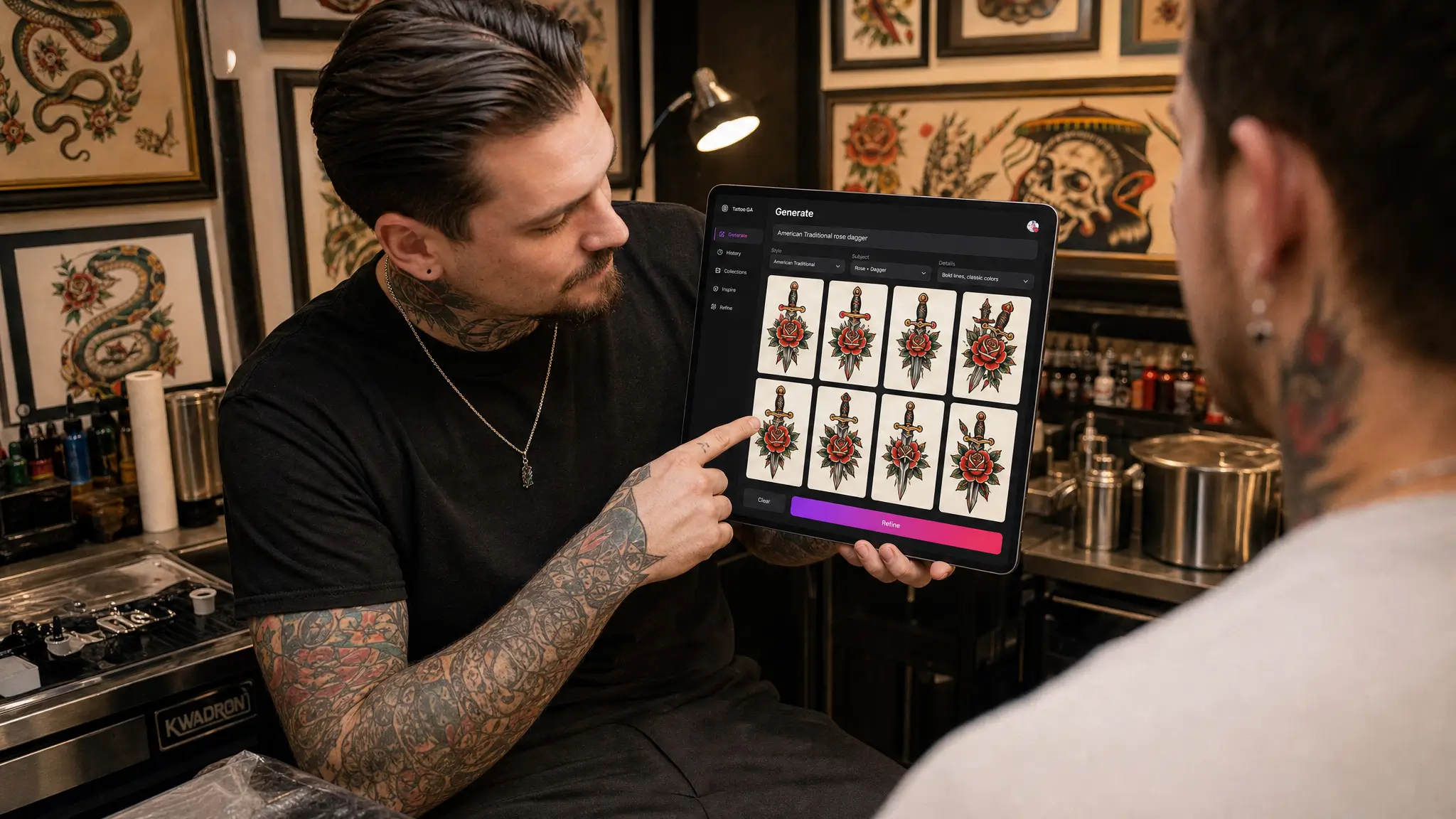
Thick outlines, a limited but saturated color palette, and classic subjects like roses, daggers, swallows, and pin-ups. Neo-traditional pushes the color range further and adds more illustrative detail.
Japanese (Irezumi)
Large-scale storytelling pieces built around koi, dragons, waves, and cherry blossoms, usually with background elements like wind bars or clouds tying the whole composition together. This style is almost always planned as a bigger piece, like a sleeve or back panel, rather than a small standalone tattoo.
Geometric and Dotwork
Mandalas, sacred geometry, and stippled shading built from precise patterns rather than freehand linework. These designs reward a generator that can keep symmetry clean, since even small errors are obvious in a repeating pattern.
Naming the style directly in your prompt is the single biggest lever you have over the result. A tattoo generator reading "blackwork wolf" and "fine-line wolf" should hand you back two genuinely different pieces of art, not the same design with a thicker outline.
Working From a Reference Photo
Some of the best tattoo ideas start with something real: a pet that passed away, a landmark from a trip, a family member's signature. Rather than describing that memory in words alone, you can guide the generator with the actual reference and ask it to reinterpret the subject in a chosen tattoo style. A photo of your dog becomes a fine-line portrait. A skyline photo becomes a minimalist geometric outline. This is also where a clean source image matters. If your reference photo has a busy background or clutter you don't want influencing the design, running it through a background remover first isolates the subject so the generator focuses on what actually matters.
For Tattoo Artists and Shops
This isn't just a tool for people booking their first appointment. Artists use an ai tattoo generator to rapid-prototype flash sheets, pitch multiple directions to a client in the same meeting, or fill out a design when a client's idea is solid but underdeveloped. Instead of spending unbilled hours sketching three options by hand, an artist can generate a spread of variations, walk the client through them, and only commit pencil to paper on the direction that actually gets picked. Shops building their own brand around a signature style can also use the same MagicShot toolkit for the business side, from a shop logo to headshots for an artist roster page.
Common Mistakes to Avoid
Overloading one design. Trying to cram a portrait, three symbols, and a banner of text into one small piece usually reads as clutter once it's actually on skin. Simplify or split it into a multi-session piece.
Ignoring how skin ages a design. Very fine details and thin lines spread and blur over years. If longevity matters to you, lean toward bolder linework.
Skipping the artist consultation. A generated design is a strong starting point, not a substitute for a professional's read on how it will actually heal.
Not checking scale. A design that looks balanced as a square image on your phone might stretch oddly across a curved shoulder or a narrow forearm. Mention the body part so proportions are considered from the start.
Tips for Getting a Design You'll Actually Love
Be Specific About Style, Not Just Subject
"A rose" is a subject. "A single-line fine-line rose, no shading, minimalist" is a style direction the generator can actually execute on. Naming the technique gets you closer to a usable result on the first try.
Think About Placement Early
A design built for a forearm doesn't always translate to a rib cage or an ankle. Mention the placement in your prompt so the composition, orientation, and proportions make sense for where it's actually going.
Keep a Shortlist, Not Just One Favorite
Generate a handful of directions before you commit. Tattoos are one of the few pieces of art you wear permanently, so the extra ten minutes comparing options is time well spent.
Bring It to a Licensed Artist
An AI-generated design is a starting point, not a finished stencil. A licensed tattoo artist will still adjust linework for how it'll actually heal and age on skin. Treat the generator as the fastest way to arrive at that conversation with a clear direction instead of a blank idea.
Beyond Tattoos: Other Ways Creators Use MagicShot
If you like the idea of turning a text prompt into finished art, the tattoo tool is one piece of a larger kit. The same underlying approach powers MagicShot's AI Art Generator for wall art and personal projects, and a lot of tattoo fans end up using the Sticker Maker to turn a favorite design into a sticker pack before ever touching skin. If you're building a personal brand around your tattoo art or shop, the Logo Generator handles the business side without hiring a separate designer.
Getting Started
Designing a tattoo online used to mean either paying an artist for rough sketches or teaching yourself to draw. An ai tattoo generator skips both. You describe what you want, compare a few directions, and walk into your consultation with something concrete instead of a vague idea and a Pinterest board. That's less time spent explaining what's in your head, and more time spent getting the actual tattoo right.