You need a logo mark, an app icon, or a set of matching illustrations, and you need them by end of day. The old path was a designer, a $60 Illustrator seat, and a two-day turnaround. An AI SVG generator collapses that into a sentence: describe the graphic you want, and it returns a scalable vector file you can resize from a favicon to a billboard without a single blurry edge. That is the whole point of vector art, and it is exactly what a text prompt can now produce.
This guide covers what an AI SVG generator actually does, where SVG beats PNG, and how to get results that hold up in production. No design degree, no reshoot, no waiting on a freelancer.
What is an AI SVG generator?
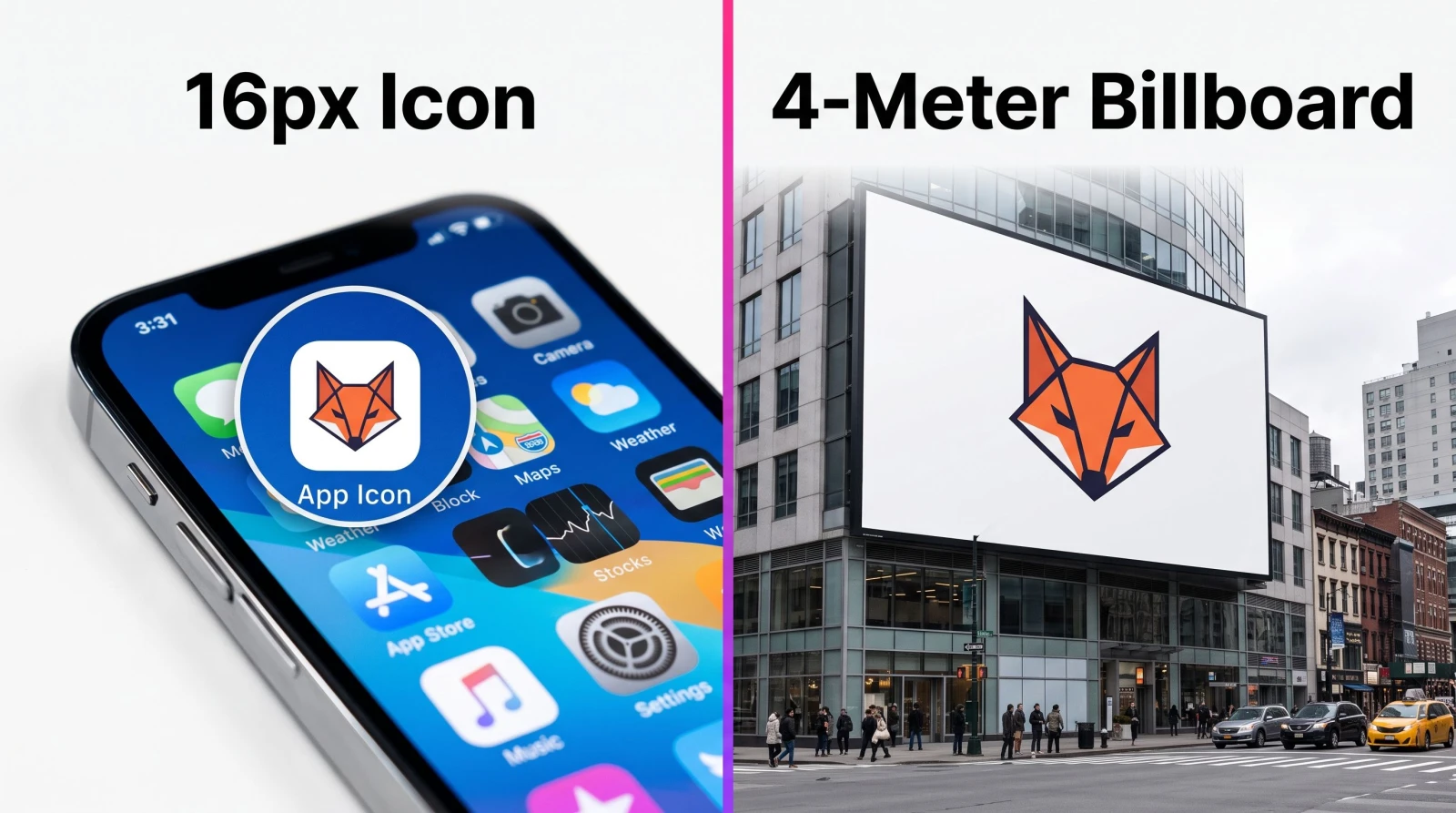
An AI SVG generator is a tool that reads a text prompt (or in some cases an image) and outputs a scalable vector graphic, an SVG file built from mathematical paths rather than a fixed grid of pixels. Because the shapes are defined by curves and coordinates, the file stays crisp at any size. A 16px icon and a 4-meter wall print come from the same file. Type something like "minimal fox head logo, two colors, flat" and you get editable vector output instead of a flat photo.
That distinction matters. A PNG or JPG is a raster image: enlarge it and you get soft, jagged edges. An SVG has no fixed resolution, so it never degrades. It also tends to be a smaller file, which is why web developers reach for SVG on icons, logos, and interface elements.
SVG vs PNG: when each one wins
Use SVG for logos, app and UI icons, flat illustrations, line art, and anything you will resize often or print large.
Use PNG or JPG for photographs, detailed textures, and images with soft gradients and realistic depth.
Simple rule: if the graphic is made of clean shapes and needs to scale, SVG. If it is a photo, stay raster.
Why use an AI SVG generator instead of hiring out?
The math is blunt. A single logo concept from a freelancer can run into the hundreds, and revisions add up fast. With a text prompt, you get a first draft in the time it takes to describe it, then you iterate for the cost of another prompt. For a solo founder, an Etsy seller, or a small marketing team, that is the difference between shipping this week and waiting a month.
The other win is control. You are not stuck with one comp and a designer's inbox. Generate five directions, keep the one that fits, and tweak the prompt until the mark reads right at 24px. You own the file, and because it is vector, your printer and your developer both get exactly what they need.
How the SVG generator works
The workflow is short on purpose. Here is the honest version.
Describe the graphic. Write a clear prompt: the subject, the style (flat, line art, geometric), and the color count. "Two-color flat mountain badge" beats "nice outdoor logo" every time.
Generate and compare. The tool returns vector output. Look at each option small, at icon size, because that is where weak marks fall apart.
Download the SVG. Export the file and drop it into your web build, your logo kit, or your design tool for final color edits.
If you want to see the exact interface and options before committing to a concept, the MagicShot SVG Generator walks you through prompt to download in the same flow.
What to actually make with it
Vector output is only useful if it maps to real jobs. These are the ones that come up most.
Logos and brand marks
A wordmark or symbol needs to work on a business card and a storefront sign. SVG handles both from one file. When you are ready to build a full identity system with matching typography and layout, pair your mark with the dedicated Logo Generator to keep everything consistent.
Icons and UI elements
App icons, navigation glyphs, and feature badges all belong in SVG. They load fast, recolor with a line of CSS, and stay sharp on retina screens. Generate a matching set from one prompt style so your interface looks like it was designed by one hand.
Stickers, decals, and merch
Vector art is built for cutting machines and large-format printing. If your endgame is die-cut stickers or chat packs rather than print, the Sticker Maker is tuned for that specific output.
Illustrations and spot graphics
Flat editorial illustrations, empty-state graphics, and blog spot art scale cleanly as SVG and keep your site light. For richer, painterly, or photographic looks that do not need to scale infinitely, the AI Art Generator is the better fit.
How to write prompts that produce clean vectors
Vector output rewards restraint. The best SVGs are simple, and your prompt should push the tool that way.
Cap the colors. Ask for two or three colors. Fewer colors read better small and print cheaper.
Name the style. "Flat," "line art," "geometric," and "minimal" all steer the shapes. Vague prompts give busy, hard-to-edit files.
Keep the subject singular. One clear focal object beats a crowded scene. A logo is not a mural.
Test at icon size. Before you commit, shrink the result. If it turns to mush at 24px, simplify the prompt and try again.
A strong SVG survives the squint test: shrink it until it is tiny, and you should still know what it is at a glance.
Where the SVG generator fits in a full content workflow
Vector graphics rarely ship alone. A launch usually needs a logo, product shots, and a short video. Once your SVG mark is set, you can build the rest of the kit in the same place. Drop the mark over clean product photos from the Product Photo Generator, then animate a promo clip with the Text to Video tool so your icon set and your ad share one visual language.
That is the practical case for keeping these tools together: one brand look across your site favicon, your storefront, and your social feed, without stitching five subscriptions into a workflow.
Limits worth knowing
Be clear-eyed. An AI SVG generator is excellent at clean, shape-based art and weak at photographic realism, which is not what SVG is for anyway. Very intricate prompts can produce overly complex paths that are heavier to edit, so simpler briefs give you cleaner, more editable files. And AI-generated marks should still get a human eye for trademark risk before you build a whole brand on one. Treat the output as a fast, sharp starting point that you finish and check, not a finished legal identity.
Wrap-up
An AI SVG generator turns a plain-English description into scalable vector graphics that resize forever, load fast on the web, and print clean at any size. For logos, icons, stickers, and flat illustrations, that beats a $400 design brief and a week of waiting. Keep your prompts simple, cap the colors, test at icon size, and you will ship production-ready vectors the same day you think of them.