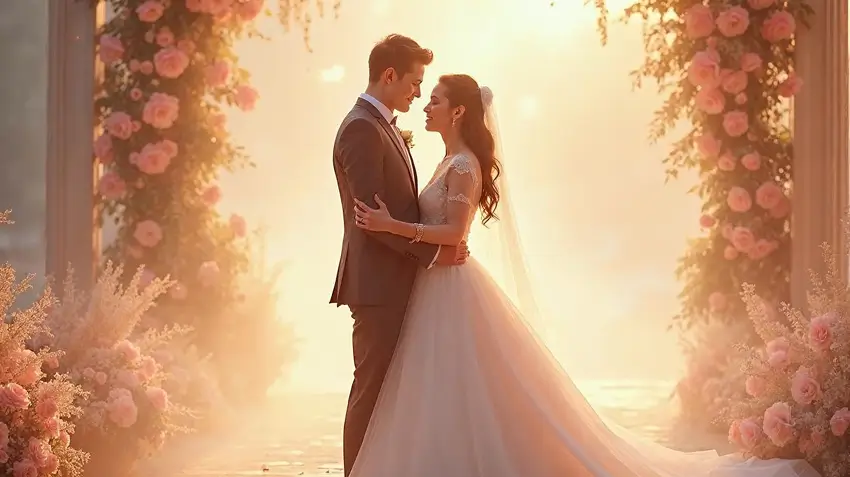
Wedding photos are the one set of pictures people expect to keep for decades, so the question with AI is not whether it can make them flashier. It is which edits are worth making and which would leave you with an album that no longer feels like your day. Used with care, AI can rescue a dull sky, tidy a distracting background and bring a set of photos from different shooters into one look. Used carelessly, it produces pictures of a wedding that never happened.
What AI is good at for wedding photos
Fixing light. Brightening a flat, overcast shot or balancing a dark venue with a bright window. - Cleaning backgrounds. Removing exit signs, parked cars or a stranger who walked into the frame, or swapping a cluttered wall for a clean backdrop. - Keeping a consistent look. Matching colour and tone across photos taken by different people or in different places. - Creative extras. Soft glow, floating petals or a stylised version of a favourite portrait for a print or an invitation. - Portraits for the wedding website. Cleaner, brighter versions of engagement shots.
Where to be careful
Authenticity matters more here than in most photography. A few lines are worth deciding on before you edit.
Faces and bodies. Skin smoothing and reshaping can change how you look. Keep edits light so the photos still look like you on the day. - Swapping the whole setting. Moving a winter ceremony onto a beach is fun for a creative print, but label it as an edit, and keep the real photos as the main album. - Guests and family. Do not alter other people's appearance without asking, and check with relatives before sharing edited photos of them. - Children. Be thoughtful about editing or publishing images of minors. - Your photographer's work. Photographers hold copyright on their images. Ask for permission and for the editable files before running them through any tool, and check your contract.
A sensible workflow
Back up the originals. Keep untouched copies in two places. - Start with the essentials. Fix exposure and colour before anything creative. - Handle backgrounds next. Use the background remover or image editing tool for clutter and distractions. - Save creative effects for a few hero images. A handful of stylised shots will feel special, and a whole album of them will not. - Review at full size. Check hands, veils, jewellery and fine lace, since these are common trouble spots for AI edits. - Print a test. Screens flatter. A small test print shows how the edit really looks.
Ideas for creative use
A painted or illustrated portrait of the couple for a wall print. - A stylised version of an engagement photo for save-the-dates. - A clean cutout of the couple placed on a simple backdrop for the programme or website. - A dreamy, soft version of a favourite candid for the thank-you card.
Working with your photographer
Talk to your photographer early. Many already use AI-assisted tools for culling and basic edits, and some will gladly deliver a few extra variations. Agree on who owns the files, what edits are acceptable, and whether the finished album should disclose AI changes. If you plan to edit photos yourself, ask for full-resolution files.
Getting started
Pick three photos: one that needs light fixed, one with a distracting background, and one portrait you would like to see in another style. Try each edit once, compare it with the original, and keep only what looks better. You can try MagicShot for these edits, and generation uses credits.
Bottom line
AI is a useful finishing tool for wedding photos when it supports the real day rather than replacing it. Keep the originals, edit lightly, ask permission when other people or other photographers' work are involved, and save the bold effects for a few pictures that benefit from them.

Try Countless AI Image, Video, and Audio features on MagicShot.ai
Generate realistic photos of anything. Imagine, describe and create those images within seconds. Enhance your existing photos with our advanced AI engine.