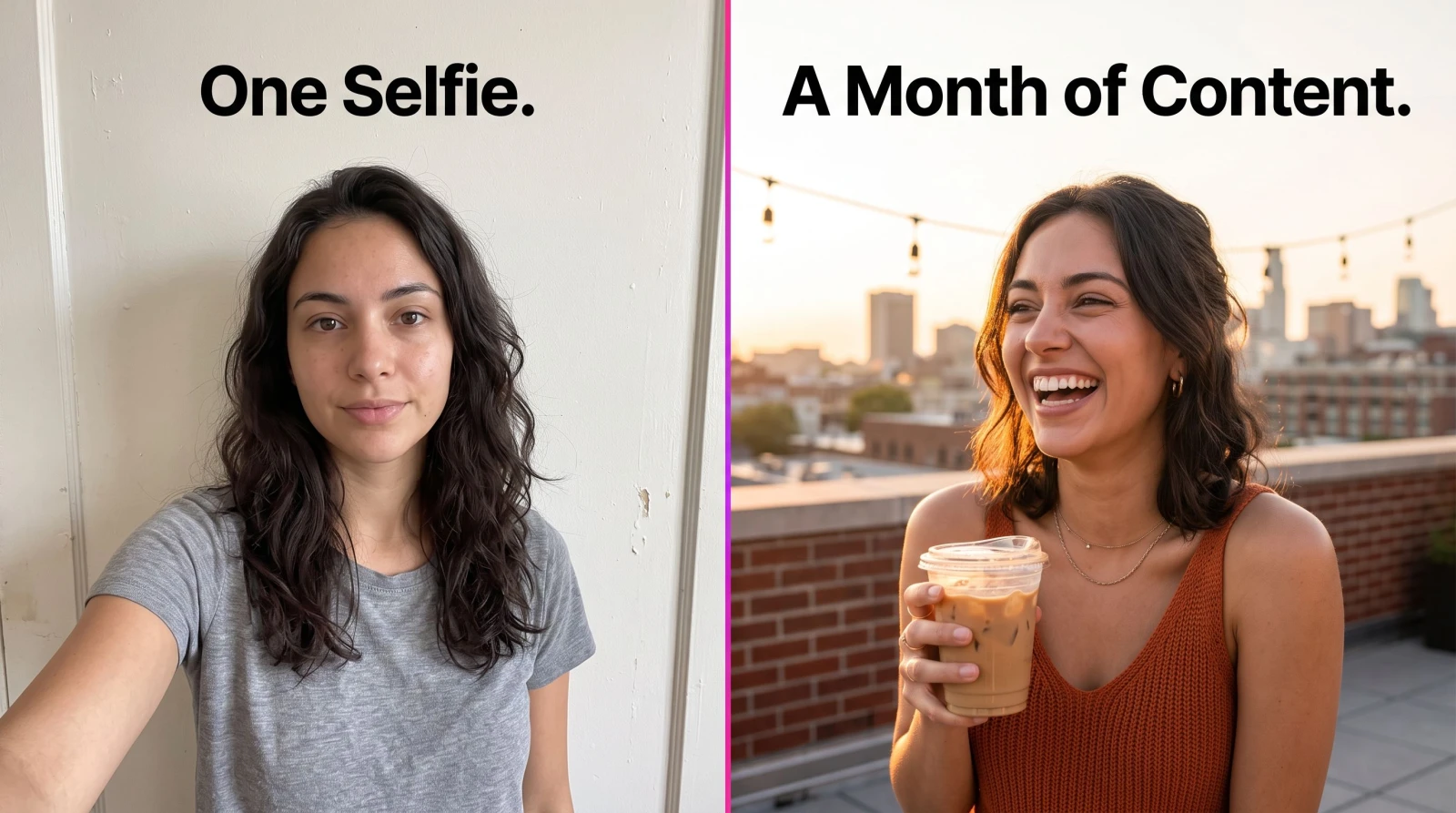
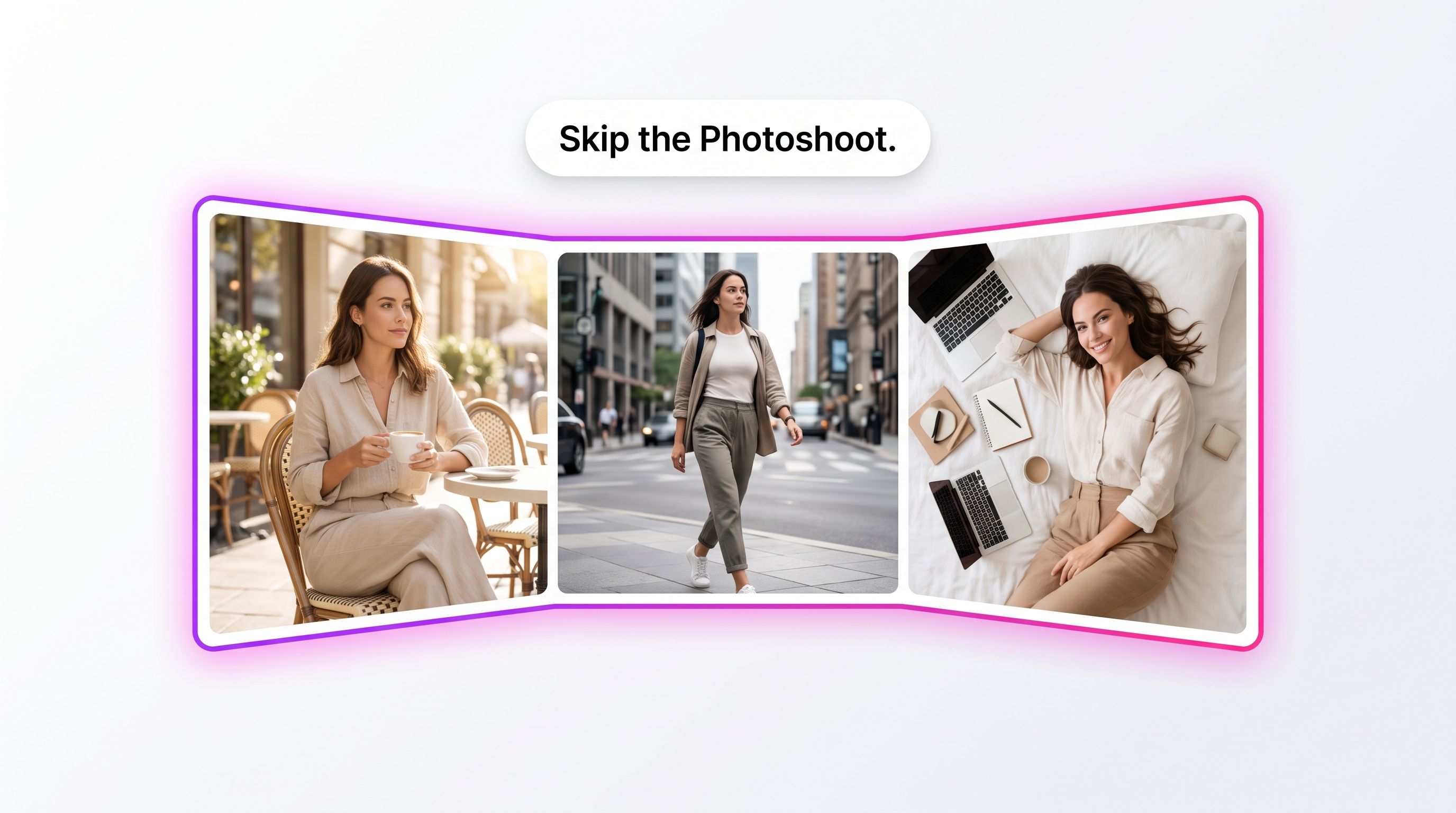
You know the feed you want. Golden-hour rooftop coffee, a linen-and-latte flatlay, a candid laugh in a busy street. You also know what it usually takes to get there: a photographer's day rate, a location scout, an outfit change, and a full afternoon you don't have. AI Instagram lifestyle photos skip all of that. Upload a handful of your own pictures, pick a scene, and get a batch of Instagram-ready shots that look like they came off a real shoot, not a template.
This guide covers what these photos actually are, when they work, how to prompt them so faces stay recognizably yours, and where they beat a phone camera and a $400 studio session. If you post for a personal brand, a boutique, or a side hustle, this is the shortcut you've been waiting for.
What are AI Instagram lifestyle photos?
AI Instagram lifestyle photos are generated images that place you (or your model) into realistic lifestyle scenes built for the 4:5 and 1:1 formats Instagram favors. You feed the tool a few reference photos of a face, choose a setting and vibe, and it produces new frames that keep your likeness while changing the background, wardrobe, lighting, and mood. The input is your uploaded photos. The output is a set of finished, postable images.
The difference from a plain text-to-image generator is the anchor. A generic prompt gives you a stranger. A lifestyle photoshoot tool built around AI Instagram lifestyle generation keeps the same person across a café shot, a beach walk, and a city-street portrait, so the feed reads as one consistent human instead of ten random ones.
Why creators use AI for their lifestyle feed
The math is the pitch. A styled lifestyle set from a photographer runs hundreds of dollars and eats a day. You get maybe 20 usable frames, all shot in one location, on one afternoon, in one outfit range. Then you're back to square one in three weeks when the feed needs feeding again.
AI flips the constraint. No booking, no travel, no reshoot when the weather turns. You generate a rooftop set today, a cozy-home set tomorrow, and a travel set for a trip you haven't taken yet, all from the same reference photos. For creators who need fresh content weekly and don't have a production budget, that's the whole game.
What it replaces
The photographer's day rate. No half-day or full-day fee for a batch of lifestyle shots.
The location. No permits, no travel, no waiting for the right light at the right spot.
The reshoot. Didn't like the outfit or the mood? Generate another set instead of rebooking.
The stock-photo compromise. No more captioning someone else's face because you didn't have your own shot.
How AI Instagram lifestyle photos work
The process is short enough to finish over a coffee break.
Upload your references. Provide a few clear photos of the face you want to feature. Front-facing, well-lit shots with visible features give the model the most to work with. The tool uses these to keep your likeness consistent.
Pick a scene and mood. Choose the setting, wardrobe direction, and lighting: café morning, city street, beach sunset, minimalist home. This is where you steer the aesthetic toward your brand.
Generate and refine. Get a batch back, keep the frames that land, and regenerate the ones that don't. Downscale, crop to 4:5, and you're ready to schedule.
Getting your face to stay yours
Likeness lives or dies on the references. Upload photos where your face is unobstructed by sunglasses, heavy shadow, or a hat. Vary the angles slightly so the model learns your features from more than one view. If a batch drifts and stops looking like you, swap in sharper references before you touch the prompt. Clean inputs fix more problems than clever prompts do.
Prompts and scenes that actually post well
The best lifestyle shots feel candid, not posed. Aim your prompts at moments, not mannequin poses. A few directions that consistently perform on Instagram:
The morning ritual. Coffee in hand, soft window light, neutral knitwear. Reads warm and relatable.
The urban walk. Motion, a blurred street behind you, a confident mid-stride glance. Great for fashion and personal-brand accounts.
The golden-hour portrait. Backlight, warm skin tones, a natural squint. This is the shot that gets saved.
The clean flatlay-adjacent scene. You at a minimalist desk or kitchen, muted palette, lots of negative space for text overlays.
Keep a consistent color grade across a set so your grid looks intentional. If two shots clash, regenerate rather than force them next to each other. And write for the format: frame with room at the top and bottom so a 4:5 crop doesn't cut off your head or your feet.
Where lifestyle photos fit in a full content workflow
A feed isn't just stills anymore, and your AI stack shouldn't be either. Lifestyle photos are the base layer. From there you can turn a strong frame into a short clip with an image to video tool, then push it further with the AI Video Effects Generator for Reels that stop the scroll.
If you're a seller, the same face that anchors your lifestyle feed can front your product content, so your organic posts and your ads share one recognizable creator. And when a shot needs a distraction cleaned out of the corner, an object remover handles it in a click instead of a Photoshop session.
Lifestyle vs. headshots vs. product shots
These are different jobs, so pick the right tool. Lifestyle photos sell a vibe and a life. If you need clean, cropped, credible portraits for LinkedIn or a bio, professional headshots are the sharper fit. And if the star of the post is a thing you sell rather than you, a dedicated product photo tool gives you catalog-ready shots without a light tent.
Who this is for
Personal-brand creators who need a steady feed without a monthly shoot. Boutique owners who want to show clothes on a person, not a hanger. Coaches, consultants, and solo founders who need to look present and polished across platforms. Anyone building a following who's tired of choosing between posting a mediocre selfie and posting nothing at all.
It's also a quiet fix for the "I hate being on camera" problem. You control the frame, the light, and the moment, and you regenerate anything that doesn't feel like you. That control is worth more than most people expect.
A few honest limits
AI is a shortcut, not a magic wand. Hands and fine text can still glitch, so scan generated frames before you post and toss the ones with tell-tale artifacts. Very specific brand logos or exact product details won't render reliably. And if you want a photo of a real event that happened, this isn't that. It builds plausible lifestyle scenes, not documentary evidence. Used for what it's good at, filling a feed with consistent, on-brand images, it earns its keep fast.
Getting started
Start with your references, not your prompt. Gather three to six clean face photos, decide on one scene and one mood, and generate a small batch. Keep the winners, note which prompt language worked, and build a scene library you can rerun whenever the feed runs dry. Within a week you'll have a repeatable system that produces AI Instagram lifestyle photos on demand. Once you've got a batch ready, the next step is posting them consistently: a tool like PostEverywhere lets you cross-post to every platform from one calendar, so your feed stays active without daily manual uploads.