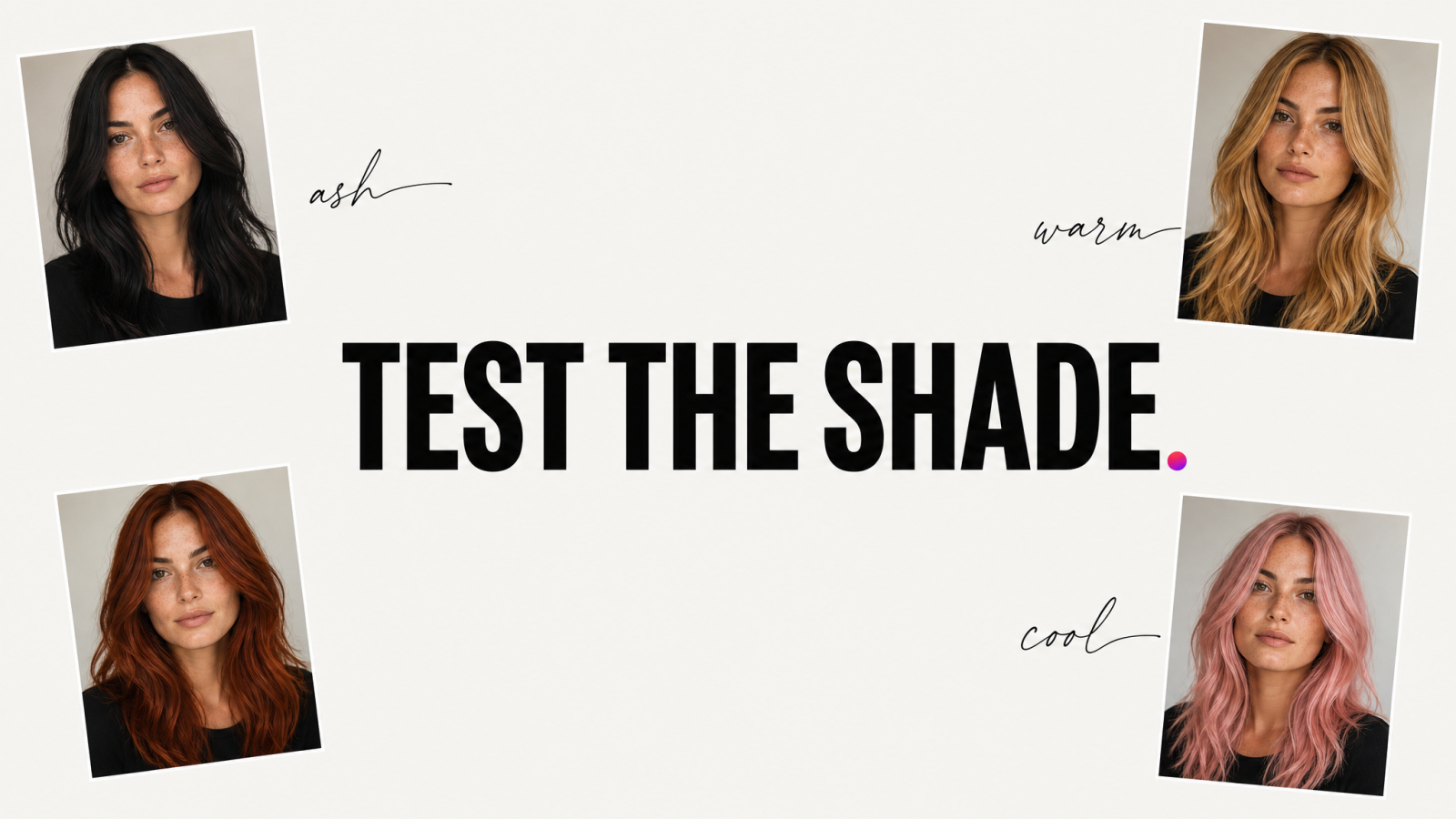
You've stared at a photo of a celebrity with copper-red hair and wondered, "would that work on me?" Then you've closed the tab, because dyeing your hair is a $150 to $300 gamble at the salon, and box dye at home is worse odds. An AI hair color changer takes that gamble out of the equation. Upload one photo, generate the shade in seconds, and decide before a single drop of dye touches your head.
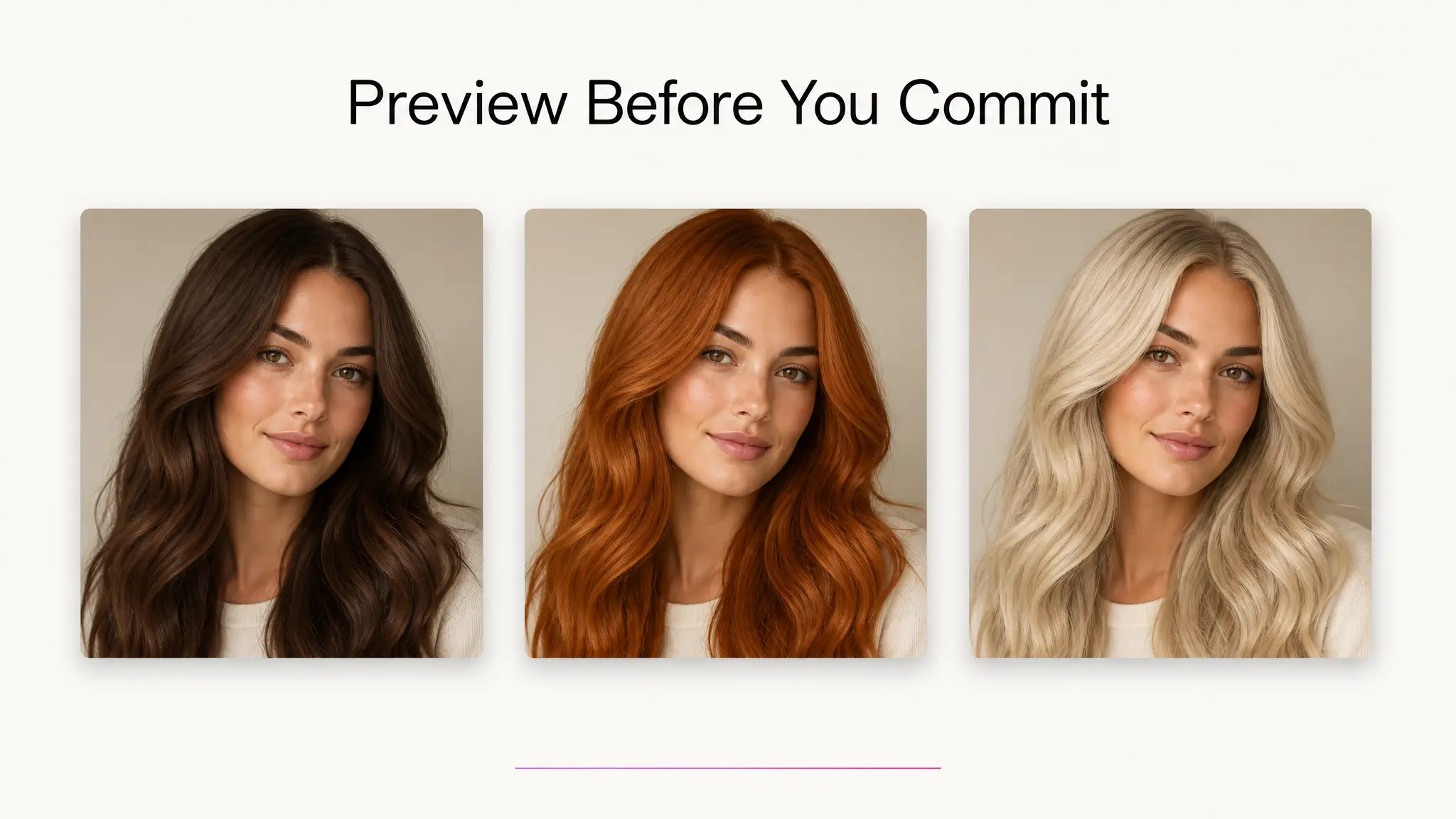
This isn't a novelty filter that tints your whole photo purple. A good hair color changer isolates the hair, keeps your skin tone, face shape, and lighting intact, and swaps in a new color that looks like it grew there. Below, we'll cover how the tech actually works, why "preview before you commit" is becoming the default way people research hair color, and how to get a realistic result on the first try, including a look at why blonde is the shade most people test first.
What Is an AI Hair Color Changer, and How Does It Work?
An AI hair color changer is a tool that uses image generation models to recolor the hair in a photo while leaving the rest of the image untouched. You upload a picture, pick or describe a color, and the tool detects the hair region, then repaints it with realistic strand detail, shadows, and highlights that match your original lighting.
Under the hood, this is different from a basic photo filter. A filter applies a flat color overlay, which is why old-school apps made hair look like a plastic wig. Generative models instead understand structure: where the part is, how light hits the crown versus the ends, and how strands separate from each other near the hairline. That's why results from a modern hair color changer hold up to a second look instead of falling apart at the edges the way a simple overlay filter does.
The practical difference shows up in three places: the hairline stays clean instead of bleeding color onto skin, individual strands catch light instead of looking like a solid block, and the color reads as dye rather than paint because the model preserves natural variation in tone from root to tip.
Why Preview Your Hair Color Before You Dye
Search any hair forum and you'll find the same thread repeated in a dozen forms: "will blonde suit me," "thinking about going red, terrified," "how do I know if a color will work with my skin tone." People aren't asking because they lack opinions, they're asking because a bad dye job is expensive to fix and slow to grow out. Bleach damage alone can take six months to a year to fully repair through cuts and conditioning.
A virtual hair color changer removes the two biggest risks in that decision:
Cost. A professional color correction after a shade doesn't work often costs more than the original appointment did.
Commitment. Permanent color and bleach aren't a one-day mistake, they're a months-long one that grows out slowly and unevenly.
Testing a shade digitally first means you walk into the salon with a photo of yourself already wearing the color, which also makes it easier to communicate exactly what you want to your colorist instead of relying on a stock photo of someone with different skin undertones and hair texture than you.
One Photo, 8 Colors: A Quick Gallery Test
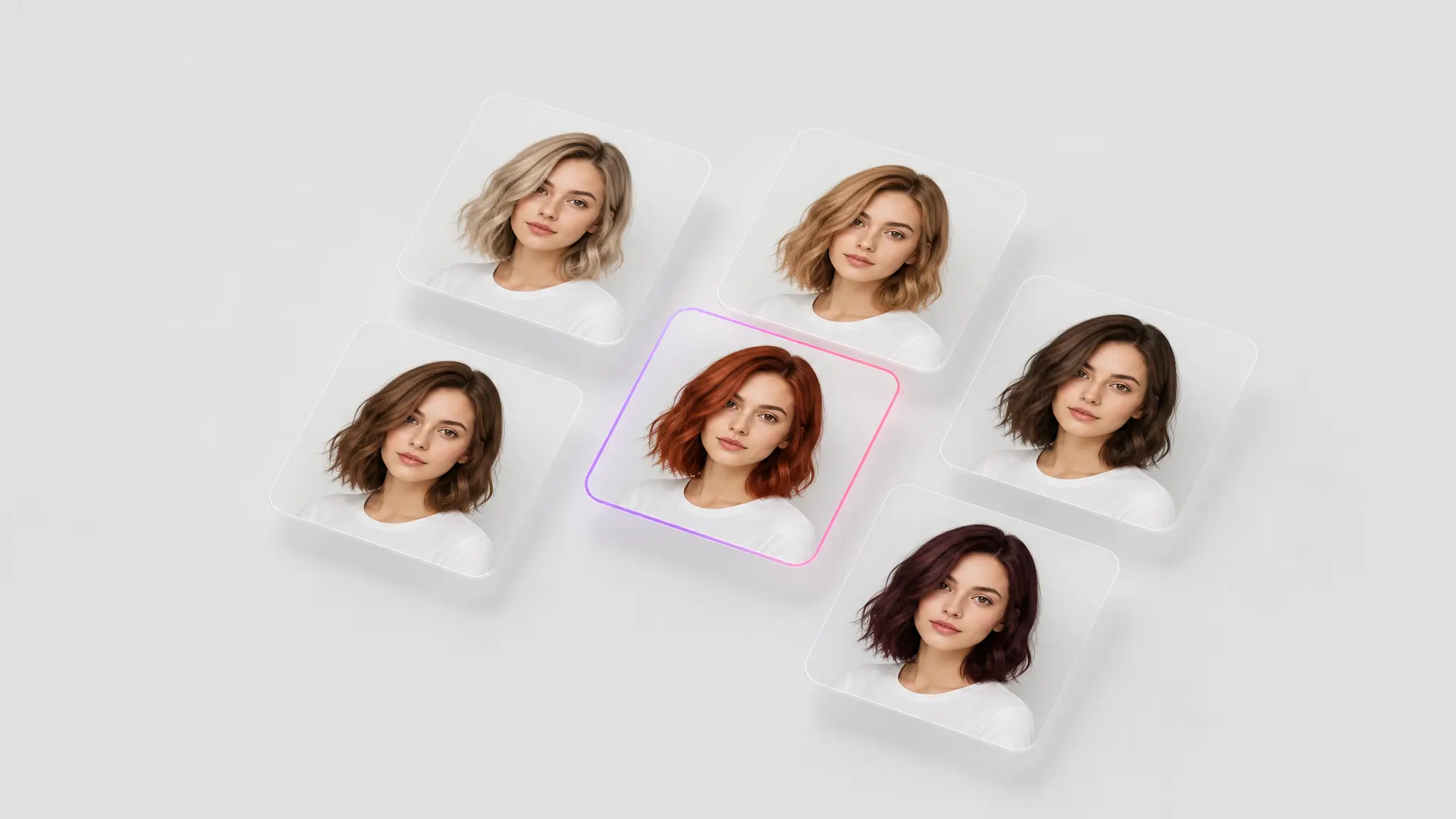
The fastest way to see whether a color works is to generate a small gallery from a single headshot rather than committing to one guess. Here's a practical set to run through on any AI hair color changer:
Platinum blonde, to check how much contrast you can handle against your skin tone.
Honey or golden blonde, the warmer, lower-maintenance cousin of platinum.
Copper red, which tends to flatter warm undertones.
Auburn, a deeper red-brown that reads more natural in daylight than bright copper.
Chocolate brown, for a baseline comparison against your current shade.
Jet black, which sharpens contrast and can age a face up or down depending on skin tone.
Ash gray, the shade most people are curious about but least willing to risk in real life.
Pastel pink or lavender, for anyone considering a fashion color rather than a natural one.
Generating all eight from the same source photo gives you a side-by-side comparison under identical lighting, which is a fairer test than scrolling through eight different influencers with eight different cameras and skin tones. Once you've picked a favorite, the same source photo works well for updated professional headshots or profile pictures once you've actually made the change at the salon.
Blonde Hair Generator: See If Blonde Really Suits You
Blonde is the single most searched hair color transformation, and for good reason: it's also the most drastic and damaging change for anyone starting from a dark base. Going from black or deep brown to blonde usually means multiple bleach sessions spaced weeks apart, and a colorist can't fully undo over-processed hair once it's happened. That's exactly why a dedicated blonde hair generator test matters more than testing darker shades does.
When you run a blonde test, don't stop at one version. Blonde isn't one color, it's a range: ash blonde, golden blonde, strawberry blonde, and platinum all sit under the same umbrella and read completely differently against different skin tones. Someone with cool undertones often looks washed out in golden blonde but sharp in ash or platinum. Someone with warm undertones tends to see the opposite reaction. Generating three or four blonde variants from the same photo, rather than one, is how you actually answer "would blonde suit me" instead of guessing from a single output and hoping it generalizes.
It's also worth generating the blonde version at both a shorter and longer length if your tool supports edits beyond color, since blonde tends to read differently at different hair lengths. Lighter shades can wash out fine or thin hair more than they do thicker, longer styles, so testing length alongside shade gives a more honest preview.
Writing Prompts That Get Realistic Results
If your hair color changer accepts a text description alongside your photo, the specificity of your prompt matters more than people expect. Vague prompts produce vague, sometimes cartoonish results. Specific prompts produce results that look like an actual dye job rather than a filter.
A few things worth naming directly in your prompt:
The exact shade family, such as "ash blonde" instead of just "blonde," or "auburn" instead of just "red."
Root treatment, whether you want a full, even color or a natural root shadow, since most real dye jobs aren't one flat tone from root to tip.
Finish, glossy versus matte, since salon color often carries more shine than a flat digital fill would show.
Lighting consistency, asking the tool to preserve your original photo's lighting keeps the result from looking pasted on top of the image.
The goal is a result that looks like you got your hair done, not a result that looks like your hair got Photoshopped. The more precisely you describe the shade and finish, the closer you get to that outcome on the first try.
Where People Actually Use This
Beyond the "should I go blonde" moment, a hair color changer shows up in a few recurring, practical situations:
Before a salon appointment, to bring a colorist a photo of yourself in the target shade instead of a photo of a stranger with different features.
Deciding between two options, like copper versus auburn, without paying for two separate dye sessions just to compare them.
Seasonal changes, testing a warmer shade for fall or a lighter one for summer before committing to a touch-up on existing color.
Content and profile photos, where creators want to preview a new look for a shoot or a dating profile before styling matches it in real life. If you're rebuilding a profile around a new color, it pairs naturally with fresh dating profile photos or a full styled set from an AI fashion model shoot once you've settled on the shade you want.
How Accurate Is an AI Hair Color Changer?
Accuracy depends heavily on the source photo and how specific the color request is. A clear, front-facing photo with visible hair and even lighting gives the most reliable result, close enough to a real dye job that people regularly use it to brief a stylist. A blurry, low-light, or heavily angled photo gives the model less to work with, and the color can shift slightly at the edges of the hair or near the hairline.
What it can't do is predict how a chemical dye process will actually interact with your specific hair, texture, porosity, and existing color underneath. It's a visual preview, not a chemistry simulation. Treat it as a strong directional guide, the difference between guessing blind and walking in with a clear reference photo, rather than a guarantee of the exact salon outcome down to the shade number.
Getting the Most Realistic Results
A few habits make a measurable difference in output quality:
Start with a clear, well-lit photo. Front-facing, even lighting, and visible hair not covered by a hat or hood gives the model the most information to work with.
Avoid heavily filtered source photos. Skin smoothing or color-grading filters applied beforehand can throw off how the new hair color reads against your skin tone.
Test more than one shade in the same family. "Blonde" alone is too broad a target; generating ash, golden, and honey versions side by side tells you far more than one guess ever could.
Upscale before you save or share. If you're planning to use the result as an actual profile photo or to show a stylist, running it through an image upscaler keeps the strand detail crisp instead of soft or compressed.
None of this requires design skill or editing experience. The entire point of a hair color changer online is that you're testing a real-world decision in a couple of minutes instead of researching swatches and hoping for the best on appointment day.
The Bottom Line
Hair color is one of the few beauty decisions that's genuinely hard to undo quickly, which is exactly why previewing it first makes sense. An AI hair color changer won't tell you what you should do, but it will show you, on your own face, under your own lighting, what a dozen different shades actually look like before you spend money finding out the hard way. Run the gallery test, take the blonde question seriously since it's the highest-stakes change, and walk into your next appointment with a photo instead of a guess.