A freelance cover illustrator in the US typically charges between $300 and $1,500 per comic or graphic novel cover, and that's before two or three rounds of revisions and a two to four week wait. An AI comic generator collapses that timeline into minutes. You describe the scene, the tone, and the title treatment, and you get a finished, print-ready cover to react to right away. This guide covers what an AI comic generator actually does, how MagicShot's Book Cover Maker turns a text prompt into a finished cover, and how self-published authors, webtoon creators, and small presses across the US are using it to skip the illustrator queue entirely.
What Is an AI Comic Generator?
An AI comic generator is software that turns a text description, and sometimes a reference image, into finished comic-style artwork. You type a prompt describing your genre, characters, and mood, and the tool generates artwork in a comic, manga, or graphic novel style within minutes.
The term gets used loosely across two different jobs: generating full interior sequential pages panel by panel, and generating a single finished piece of cover art. Most creators searching for an AI comic book generator or comic maker AI are actually after the second job first. They need a cover that sells the book on Amazon, Kickstarter, or a convention table before they worry about interior pages at all.
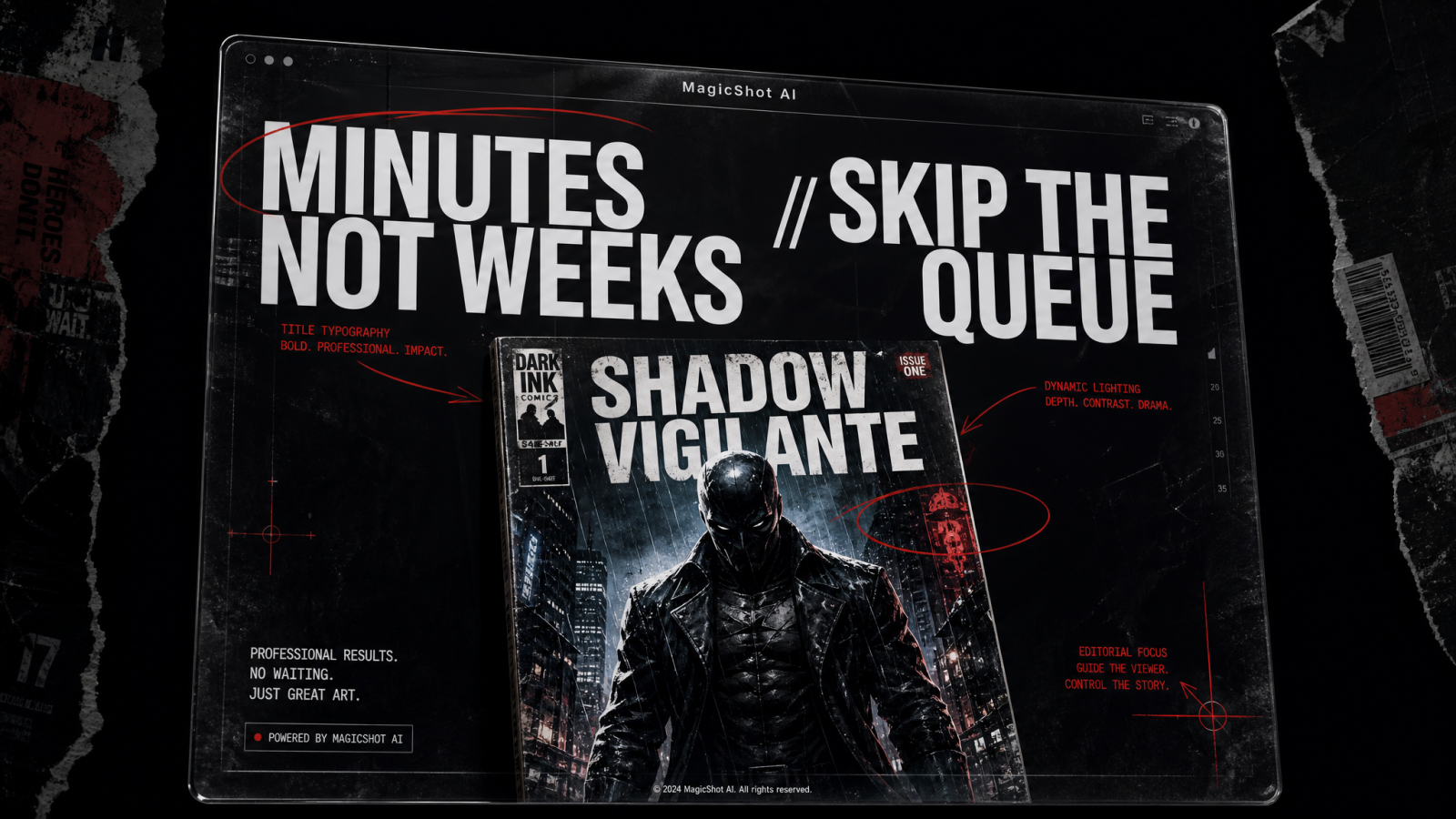
MagicShot's Book Cover Maker is built for that exact moment. It works as an AI comic book cover generator: you describe your genre, your protagonist, your mood, and it produces a complete cover from text, including title and author name placement. It's not trying to replace a full sequential art pipeline. It's replacing the one image that decides whether someone stops scrolling.
Why Self-Published Authors and Indie Creators Need One
If you're self-publishing on Amazon KDP, running a webtoon on Tapas or WEBTOON, or launching a graphic novel on Kickstarter, your cover is doing the selling before a single reader opens a page. Hiring an illustrator for that one image is the standard move, and it's also the bottleneck: it's slow, it's expensive relative to a first print run, and it locks you into whatever the artist delivers unless you pay again for changes.
An AI comic maker flips that math. Instead of committing $500 upfront for one concept, you generate a dozen cover directions in an afternoon, pick the one that fits your genre shelf, and adjust the prompt until the composition, palette, and title lockup actually match your book. That matters double in the US market, where Amazon's thumbnail grid is the shelf. Your cover competes at roughly one inch tall on a search results page before anyone sees it full size.
Consistency Across a Series
Readers browsing a three-book series on Amazon or flipping through your table at an artist alley expect the covers to look like a family. That's one place a comic generator has a real edge over commissioning three separate illustrators, or even the same illustrator across three separate bookings months apart. Because you're working from your own saved prompts and reference descriptions, you can carry the same palette, character proportions, and title lockup from book one straight through to book three, then adjust only what needs to change, like the background setting or the antagonist in frame.
How to Make a Comic Book Cover with AI: From Prompt to Finished File
The short answer: describe your book in a text prompt, add your title and author name, generate several cover directions, then refine and export a print-ready file. Here's each step in practice:
Describe the book. Genre, main character, setting, and mood. A prompt like "gritty noir superhero graphic novel, rain-soaked city rooftop, silhouette of a hero, red and black palette" gives the generator enough to work with.
Add your title and author name. The tool places typography on the cover so you're evaluating the whole package, not just the artwork underneath text you'll add later.
Generate and compare. You get multiple cover directions from one prompt, so you're choosing between options instead of waiting on a single interpretation.
Refine and export. Adjust the prompt for palette, framing, or character pose, then export a file sized for Amazon KDP, IngramSpark, or a webtoon thumbnail.
That's the entire loop that makes this an AI comic book generator in practice rather than a mood-board tool. You're not left with concept art you still need to hand to a designer. You leave with a cover.
Comic and Graphic Novel Cover Styles You Can Generate
Genre expectations are strict in comics, and American readers judge a cover against them in about two seconds. A comic generator needs to hit those visual conventions, not generic fantasy art. Some directions that work well as prompts:
Superhero: bold silhouettes, high-contrast lighting, dynamic action poses, primary color palettes. Still the default visual language of the US direct market.
Manga and webtoon: clean line work, expressive character faces, pastel or high-saturation palettes depending on genre. Manga now outsells Marvel and DC combined in the US book channel, so this style reads as mainstream, not niche.
Noir and crime: desaturated tones, hard shadows, rain and city textures, a single spot color for tension.
Fantasy graphic novel: painterly textures, dramatic scale between character and environment, ornate title lettering.
Horror and thriller: tight cropping, unsettling color grading, negative space used deliberately.
If you also need standalone illustrations for interior pages, promotional art, or merch, MagicShot's AI Art Generator is the better fit since it's built for open-ended illustration rather than the fixed cover-plus-title format.
Prompting Tips for Better Comic Covers
The output quality of any AI comic generator from text tracks almost exactly with how specific the prompt is. Vague prompts get generic covers. A few habits that consistently improve results:
Name the genre explicitly. "Cyberpunk graphic novel" reads very differently to the model than "sci-fi book."
Describe the focal character, not the whole scene. One clear subject with a pose and expression beats a crowded description of everything happening in the story.
Specify the palette. "Muted teal and orange" or "high-contrast black, red, and white" gives you covers that pop on Amazon's thumbnail grid, which is where most American readers will actually see it first.
Mention the title style. Bold block lettering, hand-drawn script, or distressed type all signal genre before anyone reads a word.
Iterate on one variable at a time. Change the palette, then the pose, then the framing, rather than rewriting the whole prompt each round. It's faster to see what's actually moving the result.
Cover Specs for US Print and Digital Platforms
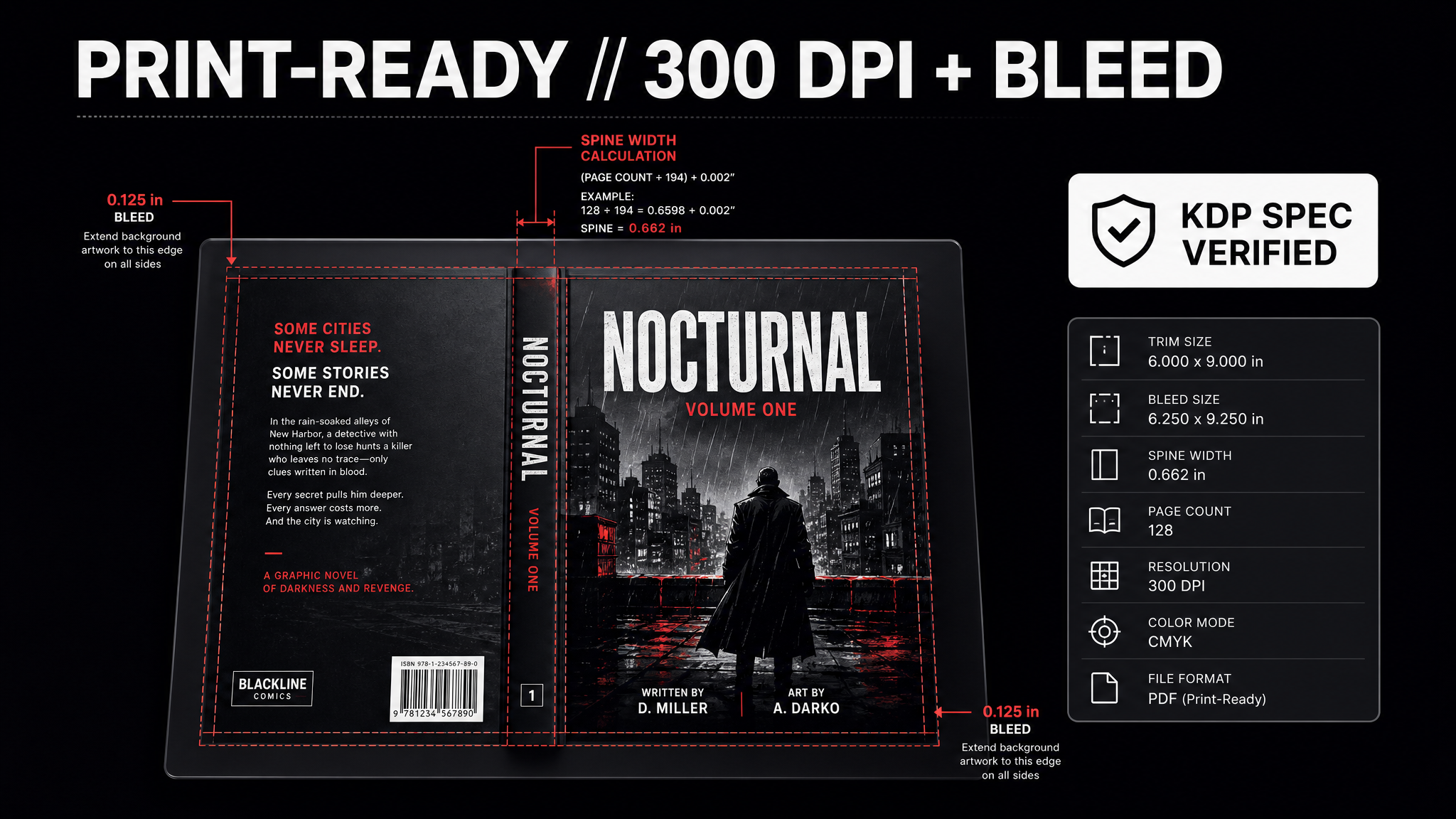
A cover that looks right on screen can still get rejected by a print vendor if it's the wrong resolution or trim size. Before you export a final file, check the requirements for wherever the book is going:
Amazon KDP: print covers need a minimum of 300 DPI at your chosen trim size, plus 0.125" of bleed on the outside edges and a spine width calculated from your page count. The standard US comic trim is 6.625" x 10.25"; graphic novels commonly run 6" x 9" or 7" x 10".
IngramSpark: similar 300 DPI and bleed requirements, but generate your cover template from their spine calculator, since their spine math differs from KDP's and a KDP-sized file will often fail preflight.
Kickstarter and BackerKit: a compressed, web-sized version of your cover is usually enough, since it only needs to look sharp in a browser or on a phone.
WEBTOON, Tapas, and GlobalComix: thumbnails are small and often square or vertical, so test your cover at thumbnail size early. A composition that reads well full-size can lose its focal character entirely once it's shrunk into a scrolling feed.
If your first export isn't sharp enough once you factor in bleed and trim, running it through the Image Upscaler before you send it to a print vendor is usually faster than regenerating the whole cover from scratch.
Beyond the Cover: Building Out the Rest of Your Comic's Brand
A finished cover is the anchor, but most creators need a handful of supporting assets to actually launch and market the book:
Series or imprint logo: the Logo Generator can produce a mark for your publishing imprint or series branding to sit on the spine and in your marketing.
Character cutouts for promo: the Background Remover isolates a character from a generated scene so you can drop them onto a Kickstarter page, a Discord banner, or a print poster for your convention booth.
Print-resolution files: if you're heading to a print-on-demand service and need a larger file than your first export, the Image Upscaler brings a cover up to the resolution print vendors require.
Shareable character stickers: the Sticker Maker turns your cast into individual stickers for Discord, Telegram, or a Kickstarter reward tier.
A Note on Genre-Specific Details
Small details sell genre faster than big ones. A cracked visor and a single glowing rune tells a reader "urban fantasy" before they've read the title. A rain-slicked trench coat and a cigarette ember tells them "noir." When you're prompting an AI comic book generator, spend your word budget on two or three of these genre signals instead of describing the entire plot. The model, and the reader, will pick up the tone from a handful of concrete details faster than from an abstract description of the story's themes.
AI Comic Generator vs. Hiring a Cover Illustrator
Neither approach is wrong, but they solve different problems at different stages. Here's how they compare for a self-published comic or graphic novel in the US market:
Cost: a commissioned cover typically runs $300 to $1,500, and rates from established US cover artists climb well past that. An AI comic generator lets you explore dozens of directions inside a MagicShot subscription you're likely already using for other assets.
Speed: illustrators need one to four weeks including revisions. A generated cover is ready in minutes, so you can test multiple covers with your actual audience before committing.
Revisions: extra rounds with an illustrator usually cost more. With a generator, you can re-prompt as many times as you want at no incremental cost per cover.
Originality of vision: an experienced illustrator can push a concept in directions you didn't think to ask for. A generator is only as good as the prompt, which is why specific, genre-literate prompting matters so much.
Best use case: an AI comic generator is the stronger choice for first-time authors testing a concept, series with tight production budgets, and anyone who needs several cover variants to A/B test before a launch. A commissioned illustrator still makes sense for a flagship title where a signature art style is part of the brand.
Who Actually Uses an AI Comic Generator
The people reaching for this tool aren't a single type of creator. A romance author self-publishing a graphic novel spinoff on KDP needs a cover that reads instantly as romance-comic, not superhero. A tabletop RPG designer putting together a zine for their next Kickstarter needs cover art that matches a specific setting's tone across a dozen small releases. A webtoon creator testing a new series needs three or four cover concepts fast, before committing weeks of interior art to a direction that doesn't land. An indie press prepping for an artist alley table at a regional con needs a full season of covers to look like one publisher made them. Each of these is a different genre and a different budget, and each one is solved the same way: describe the cover you need, generate it, adjust, export.
Marketing the Cover Once It's Finished
A finished cover doesn't just sit on a product page. Creators are increasingly turning a static cover into a short teaser using the AI Video Effects Generator, adding subtle motion to a character or background for a Kickstarter trailer or a TikTok teaser. If you're narrating a book trailer or sample chapter, Text to Speech gives you a narrator track without booking studio time.
The Bottom Line
An AI comic generator won't write your story or draw your interior pages panel by panel, and it's not trying to. What it does is remove the single biggest bottleneck between a finished manuscript and a cover you can actually put in front of readers: the wait, the invoice, and the limited number of revisions a freelance budget allows. If your next step is a cover, not concept art, MagicShot's Book Cover Maker gets you there in the same afternoon you started prompting.