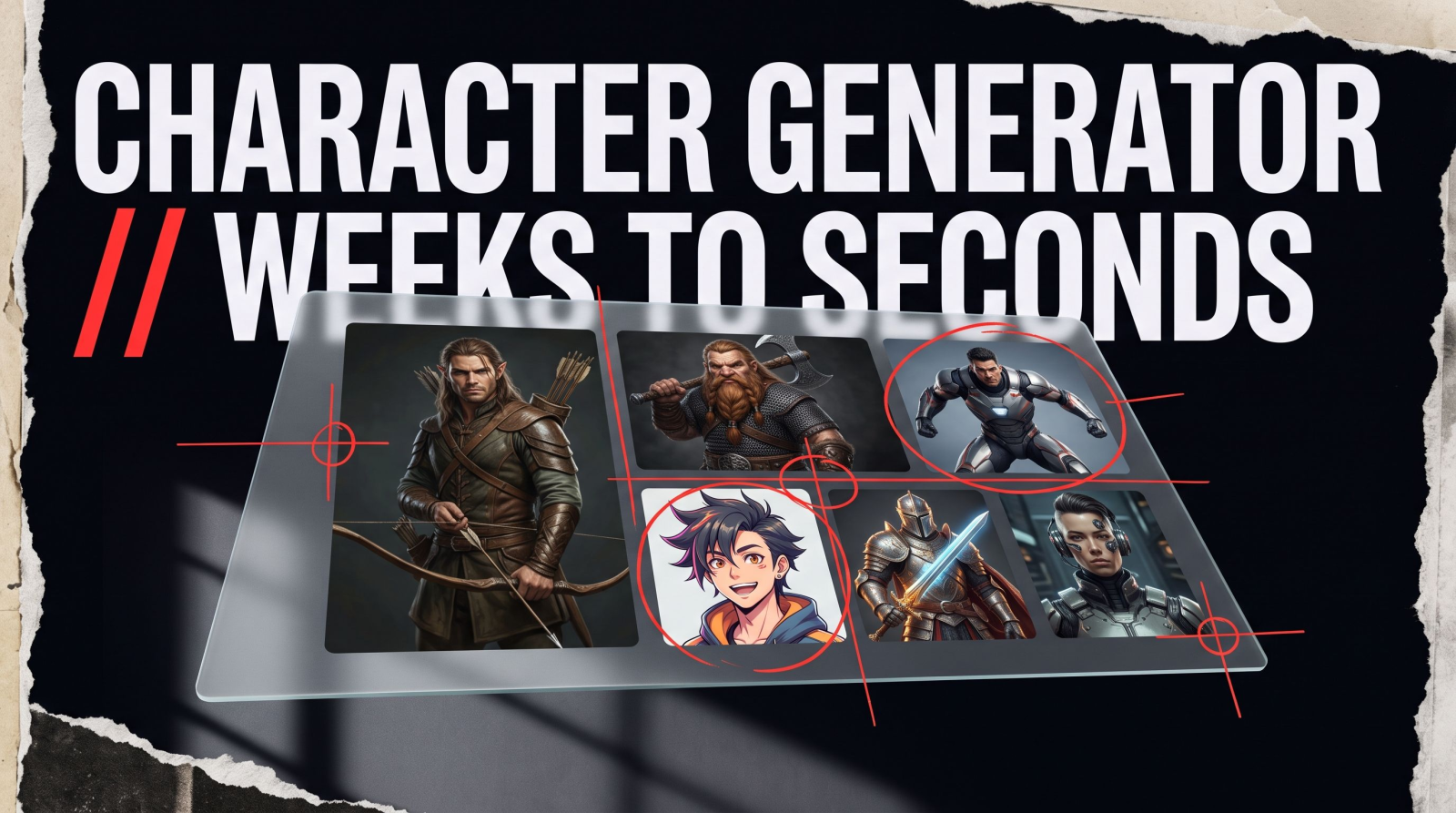
Commissioning a character artist runs $50 to $300 a pop, takes a week or two of back-and-forth, and gives you exactly one piece for one character. If you're building a D&D campaign with six party members, an OC roster for a fan project, or a superhero persona for a stream overlay, that math falls apart fast. An ai character generator solves the actual problem: you describe or upload, it renders, and you get a usable character portrait in seconds instead of weeks.
This guide covers what an AI character generator actually does, how to turn a selfie into a fantasy hero or anime OC, and where tools like MagicShot's Avatar Generator fit into a D&D table, a Naruto OC thread, or a superhero design project.
What Is an AI Character Generator?
An AI character generator is software that turns a text prompt or a reference photo into a rendered character image, complete with a face, outfit, pose, and art style. Instead of hiring an illustrator or hand-drawing a design, you type a description ("a half-elf ranger in mossy leather armor") or upload a photo and let the model handle line work, shading, and composition. The output is a finished character picture generator you can use for game art, profile avatars, book covers, or social content.
The best character generator ai tools do two things at once: they respect the details you give them (armor color, weapon, species, art style) and they keep the result coherent, meaning the face, proportions, and lighting actually match across a set of images. That coherence is what separates a usable character sheet from a pile of disconnected art.
How to Create a Character with AI
Whether you're chasing a superhero look or a fantasy rogue, the workflow is short. Here's how to create a character without opening a drawing app:
Start with a photo or a prompt. Upload a selfie if you want your own face on the character, or write a description if you're building someone from scratch.
Pick a style. Comic ink, anime cel-shading, painterly fantasy, 3D render, whatever matches your project.
Generate and refine. Adjust the prompt, swap the outfit, or regenerate the pose until the character actually looks like the one in your head.
That's the entire loop. No sketch, no reference sheet you have to build by hand, no waiting on a commission queue.
Turning a Photo Into an AI Character
The most common question we get is some version of "how do I put my face on an AI character?" It's the same core process MagicShot's Avatar Generator is built around: you upload a photo, the tool reads your facial structure, and it applies that likeness to whatever character style you pick, superhero, anime, fantasy warrior, cartoon.
This covers a few overlapping searches at once. If you want to turn a picture into a caricature, exaggerate a photo into a stylized cartoon, or just want a character picture generator that keeps your actual face recognizable inside a new outfit and setting, the input is the same: one clear, front-facing photo. Better lighting and a neutral background give the model more to work with, which means a cleaner result on the first try.
Once you've got a face-accurate character, run it through the Background Remover to drop it onto a clean backdrop for a character sheet, a Discord icon, or a print.
Build Your Own Superhero
"Design a superhero" is one of the most searched character prompts out there, and for good reason: everyone has a version of themselves they'd cast in a comic. A superhero generator workflow usually starts with three decisions: power theme (flight, tech, elemental), costume palette, and pose (action shot vs. portrait).
To build your own superhero with an AI superhero generator, be specific. "A superhero" gives you a generic result. "A street-level vigilante in a matte black suit with a single red visor, night city backdrop, low-angle action pose" gives the model something to actually render. If you want your own face under the mask, start from a photo upload instead of a blank prompt, that's the difference between a random super hero maker output and a real self-insert character.
People use this for stream overlays, tabletop supers campaigns (Mutants & Masterminds, Masks), convention badge art, and just for fun profile pictures. None of it requires a comics background or a tablet full of half-finished sketches.
DnD Character Art and Fantasy Portraits
Tabletop groups are one of the biggest audiences for character art tools, and it's easy to see why. A DnD ai art generator turns "my half-orc barbarian with a scar over one eye" into an actual reference image your table can point to during a fight scene, instead of everyone picturing a slightly different character.
For DnD character art that actually holds up at the table, include:
Race and class markers (tusks and tribal scarring for a half-orc, robes and a spellbook for a wizard)
Signature gear (a specific weapon, a cloak color, a house crest)
Setting cues (tavern interior, battlefield, forest camp) so the portrait feels grounded in your campaign
A dnd character photo built from your own face works well for one-shots where you want to see yourself as the character, while a fully prompt-built portrait works better for long-running campaign NPCs. Either way, a dnd character image creator turns a paragraph in your session notes into art the whole table remembers.
Anime OCs: Naruto-Style Characters and Beyond
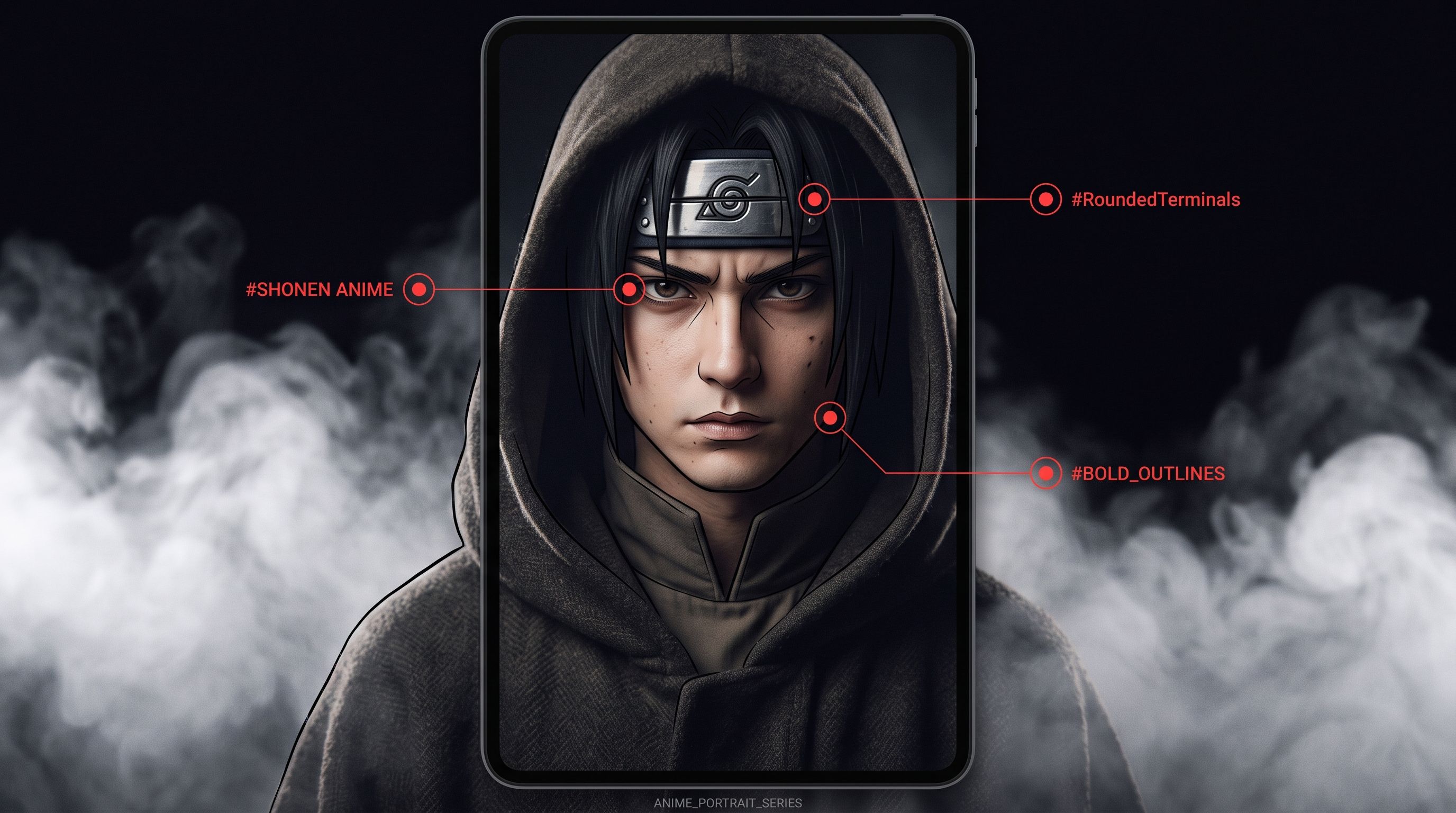
Anime original characters are their own category of search, and the Naruto community in particular has kept the "OC maker" trend alive for years. A naruto oc maker workflow follows the same logic as any anime build: headband placement, jutsu-appropriate outfit, chakra nature color cues, and the sharp-lined, cel-shaded look the series is known for.
If you're working on how to create a Naruto character, describe the clan affiliation, the outfit silhouette, and the art style ("shonen anime, bold outlines, flat cel shading") together in one prompt. The same approach works for a naruto anime character creator project or any other anime-styled OC, the specificity in your prompt is what keeps the output from looking like a generic anime face.
For a lighter, more exaggerated take, a cartoon character generator can push the same photo or prompt toward a rounder, more playful style, useful for stickers, mascots, or a sonic character generator style build with saturated color and a simplified silhouette.
Random Disney and Marvel-Style Characters
Searches for a random Disney character generator or a random Marvel character generator usually come from the same place: people want the look and energy of those universes without redrawing an existing copyrighted character. The practical move is to build an original character that borrows the visual language, a Disney-style color palette and rounded proportions, or a Marvel-style comic ink and dynamic pose, rather than recreating a named, owned character.
This is also where a character design generator earns its keep for original IP. If you're pitching a comic, a game, or a mascot, generating a handful of original superhero or cartoon-style characters in a shared visual style gets you a lineup fast, without licensing headaches down the line.
Changing and Iterating on a Character
Nobody nails a character design on the first try, and that's fine. Being able to change the character, swap the outfit, adjust the pose, try a different art style entirely, without starting from zero is what makes an AI workflow faster than a traditional commission. Keep the same reference photo or prompt and vary one element at a time: costume, background, expression, so you can compare versions side by side before locking in a final look.
Once you've locked a design, an AI Art Generator can push it further into full scenes and alternate poses, and a Sticker Maker can turn your finished character into a set of chat stickers or a Discord emoji pack. If you want the character to move rather than sit still, AI Avatar Video can bring a portrait to life for an intro clip or a short in-character message.
Tips for Better Results
Use one clear reference photo if you want a face-accurate character, front-facing, even lighting, no sunglasses or heavy shadow.
Name the style explicitly: "comic ink," "anime cel-shaded," "3D render," "painterly fantasy." Vague prompts get generic results.
Layer in details that matter to you: scars, specific armor pieces, a signature color, a prop. These are what make a character feel like yours instead of a stock template.
Generate a few variations before committing. Small prompt tweaks (pose, lighting, background) can change how well a design reads at a glance.
Why MagicShot for Character Generation
MagicShot's Avatar Generator pairs with the AI Art Generator to cover both sides of character creation: face-accurate portraits built from your own photo, and fully original designs built from a prompt alone. That combination is what makes it useful for a DnD table needing six distinct party portraits, a superhero project needing a consistent hero and villain, or an anime OC that needs to hold its look across multiple poses.
If your character needs a full profile, not just a portrait, pair it with Professional Headshots for a realistic human version of the same face, or run the final art through the Background Remover to prep it for a character sheet, a print, or a profile banner.
Wrapping Up
A good ai character generator turns a paragraph of description or a single photo into a character you can actually use, in a campaign, a comic pitch, a stream overlay, or just your own profile picture. The workflow is short: describe or upload, pick a style, generate, refine. No commission queue, no redraws waiting on someone else's schedule.
Frequently Asked Questions
What is an AI character generator?
An AI character generator is a tool that creates a character image from a text description or a reference photo, handling the art style, pose, and details automatically. It replaces manual illustration or commissioned character art with a prompt-and-render workflow, useful for D&D portraits, superhero designs, anime OCs, and profile avatars.
How do I put my face on an AI character?
Upload a clear, front-facing photo to a tool like MagicShot's Avatar Generator, then choose the character style you want, superhero, anime, fantasy, or cartoon. The tool maps your facial structure onto the new style so the result still looks like you.
Can I turn a photo into a caricature?
Yes. Upload a photo and select a caricature or exaggerated cartoon style, and the generator will stylize your features into a playful, rounded character while keeping you recognizable. Clear, well-lit source photos give the cleanest results.
Can I make my own superhero character?
Yes. Describe the power theme, costume palette, and pose in your prompt, or upload a photo to build a self-insert hero. Specific details, like suit color, visor style, and setting, produce a more distinct result than a generic "make me a superhero" prompt.
Can this generate Disney or Marvel characters?
It can generate original characters in a similar visual style, Disney-like proportions and color, or Marvel-like comic ink and action posing, but it's built for creating your own characters rather than reproducing existing copyrighted ones.
Is a DnD character generator good for tabletop campaigns?
Yes. Describing race, class, gear, and setting in a prompt produces a reference image your table can use during sessions, which helps everyone picture the same character consistently across a campaign.