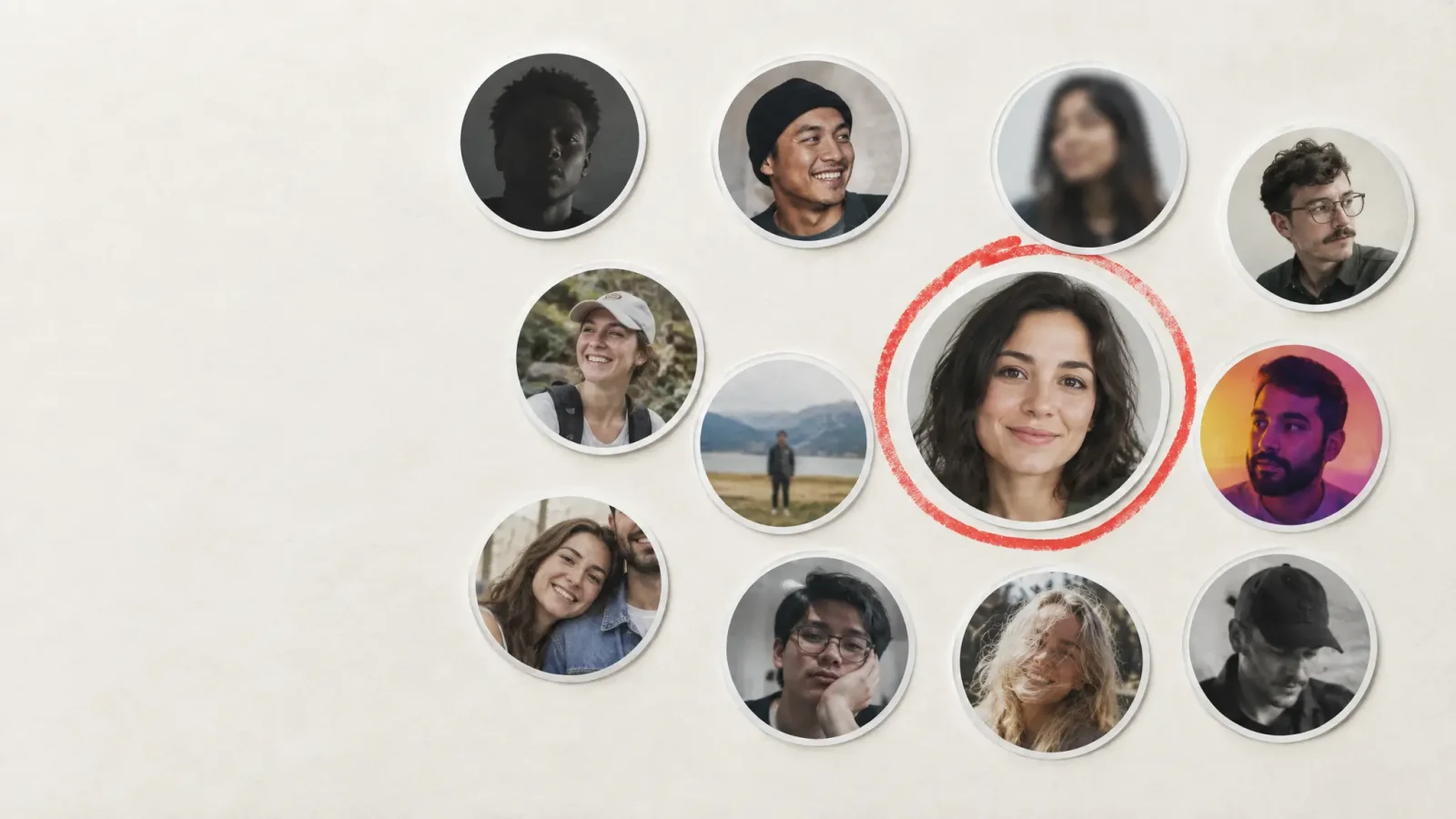
A recruiter scanning search results gives each profile a couple of seconds. The photo is the first thing they see, before the headline, before the experience. What they pick up is not whether you paid for a studio. It is whether the picture looks current, clear and appropriate for the job. Here is what that scan actually catches, and how to make yours pass it.
What the evidence says
LinkedIn has said publicly that profiles with a photo get noticeably more views and messages than profiles without one, and independent studies on profile photos point the same way: a clear, friendly, professional image tends to outperform no photo, a blurry one, or a casual snapshot. Exact numbers differ by study and industry, so treat any single percentage as a direction, not a promise for your own profile.
What a weak photo signals
A weak photo can read as a signal about the rest of the profile, fairly or not.
Dark or blurry: may suggest the profile is neglected.
Years out of date: when you show up to the call, you look like a different person.
Cropped group shot or party photo: suggests the photo did not get five minutes of thought.
Heavy filter: raises trust questions, especially for client-facing roles.
Sunglasses, hat or distant shot: hides the face people want to see.
What a good one does
Shows your face clearly, with eyes visible, and a relaxed expression.
Looks like you now, within a year or two.
Has a plain, uncluttered background.
Matches your field. A creative director and a hospital administrator can reasonably look different.
The 400 x 400 reality
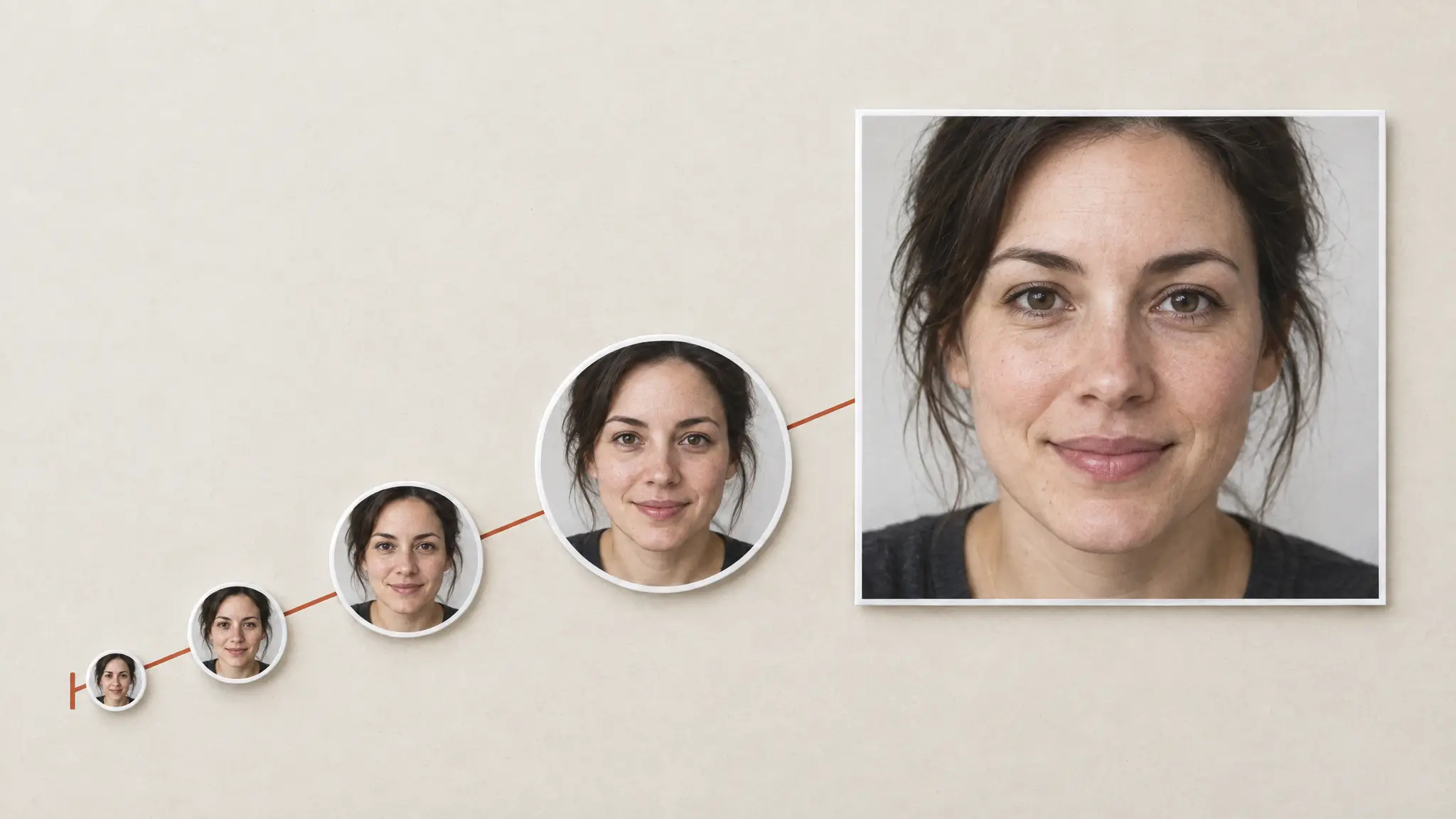
LinkedIn shows profile photos as a square, with a recommended minimum of about 400 x 400 pixels, and shrinks it much further in feeds, comments and search results. At that size, a wide shoulders-up shot can reduce your face to a small part of the picture. Frame tighter than you would for a printed headshot, so your face fills a good share of the square and still reads at thumbnail size. Preview it small before you upload.
How to fix a weak photo
1. Start with a clear, current, well-lit photo of just you.
2. Run it through a tool made for this format, such as the Professional Headshot Generator, and pick a style that fits your industry rather than the default.
3. Check the result at LinkedIn's small display size, not only full size.
4. Ask someone who knows you whether it looks like you. If they hesitate, try again.
Keep it honest
A polished photo should still be you. Recruiters meet candidates later, on video or in person, and a large gap between photo and reality works against you. Skip heavy smoothing, and avoid using someone else's likeness.
How often to update
A photo that is five or more years old, or from a very different stage of your career or appearance, works against you like a stale CV. Update it when your role, industry or appearance changes meaningfully, and otherwise every one to two years.
For what makes a headshot hold up under close inspection, read AI headshots: how good are they really in 2026?. To make one, go to the Professional Headshot Generator.