Nano Banana is Google's image editing model, and it changes how editing feels: instead of selecting areas and picking tools, you type what you want changed. It is built on Google's Gemini 2.5 Flash Image model and is now available inside MagicShot. This post covers what it does well, how to use it in MagicShot, prompts that work, and where it still falls short. If you want the newer version, read about Nano Banana Pro.
What Is Nano Banana?
Nano Banana is an AI image editing model that follows natural language instructions. You describe the change, such as removing an object, changing the background or adding an item, and the model makes the edit while keeping the rest of the picture consistent. There is no need to draw masks or work in layers.
Why People Like It
Edits by description. Type the change and get a result in seconds.
No design-tool skills required. You do not need to learn layers, brushes or selections.
Understands the whole scene. It tends to respect lighting, depth and the position of objects.
Fast iteration. You can try several versions of an idea in a few minutes.
How to Use Nano Banana in MagicShot
There are two ways to use it.
In the Image Editing Tool
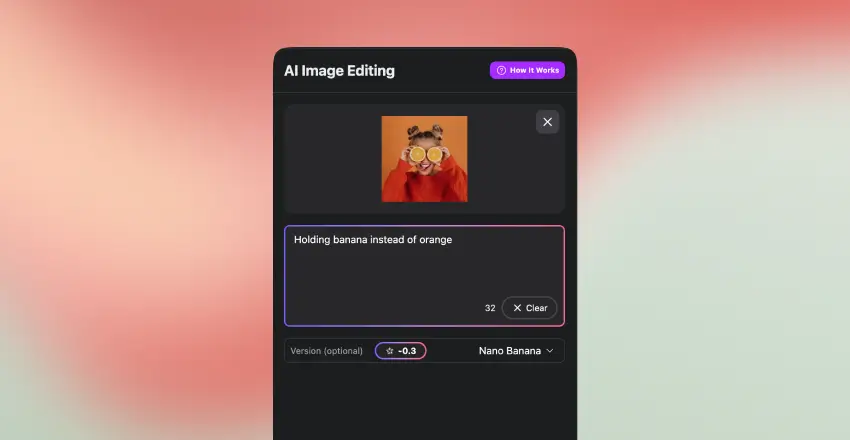
Upload your image.
Choose the Nano Banana option.
Type your instruction, for example holding a banana instead of an orange, add a sunset background, or change the dress color to red.
Review the result and refine it with another instruction.
In MagicShot Chat
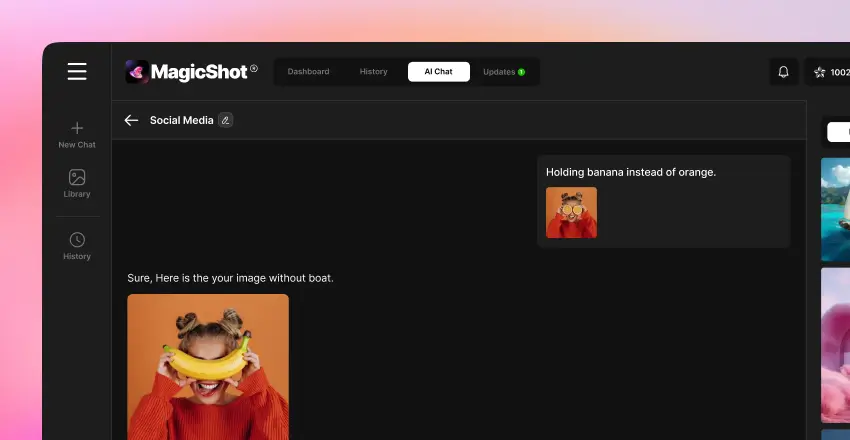
Open the chat.
Upload an image or pick one from your history.
Say what you want changed.
The chat applies the edit and returns the new image.
Prompts That Work Better
Change one thing at a time. Several edits in one sentence often cause the model to miss one.
Be specific about the object and the result, such as replace the blue jacket with a red leather jacket.
Say what to keep: keep the face and pose the same.
Describe the style for backgrounds: soft evening light, shallow depth of field.
What You Can Use It For
Marketing teams: generate several ad or banner variations for A/B tests without waiting for a designer.
E-commerce: change backgrounds, clean up packaging or remove outdated branding from product photos.
Creators: punch up thumbnails and photos with quick edits.
Students: make project visuals look polished.
Portrait retouching: small clean-ups, clothing changes and virtual makeup.
Fun edits: props, outfit swaps and memes.
Examples
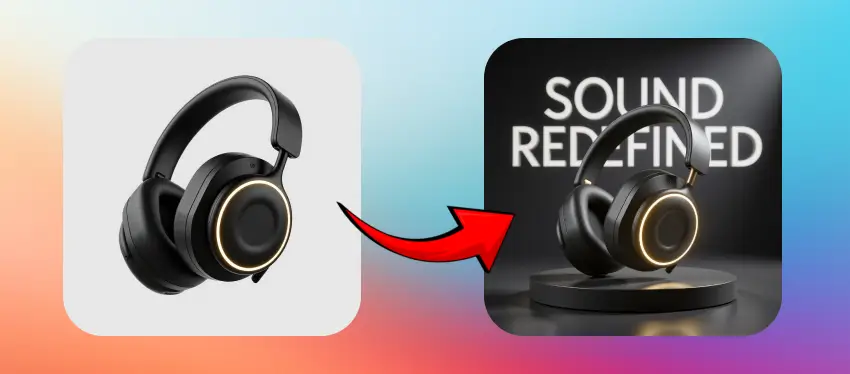
A plain black headphone photo becomes a dramatic product display, with a stage, glowing lights and bold text.
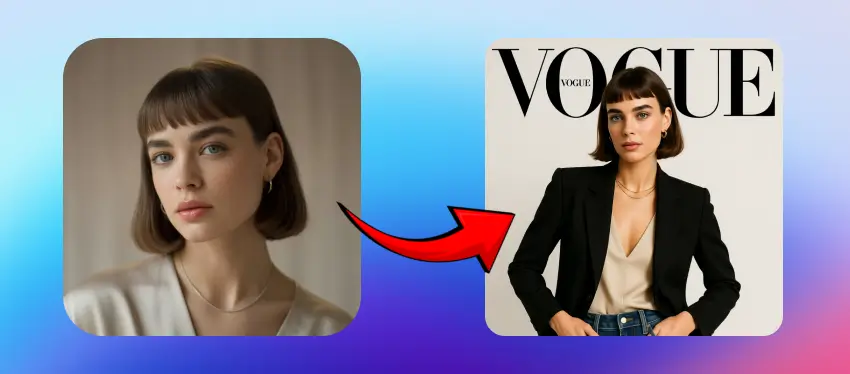
A natural portrait is restyled into a high-fashion magazine look.
Limits to Know
Faces can drift slightly across repeated edits, so work from the original photo when identity matters.
Text inside images is still hit-or-miss.
Images generated with Google's model carry an invisible SynthID watermark that marks them as AI-generated.
Do not edit photos of real people in ways that mislead.
Want More Control?
If you want to combine prompt-based edits with manual refinement, the AI image editing tool with Nano Banana lets you remove unwanted elements and touch up areas with brush tools as well. It gives you the speed of describing a change and the precision of doing it by hand.