An initial logo maker turns two or three letters into a usable mark faster than designing a full logo from scratch, which makes it a common starting point for freelancers and solo creators who need branding now, not after weeks of design back-and-forth. The main decision is arrangement, not style. Build and compare options with MagicShot's logo generator.
Initial Logo Maker Arrangement Options
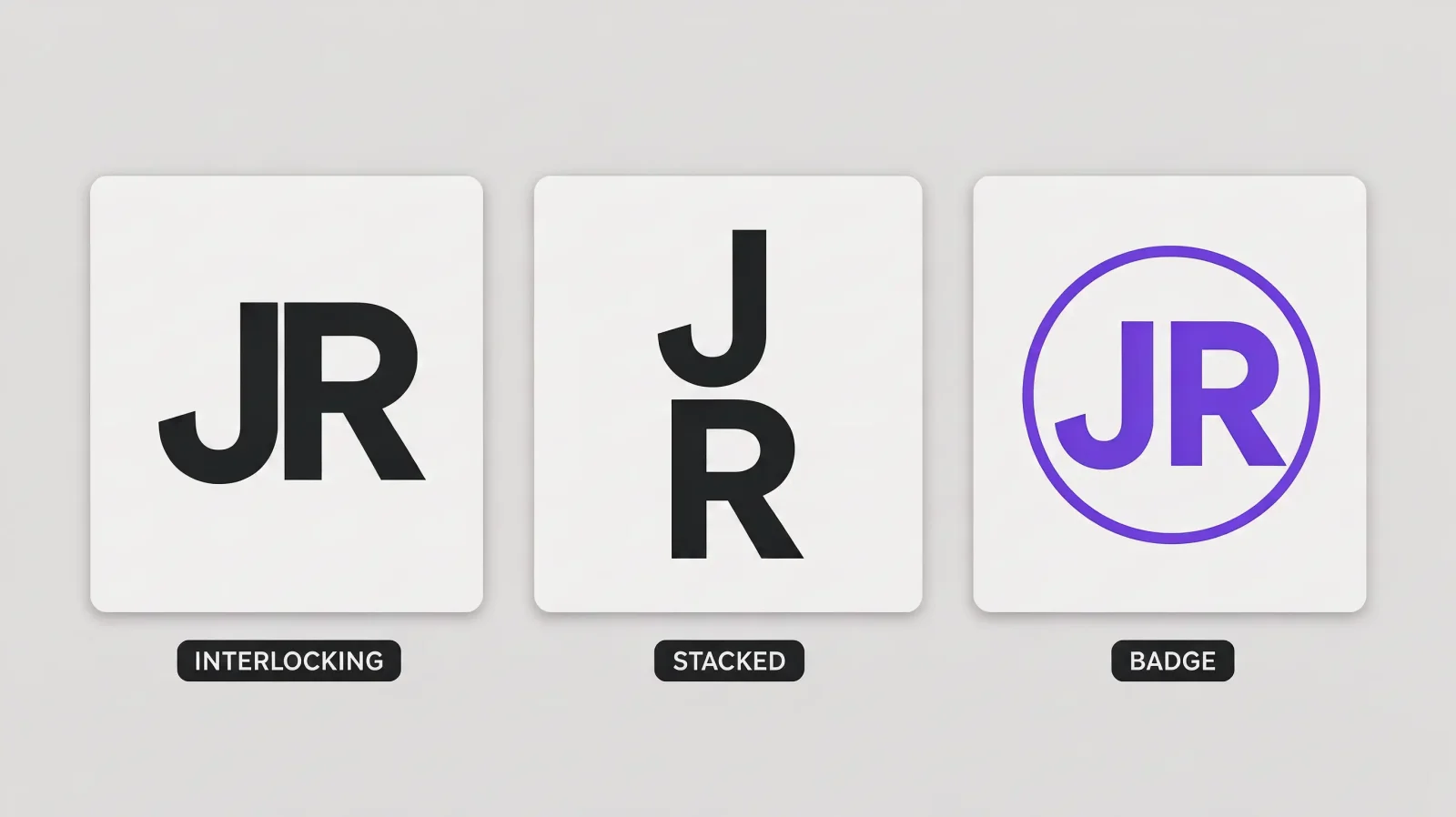
Three arrangements cover most monogram logos:
Interlocking: letters overlap or share strokes, common for two-letter combinations where the shapes complement each other.
Stacked: letters sit on top of each other or side by side at different sizes, useful when letters don't interlock cleanly.
Circular badge: letters sit inside a circular or shield frame, which reads as more formal and works well as a small icon.
Generate the same initials in all three arrangements before picking one; a combination that looks cramped stacked can look clean interlocking, and the reverse happens just as often.
Two-Letter vs Three-Letter Combinations
Two letters generally interlock or stack more cleanly than three, since there's less competing shape to balance. Three-letter combinations, a full name's three initials, or a business name's initials, usually work better in a circular badge or a simple side-by-side layout rather than a tight interlock, where three overlapping letterforms tend to blur into an unreadable shape once shrunk down.
Personal Brand vs Business Styling
A personal brand monogram, a freelancer, a consultant, a creator, can lean more decorative: a script letterform, a thin elegant line weight, more personality. A business-facing monogram usually reads better bold and geometric, closer to what you'd see from a letter logo maker built for a company, since it needs to look established rather than personal. Neither is more correct; it depends on whether the mark is meant to represent one person or an organization.
Growing a Monogram Into a Full Logo Later
Yes, and it's a common next step once a name or brand grows beyond a personal project. Keep the monogram as an icon, for a profile photo, a favicon, a small badge, and build a full wordmark or combination logo, using a google logo maker style search or a dedicated design tool, around the same color palette and letterform style. Consistency between the original monogram and the expanded logo matters more than making the new version dramatically different.
Transparent PNG Exports
Yes. Export the finished monogram as a transparent PNG so it drops cleanly onto a website header, a social profile, a business card, or a colored background without a white box around it. Keep a second version with a solid background as well, since not every use case supports transparency.
For a monogram built specifically for a two-name event rather than a personal brand, see Wedding Logo and Monogram Ideas. MagicShot's logo generator can generate and export monogram options in either direction.