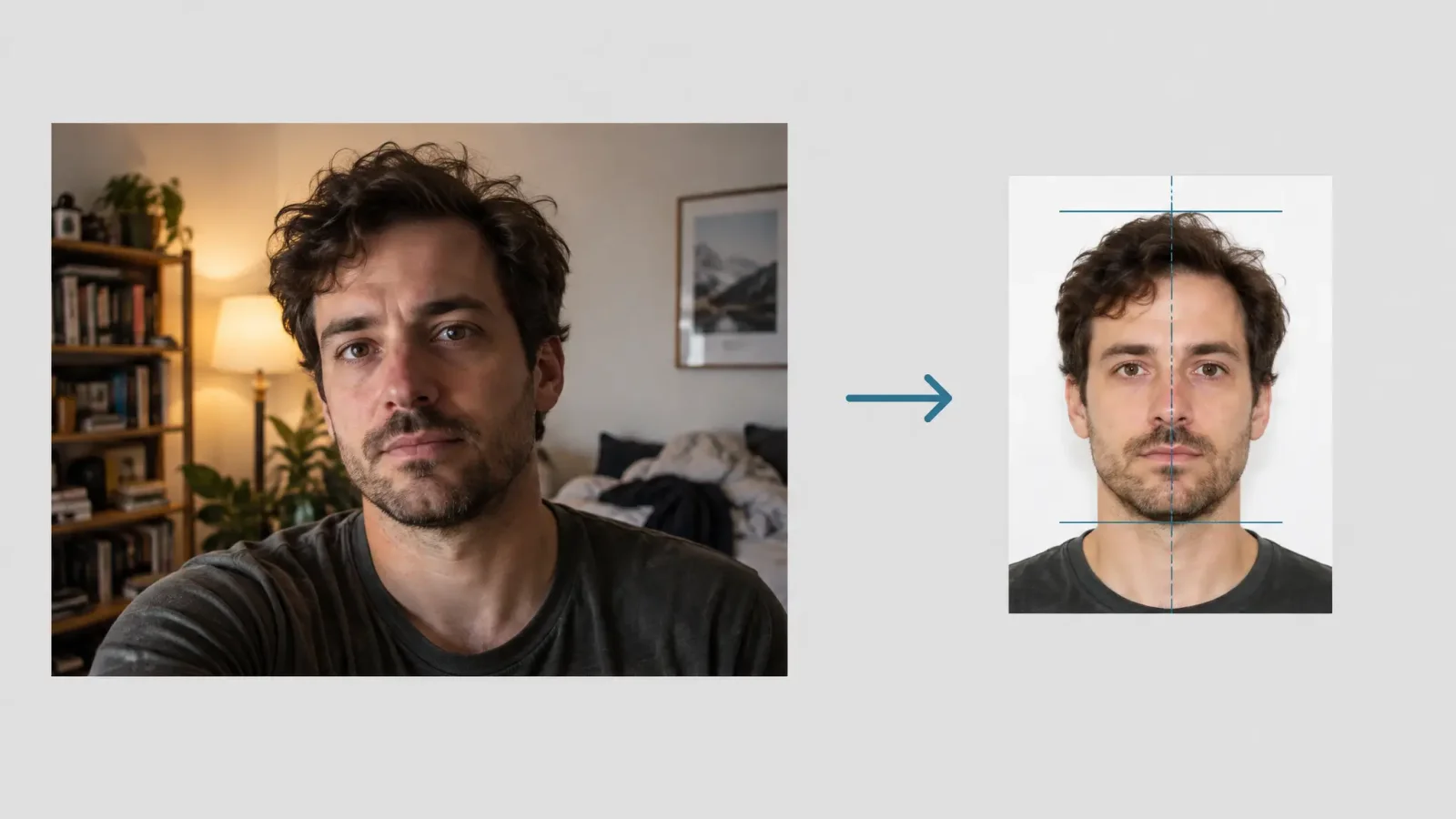
Passport offices reject photos for boring reasons: a shadow behind the head, the wrong size, glasses glare, a slight smile. Almost all of those are fixable at home. What you cannot do is get creative with the face. This guide covers how to shoot an ID picture at home, what editing is safe, and what to check against the rules for your specific document.
Rules differ, so confirm yours first
There is no single worldwide standard. As examples, at the time of writing a US passport photo is 2 x 2 inches (51 x 51 mm) on a white background, while a UK passport photo is 45 x 35 mm on a plain light-coloured background. Head size, background colour, whether glasses are allowed and how the photo must be printed all vary by country and by document. Rules also change. Before you shoot, open the official page of the agency that issues your document and note the exact size, background, head-height range and any digital-photo rules.
Shoot it at home
Background. A plain white or off-white wall, or a sheet taped flat. No pattern, texture, door frames or shadows.
Distance from the wall. Stand a metre or so away so your shadow does not fall on it.
Light. Even, from the front: a window on a cloudy day, or two lamps placed either side of the camera. No shadows on the face or behind the head.
Camera. At eye level, about an arm and a half away. Use the rear camera, on a tripod or a stack of books, with a timer.
Face. Look straight at the camera, eyes open, mouth closed, neutral expression. Head straight, not tilted.
Accessories. Remove hats and anything covering the face. Religious head coverings are allowed by many agencies if the full face is visible, so check the rules. Avoid tinted lenses, and take glasses off if your agency requires it, or make sure there is no glare.
What editing is acceptable
Cleaning up the background, adjusting brightness and cropping to the required size are normally fine. Changing the face is not. Many agencies state that digital retouching, smoothing, filters or AI alterations that change your appearance are grounds for rejection, and some require an unedited photo. So use the image editing tool for the background, framing and lighting only. Do not use AI headshot or avatar tools to produce an ID photo, because those restyle the face and clothing.
Getting the crop right
Crop to the exact dimensions your document needs, with the head centred and the required space above it. Then check the head height against the official range. A correct size with an incorrectly sized head is a common rejection reason. Print on proper photo paper if your agency requires a printed photo, and keep to the stated print resolution when uploading a digital one.
Quick checklist before you submit
1. Official size, background and head-height rules checked today.
2. Plain background with no shadows.
3. Face sharp, evenly lit, neutral expression, eyes open.
4. No filters or smoothing applied.
5. Taken recently, usually within the last six months or so, so check the agency rule.
6. File format and size match the upload rules, or print quality matches the paper rules.
If the background is not clean
A background swap is more reliable than hunting for a perfect wall. If edges around hair or glasses look rough, our guide to comparing background remover tools explains how to get a clean cutout.
A note on guidance
This is general guidance, not legal or immigration advice, and it does not guarantee any agency will accept your photo. Confirm the current requirements with the issuing agency before you submit anything.