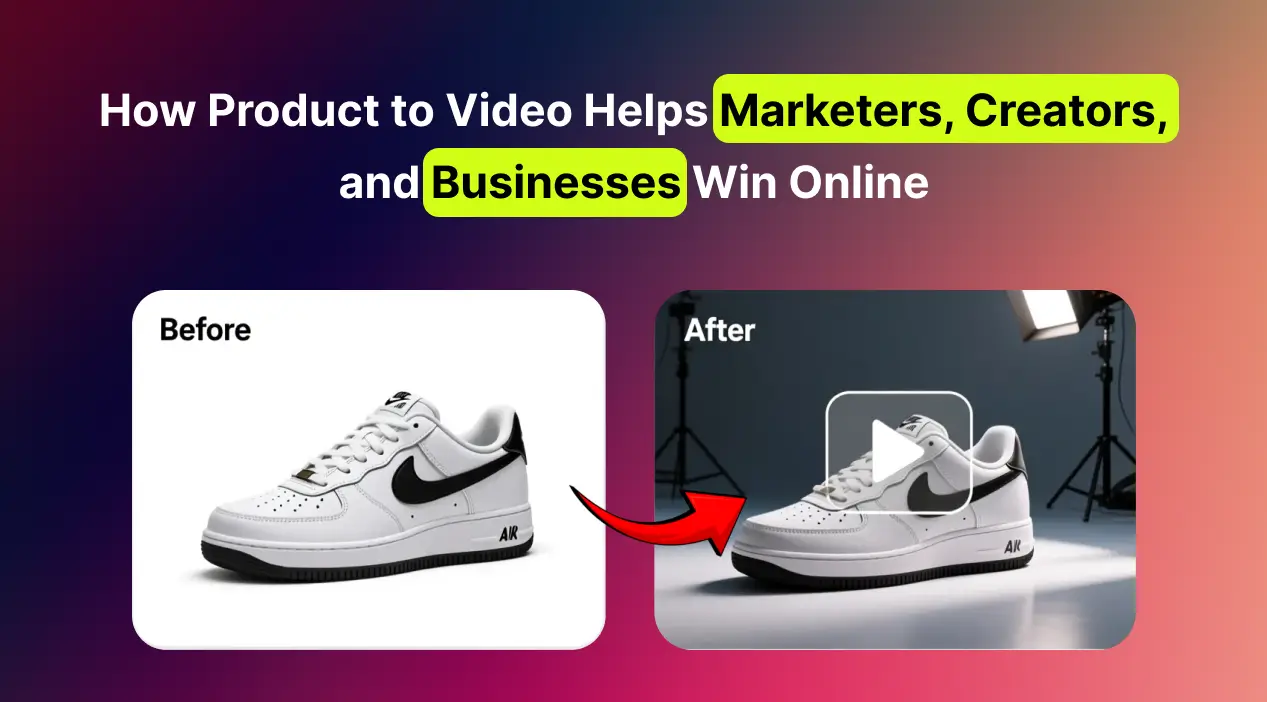
A product photo is good at showing what something looks like. A short video is better at making someone stop scrolling. The problem is that filming product videos takes a camera, a setup and editing time most small teams do not have. MagicShot's Product to Video turns a single product photo into a short, animated video ad, and lets you steer the motion on a Canvas before it generates. This guide covers how it works, who it suits and how to get a good result.
How to Turn a Product Photo Into a Video
Upload a clean product photo. A sharp image on a simple background gives the model the most to work with.
Plan the motion on the Canvas. Draw arrows, shapes or notes to show how you want things to move.
Pick the output (see the options below) and generate.
Review and publish to your listing, ad account or social feed.
Inside the Canvas: Creative Control
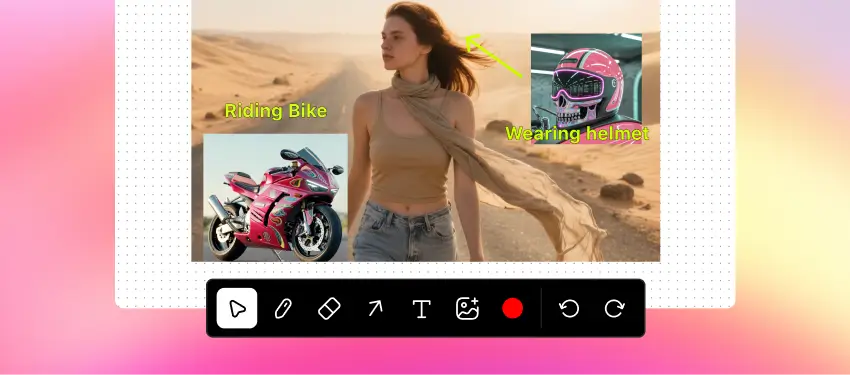
Unlike tools that apply a preset animation, Product to Video lets you design the movement first. The Canvas includes:
Mouse tool: move and reposition images or elements.
Pen tool: draw shapes or outlines to guide the animation.
Eraser: remove lines or shapes you do not want.
Arrow tool: show direction or action.
Text tool: add short notes or labels.
Image upload: place extra images on the Canvas.
Color picker: match colors for arrows, text or drawings.
Undo and redo: adjust without losing progress.
Output Options
6 or 10 seconds at 720p for quick ads and fast campaigns.
6 seconds at 1080p for sharper, more cinematic results.
Both suit TikTok, Instagram, YouTube Shorts and Facebook.
Who Benefits
E-commerce sellers: showcase clips for product pages and ads, built from photos you already have.
Marketers: produce several ad variations from one image and test which hook works. This is the biggest practical gain, because testing is usually limited by production time.
Creators and influencers: turn product collaborations into short, shareable clips without an editing app.
Small businesses: a local cafe or boutique can publish promos and seasonal teasers that look polished.
Agencies: build quick prototypes for client pitches before committing to a full shoot.
Tips for Better Product Videos
Start with a high-resolution photo and clean lighting. The video can only be as good as the source.
Keep the motion simple: a slow push-in, a rotation or one element entering the frame.
Show the product accurately. Do not let the animation change its shape, color or features, since that leads to returns and complaints.
Add captions and music in your editor. Many people watch without sound.
Test two or three versions with different hooks, then keep the winner.
When You Still Need a Real Video
AI product clips are great for fast, simple promos. For demonstrations of how a product works, customer testimonials or anything that needs to build trust, real footage is still stronger. Many brands use both.
Try It
Open Product to Video, upload one product photo and make your first 6-second clip.