
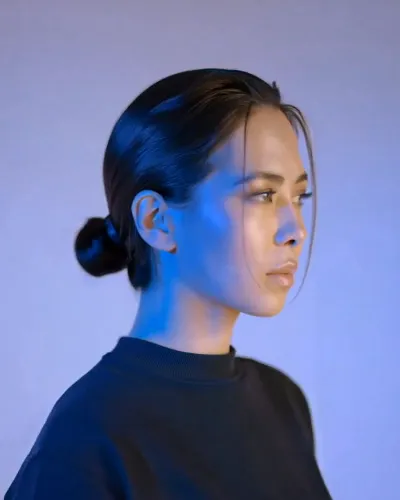
What the Turn video effect does
The Turn video effect takes one short clip and puts your subject into motion: shoulders rotating, head coming around, eyes finding the camera. That slow pivot is the shot editors build whole intros around, and normally it costs you a slider, a focus puller, and a subject willing to do it fifteen times. Here it comes out of an upload. Point the AI turn generator at footage you already have and it rebuilds the rotation frame by frame, holding the face, hair, and clothing steady through the move so the reveal reads as one continuous take.
The footage it likes best
Turn is happiest with a single clear subject and a bit of room around them. A few things that make the output sharper:
- Back or profile starts. A subject facing away, or angled at three quarters, gives the effect somewhere to turn from.
- Head and shoulders in frame. Cropping too tight leaves the rotation nowhere to travel.
- Even light on the face. Harsh backlight or deep shadow makes the reveal frame muddier than it needs to be.
- A steady, uncluttered background. Fewer moving distractions behind the subject means a cleaner pivot.
Where creators use it
This is the opener for a fashion or fit-check reel, the beat before a product drop on TikTok, the hero moment in a music teaser, the transition that gets a Shorts viewer past second three. Dancers use it as a phrase change. Sellers use it to show the back of a jacket and then the face wearing it. Anyone cutting a trailer uses it because a turn toward camera is the cheapest way in film language to say pay attention now.
How it runs
Turn sits in the video effects library inside the MagicShot app on a paid plan. Upload the clip, apply the effect, and download the result. No timeline, no keyframes, no plugin to install on a laptop that already runs hot.



