
Video effect
Robot Transformation
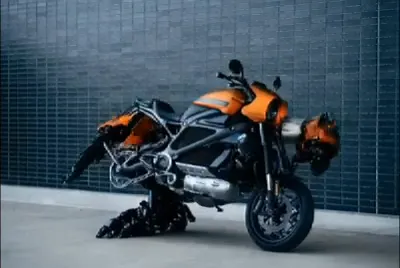
The Robot Transformation effect transforms your clips with AI in seconds, upload your footage and MagicShot does the rest.
Three steps to a new look
1
Pick the effect
Open Robot Transformation in the MagicShot app.
2
Upload your clip
Drop in your footage, any short video works.
3
Generate & download
Get your transformed clip in seconds and share it anywhere.
More effects to try




Robot Transformation FAQ
The Robot Transformation effect transforms your video clips with AI in seconds, no editing skills required.
Open it in the app, upload your clip, and MagicShot applies the Robot Transformation effect automatically. Then download or share your result.
Most effects render in under a couple of minutes, so you can try several looks in one sitting.
Paid plans include a commercial license covering everything you create.
Ready to create something magical?
Make images, videos and voiceovers in seconds.