
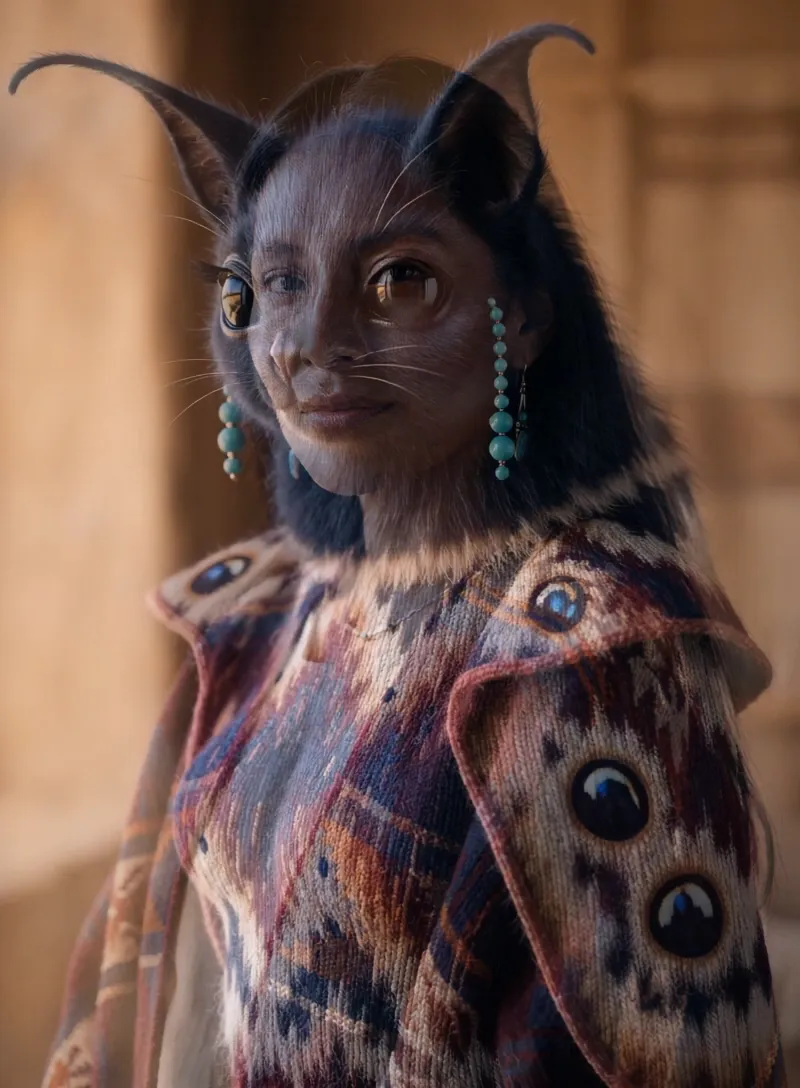
What is the Creature Shift video effect?
The Creature Shift video effect takes a normal clip of a person and turns them into a creature: reptilian skin, thick fur, ridged horns, glowing eyes, the whole beast read. MagicShot's AI tracks the face and body already in your footage, so the head turn you filmed becomes the creature's head turn. It's the shot a makeup team would need six hours and a prosthetics budget to build, done from one upload inside the MagicShot app.
The footage that works best
This AI creature transformation leans on whatever it can see, so give it something clear to work with:
One subject in frame, framed head and shoulders or waist up
Even light on the face, no heavy backlight or blown highlights
Slow, deliberate movement: a turn toward camera, a look up, a step forward
A steady shot, handheld is fine, whip pans are not
Plain or simple backgrounds, so the creature detail stays the focus
What creators do with it
It's built for the beat where something changes. Horror shorts and Halloween posts on TikTok. Fantasy character reveals for a D&D campaign or a game channel. A transition on Reels where you walk in as yourself and land as the monster. Costume creators use it to show a concept before they build the mask.
Upload the clip, apply Creature Shift, download the finished video. The AI creature generator runs on your MagicShot plan alongside the rest of the video effects library, so you're not paying per shot to a freelance editor or waiting on a reshoot.



