What the Calavera Paint video effect does
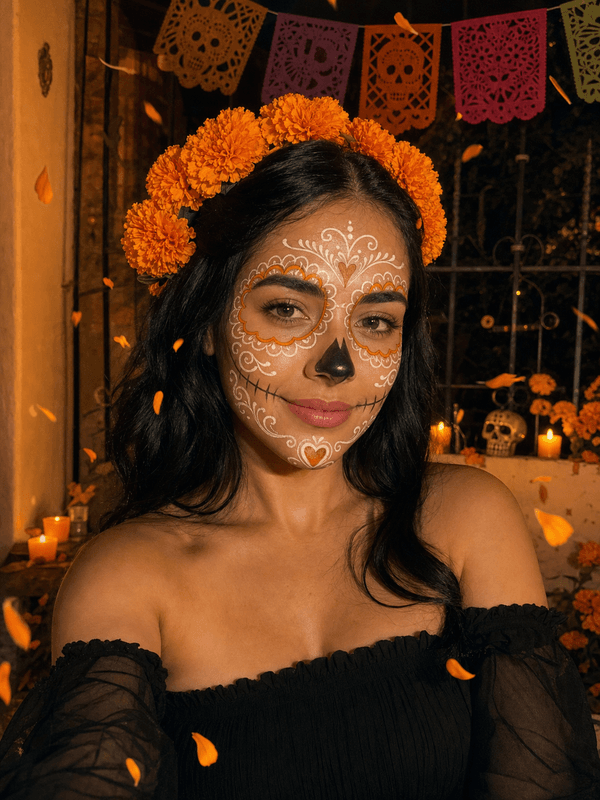
Calavera Paint applies traditional calavera face art to the person in your clip and lets it appear over a few seconds, as if an artist were working at speed. The white base settles first, then the dark sockets around the eyes, the stitched smile across the lips, and the marigold, filigree and dot work that make sugar skull makeup instantly recognisable. The paint tracks your face as you turn and talk, so it never slides off like a flat sticker.
Footage that takes the paint well
The effect maps to the contours of the face, so it needs to see them. A clip shot close, with even light and your face mostly toward the lens, gives the filigree clean edges.
Hold still for the first beat. A second of stillness at the start lets the base coat settle before you turn or smile.
Keep hair off the face. Fringes and loose strands break the line work around the forehead and temples.
Even, soft light. Harsh side light throws shadows that fight with the painted sockets and cheek detail.
Where it shows up
Día de los Muertos tributes, Halloween week posts, ofrenda walkthroughs, dance and music edits, and event promos for cultural nights and markets. Because the look is bold and graphic, it also holds up as a profile video or a short loop for Stories.
How to use it
Open the Calavera Paint effect in the MagicShot app on your plan.
Upload a short, well lit clip with your face close to the camera.
Let the AI paint the design, then download and share.
An hour in front of a mirror with a fine brush, or one upload. The design lands either way, only one of them comes off with a wipe.