Canva released its first image generation model on October 22. It is called Craft, it was built by Canva's own research lab, and it is available to every Canva user now from the Dream Lab panel. Developers can call it through the Canva API.
Most of the coverage has led with the leaderboard position. The more interesting fact is what it was trained on, because it is a different bet from every other image model on the market.
Designs in, not photographs
Nearly every image model you have used learned from photographs. Craft's training, in Canva's words, "places a much greater emphasis on design." The data includes "millions of human-made templates from Canva's content library, spanning professionally designed posters, social posts, presentations, infographics, menus and typography-rich layouts."
Canva's argument is that a template teaches a model something a photo can't: "exactly how layout, hierarchy, and typography fit together." A flat image shows what a finished poster looks like. A template shows why the headline is where it is.
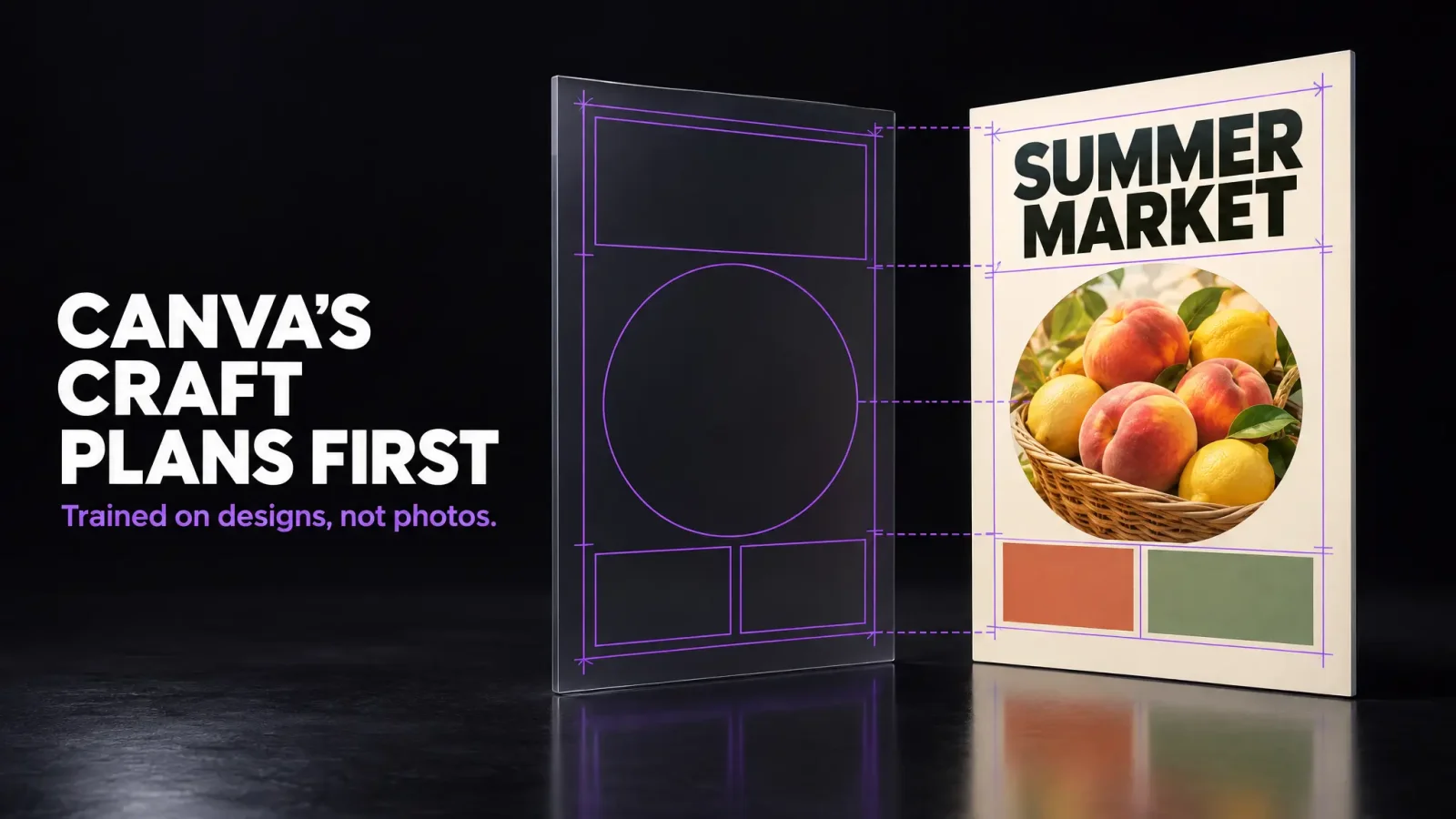
That shows up in how the model works. Instead of going from prompt to pixels in one pass, Craft runs two steps. A planner reads the prompt and maps the composition first: which objects appear, where they go, how big, which parts matter most, and what words have to be on the image. A second model then draws from that plan. Canva says this is why text stays legible and objects land where you asked, and why you can edit one part of an image without the rest shifting. More editing tools and reference images are promised for later.
The numbers Canva is putting out
Up to 2K resolution, more than 30 aspect ratios.
Fourth place on DesignArena at launch, a public leaderboard where people vote between AI images. Its Elo score was 1,340 at launch and 1,330 a day later, with three OpenAI models above it. Canva's framing is that this makes it "the world's second most advanced AI lab for image generation."
First in two DesignArena categories, People & Portraits (87 models) and Landscapes & Nature (85), second in Abstract & Patterns, fourth in Products.
On-image text in 55 languages, prompts in any language.
Through the API, the model is called craft_v1_2k, uses the account's AI credits, and takes "roughly 50 to 60 seconds end to end" per request, which is slow.
Two cheaper versions, Craft-fast and Craft-ultrafast, are coming. No prices or dates yet.
The lab behind it, Canva Research, has more than 160 researchers and engineers and was formed in 2025 from the Kaleido and Leonardo.ai teams Canva acquired. One line from their write-up is worth keeping: when they compared over 25,000 image pairs against rival models, "when automated evaluations and human judgments differed, we sided with the designer."
Why the scale matters
Canva says more than 250 million people use it and they produce over 400 designs a second. At that volume, Canva wrote, "even a variation of a few cents per generation makes an enormous difference." That explains the distillation work that made Craft about ten times faster than its first internal build, and it explains the two cheaper variants on the way. It also explains why Canva built its own model at all rather than renting one forever. Partner models will stay available inside Canva, but every generation that moves to Craft is margin.
What it means if you make brand assets
Three things.
Design-first generation is now a real category. If your work is social posts, flyers, menus and ads rather than photographs, a model that plans layout and typography before it draws is aimed at you. Expect Google, OpenAI and Adobe to answer with the same pitch within months.
Legible text in images is becoming table stakes. For years the rule was "never put words in an AI image." Craft is a direct attempt to kill that rule. Test it on your own brand name and a price before you believe it.
A generated image is not a brand. A good design model gives you one strong image. It does not give you the logo variants, the palette with roles, the two fonts and the rules that make the next hundred images look like they came from the same company. That is the part most people skip, and it is why so many AI-made feeds look patchy. Craft makes the single asset better. The system around it is still your job, or a tool's.
That is where Brand Studio sits. You describe the business, pick a look, and get the whole system at once: logo in SVG and PNG for light and dark backgrounds, a palette with roles, a display and body font pair, social media assets and a one-page brand guide. Your brand then carries into the other MagicShot tools, so product photos and thumbnails inherit the same palette and type, and a design checker tells you whether a new post matches the kit before you publish. Use Craft, or any image model, inside that system and the output stops drifting.
We will run Craft against the same prompts we use for social posts and posters and publish the results.