

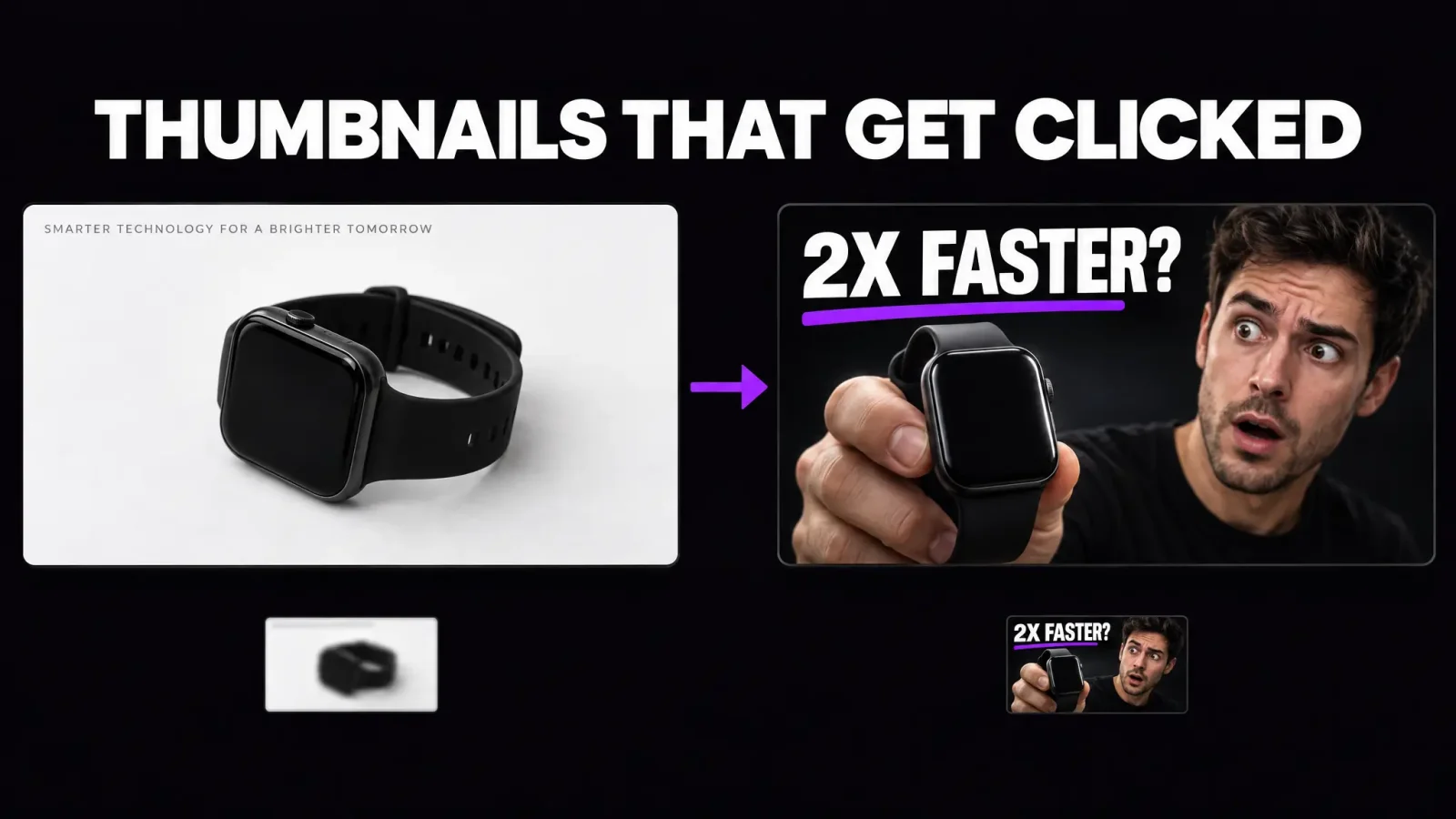
A YouTube thumbnail maker matters because the thumbnail, not the title alone, is what decides whether someone clicks. The elements that actually move click-through rate are consistent across categories: a clear face with a readable expression, high contrast between subject and background, minimal text, and a visible curiosity gap, something that makes a viewer want to know more without giving the answer away.
The CTR Fundamentals a YouTube Thumbnail Generator Should Nail
Face and expression carry more weight than almost anything else in a thumbnail. A clear, legible expression, shock, excitement, confusion, reads instantly even at small size and gives a viewer an emotional cue before they've processed anything else on the frame.
High contrast between the subject and background keeps the thumbnail from disappearing into a crowded video feed full of other thumbnails competing for the same attention. A subject that blends into its background loses to one that pops.
Minimal text works better than a thumbnail packed with words. Three or four words, max, in large type. If the thumbnail needs a full sentence to explain itself, that information probably belongs in the title, not the image.
A curiosity gap, showing enough to signal what the video is about without fully explaining it, is what turns a merely well-designed thumbnail into one that actually gets clicked. "How I built this" outperforms "How I built this using X, Y, and Z" as a thumbnail concept, because the second one already answered the question.
Category-Specific Presets
Gaming thumbnails lean into high energy: dramatic in-game moments, bold color, an intense expression. Vlog thumbnails lean into personality and setting, a genuine expression in a recognizable location. Tech thumbnails lean into the product itself as the visual anchor, clean and well-lit. Finance thumbnails often use a specific number or dollar amount as the focal element alongside a serious or urgent expression. Education thumbnails benefit from a clear visual metaphor for the lesson topic rather than a generic stock photo.
Generating different thumbnail styles for different video categories with a YouTube thumbnail generator means you're not stuck applying one visual formula to content types that call for different emotional cues.
A Before/After Example
Picture a tech review thumbnail before: a plain product photo on a white background, a title in small text. After: the same product shot with dramatic side lighting, a large comparative number or claim as the focal text, and a slightly exaggerated but still honest expression from the creator. The "after" version isn't dishonest, it's the same information with a clearer visual hierarchy designed to earn the click, which is the actual job of a thumbnail.
Sizing
YouTube's standard thumbnail size is 1280x720 pixels at a 16:9 aspect ratio. Staying within that spec keeps the thumbnail from being cropped or resized awkwardly across devices.
Build thumbnails with the YouTube Thumbnail Generator, and see Thumbnail Creator: Designing for YouTube, Shorts, and Podcasts at Once and YouTube Thumbnail Generator vs Manual Design: What Changed for more on multi-format design and the honest comparison to manual work.