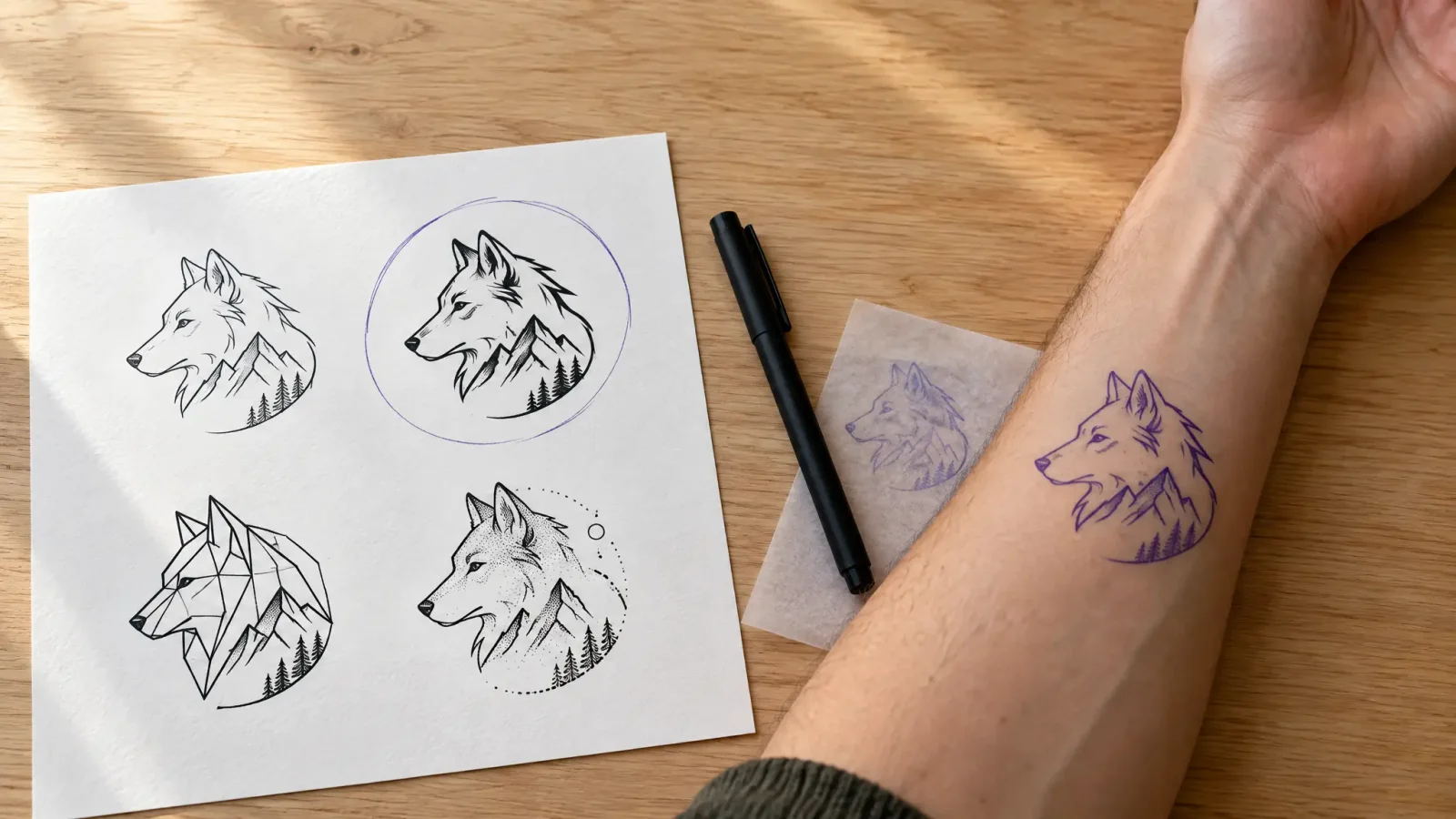
A tattoo idea generator works best when you give it structure, not just a mood. If all you know is that you want something meaningful, a four-part brief gets you to a usable design fast: theme, size, placement and style. Answer those first, then let MagicShot's tattoo generator turn them into a design you can actually look at, so you can create a tattoo on screen before anyone touches your skin.
What a Tattoo Idea Generator Needs From You
Most people searching for a tattoo idea generator already have a fragment: a word, a memory, an animal, a place. That fragment is the theme. Pair it with three more decisions before you open a prompt box.
Theme: the subject or feeling (a wolf, a late relative's initials, the mountain range from one specific trip).
Size: a small wrist piece and a full forearm piece are different drawings, and the generator needs to know which one it is making.
Placement: forearm, ribs, ankle and shoulder all bend and crop a design differently.
Style: fine line, traditional American, blackwork, watercolor or geometric.
Write those four things in one sentence. "A small fine-line wolf for my inner forearm" is a workable brief. "A cool wolf tattoo" is not.
How to Turn a Vague Idea Into a Tattoo Prompt
Once you have the four parts, building the prompt is mostly translation. Name the subject first, then the style, then any detail that matters, such as a specific dog breed, a constellation's real shape or a quote in a particular typeface. Skip adjectives that carry no information. Words like awesome or unique add length, not meaning.
A tattoo creator tool reads specifics better than sentiment. "Minimalist single-line mountain range, three peaks, ankle placement" gives a more consistent result than "a tattoo that represents my love of hiking."
Generate Several Versions and Change One Thing at a Time
Do not settle on the first output. Generate three or four versions from the same prompt, then change a single variable at a time: line weight, size ratio or one added detail. That is how you learn what actually improves the design and what just changes it. Five real options side by side beat a week of debating one sketch in your head.
Check the Design Against How Ink Really Behaves
A screen has no skin, so test the picture against a few practical limits before you commit:
Very thin lines and tiny gaps tend to soften and blur together as a tattoo ages, which is why small, detailed pieces are usually simplified by the artist.
Bold shapes and clear spacing hold up better than dense shading in a small area.
Fine-line work done at a tiny size is often the first to need a touch-up.
Save the two or three versions you like best and bring them, with your notes on size and placement, to a licensed tattoo artist. They will adjust line weight and flow for how skin holds ink, something no generator accounts for on its own.
Combining Two Unrelated Ideas Into One Design
If you are torn between two concepts, say a family crest and a favorite plant, do not pick one. Describe both in the same prompt and say how they relate: wrapped around, growing out of, or framing. The generator will attempt a merge, and you can iterate on the composition until the two ideas read as one piece rather than two competing ones.
Related reading: if you would rather start from a photo than a text idea, see Turning a Photo Into a Tattoo Design. When your design is final, the tattoo generator can also help prepare clean line art for your artist.