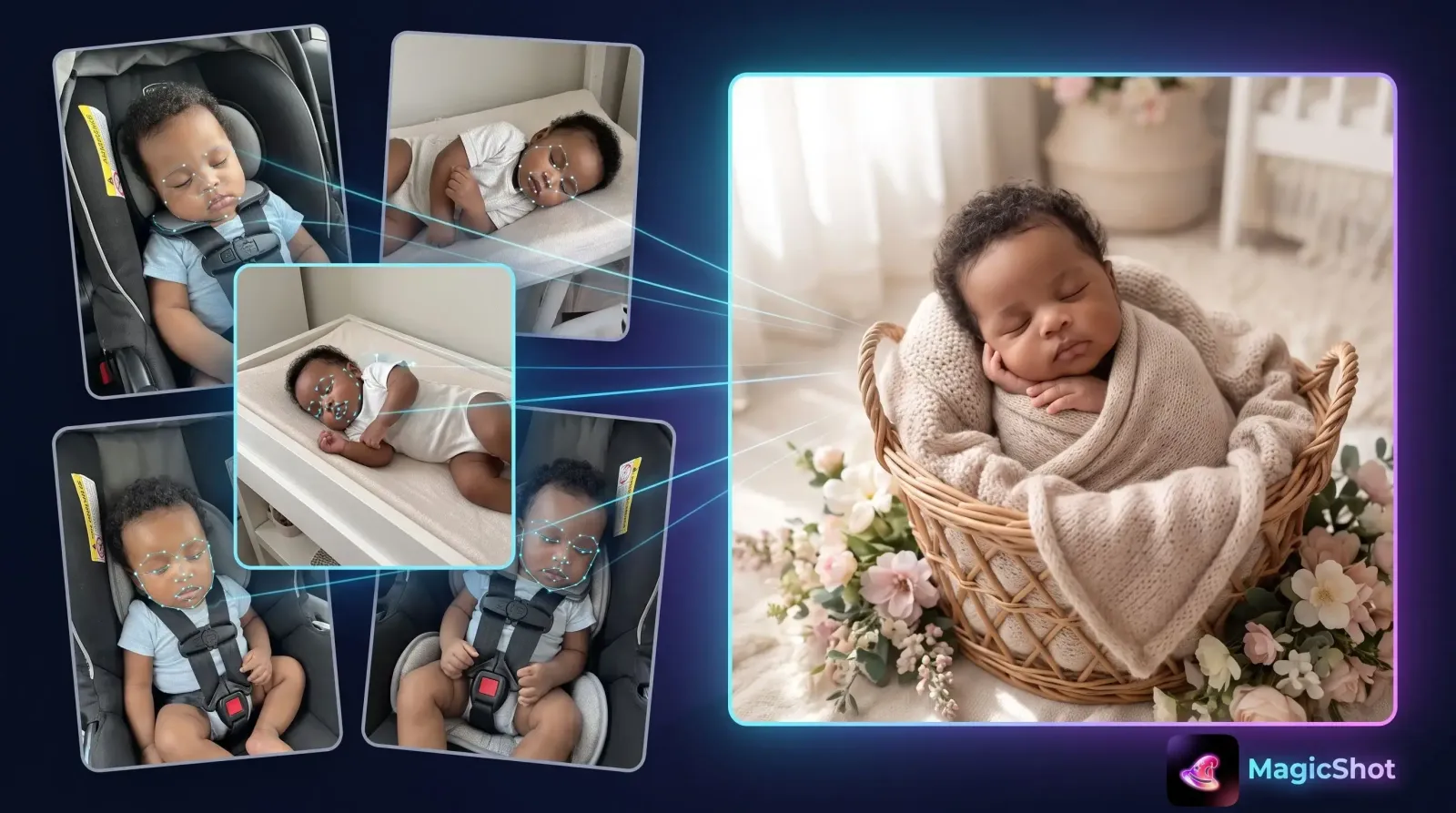
Those first weeks with a newborn move fast. One day the tiny curled fingers and sleepy yawns are right in front of you, and the next your baby has outgrown the swaddle you loved. An AI baby photoshoot gives you a way to capture that fleeting stage in beautiful, portrait-quality images without booking a studio, packing a diaper bag, or waking a sleeping infant for a stranger's camera. In this guide you'll learn exactly what an AI baby photoshoot is, how it works, how to get natural-looking results, and how to keep your little one's images private and safe.
What is an AI baby photoshoot?
An AI baby photoshoot is a way of generating polished portrait images of your baby (or you and your baby) from a handful of ordinary photos you already have. Instead of a photographer, lights, and props, you upload clear reference pictures and an AI model produces new images in styled scenes, a cozy knit wrap, a soft pastel nursery, a dreamy floral backdrop, or a classic studio look. You keep your baby's likeness while swapping the setting, wardrobe, and lighting.
The appeal is practical. Newborns sleep up to 16 hours a day, feed constantly, and rarely cooperate on a schedule. With an AI baby photoshoot, the "session" happens on your phone or laptop while your baby naps, so there's no travel, no waiting room, and no pressure to get the perfect shot in a 45-minute window.
How AI baby photoshoots work, step by step
The process is simpler than most parents expect. Here's the typical flow with a tool like MagicShot's baby photoshoot generator.
Upload clear reference photos. Pick a few well-lit image that show your baby's face clearly. Good input equals good output.
Choose a style or theme. Browse presets, soft neutrals, seasonal themes, milestone setups, or a clean studio backdrop, or describe the scene you want in plain words.
Generate. The model creates a set of new portraits that keep your baby's likeness while placing them in the chosen setting.
Refine and download. Regenerate variations, pick your favorites, and save high-resolution images ready to print or share.
Because everything runs digitally, you can experiment with looks you'd never get to try in a single in-person session, a snowy winter theme in July, or a vintage film aesthetic and a bright modern one from the same set of photos.
What you'll need before you start
Three to five sharp, well-lit reference photos of your baby's face.
Photos taken in daylight where possible, window light is gentle and flattering.
Images where the face isn't blurred, shadowed, or partly hidden by a hat or blanket.
For mother-and-baby portraits, a couple of clear shots of you as well.
Why parents choose an AI baby photoshoot
Traditional newborn sessions are lovely, but they come with real friction. An AI approach removes most of it while still giving you keepsake-worthy images.
1. It works around your baby's schedule
There's no appointment to rush to and no meltdown to manage in front of a photographer. You capture reference photos whenever your baby is calm, then generate portraits later. If a session gets interrupted by a feed or a diaper change, nothing is lost.
2. You can try dozens of looks
Milestone themes, seasonal backdrops, matching mommy-and-me palettes, black-and-white classics, you can explore a whole gallery of styles from one upload. That variety is expensive and time-consuming with a live shoot; with AI it's a few clicks.
3. It's budget-friendly and repeatable
A studio newborn session is often a one-time expense for one style. With an AI baby photoshoot you can create images at the newborn stage, again at three months, at the first birthday, and beyond, building a consistent visual story of your child's first year.
4. It's ideal for mothers too
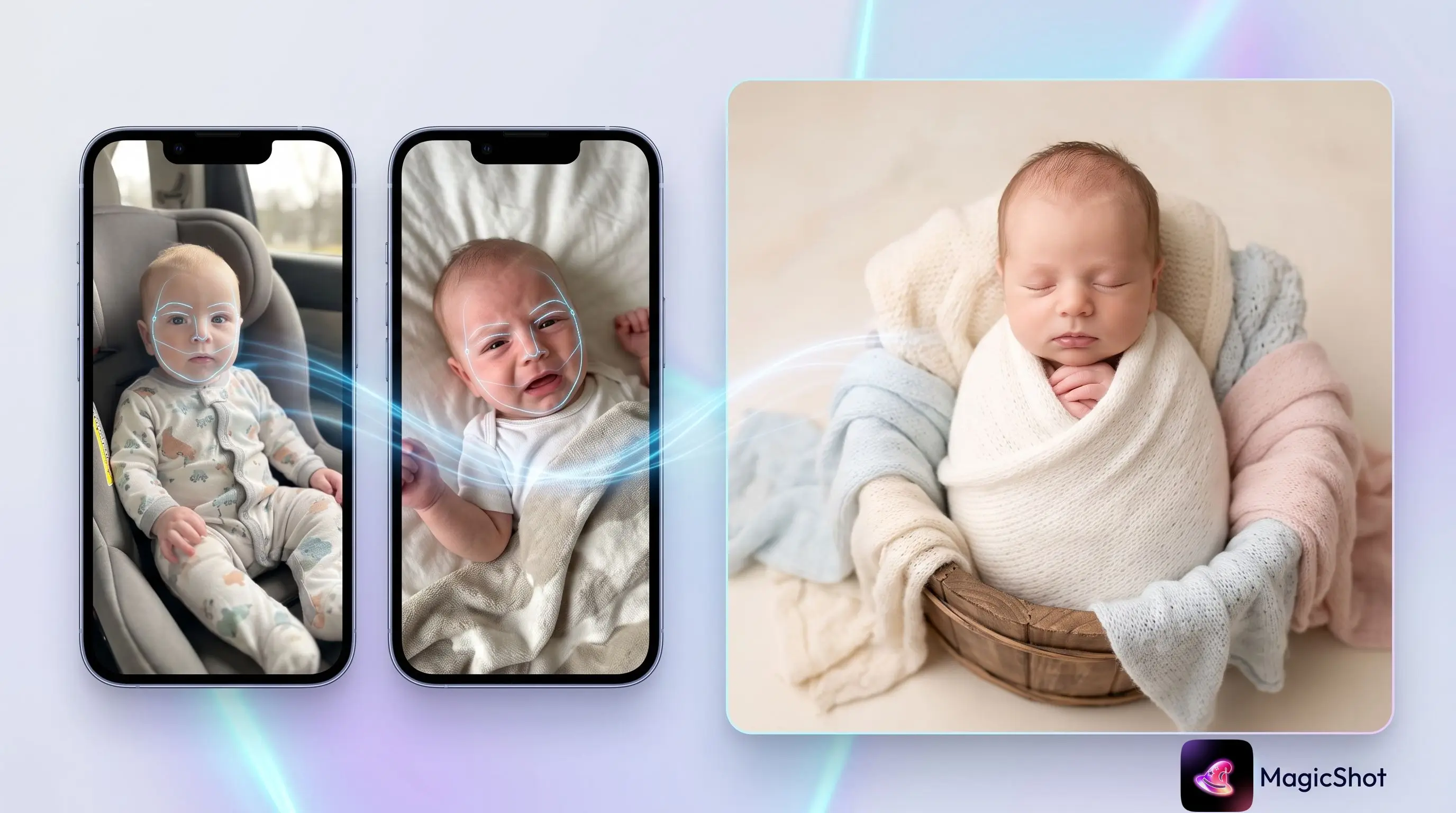
Many new moms skip getting into photos because they don't feel camera-ready in the newborn haze. MagicShot lets you generate flattering mother-and-baby portraits from a relaxed home snapshot, so you actually appear in the memories of this chapter.
Getting natural, believable results
The difference between a magical portrait and an obviously fake one usually comes down to your input photos and your style choices. A few habits make a big difference.
Prioritize sharp faces. AI can restyle a background convincingly, but it can only recreate a likeness as well as the reference allows. Choose your crispest, best-lit shots.
Use soft, even lighting in references. Harsh overhead light and deep shadows are harder to work with than gentle window light.
Match the mood to the baby. Calm, neutral tones tend to read as timeless; busy, high-contrast scenes can compete with a tiny subject.
Generate several variations. Pick from a batch rather than settling for the first result. Small differences in pose or expression change the whole feel.
Keep props realistic. Simple wraps, baskets, and soft blankets look more natural than elaborate setups.
Creative themes worth trying
Once you're comfortable, the fun begins. Some crowd-pleasing directions for an AI baby photoshoot:
Classic studio: soft neutral backdrop, gentle shadows, timeless and print-ready.
Cozy knit: chunky blankets and wraps in cream, oatmeal, and sage.
Seasonal: autumn leaves, winter snow, spring florals, or a sunny summer meadow.
Milestone: monthly markers, first birthday cake-smash themes, or holiday sets.
Mommy-and-me: coordinated palettes that put mother and baby in the same gentle frame.
Storybook: whimsical, illustrated-style backdrops for something a little different.
Safety, privacy, and being thoughtful with baby images
Sharing images of a child deserves extra care, and a good workflow respects that. When you use MagicShot, treat your reference uploads as private material: use images you own, avoid sharing generated portraits publicly without thinking about who can see them, and consider keeping the most personal shots for family only. If you post to social media, tools built for parents let you create beautiful memories without turning your newborn into public content by default.
A helpful rule of thumb: only create and share what you'd be comfortable your child seeing years from now.
It's also worth being transparent with family that a portrait was AI-generated when it matters to them, many relatives are delighted by the results, and honesty keeps the keepsake meaningful.
How MagicShot makes it easy
MagicShot's baby photoshoot tool is built for tired parents, not professional editors. You don't need design skills or expensive software, upload, choose a style, and generate. The interface is straightforward, the styles are curated for gentle, portrait-quality results, and you can move from raw phone photos to shareable images in minutes. Because you control the reference images and the theme, every result stays true to your baby while giving you a studio-grade finish you'd normally pay a specialist for.
Ready to try it? Start with a few of your favorite photos and explore the MagicShot baby photoshoot generator to see what your newborn's portrait gallery could look like.
Wrap-up
Newborn days are short, and getting professional-looking portraits shouldn't add stress to an already full season. An AI baby photoshoot lets you capture this stage on your own terms, flexible, affordable, endlessly customizable, and comfortable for both baby and parent. With clear reference photos, a thoughtful style choice, and a privacy-first mindset, you can turn everyday snapshots into portraits worth framing.