A listing with photos gets clicks. A listing with a video gets showings. The problem has always been the gap between those two: hiring a videographer for a single condo runs hundreds of dollars, takes days to schedule, and by the time the edit lands, the property might already be under contract. A real estate video generator closes that gap. You paste the Zillow listing URL you already have, and it hands back a moving property tour you can post the same afternoon.
That's the short version. Below is the longer one: what these tools actually do, where MagicShot's Real Estate Video Generator fits, and the specific ways agents and sellers are using it to move inventory faster.
What a real estate video generator actually does
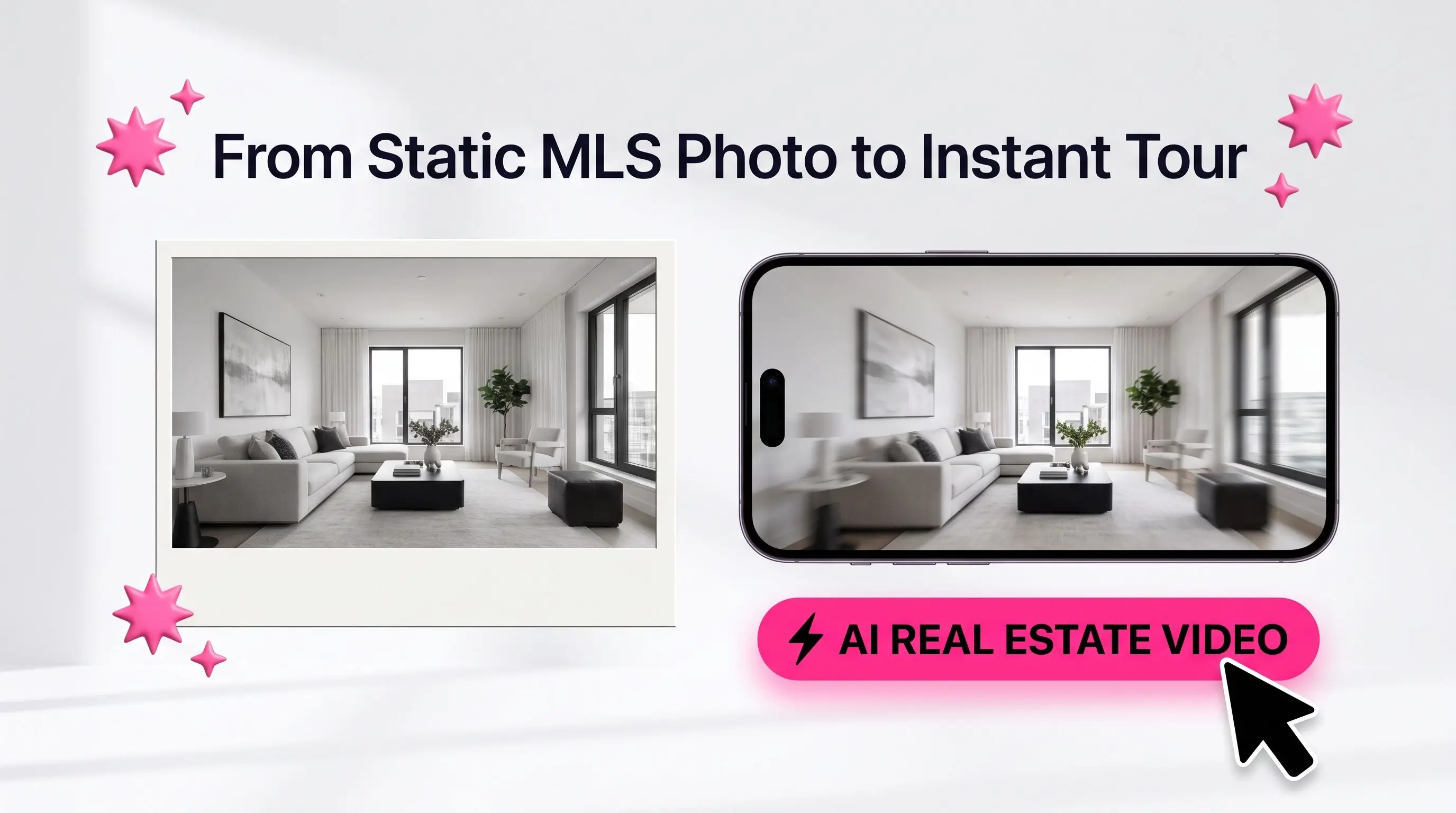
A real estate video generator takes a live listing and animates it into a short property tour, adding camera-style motion, transitions, and pacing that make a home feel walkable instead of flat. Input: a Zillow listing URL. Output: a ready-to-post HD video, ready for YouTube and a listing page.
Here's what makes MagicShot's version different. You don't upload a folder of photos. You paste the Zillow link, and the AI reads the property itself, pulling the listing images and the details behind them. It reviews those photos and specs, works out the home's tier (mid, premium, ultra-luxury, and everything in between) from what it sees, and builds a house story to match. From there it writes a script and generates the voiceover automatically. One click, one link, one video.
The value is in what it replaces. No videographer standing in the kitchen at 8am. No reshoot when the light was wrong. No three-day turnaround from an editor who's juggling five other clients. No thousand-dollar production invoice for a listing that might sell in a week. The listing is already live on Zillow. This just makes it move.
Why the AI reads the listing for you
Because it works from the listing URL, the tool sees more than pixels. It checks the image details and the property data together, then matches the tone to the home. A starter condo doesn't get the same script or pacing as a waterfront estate. A mid-tier family home reads warm and practical. An ultra-luxury property gets the slower, more cinematic treatment its price tag expects. You're not picking a template and hoping it fits. The AI sizes up the property and writes to it.
Why motion beats a photo carousel
Buyers scroll fast. A still photo has about a second to earn attention before the thumb keeps moving. Motion holds the eye longer, and a slow pan across a living room reads as space in a way a cropped photo never will. Video also tends to get pushed harder by social algorithms, which means the same listing reaches more local buyers without more ad spend.
There's a trust angle too. A tour signals that you invest in marketing every listing, not just the million-dollar ones. Sellers notice. When you're pitching for a listing, showing up with a video sample for a comparable home says more than a line on a brochure about your "marketing strategy."
How MagicShot's Real Estate Video Generator works
The flow is built for agents who don't want to learn editing software. Three steps, no timeline scrubbing, no thousand-dollar invoice.
Paste the Zillow listing URL. Drop in the link to the live listing. The AI pulls the property's photos and details straight from the page, so there's nothing to upload or organize.
Pick your AI voice and generate. The tool reads the listing, detects the property tier, writes a house story and script to match, then animates each image with camera-style motion and lays your chosen voiceover over a paced walkthrough. You get a full HD property video instead of a slideshow.
Download and post. Export the clip and drop it straight into a listing page, an email blast, or a social feed.
If you'd rather fine-tune the movement on a specific room, Motion Control lets you direct the camera-style pans and zooms by hand, and Image to Video turns a single hero still into a short cinematic clip when you only need one frame to move.
Who this is built for
Solo agents feel the pain sharpest. You're your own marketing department, so a video that would've meant outsourcing now takes one click and a listing link between showings. But it's not only solo agents. Small brokerages standardize their listing videos so every agent's tours look consistent. Property managers spin up tours for rentals that turn over monthly, where a full shoot never penciled out. Even FSBO sellers and short-term rental hosts use it to make a single property look marketed rather than snapshotted.
The common thread: people who need a property to look good on camera and don't have a production budget or a spare three days to get there.
Where agents actually use these videos
The tour video isn't one deliverable. It's raw material you cut into a week of content.
New-listing announcements. The moment a home hits the market, a virtual tour does more than a "Just Listed" graphic ever did.
Listing-page embeds. A short video above the photo gallery keeps buyers on the page longer and signals that the listing is being marketed seriously.
Email drips. A tour thumbnail in a nurture email pulls click-throughs from buyers who skim past text.
Sold-and-social proof. Repost the tour when the home closes fast. It's quiet evidence to future sellers that your marketing works.
For agents building a full listing-marketing kit, MagicShot pairs the video tool with the rest of the workflow. Explore the whole set on the real estate use-case page, which maps each tool to a stage of the listing.
The math against a traditional video shoot
A booked real estate videographer typically means a scheduling window, a shoot fee, and an edit fee, plus the wait. That's easily a thousand dollars for a single listing that might sell in a week, so most agents skip video entirely and settle for a photo carousel. That's the real cost: not the dollars spent, but the videos never made.
Generating the tour from a listing URL flips it. You don't pay hundreds or thousands per property and you don't wait days. The listing that "didn't justify" a video shoot now gets one anyway from a single click. Every property in your pipeline can move on camera, not just the flagship ones, and the buyer scrolling at 11pm sees a home in motion instead of a static grid.
Add sound and voice so the tour lands
A silent tour works. A tour with a calm voiceover naming the square footage, the school district, and the price feels like a real showing. MagicShot's Real Estate Video Generator writes that narration for you from the listing and reads it in the AI voice you pick, so you never record yourself twelve times until you nail the take.
Beyond the tour: build the whole listing kit
The video is the anchor, but a listing sells on more than one asset. A few MagicShot tools round out the package:
Put an agent on camera. An AI Avatar Video lets you deliver a spoken intro or market update without filming yourself, so your channel isn't only property tours.
Turn products and props into motion. Product to Video animates staging pieces or branded items for social posts around the listing.
Script and stage bigger pieces. For a neighborhood highlight reel or a longer brand video, Text to Video builds a clip straight from a written prompt.
Getting the best results from a real estate video generator
A few habits separate a tour that converts from one that looks stitched-together:
Start with a well-shot listing. The AI reads the photos on the Zillow page, so a listing with crisp, well-lit, wide-angle rooms animates better than one full of dim, tilted phone shots. Motion amplifies whatever's in the frame, good and bad.
Keep it tight. forty to ninety seconds for social, a little longer for the listing page. Buyers decide fast.
Caption everything. Most social video plays on mute. Put the price, beds, baths, and neighborhood on screen even when a voiceover is already reading them.
Common mistakes to avoid
A generated tour is easy to make and easy to make badly. Watch for these:
Feeding it a weak listing. If the Zillow page has eighteen cluttered, poorly lit rooms, the tour inherits them. Clean, wide, level photos on the listing give the AI more to work with.
Ignoring the tier the AI set. The tool reads the property and pitches the script to its level. Don't fight it by forcing a luxury tone onto a starter condo. Let the read match the home.
Leaving it silent and captionless. Even with the AI voiceover on, add the price, the beds and baths, and the neighborhood on screen for the muted scroll.
Fit it into a repeatable listing routine
The agents who get the most out of this treat it as a checklist item, not a special project. New listing goes live on Zillow, you paste the URL, pick a voice, and generate. The AI reads the property, sets the tier, writes the script, and delivers the voiceover in one pass. Caption it, post a vertical cut to social plus a wide cut on the listing page, and move on. A few minutes, one property, done. Repeat it on the next listing and you've built a video feed that quietly markets you as the agent who shows up with more than a sign in the yard.
If you want to push the creative side further, MagicShot's broader video effects tools let you add transitions and stylized touches for a neighborhood highlight reel or an agent intro, so your channel isn't only listing tours.
The bottom line
A real estate video generator takes a live Zillow listing and turns it into a property tour that competes for attention on the platforms where buyers actually spend their time. Paste the URL, pick a voice, and the AI reads the property, sizes up its tier, writes the script, and generates the voiceover in one click. It replaces the videographer, the scheduling, the multi-day edit, and the thousand-dollar invoice with an afternoon of work. A listing that used to be a photo carousel becomes an HD video that gets showings booked.