Logos used to cost $500 minimum. Now they cost ten bucks. Or nothing.
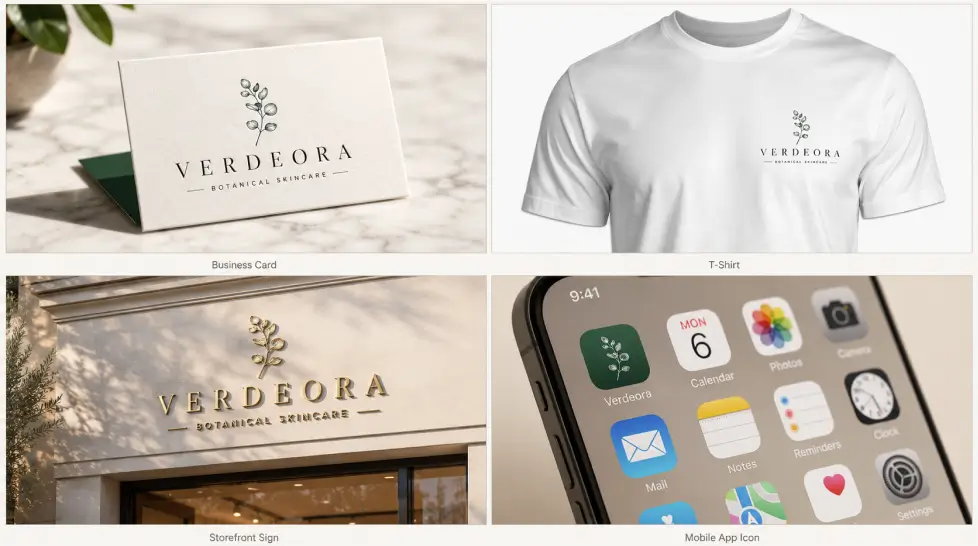
But here's the catch nobody talks about: most AI logo generators give you a JPG that looks fine on a phone screen and falls apart the second you try to print it on a t-shirt. The output looks like a logo. It isn't really one.
So before you pick a tool, you need to know what separates the real ones from the demo-ware. That's what this post is about. How to choose the right AI logo generator matters more than ever because the market exploded, 40% of small businesses use AI for logos now, and the tools multiplied along with the demand.
I've tested seven of them this month. Spent way too much money doing it (you're welcome). Here's the honest ranking, what each one actually does well, and which you should pick based on what you're building.
What to actually look for in an AI logo generator
Most blog posts skip this part. They jump straight to the rankings. Don't trust those.
Three things matter. Everything else is noise.
Vector files. Real ones.
SVG is the format. Not PNG. Not JPG with a transparent background. A real SVG has editable paths, separate layers for the icon and text, and scales infinitely without losing detail. Clean SVG files with real layers are what you want, the kind you can open in Illustrator or Figma and actually edit.
Cheap tools auto-trace a raster image and export it as SVG. Technically a vector. Functionally garbage. The paths are messy, the layers are merged, and your designer (or future you) will hate every minute of trying to clean it up.
Test before you pay: open the SVG in a free editor. If the icon and text are one welded mess, walk away.
Commercial rights and licensing
This trips up so many people. Free tier ≠ free to use commercially.
Some platforms watermark the output. Some let you download but reserve the right to resell your logo to someone else (yes, really). Some give you full ownership only after you pay $20-65 for the premium download.
If you're using this for a real business, you need: full commercial rights, unlimited use across products and marketing, and a license that doesn't expire when your subscription ends. Read the fine print. Boring but necessary.
Style range and editing control
A logo generator that gives you 20 variations of the same template isn't really generating anything. The good ones let you guide the AI, adjust colors, swap fonts, redraw shapes, tweak proportions.
Better tools let you start from a sketch, a reference image, or even a competitor's vibe and work from there. That's the actual creative process. Not just rolling dice.
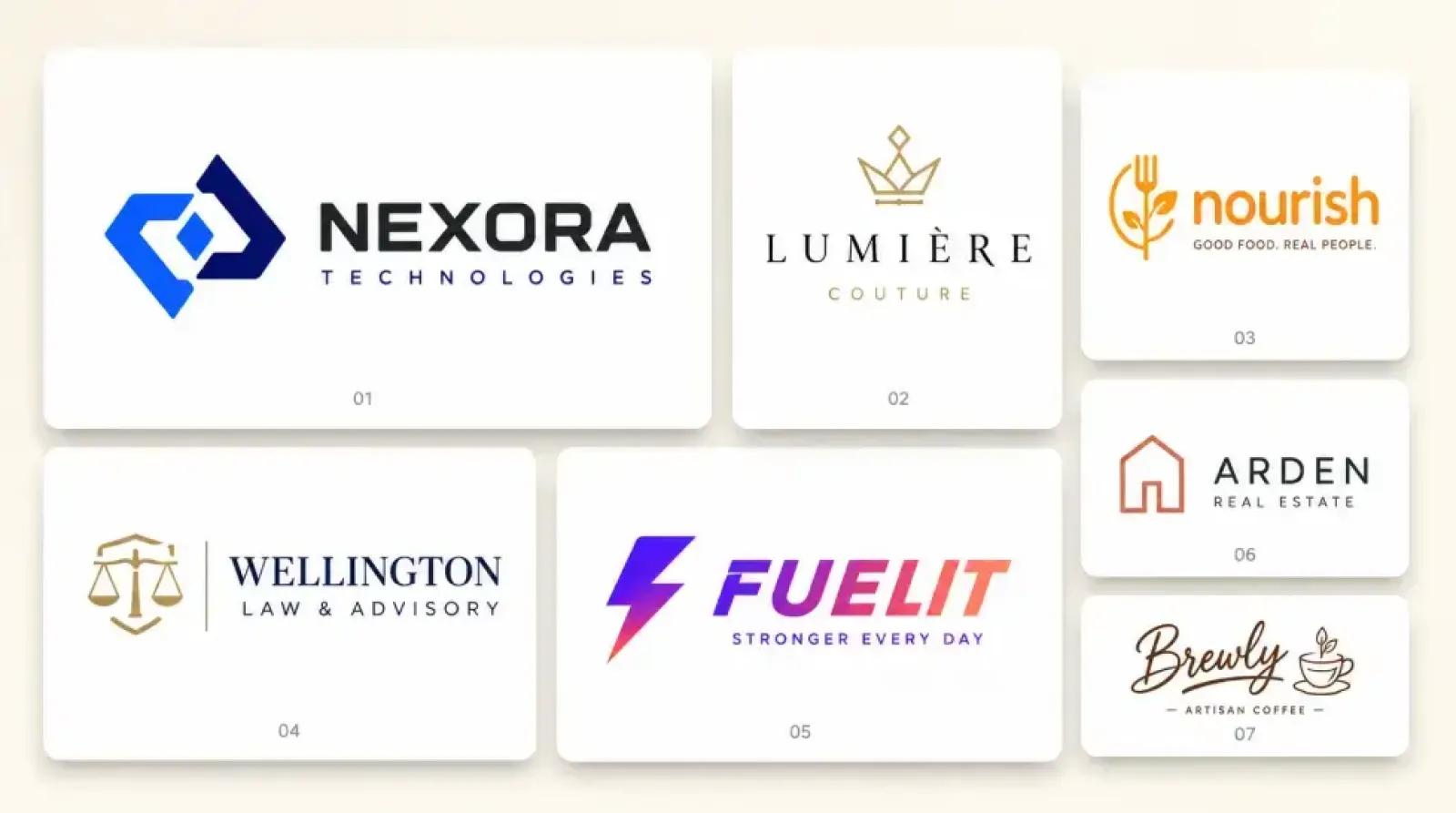
The 7 best AI logo generator tools in 2026, ranked
Ranked on the three criteria above, plus price and how painful the editing experience felt. No paid placements here. Just what worked.
1. MagicShot AI Logo Generator
Top of the list, and not just because I work in this space. The AI Logo Generator on MagicShot uses the same image models that power the rest of the platform (FLUX.1 Kontext and Google Imagen 4), which means logo quality matches the quality of any other AI image you'd generate.
What sets it apart: you're not just buying a logo. You're getting 56+ creative tools under one subscription. Logo today, product photography tomorrow, video ad next week. Same login. Same credits.
Output formats include SVG via the integrated SVG art generator, which means real vector files you can hand to a printer. Commercial rights included on paid tiers. $29/month for the all-access plan.
Downside? The interface assumes you know roughly what you want. Total beginners might wish for a more guided wizard.
2. Looka
Looka has been around forever in AI-logo years. It does what it says: enter business name, industry, and color preferences, get hundreds of variations. Click your favorite logo ideas and preview how your brand will look on T-shirts, business cards, and more.
Strengths: enormous template library, polished output, helpful brand kit add-ons. Weaknesses: the AI doesn't really iterate, it serves variations of pre-built templates. If you want something genuinely original, you'll hit a wall.
Pricing starts around $20 for a single logo, $96/year for the full brand kit.
3. BrandCrowd
BrandCrowd is the top AI logo generator for small businesses that need professional branding right away, with a 4.8 Trustpilot rating based on over 9,000 reviews. That's a lot of social proof.
The platform leans into pre-designed concepts that AI customizes for your business. Fast results, predictable quality. Less creative range. Around $35-65 per logo or $14.99/month for the studio plan.
4. LogoDiffusion
The dark horse on this list. LogoDiffusion gives you an actual canvas, you can draw, sketch, and guide the AI instead of just typing prompts and praying. The SVG output is genuinely usable.
It's the closest thing to having a real design tool with AI baked in. If you've ever used Figma or Procreate, the workflow makes sense immediately. If you haven't, expect a learning curve.
Pricing is credit-based, which gets expensive if you iterate a lot.
5. VistaPrint Logomaker
The free-tier winner. Instantly download free SVG, PDF and transparent PNG files, that's a real selling point because most free tools give you PNGs only.
The catch: output quality is variable, and you'll want to combine it with VistaPrint's actual printing services to get the most value. For zero-budget startups, it's hard to beat.
6. Logopony
Logopony takes a different approach. Logopony uses what it calls "curated randomness" to generate custom font, color and layout combinations based on your business's specific industry. Translation: it's playful, sometimes surprising, occasionally weird.
Good for creative businesses that want something off-beat. Bad for law firms.
7. LogoAI
Rounds out the list. The logo maker provides complete logo design package including high resolution JPG, transparent PNG, PDF, and vector source file. Solid all-rounder, decent pricing, nothing extraordinary in either direction.
Pick this if Looka and BrandCrowd both feel too expensive and you want a similar experience for less.
Comparison table: best AI logo tool comparison 2026
Quick reference. Honest scoring.
Tool | Vector SVG | Commercial rights | Free tier | Starting price | Best for |
|---|---|---|---|---|---|
MagicShot | Yes (real SVG) | Full | No trial | $9/mo all-access | Creators who need more than just a logo |
Looka | Yes | Full on paid | Preview only | ~$20 one-time | Polished, template-based branding |
BrandCrowd | Yes | Full on paid | Preview only | $14.99/mo | Small business owners |
LogoDiffusion | Yes (clean layers) | Full | Credits | Pay-as-you-go | Designers who want control |
VistaPrint | Yes | Full | Yes, real free | Free | Zero-budget startups |
Logopony | Yes on paid | Full on paid | Preview only | $20+ | Creative, off-beat brands |
LogoAI | Yes | Full on paid | Preview only | $29+ | Budget-conscious general use |
The pattern's clear. Real vector output and full commercial rights are mostly behind paywalls. The free tools either watermark or limit you to PNG. VistaPrint is the genuine exception.
MagicShot deep dive: why it ranks first
Honest take. If you only need one logo and you'll never need another visual asset for the rest of your business life, you don't need MagicShot. Use VistaPrint. Save your money.
But that's not most people.
Most founders, freelancers, and small business owners need a logo plus product photos plus headshots plus social graphics plus the occasional video ad. Buying seven separate tools for those seven things is what people did in 2023. It's how you end up with $200/month in subscriptions and credentials saved in three different password managers.
MagicShot bundles all of it. One subscription, 56+ tools. The MagicShot AI logo generator handles the logo. The SVG art generator handles the vector cleanup. Product photography handles your store. The headshot generator handles your About page. Same login. Same monthly bill.
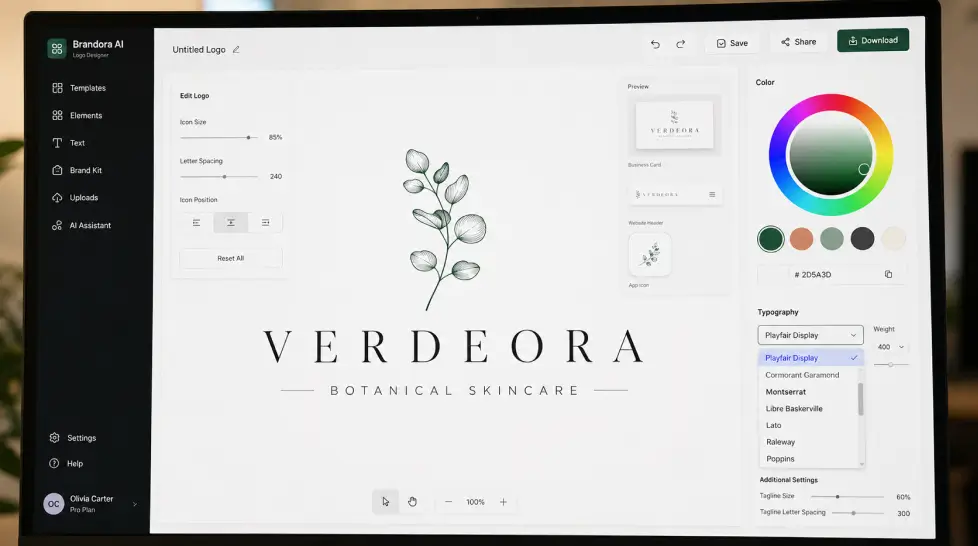
What the logo workflow actually looks like
Step one: describe your brand. Industry, vibe, color preferences. Three sentences is enough.
Step two: pick from initial concepts. The AI generates a range, minimalist, bold, illustrative, monogram. You're not locked into one direction.
Step three: refine. Adjust colors, swap fonts, regenerate elements you don't like. The iteration is fast because the underlying models are fast.
Step four: export. SVG, PNG, transparent background. All formats, no extra fee.
The whole process takes maybe 15 minutes if you know what you want. Half an hour if you don't.
The honest limitation
I said I'd include one. Here it is: MagicShot's logo tool is best when you have at least a rough idea of your brand direction. If you genuinely have no clue what you want, no name, no industry, no vibe, the more guided wizards on Looka or BrandCrowd will hand-hold you better. MagicShot assumes some creative input from you.
That's a feature for most people. A bug for some. Know which one you are.
Best AI logo generator per use case
Different needs, different winners. Here's how I'd actually advise someone.
Best for startups on zero budget
VistaPrint Logomaker. Real free SVG, no watermark, commercial rights included. The output quality won't win design awards but it'll serve you fine until you can afford to upgrade.
Best for small business owners who want it done fast
BrandCrowd. The reviews back this up. Pre-designed concepts mean less decision fatigue, and the editing is forgiving for non-designers.
Best for creators who need more than just a logo
MagicShot. Logo today, headshots next week, product videos next month. Worth the $29/month if you're producing any kind of content regularly.
Best for designers who want real creative control
LogoDiffusion. The canvas-based workflow is the closest thing to a proper design tool. Clean SVG output means your final file actually works in production.
Best for off-beat creative brands
Logopony. The randomness produces results other tools won't. Good for restaurants, indie brands, creative agencies, anything where blending in is the enemy.
Best for ecommerce stores
MagicShot, because you'll also need product photos, lifestyle shots, and ad creatives. Don't overthink this one, read our breakdown of AI logo design for small businesses if you want the longer version.
The market is moving fast, here's what's changing
Worth a quick aside on where this is all headed.
The AI logo generator market was valued at USD 333.2 million in 2023 and is projected to reach USD 2,063.1 million by 2033, growing at a compound annual growth rate of 20%. That's not a niche anymore. That's a real industry.
What's driving the growth? Speed and cost. AI logo design data shows 50% faster turnaround compared to traditional design agencies, with cost savings that make professional branding accessible to businesses that couldn't afford it before.
Translation: AI logos are now competing with mid-tier design agencies, not just with cheap freelancers on Fiverr. The quality gap closed faster than anyone predicted. By 2027, expect the conversation to shift entirely from "is AI good enough" to "which AI fits your workflow."
If you want the deeper buyer's guide, our top AI logo generator tools breakdown covers the technical comparisons in more depth.
How to pick yours in five minutes
Stop reading reviews. Answer three questions.
One. Do you need just a logo, or do you need a full creative toolkit? If logo-only, single-purpose tools win on price. If toolkit, MagicShot wins on value.
Two. Do you have zero design instinct, or do you know roughly what you want? Zero instinct, use BrandCrowd or Looka. Some instinct, use MagicShot or LogoDiffusion.
Three. Do you need real vector files or will PNG do? If you're printing anything (t-shirts, signs, packaging), vector is mandatory. If you're only ever using it online, PNG is fine.
Done. Pick the tool that matches your three answers.
Stop overthinking it
The truth nobody wants to admit: most logos don't matter as much as you think they do.
Nike's swoosh cost $35. Twitter's bird was bought on a stock site. Coca-Cola's wordmark was drawn by an accountant. The brand becomes iconic because the business succeeds, not the other way around.
Pick a tool. Make a logo. Get back to building the actual business.
That's the move.