
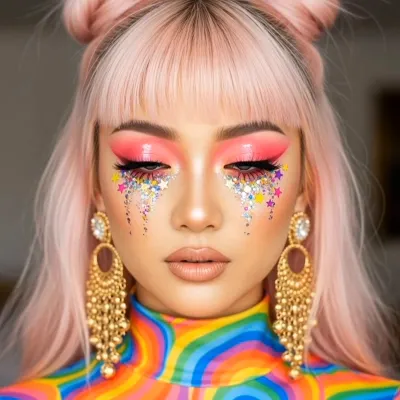
What the Rainbow Tears video effect does
The Rainbow Tears video effect takes a short clip of a face and replaces plain tears with glossy, color-shifting streaks that run down the cheeks in real time. Your expression, your lighting, your framing all stay put. The AI just handles the part you could never film: tears that glow in six colors and still track the movement of your head.
It's the crying-in-technicolor shot without a VFX artist, a rotoscoping session, or a weekend lost to keyframes in After Effects. You upload the clip inside the MagicShot app on a paid plan, apply the effect, and get a finished video back.
The kind of footage that works best
Close-up or medium close-up. The face should fill a good chunk of the frame so the tear trails have room to read.
Eyes visible and unobstructed. No sunglasses, no hair across the cheek, no hands covering the face.
Even, front-ish light. Window light or a ring light gives the color something to bounce off.
Slow, small movement. A held gaze, a blink, a slight head tilt. Fast whipping motion muddies the trails.
3 to 10 seconds. Long enough to land the reveal, short enough to loop.
Where people actually post it
This one lives on TikTok, Reels, and Shorts. Sad-girl edits, breakup audios, fancam transitions, lyric moments where the beat drops right as the color starts running. It also works as a cutaway in a longer edit when a scene needs one strange, beautiful frame that stops the scroll.
Why an AI rainbow tears generator beats doing it by hand
Hand-tracking tear paths across a moving face is tedious, and stock overlays slide off the second someone turns their head. The AI reads the face in your specific clip, so the color follows the cheekbone instead of floating on top of it.




