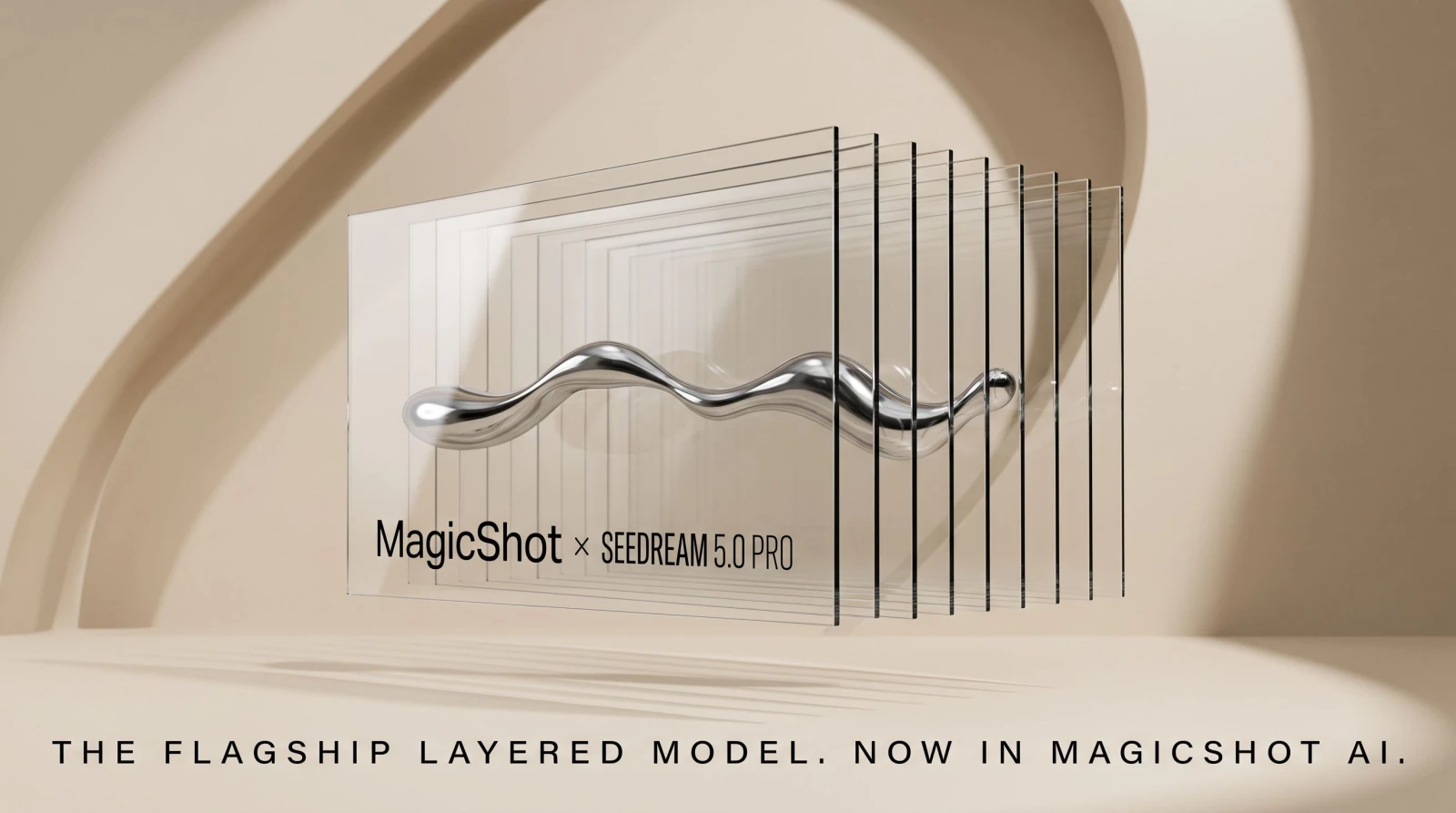
ByteDance shipped Seedream 5.0 Pro on July 8 to 9, 2026, and it changes what a single image generation can hand you. The headline is layer separation: the model breaks one render into 10 or more independent, transparent-PNG layers you can drag, scale, and swap in Figma or Photoshop. According to the official model page, Seedream 5.0 Pro sits above Seedream 5.0 and Seedream 5.0 Lite as the flagship of the family, and it's built for people who need dense, structured, editable output rather than a pretty one-off.
That framing matters because most image models still hand you a flat picture. You want to move the headline, recolor the background, or swap the subject, and you're back in a masking tool cutting things out by hand. Seedream 5.0 Pro is aimed squarely at that chore.
What Seedream 5.0 Pro is
Seedream 5.0 Pro is ByteDance's new flagship text-to-image and image-editing model, positioned above the standard 5.0 and the lighter 5.0 Lite tiers. Per the official documentation and early coverage from OpenPR, it launched July 8 to 9, 2026. It targets four jobs most models fumble at once: dense text-and-graphics layouts, precise region editing, layered output, and photographic realism, plus in-image text in roughly 14 languages.
The short version: it's less "make me an image" and more "make me a working file." That distinction is the whole pitch.
ByteDance has been iterating fast on this line. Each Seedream release has pushed harder on text rendering and editability, two areas where diffusion models have historically struggled. The 5.0 Pro tier is the point where those threads come together in one model instead of being split across separate tools. For teams that had been stitching a generator, a masking app, and a localization step into one clumsy chain, that consolidation is the news.
Layer separation is the standout feature
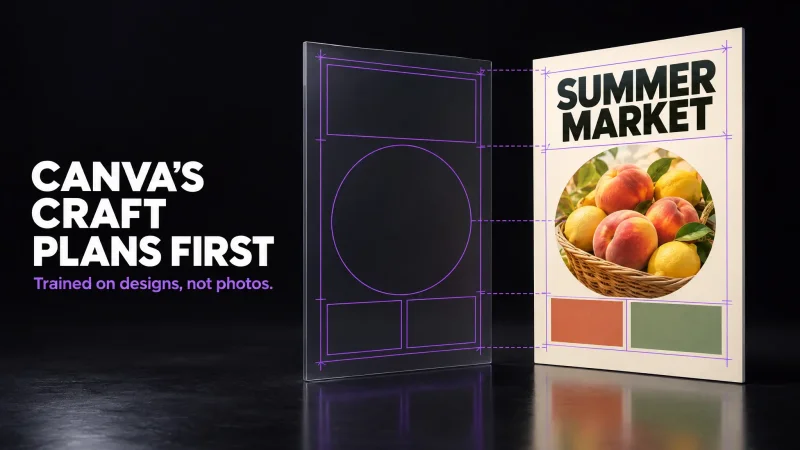
The feature people keep pointing to is layer separation. Seedream 5.0 Pro can decompose a generated image into 10 or more independent transparent-PNG layers: text on one, subject on another, background on a third, and so on. The clever part is what happens behind the subject. The model auto-inpaints the areas the subject was covering, so when you slide it aside, there's a finished background underneath instead of a hole.
In practice that means you skip the part of design work everyone hates. No lasso, no pen tool, no cleaning up jagged edges at 400% zoom. You open the layers in Figma or Photoshop and rearrange the composition like it was built that way from the start. If you've ever needed a clean cutout in a hurry, a dedicated background remover handles the single-subject case. Layer separation goes further: it's the whole scene, split apart and ready to edit.
Consider the everyday case. A team generates a launch banner, then legal asks to change the discount, marketing wants the product bigger, and someone spots a typo in the headline. On a flat render, each of those is a fresh generation and a fresh gamble on whether the rest of the image survives. With separated layers, the headline is its own editable object, the product scales without a re-render, and the background stays exactly as approved. That's the difference between minutes and an afternoon.
Interactive precision editing
Seedream 5.0 Pro takes spatial instructions, not just prose. You can point, lasso, draw a box, drop an arrow, mark coordinates, or set anchor points, and the model edits only that region. Tell it to change one product on a shelf and the rest of the shelf stays put. That's a real shift from the usual "regenerate the whole thing and hope" workflow.
It also does sketch-to-design. Per coverage from Atlas Cloud, a hand-drawn wireframe can become a finished SaaS hero section, so a rough box-and-arrow sketch turns into a laid-out interface. For anyone who's tried to describe a layout in words and watched a model ignore half of it, drawing the intent and getting it back is the point. When you only need one unwanted element gone rather than a full redraw, a targeted object-removal edit covers that narrower task.
High-density infographics in one pass
The model handles complex reasoning and dense text layouts in a single generation. Think education posters, storyboards, UI mockups, and technical drawings, the kind of images that fall apart the moment you ask for more than a few words of legible text. The prompts on the official page run 2,500 to 3,000 characters, and the model holds the structure across all of it instead of dropping labels or scrambling paragraphs.
That's the harder test for any image model. Rendering a face is one thing. Rendering a labeled diagram where every callout has to be readable and in the right place is another, and it's where dense-text output usually breaks.
The long prompt window is part of what makes this possible. Feeding the model 2,500 to 3,000 characters lets you specify a full poster: the headline, three body sections, a footer, a chart with real values, and the placement of each. Instead of generating a base and then fighting the model to add text on top, you describe the finished document up front and it lays the whole thing out. Combine that with layer separation and you can pull the chart onto its own layer afterward to fine-tune the numbers.
Native multilingual text across ~14 languages
Seedream 5.0 Pro renders in-image text in about 14 languages, including Chinese, English, Japanese, Korean, Arabic, Spanish, French, German, and Russian, with visuals aligned to each culture. For right-to-left scripts like Arabic, it converts the layout to RTL rather than pasting text backward into a left-to-right frame.
For anyone shipping the same poster or ad into multiple markets, that removes a full localization pass. You're not exporting a template and handing it to a translator plus a designer to rebuild. If you're building a brand mark to sit inside those layouts, a dedicated logo tool pairs naturally with multilingual composition work.
Photographic realism and the video connection
ByteDance also improved the physical side: lighting behavior, shadow placement, and skin texture all got attention in Seedream 5.0 Pro. That's the difference between an image that reads as rendered and one that reads as shot.
There's a pipeline angle too. Seedream 5.0 Pro is positioned as a keyframe generator that feeds ByteDance's Seedance video models. You generate a controlled, realistic frame, then hand it downstream to drive motion. If you work that way, an image to video workflow is the natural next step once you have a keyframe you like, and product teams often chain a still into a short product-to-video clip for listings and ads.
Where Seedream 5.0 Pro sits in the lineup
The 5.0 family has three tiers. Lite is the budget option, 5.0 is the standard, and 5.0 Pro is the flagship carrying the layer separation, spatial editing, and dense-layout features described above. If your work is a quick single image, the lower tiers may be plenty. Pro earns its place when you need output you'll keep editing.
It's also worth naming the competition honestly. Seedream 5.0 Pro enters a field that includes GPT Image and the Flux family, and its differentiator isn't raw prettiness, it's the editable, layered, spatially controllable file it produces. That's a workflow claim, not a beauty-contest claim.
Who this is for and when
Designers who live in Figma get the most obvious win: a generated hero image that arrives pre-split into layers is a starting point, not a dead end. Marketers running multilingual campaigns cut the localization loop. Educators and technical writers get legible, dense infographics without hand-setting every label. Product teams get realistic keyframes that flow into video.
If your day is closer to portraits and product shots, MagicShot's product photo generator and professional headshots tools stay purpose-built for those specific jobs. Seedream 5.0 Pro shines when the deliverable is a structured, editable composition rather than a finished single frame.
What early users are watching for
Two questions will shape how the launch is received. First, how clean is the auto-inpainting under the subject in busy scenes. A model that leaves a plausible background behind a single figure on a plain backdrop is one thing. Doing it convincingly when the subject overlaps a detailed scene is the real test, and it's where layer separation either saves hours or creates new cleanup.
Second, how far the 14-language text rendering holds up on long strings and less common scripts. Short headlines are easier than paragraphs, and RTL conversion is more than mirroring characters. Teams shipping into Arabic, Japanese, or Korean markets will judge Seedream 5.0 Pro on whether the small text stays legible and correctly laid out, not just the hero line.
For now, the capability list is specific and the positioning is clear: a flagship image model built for editable, multilingual, structured output that also feeds a video pipeline. That's a concrete pitch, and it's what separates this release from another incremental quality bump.
The bottom line
Seedream 5.0 Pro is a bet that the useful output of an image model isn't a picture, it's a file you can keep working on. Layer separation, spatial editing, dense multilingual layouts, and video-ready keyframes all point the same direction: less redoing, more editing. For teams that were bouncing between a generator and a masking tool for every asset, that's the part worth watching.