Most business owners I talk to want a logo by Friday. Not next month. Not after three rounds of designer revisions. Friday. That's where an AI logo generator earns its keep. Type a prompt, pick a style, get something usable in minutes. But here's where it gets tricky. Most people use these tools wrong. They type 'logo for coffee shop' and wonder why the result looks like every other coffee shop on the planet. So I'm going to walk you through how I actually do this. Real prompts, real settings, real mistakes I've made. By the end you'll have a logo good enough for your website, your storefront, your business cards. And you'll know when to stop and hire a human instead.
What actually makes a logo work
Before you generate anything, you need to know what you're going for. A logo isn't art. It's a working tool. Good logos do four things:
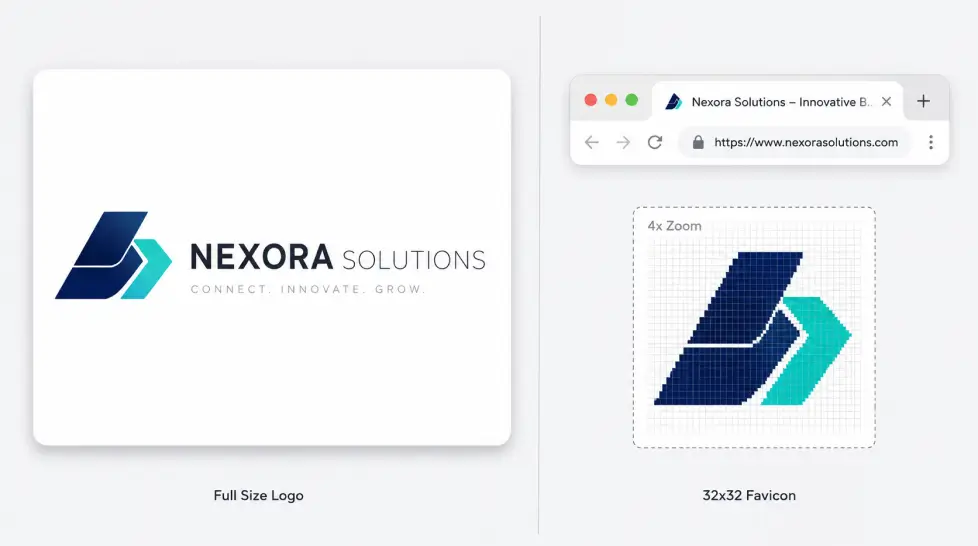
They're readable at small sizes (think favicon, app icon, Instagram avatar)
They work in a single color (your logo will be printed in black on a receipt one day, trust me)
They feel right for the industry without being a cliché
They don't depend on a specific background to look good
That last one trips people up. A beautiful logo on a white square that turns into mush on a dark website? Useless. The other thing nobody tells you. Your logo doesn't need to explain what you do. Nike's swoosh doesn't sell shoes. Apple's apple doesn't sell computers. Don't try to cram a coffee bean, a steaming cup, and a mountain range into one mark for your coffee brand. Pick one strong idea. Pick one. Just one.
Step by step with MagicShot
Okay, let's actually build something. I'll use a made-up business as the example. Sage & Stone, a small skincare brand selling clay-based products. Premium feel, natural ingredients. Here's the process I follow every time.
Step 1: Write a real prompt
Skip 'logo for skincare brand.' Write like you're briefing a designer. Bad prompt: skincare logoBetter prompt: Minimalist logo for a natural skincare brand called Sage & Stone. Single mark combined with wordmark. Earthy, premium, calm. Hand-drawn feel but clean. Black on cream background. No gradients. No 3D effects. See the difference? You're telling the AI what to make, what mood to hit, and what to avoid. The 'what to avoid' part matters more than people think. AI loves gradients. AI loves to add little sparkles. You don't want sparkles on a skincare logo.
Step 2: Generate the first batch
Generate four to six options on your first round. Don't fall in love with the first one. Don't reject the whole batch either. You're looking for direction, not a finished logo.I usually find one element I like in option 2 and a different element in option 4. That becomes my next prompt.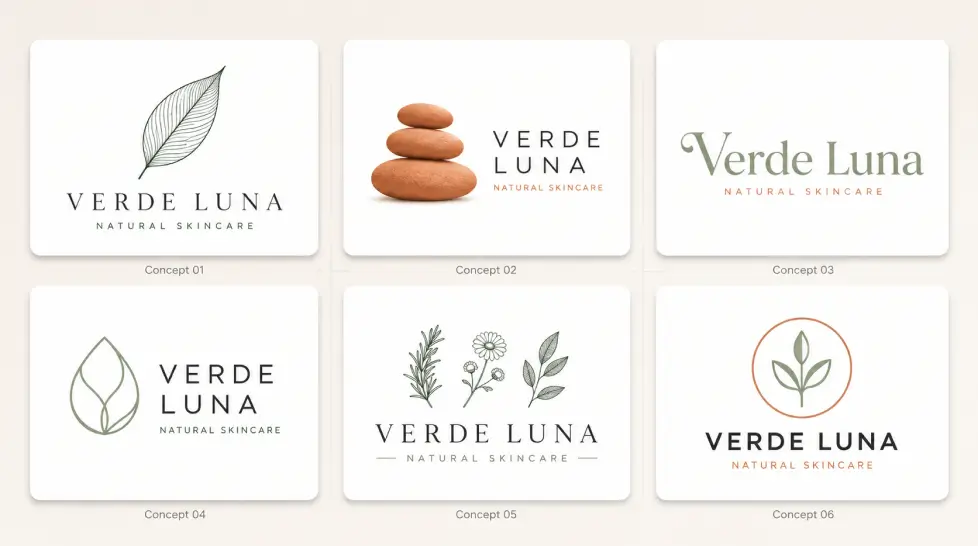
Step 3: Combine and refine
Now you write a more specific prompt. Something like: Refine logo design. Wordmark 'Sage & Stone' in a custom serif inspired by Cormorant. Small leaf icon to the left, abstract not literal. Centered alignment. Generous letter spacing. Black on cream. You're being a director now. Specific. Decisive. The full process on MagicShot is also walked through in this MagicShot logo generator guide if you want to see screenshots of each step.
Choose the right style for your business
Style is the biggest decision you'll make. And most people just default to 'minimalist' because it sounds safe. Here's a quick guide based on what I've seen work:
Business Type | Style That Works | Style to Avoid |
|---|---|---|
SaaS / Tech | Geometric, sans-serif, simple wordmark | Hand-drawn, vintage badges |
Cafe / Restaurant | Hand-lettered, badge, vintage | Generic tech-style sans |
Skincare / Wellness | Serif wordmark, minimal icon, soft palette | Bold sports-team aesthetics |
Fitness / Sports | Bold, condensed, monoline icon | Delicate scripts |
Law / Finance | Classic serif, monogram, navy or charcoal | Playful illustrated styles |
Kids / Toys | Rounded, illustrated, bright colors | Stiff corporate styles |
If you're going for a mascot-led brand (think Pringles, Wendy's, KFC), the dedicated AI mascot generator is honestly better than trying to force a character out of a generic logo tool. Mascots are their own thing. And for app icons specifically, the AI icon generator handles UI-specific constraints better. App icons need to read at 60 pixels. Different beast.
How to iterate without losing your mind
This is where most people give up. They generate 40 logos, hate all of them, and conclude AI doesn't work. Actually, scratch that. They conclude AI doesn't work for them. The tool's fine. The process is the issue. Here's the iteration framework I use:
Round 1: Cast wide. Different styles, different concepts. Pick ONE direction.
Round 2: Stay in that direction. Vary the details inside it.
Round 3: Lock the concept. Try color variations.
Round 4: Polish. Adjust spacing, weight, proportions through prompt tweaks.
The mistake is mixing rounds. People keep cycling through wildly different styles hoping to stumble onto the answer. You won't. You'll just get tired and pick something random. Commit to a direction after round one. Even if you're not 100% sure. Direction first, perfection later. One more thing. Save every iteration. Not just the ones you like. Sometimes you go down a path, decide it's wrong, and three days later realize round 2 had the answer. Don't lose it.
Common prompt fixes when something feels off
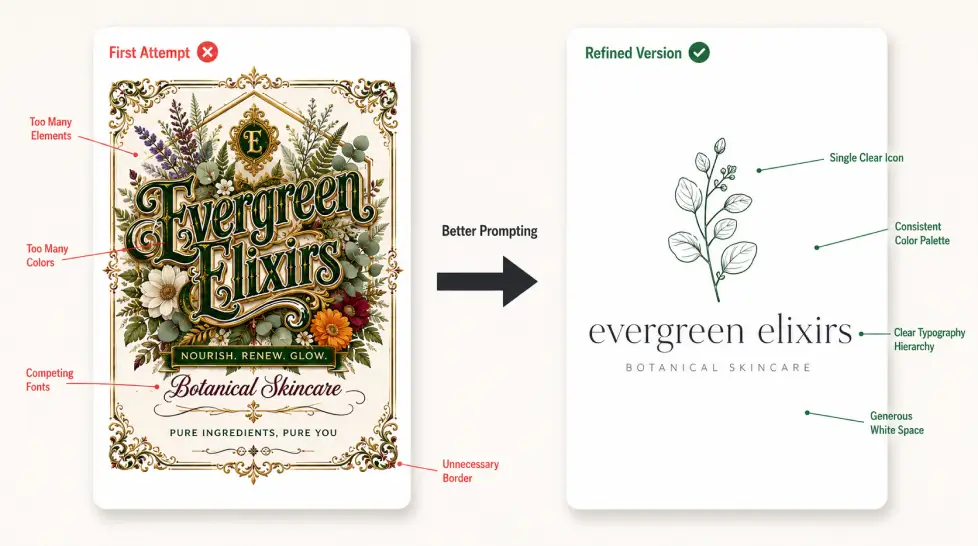
Logo looks too busy? Add 'extreme minimalism, single element, generous white space.'
Letters look weird? Add 'use a standard typeface, no custom letterforms.'
Looks too generic? Add a specific reference: 'inspired by 1970s Italian design' or 'Bauhaus influence.'
Too cartoonish? Add 'sophisticated, editorial, restrained.'
Download formats: PNG vs SVG and what actually matters
You've got the logo. Now don't ruin it with the wrong file format. Here's what each format is for:
Format | Use For | Avoid For |
|---|---|---|
PNG (transparent) | Websites, social media, presentations, email signatures | Large prints, embroidery, anything scaled bigger than 2000px |
SVG | Print, signs, vehicle wraps, large banners, any future scaling | Nothing really. SVG is the gold standard for logos. |
JPG | Honestly? Skip it for logos. White background only situations. | Anywhere with a non-white background |
Sending to print shops, embroiderers, sign makers | Web use |
SVG is the one to fight for. It's a vector file, which means it scales infinitely without getting blurry. Your logo on a business card? Sharp. Your logo on a 30-foot billboard? Also sharp. Same file. MagicShot exports both PNG with transparent background and SVG. Download both. Save them in a folder called 'Logo Master Files' and back them up somewhere that isn't your laptop. You'll thank yourself in two years when your laptop dies.
When to skip AI and hire a designer instead
I'm not going to pretend AI is the right answer every time. It isn't.Here's when you should put the tool down and pay a human:
You've raised funding. Investors will look at your brand. A weak logo signals weak attention to detail.
You need a full identity system. Logo, color palette, typography, voice, packaging guidelines, app icon variants, social templates. That's strategy work. AI gives you the mark, not the system.
You're entering a crowded category. If you're launching a fintech app in 2026, you need to look distinct. Generic AI logos won't get you there.
You have a complex name or concept. Names with unusual letter combinations or multi-syllable mouthfuls need custom letterform work.
You're rebranding from a known logo. You need someone who understands brand equity migration.
For everything else? Local business, side hustle, niche store, personal brand, podcast, indie SaaS, coaching practice. AI is plenty. And honestly, even pro designers use AI now. Many use it for early concepting. The question isn't AI vs human anymore. It's where to draw the line.
Quick decision checklist
Should you use AI for your business logo? Run through this:
Budget under $500 for logo? AI.
Need it this week? AI.
Solo founder or small team? AI.
Need to test 5 different brand directions cheaply? Definitely AI.
Raising Series A? Designer.
Building a brand that lives on physical products at scale? Designer.
If you're still on the fence, this guide to choosing the best AI logo generator compares a few options so you can see what fits your specific situation.
The real takeaway
An AI logo generator isn't a magic wand. It's a faster, cheaper way to do what designers have always done. Sketch, refine, decide. The tool is only as good as your direction. Write better prompts. Iterate inside one concept. Don't fall in love too early. Don't quit too early either. Now go make something.