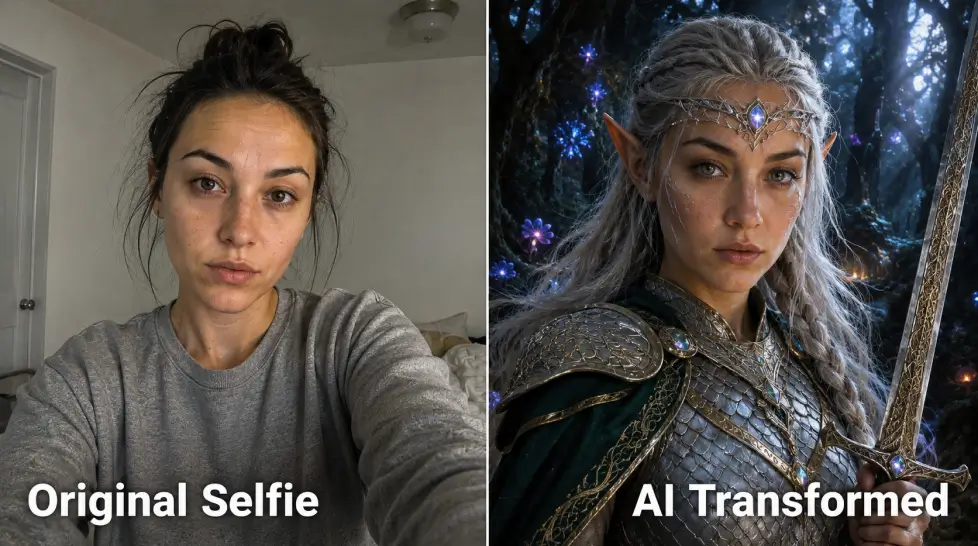
Ever stared at a Marvel poster and thought, that should be me? Same. Turns out the tech caught up. AI character transformation lets you upload a selfie and walk out the other side as a caped superhero, a Targaryen with dragons in the background, or an anime protagonist with the spiky hair to match. Not a filter. Not a Snapchat lens. An actual rendered image where your face survives the transformation but everything else changes. I've spent way too much time testing these tools. Some are gimmicks. A few actually work. Here's what I've learned, and how to do it yourself without burning credits on garbage results.
People want to see themselves in their stories. That's the whole thing. You read fantasy novels. You watch anime. You play video games. And somewhere in the back of your head you're always casting yourself in the lead role. Until recently, the only way to actually see that was hiring a digital artist, paying $300+, and waiting two weeks. Most people never bothered. Now? You upload a selfie and 45 seconds later you're a Jedi. The barrier is gone. And once the barrier disappears, the use cases explode, D&D character portraits, book cover photos, dating profile experiments (don't, but you could), Halloween concept art, kids' birthday party themes, tabletop RPG avatars, profile pics for niche Discord servers. The appeal isn't vanity. Not really. It's the chance to be someone else for a minute. To see what your face looks like wearing dragon armor. To check if you'd actually look cool as a vampire (most people do, weirdly).
How Become Image works under the hood
Quick version: it's a face-preserving image-to-image model. You feed it your photo. You pick a character template or describe one. The AI keeps your facial geometry locked while it rebuilds everything else around you. The
Become Image feature on MagicShot uses identity-preservation layers on top of a strong base model. That's the bit that matters. Without identity preservation, you just get a random face that vaguely looks like a stock fantasy character. With it, your nose, your eye shape, the curve of your jaw, all of that survives the trip into wizard-land. What you upload matters a lot. Use a clear, front-facing, well-lit photo. No sunglasses. No hats pulled low. Good light on your face. The AI is pulling reference points from your photo, and if half your face is in shadow, the transformation gets weird in the shadowed half. Trust me, I've generated a lot of half-melted superhero versions of myself learning this. Output quality also depends on the category you pick. Superhero and anime styles tend to land cleanly because the model has seen millions of training examples. Niche historical or obscure mythological characters can be hit-or-miss. Generate four variations, pick the best one, refine from there.
The main character categories (and which ones actually work)
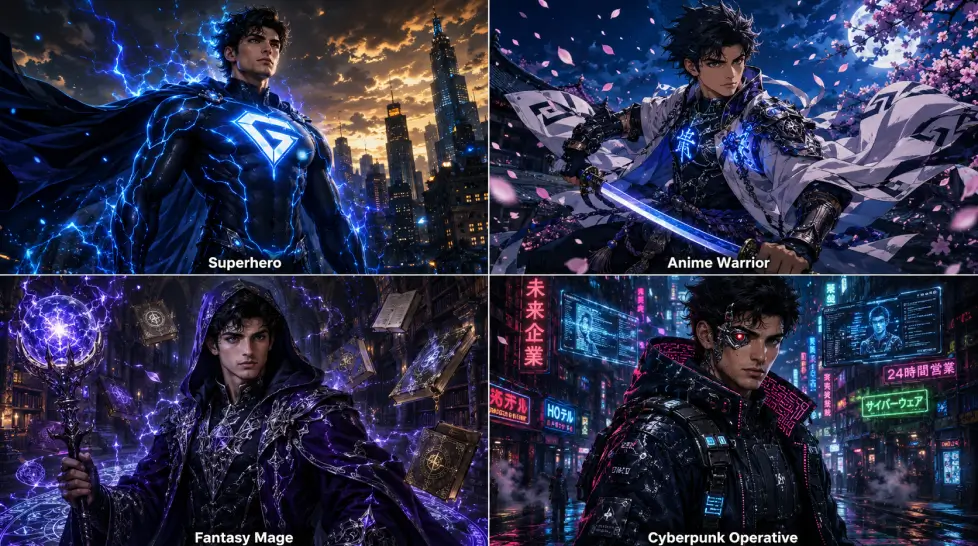
Let me break down the four big buckets people use most.
Superhero
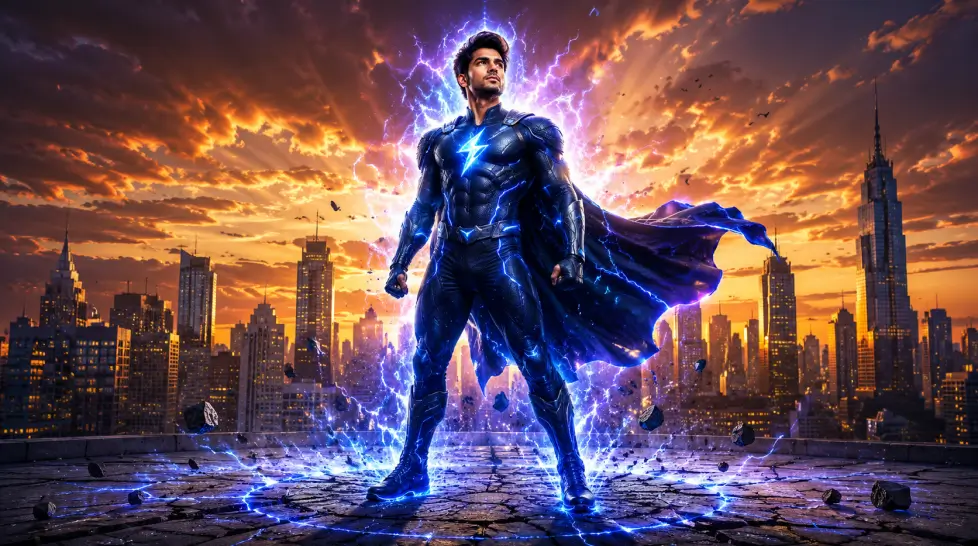
This is where AI shines. Capes, suits, glowing eyes, dramatic skyline backgrounds, Marvel-style poster lighting. The training data is rich here because superhero imagery is everywhere. You can specify the vibe, gritty Batman, bright Spider-Man, cosmic Doctor Strange. The model gets it. Want to know how to turn yourself into a superhero with AI? Upload a clean photo. Prompt for the specific aesthetic, "cinematic superhero portrait, dynamic pose, dramatic backlighting, Marvel-style." Pick your color palette. Done.
Fantasy
Elves, dwarves, paladins, sorcerers, dragon riders. Fantasy works beautifully because the genre has clear visual language. Pointed ears. Ornate armor. Glowing runes. Misty forests. The trick with fantasy is specificity. "Make me a fantasy character" is too vague. "Half-elf ranger with leather armor, longbow, standing in an autumn forest, golden hour lighting" gives you something usable. The more world-building you front-load into the prompt, the better the result.
Anime
This one's polarizing. People either love their anime transformation or hate it. The reason: anime flattens features. Your face becomes simplified. If you want to turn yourself into an anime character with AI and still recognize yourself, you have to pick the right anime substyle. Studio Ghibli softens everything. Shonen sharpens jawlines and exaggerates eyes. 90s anime gives you that classic cel-shaded look. Pick the substyle that matches your actual features. If you have soft, rounded features, don't pick aggressive Shonen, go Ghibli or shoujo. If you have sharp angular features, Shonen actually works.
Historical
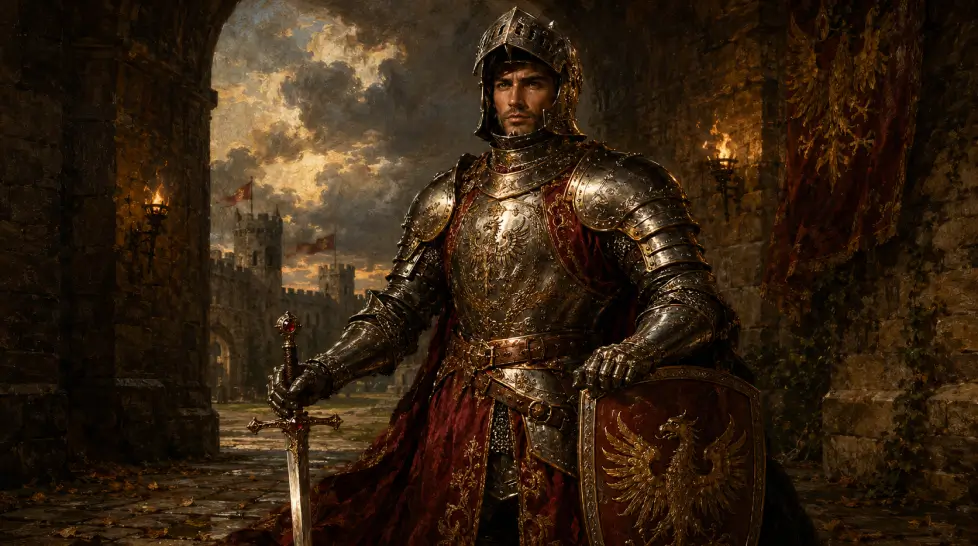
Roman senators, medieval knights, Edo-period samurai, Victorian-era aristocrats. Historical transformations are fun because the costumes and lighting carry the whole image. The AI doesn't have to invent, it just has to reference. Where it gets tricky: less-documented historical periods. Try "ancient Sumerian king" and you'll get something fantasy-flavored rather than historically accurate. Stick to well-documented eras for best results.
Here's the workflow I use. Tested. Refined. Works almost every time.
Step 1: Pick your reference photo
Front-facing. Well-lit. No filters. Neutral expression or a soft smile. Shoulders visible. Background doesn't matter, the AI replaces it anyway. The shot you'd use for a passport, basically. But with better lighting.
Step 2: Choose your character category
Open Become Image and browse the preset categories. If a preset matches what you want, use it as a starting point. If not, switch to custom prompt mode.
Step 3: Write a tight prompt
If you want better prompts overall, the
prompt writing guide is genuinely useful. For character transformation, the formula that works:
- Character type (elf ranger, cyberpunk hacker, samurai)
- Costume details (leather armor, neon-trimmed jacket, ornate kimono)
- Setting (autumn forest, rain-soaked alley, cherry blossom garden)
- Lighting (golden hour, neon backlight, soft window light)
- Style (cinematic, oil painting, anime, photoreal)
Step 4: Generate four variations
Always four. Sometimes more. The AI gives you different interpretations and one of them will hit. Don't settle for the first result if it's only 70% there.
Step 5: Refine and upscale
Pick your favorite. Run it through upscaling for higher resolution if you want to print it or use it as a phone wallpaper. Adjust the prompt and regenerate if something's off, wrong eye color, weird hand position, awkward background element.
When to use AI Re-Imagine instead
Become Image keeps your face and changes the world around you.
AI Re-Imagine does something different, it restyles the entire image, face included, into a new artistic style. Use Re-Imagine when:
- You want a full oil painting version of yourself, where even your face follows the painterly style
- You want a watercolor portrait, comic book panel, or pixel art version where the medium changes everything
- You're more interested in the artistic interpretation than the literal likeness
Use Become Image when:
- You want to be recognizable as a character
- You're creating a D&D portrait or RPG avatar that needs to look like you
- You want fantasy or superhero versions where your face is the anchor
Different tools, different jobs. Both live under the same MagicShot subscription, so you don't have to pick one and commit. Switch between them as the use case demands.
Going further with AI Adventure Generator
Once you've nailed the character, you can drop them into scenes. That's where the
AI Adventure Generator comes in. Think of it as the next layer up. Become Image makes you a fantasy character. Adventure Generator puts that character into an actual scene, battling a dragon, exploring an ice cave, sailing through stars. It's the difference between a portrait and a scene. This combo is gold for tabletop RPG players, fantasy authors building character moodboards, and anyone who wants their AI avatar to live in a world rather than float in front of a generic backdrop. I've used it for D&D character art that my whole table now references mid-campaign. The workflow: generate the character with Become Image, then feed that into Adventure Generator with a scene prompt. Two-step process. Way more powerful than trying to do it in one shot.
What still trips people up
Honest moment. Not everything works. Here's where things go sideways.
Hands. AI still struggles with hands holding weapons. Six fingers. Sword melting into the palm. It's gotten better but you'll occasionally generate a perfect warrior with three thumbs. Regenerate or crop tight.
Glasses. If you wear glasses in your source photo, the AI sometimes can't decide if your character should have them. Half-frame glasses appear and disappear across variations.
Multiple subjects. Character transformation tools are tuned for single faces. Group photos get messy. Crop to just you before uploading.
Niche aesthetics. If you want something obscure, a specific webtoon art style, a particular anime studio's house look, generic prompts won't get you there. You have to describe the visual language in detail. Actually, scratch that. The newer models handle more aesthetic specificity than they used to. But you still have to spell it out. The AI isn't psychic. For deeper work on creating consistent character looks across multiple images, the
character design guide covers techniques that go beyond single-shot transformations.
Cost vs. hiring an artist
Quick comparison. Because this is the question everyone asks.
| Option | Cost | Time | Revisions |
|---|
| Custom digital artist | $150-$500 | 1-3 weeks | 1-2 included |
| Fiverr quick artist | $25-$80 | 3-7 days | 1 included |
| AI character transformation | Subscription | Under 1 minute | Unlimited |
The AI route isn't replacing skilled artists for commissioned work that needs vision and storytelling. But for the 90% of cases where you just want to see yourself as a paladin? The math is brutal.
Try it before you overthink it
Here's the thing about AI character transformation, you can read about it forever or you can just try it. The whole loop takes under two minutes. Upload, prompt, generate, see what happens. Start with a category you're emotionally invested in. Marvel fan? Make yourself a superhero first. Anime person? Try a Studio Ghibli transformation. The investment shows up in your prompt quality because you actually know what you want. Then experiment outside your comfort zone. Cyberpunk samurai. Victorian vampire. Steampunk inventor. The combinations are basically infinite and the cost of trying is essentially zero on a subscription. One subscription. All of it. Become Image, Re-Imagine, Adventure Generator, plus everything else MagicShot does. Go make yourself a hero.