
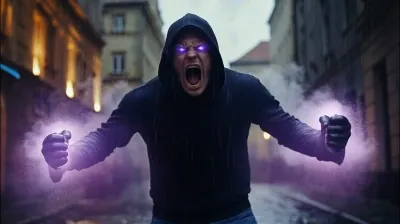
What the Hulk video effect does
The Hulk video effect turns a normal phone clip into a full rage-out transformation. Upload a few seconds of yourself, and MagicShot's AI Hulk generator tracks the subject, shifts skin to that familiar green, packs on mass across the shoulders, chest, and arms, and tears the shirt open as the change lands. Your room, your lighting, and your camera move stay the same, which is exactly what sells the gag. The old way to get this shot was a VFX artist, a green screen, and an evening in After Effects. This is an upload and a preview.
The source clip that works best
- One clear subject, framed from the waist up, facing the camera.
- A visible build-up moment: a clenched fist, a deep breath, a slow head tilt toward the lens. The AI has something to pop off of.
- Even light on the face, so the green shift reads as skin and not as a filter smeared over the frame.
- Short and steady. A locked-off phone shot or a slow push-in beats a shaky pan.
Where people post it
Gym clips where the last rep goes badly wrong. "When the group project partner finally replies" reaction posts on TikTok. Halloween costume reveals, birthday edits for the friend with the temper, and Reels transitions that cut on the shirt tearing. It's a punchline, so the shorter the setup, the harder it hits.
Where to find it
Hulk sits with the rest of the video effects inside the MagicShot app, available on a paid plan. Pick the effect, drop in your clip, and you get a finished vertical video back, ready to post without opening an editor.



