
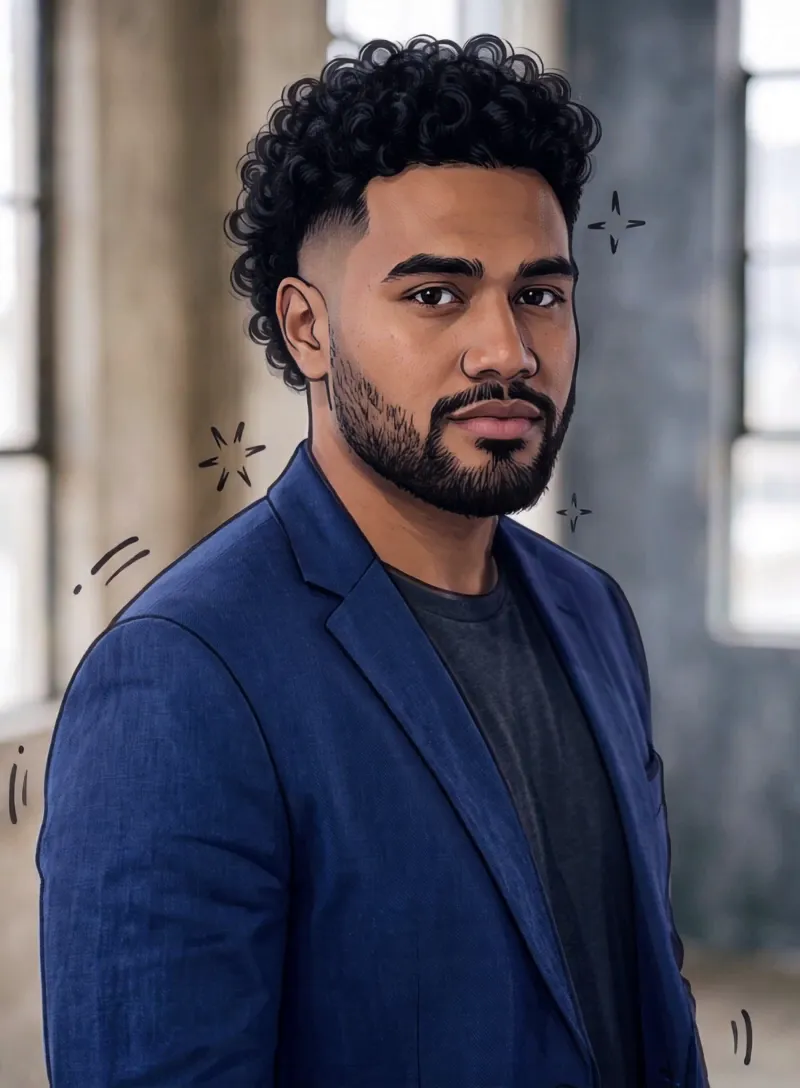
What the Hand-Drawn Cel video effect does
The Hand-Drawn Cel video effect takes a clip you already shot and re-renders it as hand-drawn animation. Edges become confident ink lines, skin and clothing flatten into painted color blocks, and shading drops to a few clean tones instead of photographic gradients. The line work shifts slightly from frame to frame the way real cel animation does, so the result moves like drawings rather than a filter sitting on top of video. Getting this by hand means tracing every frame or commissioning an animator. The AI hand-drawn cel generator inside MagicShot does it from one upload on a paid plan.
The footage that works best
Cel animation lives on clear shapes and readable motion, so give it footage with those things.
- One clear subject, framed medium or close, with good separation from the background.
- Deliberate motion: a head turn, a walk toward camera, a hand reaching, a jacket flip.
- Even light and simple backgrounds. Blown-out highlights and busy clutter muddy the ink lines.
- Short clips, a few seconds of the best beat, not a whole two-minute vlog.
What creators do with it
This is the effect people reach for when they want an anime-style opener for a TikTok or Reel, a cel-shaded transition between two live-action shots, a music clip that switches to animation on the drop, or a dance take turned into something that looks storyboarded. It also flatters pets, cosplay footage, and skate or basketball clips, where one strong movement carries the whole shot. Upload, apply, download, then cut it into your edit like any other take.



