
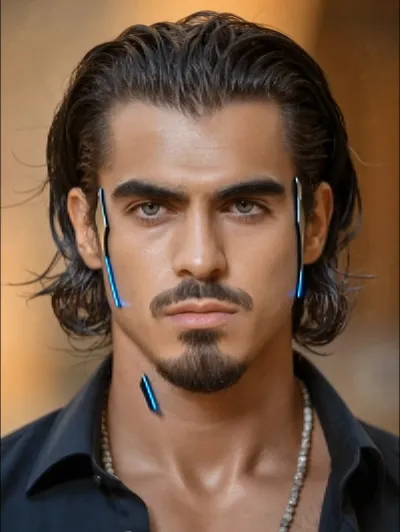
What the Cyborg video effect does
Upload a short clip and the Cyborg video effect rebuilds you as half human, half machine. AI tracks your face through the shot and layers in metal panelling, seams along the jaw and cheekbone, a lit optical eye, and hardware under the skin, all of it moving with your head instead of sliding off it. The human half stays untouched, which is what makes the reveal land.
The footage that works best
This is a close-up effect. The AI cyborg generator has the most to work with when it can see your face clearly, so feed it something simple.
Head and shoulders framing, face filling a decent chunk of the frame.
Even light on the face, no heavy backlight or deep shadow across one side.
Slow movement, a turn, a look up, a blink. Fast whips give the tracking less to hold.
3 to 10 seconds. Enough for the transformation to read, short enough to loop.
Where people post it
It lands as a TikTok or Reels transition, a Shorts intro, a gaming or streaming avatar reveal, a sci-fi character test, or a Halloween post that doesn't need a costume. Musicians use it for lyric clips, cosplayers use it to preview a build before spending a penny on foam and paint.
Inside MagicShot
Cyborg runs in the MagicShot app on a paid plan, alongside the rest of the video effects library. That means one place to upload, transform, and download, instead of a compositing timeline and a stack of plugin licenses you'd need to learn first.



