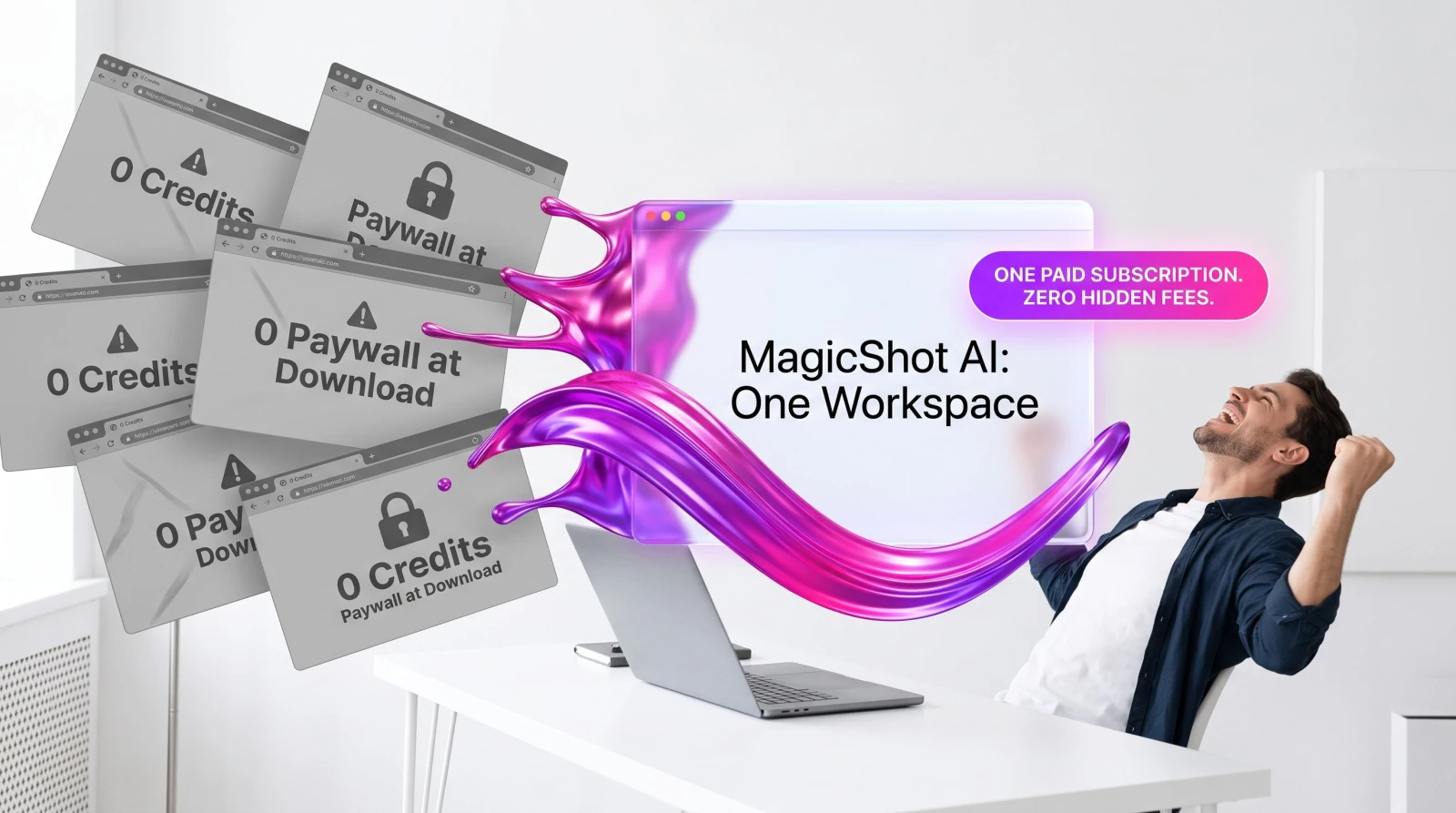
Search for a free AI image editor and you'll get a hundred tabs promising the world. Remove a background, generate a headshot, swap an outfit, make a product shot. Each one works, sort of, until you actually need the result. Then the watermark shows up. Or the credit meter hits zero. Or the download button quietly asks for your card. The truth about a free AI photo editor is that it's free right up to the moment it's useful, and then it isn't.
This isn't a rant against free tools. It's the math nobody runs before they've lost an afternoon. If you make content regularly, the "free" route usually costs you more in time, quality, and small monthly charges than a single subscription that does everything. Let's break down exactly where the cost hides, then look at what to use instead.
The real price of a "free" AI image editor
Free AI editors make money the same way. They give you enough to get hooked, then charge at the exact point you need the output. Here's where the bill actually lands.
Watermarks on anything you'd actually post
Most free tiers stamp your export. Fine for a doodle, useless for a product listing, a client deck, or a LinkedIn headshot. Removing the watermark almost always means upgrading, which means the tool was never free for real work. It was a preview.
Credit caps that reset your workflow
You get a handful of generations a day or a month. That's fine until you're iterating. Real editing is never one shot. You run a background removal, hate the edge, run it again, tweak the prompt, run it a third time. Three credits gone on one image. Multiply that across a week and you're rationing your own work.
One model, one job
Free tools are usually single-purpose. A background remover removes backgrounds and nothing else. A headshot app makes headshots and nothing else. Each one is a separate login, a separate learning curve, a separate export quirk. You become a project manager for tools instead of a person making images.
The upgrade wall at the worst moment
The pattern repeats: everything's smooth until the download. High resolution? Paywall. Commercial use? Paywall. Batch export? Paywall. You've already done the work, so you pay. That's the business model, and it's aimed right at the finish line.
What it takes to replicate one editor's range with free tools
Say you run a small store or a personal brand. In a normal week you might need a clean product cutout, a professional headshot, an outfit or model swap, and a few original images for social. With free single-purpose tools, here's the pile you'd assemble.
Background removal: a free remover, typically capped at low-resolution exports or a few images before it asks you to upgrade for full-size PNGs.
Headshots: a separate headshot generator, usually a paid pack after a couple of watermarked samples.
Outfit and model swaps: another app entirely, often capped at a handful of tries with a queue on the free plan.
Image generation: yet another tool with a daily credit limit and slower generation while free users wait behind paying ones.
Upscaling: a fifth tool, because the first four export small and soft.
Now you're logged into five services, each with its own cap, its own watermark policy, and its own subscription button. The moment any single one becomes genuinely useful, it charges you. Stack four or five of those small monthly fees and the "free" workflow is quietly the most expensive one you could have picked.
The hidden cost isn't just money
Time is the bigger leak. Exporting from one tool, re-uploading to the next, matching file formats, fixing the resolution the last app crushed. A single finished image can touch three tools before it's usable. That's the reshoot you didn't book replaced by an editing marathon you didn't plan.
There's a consistency cost too. Five tools mean five slightly different color profiles, edge styles, and lighting looks. Your product cutout from one app won't quite match the headshot from another, which won't match the generated background from a third. When your feed needs to look like it came from one brand, a patchwork of free tools quietly works against you. A single editor keeps the look coherent because it's all one pipeline.
The math: five capped tools vs. one subscription
Here's the comparison that matters. Picture the free stack: a background remover, a headshot maker, an outfit swapper, an image generator, and an upscaler. Even if two are genuinely free forever, the other three will each want a monthly fee the second you need clean, full-size, watermark-free output. Say three of them run a modest monthly charge each. You're now paying for three subscriptions, managing five logins, and still capped on daily credits across all of them.
Against that, one MagicShot plan covers the whole list under a single login and one bill. No stitching tools together. No re-uploading between apps. No hitting a wall on tool number four because you burned your credits on tools one through three. The differentiator is simple: one place instead of a pile.
What one place actually looks like
Instead of a folder of bookmarks, you get one workspace. Need a clean cutout? The background remover handles it without a low-res export cap. Need a professional look for a profile? Professional headshots skip the $400 studio session entirely. Selling clothing? The AI fashion model puts your product on a model with no photographer and no reshoot. Want original images from scratch? A prompt-driven generator builds them. And when a file exports small, an upscaler brings it back up to print size instead of sending you off to a sixth app.
That's five separate free tools, five separate caps, replaced by one subscription. The point of a strong AI photo editor isn't a single trick done cheaply. It's range, done in one workflow, without the tool-hopping tax.
Signs your free stack is already costing you
You don't need a spreadsheet to know when the free route has turned expensive. A few tells give it away fast.
You keep a bookmark folder of editors. If you've got a go-to remover, a go-to headshot app, and a go-to generator, you've already built the pile. That's five caps waiting to hit you.
You export at whatever size the free tier allows. Settling for small, soft images because the full-size download costs money is a quality tax you're paying in reputation, not dollars.
You batch your work to dodge daily limits. Saving edits for tomorrow because today's credits ran out means the tool is scheduling you, not the other way around.
You re-do work to match styles. Redoing a cutout so it matches a generated background from a different app is pure wasted time.
Any two of those and the free workflow is already the slow, expensive option. It just doesn't send you an invoice, so it feels cheap.
What the range actually covers
Range is the whole argument, so here's what "one place" reaches on a single account. Clean up old scans, drop a distracting element from a shot, build listing-ready product images, generate original art from a prompt. Each of those would be a separate free app with its own cap. Here they share one login and one bill.
When "free" is actually fine
Be fair to the free tools. If you need one background removal a year for a Facebook Marketplace post, a free remover is the right call. Don't pay for range you won't use. The problem only starts when you're making content on a schedule. A seller listing new products weekly, a freelancer building a portfolio, a small team feeding social channels. At that volume, credit caps and watermarks stop being a minor annoyance and start being a bottleneck that costs real hours.
The honest test: if you touch an image editor more than a couple of times a month, the free stack is already slowing you down. One tool that covers photos, product shots, headshots, and generation pays for itself the first week you stop switching tabs.
What to use instead
MagicShot is one subscription across image, photo-edit, photoshoot, video, and voice tools, used by creators, sellers, and small teams. The pitch is boring on purpose: everything you'd otherwise cobble together from a pile of capped free tools, in one login, without the watermark ambush at the download screen.
Beyond the editor itself, the same account reaches further than any single free tool ever will. You can even turn a product still into motion with image to video, without opening a separate video app. It's the same idea every time. One place, real output, no re-uploading to the next app.
If you've been running a five-tab free workflow, try replacing it with a single one. Choose a paid MagicShot plan, move one real task into the workspace, and compare the time it takes with your usual stitch-and-export workflow.
The takeaway
Free AI photo editors aren't a scam. They're a preview with a price tag hidden at Instead of managing separate limits across several services, you use one shared credit balance across your MagicShot workflow. Watermarks, credit caps, single-purpose tools, and upgrade walls turn a "free" workflow into three subscriptions and five logins. If you make content more than occasionally, one plan that covers the whole range is cheaper, faster, and far less annoying than the pile you'd otherwise assemble.