You don't need a studio anymore. You don't need a model agency, three lighting setups, a stylist with a steamer, or a $4,000 day rate. You need a phone, a flat-lay of your clothing, and about ten minutes.
That's what an
ai model shoot actually delivers in 2026. Not a gimmick. A real production replacement for most of what small clothing brands and indie creators used to outsource.
I've been running these for months now, both for my own side project and for a friend who runs a small streetwear label out of Lisbon. So this isn't theory. It's the workflow that actually ships product pages.
What AI Model Shoot Actually Does
Strip the marketing away. Here's what's happening under the hood.
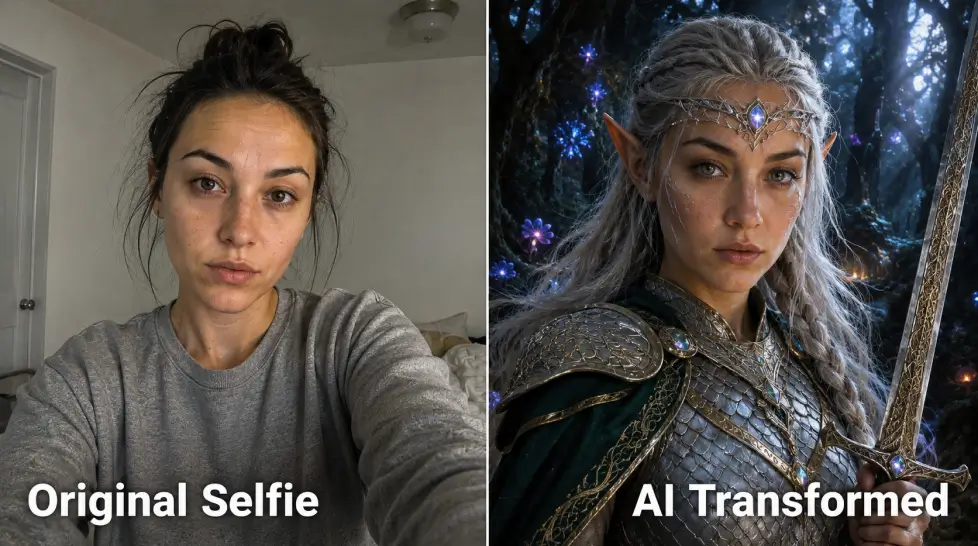
You feed the system two things: a face (yours, a synthetic one, or a model template) and either a garment photo or a written description of an outfit. The AI builds a full photograph around it. Studio lighting. Pose. Background. Fabric drape. Skin texture. Even the slight imperfections that make a photo look real instead of CGI.
The
AI Model Shoot tool handles the model, the styling, and the location in one pass. You're not stitching Photoshop layers. You're describing a shot and getting it back.
And it's fast. A full editorial set used to take a day of shooting plus two days of editing. Now it's a coffee.
The Step-by-Step: Selfie to Final Shot
This is the part everyone overcomplicates. The workflow is four steps. Really.
Step 1: Upload Your Reference
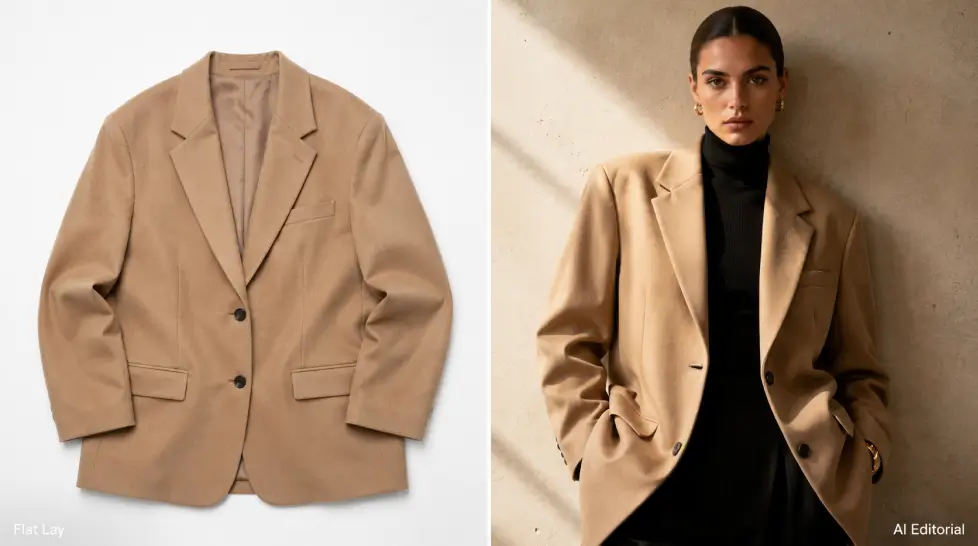
Either a clear selfie (front-facing, natural light, no heavy filters) or a flat-lay of the garment you're shooting. For brands, I usually upload both. The garment gives the AI fabric reference. The face gives it identity.
Don't upload a blurry photo and then complain about blurry output. Garbage in, garbage out still applies.
Step 2: Pick a Style Direction
This is where most people lose the plot. They write 'fashion photo' and wonder why it looks generic. You need a specific style anchor:
- Editorial Vogue cover
- Streetwear lookbook
- Minimal e-commerce ghost mannequin replacement
- Golden-hour beach lifestyle
- Industrial warehouse with hard side lighting
Pick one. Commit to it. The more specific your style cue, the closer the output lands.
Step 3: Set the Scene
Setting is everything in fashion. A white seamless background sells fast fashion. A Tuscan villa sells aspiration. A neon-lit Tokyo alley sells streetwear cred. Same dress, three different price points, just because of the wall behind it.
Add details. Time of day. Weather. Type of light source. Is there a window? A reflector? A practical lamp in frame? These details are what separate a $200 AI photo from a $20,000 production photo. (And honestly, sometimes the AI version wins.)
Step 4: Generate, Review, Refine
First generation is rarely the final. I usually run 4–6 variations, pick the one closest to what I imagined, then refine. Maybe the jacket sits weird on the shoulder. Maybe the pose is too stiff. You iterate.
If you need the exact same outfit on a different background or pose, that's where the workflow gets really useful. Lock the look. Change everything else.
Editorial vs Casual vs Luxury: Get the Mood Right
Same product. Three completely different photos depending on the mood. Here's how I think about it.
| Style |
Lighting |
Pose |
Setting |
Best For |
| Editorial |
Hard directional, deep shadows, dramatic contrast |
Sharp, angular, statement |
Architectural, gallery, conceptual |
Brand campaigns, press, magazine submissions |
| Casual |
Soft daylight, golden hour, natural window light |
Mid-laugh, walking, candid |
Cafe, street, apartment, park |
Social media, lookbooks, DTC product pages |
| Luxury |
Low-key with rim light, moody warm tones |
Composed, confident, minimal movement |
Hotel suites, Mediterranean villas, marble interiors |
Premium pricing, aspirational brands, luxury resale |
The mistake brands make? Mixing them. Editorial lighting with a casual pose looks confused. Pick a lane.
For Clothing Brands: The Real Use Case
If you run a small label, here's what changes.
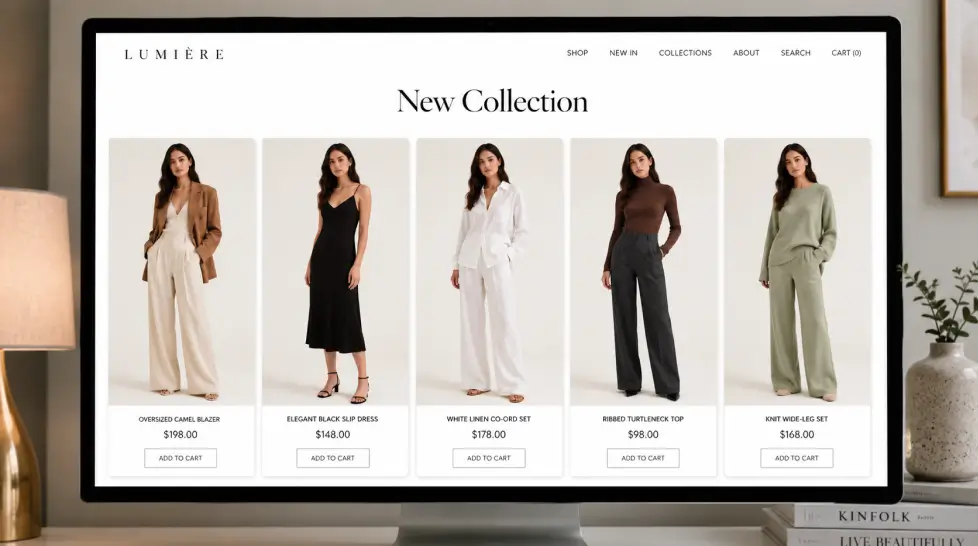
You used to need 20–40 product photos per drop. Each one shot, edited, color-corrected. Budget for a single drop could hit five figures fast. With AI model shoot, that budget goes to about $30/month for the subscription plus your time.
The full workflow for a new collection:
- Photograph each garment as a flat-lay (or use product mockups)
- Decide on one model identity for the whole campaign
- Generate 3 styles per piece: hero shot, lifestyle, detail
- Run them through Fashion Try-On if you want to test on different body types
- Export, color grade if needed, push to Shopify
That's a full campaign in a day. Maybe two.
And here's the part nobody talks about. The cost isn't just photography. It's the time between concept and product page. Speed matters more than perfection for small brands. If you can drop a collection two weeks earlier than your competitor, you win even if their photos are slightly nicer.
For deeper context on the cost side, the breakdown in
this post on photoshoot costs is worth a read.
Influencer Use Cases
Different problem. Same tool.
Influencers don't have a clothing problem. They have a content volume problem. Three posts a day, stories on top, reels every other day. Real photoshoots can't keep up.
What AI model shoot solves for creators:
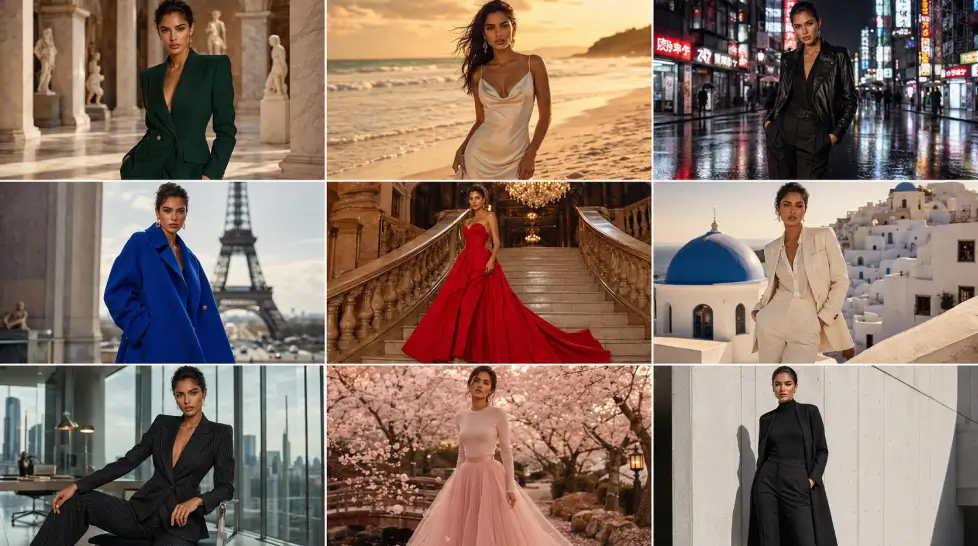
- Location content without traveling. Paris one day, Tokyo the next. Without the flights.
- Outfit variations from one selfie. Try every brand collab in the closet without changing.
- Consistent feed aesthetic. Lock a lighting style, change the outfit, never lose the visual identity.
- Brand pitch decks. Show a brand exactly what their product will look like on you, before they sign.
That last one is gold. Pitching collabs with mock-up photos of yourself already wearing the brand? Conversion goes up. It just does.
The full breakdown of how creators are using this is in
this AI model shoot for influencers piece.
Consistent Character Tips (This is Where Most People Fail)
Here's where it gets technical. The single biggest problem with AI fashion photography is character drift. You generate ten photos. They look like ten different people. That kills any brand that needs a consistent face.
How to fix it:
1. Lock Your Reference Face Early
Pick one photo. Use it as the seed for everything. Don't keep updating the reference because you found a slightly nicer angle. Pick one. Commit.
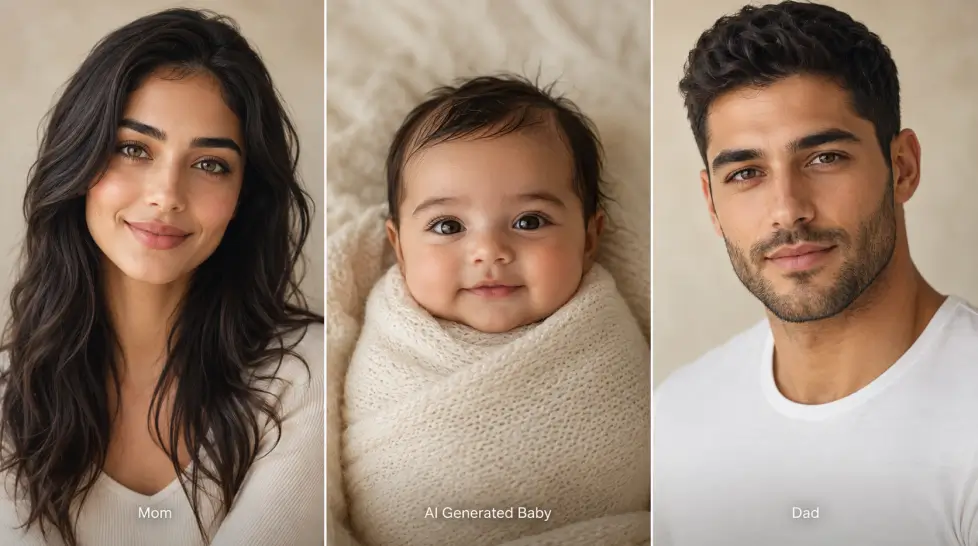
2. Use Portrait Series Instead of One-Offs
The
Portrait Series feature is built for this. Single selfie in, dozens of consistent shots out. Different outfits, different backgrounds, same face. That's the difference between a hobby project and a real brand campaign.
3. Standardize Your Prompt Structure
Build a template. Something like:
'[Face reference], [body type], [hair description], wearing [garment], [pose], [setting], [lighting], [camera angle], [film stock or rendering style]'
Change only the variables that need changing. Keep the rest identical. The AI rewards consistency.
4. Don't Mix Aesthetic Languages
If half your shots say 'cinematic film grain' and the other half say 'sharp digital clean,' your campaign will look chaotic. Pick one visual language for the whole drop.
5. Edit Lightly at the End
Run everything through one color grade. Even a basic LUT or Lightroom preset across all photos ties the campaign together. AI gives you raw material. Your final pass gives it brand identity.
For more on prompt structure, the
prompt writing tips apply directly to fashion shots too.
What Still Doesn't Work (Being Honest)
I said I'd give you the failures. Here they are.
Hands. Still occasionally weird. Better than two years ago but not perfect. Crop them if you can't get them right.
Logos and text on clothing. Hit or miss. If your brand identity depends on a clean logo placement, you might need to composite it in after. The
Ideogram approach helps when text legibility matters.
Specific fabrics. Sequins, sheer mesh, certain knit patterns. The AI sometimes invents stitching that doesn't exist. For premium brands where fabric integrity is the whole point, you'll still need real photos for hero shots.
Multiple models in one frame. Group shots are getting better but still inconsistent. For now, generate solo shots and composite if you really need a group.
Honestly, that's about it. Everything else? Solved.
The Workflow I Actually Use
Let me wrap this with the concrete process I run for clients now.
- Brief on the collection. What's the vibe? Editorial, casual, or luxury?
- Lock one model identity. Generate or upload.
- Build the prompt template. Test it on one garment.
- Iterate until that single test shot is right.
- Run the template across the whole collection, swapping only outfit and pose.
- Light edit. Color grade. Crop.
- Ship.
The whole thing from brief to final assets used to take three weeks. Now it's two days. Sometimes one.
That's the actual shift. Not 'AI replaces photographers.' More like, AI gives small brands access to the kind of visual production that used to belong only to the brands with real budgets.
Try a few shots. See what comes back. The first one will probably miss. The third one will surprise you.