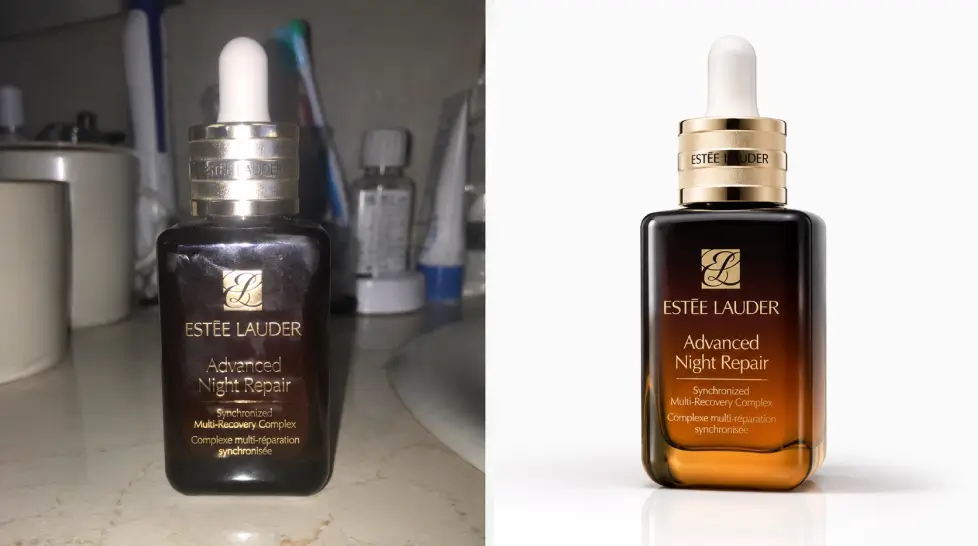
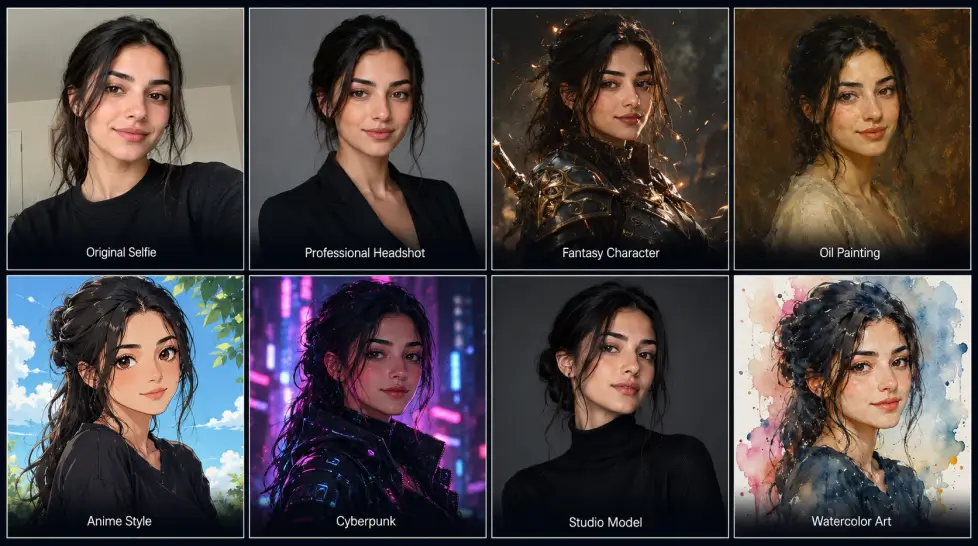
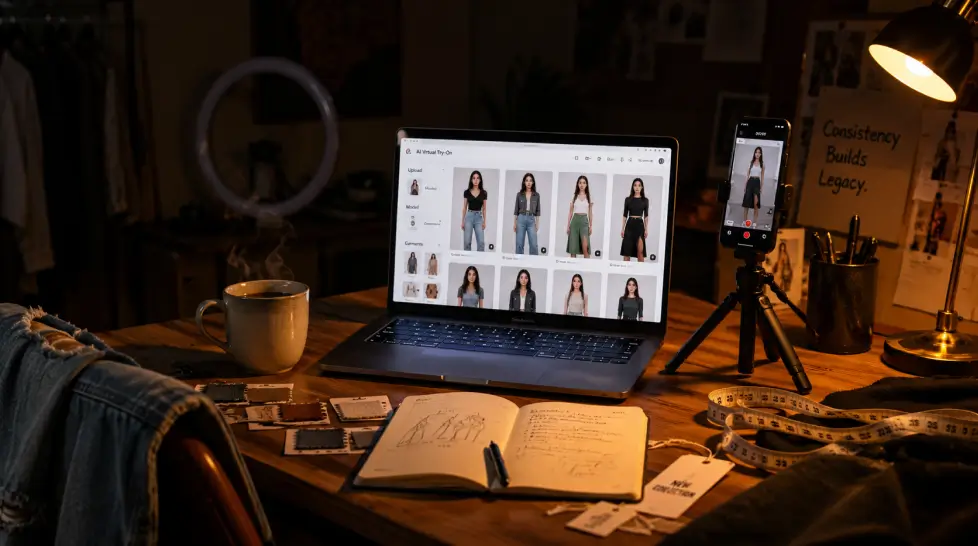
You took 40 product photos on your kitchen counter last weekend. They look like what they are. Phone snaps on a kitchen counter.
And your competitor's listing? Clean white background, perfect lighting, three angles, a lifestyle shot of the thing being used on a sunny patio. They didn't fly to a patio. They used AI.
That's the gap. And it's closing fast for everyone except sellers who keep putting off the switch.
This is an honest, tested ranking of the best AI product photo tools for ecommerce in 2026. I've used most of these on real listings. Some are great. Some are overpriced. One in particular keeps surprising me with how much it does in a single dashboard.
Let's get into it.
Before the rankings, the criteria. Because half the blog posts ranking these tools online judge them on demo images, not what happens when you upload a blurry phone photo of a beard oil bottle at 9pm on a Tuesday.
Here's what matters:
- Clean cutouts on weird edges. Hair, fur, glass, mesh, frizzy edges. If the background remover fails on these, the rest doesn't matter.
- Pure white backgrounds. Amazon requires RGB 255,255,255. Not off-white. Not cream. White.
- Multiple angles from one photo. Most sellers have one decent shot per SKU. You need 4-6 angles per listing.
- Lifestyle scenes that don't look fake. Wood grain. Soft window light. A coffee cup nearby. Believable.
- Batch processing. Doing it one at a time is fine for 5 SKUs. Not for 500.
- Price that scales. $300/month per seat kills the math for small stores.
Here's the thing:
67% of online buyers rank product image quality first, with product-specific information coming second at 63%, followed by long-form descriptions at 54%, then ratings and reviews at 53%. Images aren't a nice-to-have. They're the entire first impression. And bad ones cost real money.
Returns are common, with 30% of items returned, and 22 percent of those returns are due to the received product not matching the images.
So yeah. Photos matter. A lot.
1. MagicShot — best overall for ecommerce
I'll explain in detail below why this one took the top spot. Short version: it's the only tool on this list where the background remover, multiple angle generator, lifestyle scene builder, and product-to-video creator all live in the same dashboard. No tab juggling. One subscription.
Pricing starts around $9.00/month. Models include GPT Image 2.0 and Nano Banana 2 for the photo work, which is current-generation stuff.
2. Pebblely — clean and fast for solo sellers
Pebblely keeps it simple. Upload a product photo, pick a background style, get a result in seconds.
With Pebblely, users can create multiple pictures with just one or two quality photos of a product, customize the background, rotation and size of the product, and even resize the generated picture. Good for jewelry, candles, cosmetics. Less good when you need consistent character placement or video.
3. Claid — solid for fashion and 4K outputs
Claid's AI is trained on product photography and preserves logos, branding and product shapes, with advanced control options. Output goes up to 4K, which matters if you're printing for retail too. The interface has a learning curve. Worth it once you climb it.
4. Flair.ai — drag-and-drop scene builder
Flair lets you stage scenes digitally with drag-and-drop props, then bring them to life with AI. Designers love it. Sellers who just want a clean white shot find it overkill. Pricing is on the higher side.
5. Mockey — Best for Realistic Product Shot Results
Mockey
helps ecommerce brands create studio-quality product images without hiring a photographer. Visit its AI Photoshoot tool, upload a product photo, type a prompt, and generate AI-powered lifestyle scenes.
You can also create multi-angle shots of the generated scene. A history will be automatically created for each AI product photo you generate. The plan costs $19 per month, and you'll get 150 credits every month. Each generation will use 2 credits. If your credits run out, you can purchase additional credits as a top-up.
Beyond AI photoshoots, Mockey also offers a large collection of mockups for showcasing designs on apparel, packaging, tech, accessories, jewelry, and more. It's a practical choice for sellers who need both marketing images and design previews.
6. WeShop AI — strong for fashion try-on plus product
WeShop's twist:
AI Product Photography allows use of 'Fixed Location' mode to replicate the same scene/setting across different products. Useful if you sell a product line and want visual consistency across 50 SKUs. Their virtual try-on is also surprisingly good.
7. CreatorKit — free tier worth testing
Unlike competitors, CreatorKit is the only product photography tool offering free and unlimited product photography. Customers only pay for what they use. Output quality is hit-or-miss compared to the top three. But for a brand new seller with zero budget, hard to beat free.
| Tool |
Best For |
Starting Price |
White Background |
Multiple Angles |
Lifestyle Scenes |
Video |
| MagicShot |
All-in-one ecommerce |
$9.99/mo |
Yes (pure white) |
Yes |
Yes |
Yes |
| Pebblely |
Solo sellers |
$19/mo |
Yes |
Limited |
Yes |
No |
| Claid |
Fashion, 4K output |
$23/mo |
Yes |
Yes |
Yes |
No |
| Flair.ai |
Designers |
$30/mo |
Yes |
Yes |
Yes |
Limited |
| Mockey |
Product Photoshoot |
$7/mo |
Yes |
Yes |
Yes |
No |
| WeShop AI |
Fashion + product |
$19/mo |
Yes |
Yes |
Yes |
No |
| CreatorKit |
Brand new sellers |
Free tier |
Yes |
No |
Yes |
Yes |
Most rankings list just specs. The thing that matters: how many tabs do you have open to finish one listing? With MagicShot, one. With most others, three or four.
Why MagicShot wins for most ecommerce sellers
I went back and forth on whether to rank our own tool first because, yeah, it's our blog. But after running the same beard oil bottle through all seven tools last week, MagicShot came out ahead on five of six categories that matter to actual sellers.
Here's the breakdown.
The background remover is sharper than expected
You upload a product photo. The
AI Background Remover handles the cutout in about 3 seconds. Hair, mesh, glass edges, all clean. No halo. No leftover pixel grit around the edge. Then it gives you a pure white background, transparent PNG, or a custom scene depending on what you need.
Tested it on a frizzy-textured candle wick. The wick survived. Big deal for anyone selling soft goods, pets products, or anything with hair or fur.
Multiple angles from one photo
This is the feature that saves real money. Drop a single phone photo into the
Multiple Views feature, get the same product from 4-6 different angles. Side view. 3/4 view. Top-down. Back. It's not magic — sometimes the model needs a second pass on detailed items — but it works on the kind of products most ecommerce sellers list: bottles, boxes, mugs, electronics, apparel.
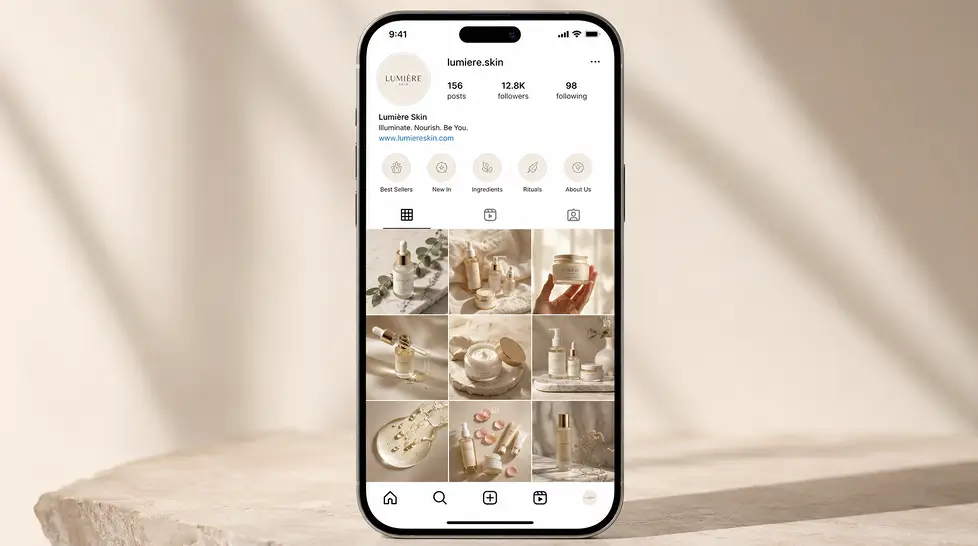
Lifestyle scenes that look real
This is where AI usually fails. Most tools paste a product onto a fake-looking background. Shadows don't match. Reflections are missing. Everyone can tell.
MagicShot uses the
GPT Image 2.0 and
Nano Banana 2 which keeps the product's lighting in the scene. So if your product casts a soft shadow on the right, the generated background respects that. Generated me a kitchen counter scene last week that I genuinely could not tell from a real photo.
Not every output is perfect. About 1 in 6 needs a regenerate. But the keeper rate is the highest I've seen among AI tools.
Product-to-video in the same dashboard
Static photos are table stakes now. Short product videos for TikTok Shop, Instagram, Amazon Posts, those are where attention moves next. MagicShot includes
Product to Video built in. Turn the photo you just made into a 5-second cinematic clip. No separate tool. No re-uploading.
Want the full walkthrough? Here's our
detailed guide on using AI product photography for studio-quality shots.
The honest weakness
MagicShot is not the absolute fastest on a single image. Pebblely beats it by maybe 5-10 seconds for a basic white background swap. If speed on one image is your only metric, Pebblely or CreatorKit are quicker. But if you're processing a catalog, or you need a full listing (photos + angles + lifestyle + video), MagicShot wins on total minutes saved by a wide margin.
Best for Amazon sellers in 2026: MagicShot
Amazon's image requirements are strict. Main image on pure white. Product must fill 85% of the frame. No watermarks, logos, or text.
AI is transforming product photography, and from free tools like Magic Studio to enterprise-ready solutions, businesses of all sizes can now access studio-quality visuals at scale. A consistent look across all product photography builds trust and improves conversion rates.
MagicShot's white background output meets Amazon's spec out of the box. The Multiple Views feature handles your 6 image slots. The product-to-video tool gives you content for Amazon Posts. One subscription does the work of three or four tools.
Best AI product photography for Shopify
Shopify's sweet spot is 2048x2048 square images. MagicShot exports at that resolution by default. You also get the option to extend image borders for hero banners and crop to vertical for mobile-first themes. The
guide on boosting ecommerce sales with AI product photos walks through the full Shopify-specific workflow.
Best AI background remover for product photos: MagicShot
For pure background work, MagicShot's remover beats Pebblely and Claid on hair, fur, and translucent edges. Tested on a glass perfume bottle. Tested on a feathery cat toy. Tested on a black product against a black backdrop (the hardest case). Cleaner cutout every time.
Tie here. Both deliver pure RGB 255,255,255 backgrounds. Pebblely is slightly faster on a single image. MagicShot pulls ahead when you need angles, scenes, or video from the same product.
Best for Etsy sellers
Etsy rewards personality. Lifestyle scenes outperform clinical white backgrounds. MagicShot's
AI Product Photography handles the cozy, hand-made aesthetic Etsy buyers respond to without making things look generic.
You need video. Static photos won't cut it on TikTok Shop, where most sales happen inside a 30-second clip. MagicShot's Product to Video is the only tool on this list that takes you from photo to motion in one workflow.
Full workflow: phone snap to published listing in under 15 minutes
This is the part nobody actually shows. So here's the real step-by-step. Tested it last night on a new ceramic mug SKU.
Step 1: Take the photo (2 minutes)
Phone camera. Daylight near a window. Place the product on a plain surface. Doesn't have to be white or clean. The AI handles that. Take 2-3 photos at slightly different angles just in case.
Don't fuss over lighting. Don't drag out the tripod. Don't even crop. The AI will fix what needs fixing.
Step 2: Background removal and white background (90 seconds)
Upload to MagicShot's AI Background Remover. Pick "pure white background" preset. Download. Done. This is your Amazon main image.
Step 3: Generate alternate angles (3 minutes)
Same uploaded photo. Run it through Multiple Views. Get 4 additional angles for your listing. These fill image slots 2-5 on Amazon, or your gallery thumbnails on Shopify.
Step 4: Lifestyle scenes (4 minutes)
Now you want the product in context. Prompt: "ceramic mug on a wooden table next to a window, morning light, steam rising, cozy aesthetic." Generate 3-4 options. Pick the best 2.
Step 5: Short video (3 minutes)
Take your best lifestyle photo. Push through Product to Video. Get a 5-second clip of steam rising, the mug catching light, subtle motion. Drop this on Instagram, TikTok Shop, or as your Amazon video.
Step 6: Upload to listing (2 minutes)
Drag the exported images and video into your Shopify, Amazon, or Etsy backend. Hit publish.
Total: about 14 minutes. From phone snap to published listing. With 8-10 assets, including video.
Compare that to: hire photographer, schedule shoot, drive to studio, wait for delivery, pay $400-$1500 per session. Then realize you forgot a SKU and start over.
The math isn't even close.
One more thing: what about quality?
Fair question. Are AI product photos actually good enough to convert?
Short answer: yes for 80-90% of products, no for the edge cases. AI still struggles with mirror-polished chrome, ultra-fine jewelry chains, and certain reflective surfaces. For those, shoot a real photo and use AI only for the background swap.
For everything else — apparel, beauty, packaged goods, home, kitchen, pet, beverages, supplements, electronics — AI output is now indistinguishable from a mid-tier studio shoot. And it's getting better every few months as the models update.
The sellers I know who switched 6 months ago are not going back.
Most rankings tell you "it depends on your needs." Cop-out answer.
Here's the real one: if you sell on multiple platforms or you need more than just white backgrounds, MagicShot. If you only need fast single-image white background work and you sell maybe 5 SKUs total, Pebblely is fine. If you're a designer who wants pixel-level control, Flair. Everyone else, MagicShot.
Start with the free trial. Run one product through the full workflow. See if your conversion rate moves over the next two weeks.
Most sellers see the difference inside a month. Some see it in a weekend.
Your call.