Fashion content is brutal right now. You're expected to post outfits daily, shoot like a magazine, and somehow keep up with trends that change every 72 hours. The budget? Probably the same as last year. Maybe smaller.
That's why every fashion creator I know is quietly running AI in the background. Not replacing the camera. Not faking authenticity. Just... cutting the boring parts. The reshoots. The lookbook flat-lays at 1 a.m. The 14 takes of the same pose because the light shifted.
So here's the honest rundown. The best
ai fashion tools 2026 have to offer, ranked by what actually works for influencers and small brands. Plus a workflow that gets you a week of content in one afternoon. Let's go.
What fashion creators actually need from AI
Before the list, a quick reality check. Most fashion AI tools are built for e-commerce. Big brand catalogs. Mannequin swaps. ASOS-style infrastructure. Useful, sure. But not what a creator with 47k followers needs on a Sunday night.
Here's what fashion influencers and small brands actually want:
- Realistic try-on that respects your body, your face, your vibe. Not a generic model wearing your dress
- Editorial-quality model shots in locations you can't fly to this week
- Consistent character generation so your face stays your face across 12 posts
- Lifestyle scenes that look planned, not pasted
- Speed. If it takes 30 minutes per image, you'll quit by Tuesday
- One subscription. Stacking five tools is expensive and exhausting
The fashion industry has noticed.
Fashion sits at approximately 78% brand adoption when it comes to AI in influencer marketing, and that number has only climbed through 2026.
Billon Dollar Boy's research found 85% of creators are open to creating a digital twin with a brand for marketing purposes. Translation: the resistance is over. The early-adopter window is closing fast.
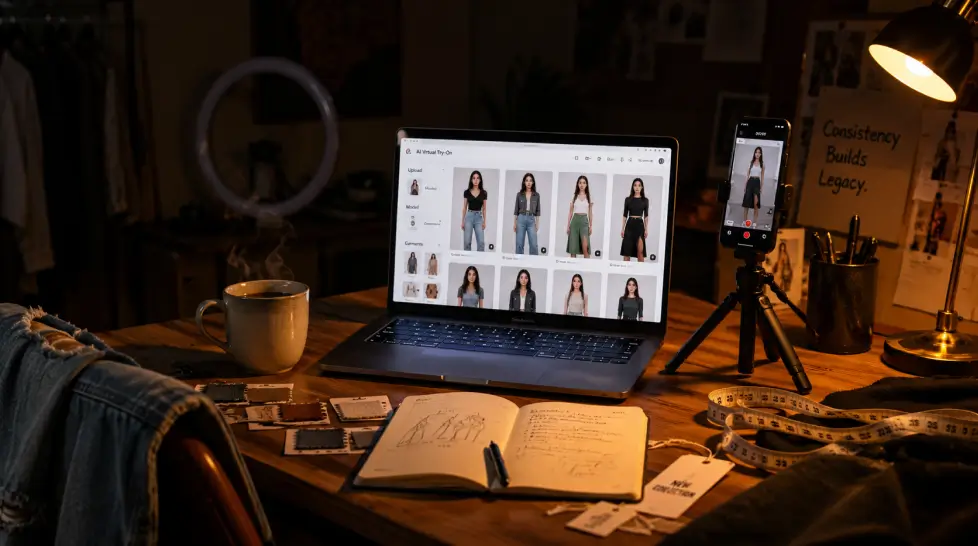
[IMAGE: A fashion creator's desk at night — laptop open to an AI try-on interface, a phone on a tripod, a cup of coffee, soft warm light, slightly messy and real]
Why fashion content broke (and AI quietly fixed it)
Quick context. The pace of fashion content has roughly tripled since 2022. Algorithms reward freshness. Brands want more deliverables per campaign. Audiences scroll past anything that looks recycled. And the cost of a single editorial shoot — photographer, location, makeup, editing — keeps climbing.
Something had to give. For most creators, that something was either burnout or budget. AI gave a third option. Not perfect. Not a replacement for a great photographer. But a tool that absorbs the boring 60% of production work and gives you back the time to plan the 40% that actually matters.
The data backs this up. Influencer marketing spend keeps climbing year over year, and brands are explicitly asking creators for AI-augmented workflows in pitches now. If you can deliver more variations, more angles, more concepts inside a tight budget, you win the partnership. Simple as that.
I tested everything I could get hands on this quarter. Here's the shortlist, with the trade-offs nobody tells you about upfront.
1. MagicShot.ai — the all-in-one that actually covers the workflow
Full disclosure, I work with MagicShot. But I also tested the alternatives. And the reason this sits at the top isn't loyalty. It's that you get the try-on, the model shoot, the lifestyle scenes, the headshots, the product photos, and 50+ other tools under one login.
For fashion specifically, three features carry most of the weight:
Pricing starts at $9/month for the entry tier. Not free. But cheaper than a single boosted post on Meta.
Where it stumbles: very detailed garment textures (think delicate lace, sequins at close range) still need a touch-up. The model is good, not magic.
2. FASHN.ai — for e-commerce-first brands
If you're a small brand more than a creator, FASHN deserves attention.
FASHN AI excels in offering highly accurate and fast virtual try-ons, ideal for e-commerce brands looking to enhance their shopping experience. It's narrow but very good at the one thing it does. Drop a garment, drop a model, get a usable image.
For influencers? Less useful. You can't really get yourself into the shot as the subject. It's about the garment, not the person.
3. VirtualFit — Gemini-powered, brand-focused
VirtualFit is an AI-powered virtual try-on SaaS platform built for fashion brands, influencers, and personal shoppers. Powered by Google's Gemini AI, VirtualFit generates photorealistic try-on imagery. Decent quality. Heavier setup. Best if you're running a catalog rather than a personal feed.
4. Style3D — for the design-side creators
Style3D leans into 3D garment modeling. Useful if you actually design clothes or do collabs with brands at the sample stage. For pure content creators, overkill.
5. Kling AI Virtual Try-On — strong free tier
Kling has built a respectable try-on tool inside its larger video and image suite. The output is solid for casual content. The interface is fine. The pricing is fair. The catch is that you'll likely need other tools alongside it for headshots, lifestyle, video. Stacking creeps back in.
6. ASOS Virtual Try-On — consumer side
Worth a mention because of scale.
ASOS launched its virtual try-on in February 2026 with roughly 10,000 products. Cool for shoppers. Not a creator tool. But it tells you where retail is headed and why creators need to look the part of 'tried this on' before the audience expects it.
One quick note before we move on: this entire category is moving fast.
We compared the top virtual try on for clothes tools in 2026 — Camclo, FASHN.ai, SellerPic AI, Kling AI, Kolors Virtual, ASOS, Pic Copilot, Google Vertex AI, virtualtryon.art, HexaGen, and Bandy AI. Half of these didn't exist 18 months ago. Half of them won't be here next year. Pick one that's covering more than try-on alone.
MagicShot for fashion creators: the three features doing the work
Quick deep dive on the three tools I actually open every week. Because 'all-in-one' sounds nice in a pitch but means nothing if no individual feature holds up.
Fashion Try-On — outfit swaps without the photoshoot
Upload your photo. Upload the outfit (or describe it). Hit generate. You're wearing it. The face stays yours. The body proportions stay yours. The fabric drapes like fabric, not like a sticker. For a creator doing brand collabs, this is the difference between accepting a partnership today versus waiting two weeks for samples to ship.
AI Model Shoot — editorial without the studio
This is where most creators get the biggest unlock. Drop a few selfies. Choose a setting — Parisian rooftop, Tokyo crosswalk, desert at golden hour. Pick the outfit direction. The output is editorial. Like, actual lookbook editorial. Not 'AI photo' editorial.
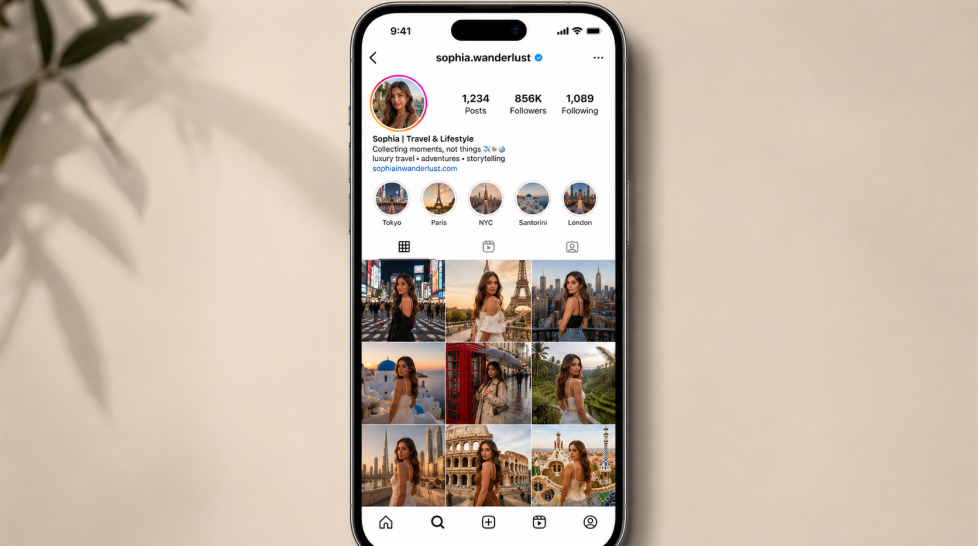
AI Instagram Lifestyle — the aspirational stuff that drives saves
Lifestyle posts drive saves and shares more than any other format. But you can't fly to Tulum every six weeks. The Instagram Lifestyle tool puts you in those locations — luxury settings, exotic destinations, curated cafés — using your real photos. The result reads as planned content, not collage.
A small confession: the first three I generated looked off. Lighting too perfect. I had to learn the prompt style. Once I did, it clicked. So budget an hour for testing before you go live with it.
Create a week of fashion content in one afternoon
Here's the workflow I use. Total time: about 3 hours. Output: roughly 12-15 posts plus stories. Enough for the week, with a buffer for spontaneous stuff.
Step 1: Plan your seven looks (20 min)
Open a doc. List seven outfits you want to post. Mix it up: 2 editorial, 2 lifestyle, 2 try-on collab pieces, 1 behind-the-scenes. Pick locations for each. Write a one-line caption hook for each. This is the only part that requires actual brain.
Step 2: Selfie set (10 min)
Take 8-10 selfies in good natural light. Different angles. Neutral expression to start. These are your reference images for every tool that follows. The quality of your output is set here. Don't rush this.
Step 3: Run Fashion Try-On (40 min)
For each outfit, generate 3-4 variations. Pick the best. Save in a folder labeled by day. You now have your 'outfit reveal' content.
Step 4: Run Model Shoot for the editorial posts (45 min)
Two editorial sets. Different cities. Different moods. Run 5-6 generations per set, pick 2 each. You now have 4 editorial-quality posts.
Step 5: Lifestyle scenes (30 min)
The aspirational stuff. Café in Lisbon. Rooftop in NYC. Beach in Mykonos. Two scenes, three variations each.
Tighten the captions. Drop the images into your scheduler. Done.
That's a week. In one afternoon. Coffee included.
If you want a broader workflow guide that covers more than fashion, the
content creator's deep dive into the AI toolkit walks through the bigger picture.
| Tool |
Best For |
Try-On |
Model Shoot |
Lifestyle |
Starting Price |
| MagicShot.ai |
All-round creators & small brands |
Yes |
Yes |
Yes |
$9/mo |
| FASHN.ai |
E-commerce brands |
Yes |
Limited |
No |
$10/mo |
| VirtualFit |
Catalog-heavy brands |
Yes |
No |
No |
Free trial |
| Style3D |
Designers & sample-stage work |
Partial |
No |
No |
Custom |
| Kling Try-On |
Casual creators |
Yes |
No |
Partial |
Free tier |
| ASOS Try-On |
Shoppers, not creators |
Yes |
No |
No |
Free |
If you're a single creator running your own feed, MagicShot is the cleanest fit. If you're a brand with a catalog and an in-house team, FASHN or VirtualFit might slot in better. If you design garments, Style3D. Different tools, different problems.
A few things to watch out for
Not everything is roses. A few honest cautions before you go all-in.
Disclosure matters. Brands and audiences are getting sharper about AI-edited content. If a partnership requires real product shots, deliver them. Use AI for ideation, alternate angles, and supplementary content. Not for replacing the deliverable.
Don't lose your face. The temptation to over-smooth, over-edit, over-perfect is real. Audiences engage with people, not airbrushed avatars. Pull back on the polish slider.
The market is loud. If you search 'ai virtual try on' right now, you'll get dozens of new tools every week. Pick one ecosystem. Stick with it for 90 days before switching. Tool-hopping kills output.
Let's be specific. AI is not yet perfect at:
- Hands. Still occasionally weird. Crop or pose-check before publishing
- Tiny garment details. Buttons that don't quite line up. Stitching that disappears. Always zoom in before posting
- Branded logos. If the brand requires the exact logo placement, shoot it real
- Hair in motion. Wind, water, fast movement — flaky results
- Group shots. Two people is hard. Three or more is currently a coin flip
None of these are dealbreakers. Just budget a 2-minute review per image before it goes live. Catching one weird hand saves the brand relationship.
What creators are doing with the AI savings
Here's the part nobody talks about. The time AI gives back isn't time off. It's time you can invest elsewhere. Most creators I've talked to are using it to:
- Pitch more brands. Three pitches a week instead of one
- Build a second platform. The TikTok feed they never had time for
- Diversify income. A newsletter. A small product line. A consulting offer
- Actually rest. Which, honestly, is the most underrated use of all
So the tool stack isn't just about content output. It's about which side of the next two years you want to be on. Creators who can deliver volume and quality and consistency will own the next cycle. Tools are the lever.
So which one should you actually pick?
If you only have time to test one this week, start with MagicShot's Fashion Try-On and Model Shoot. They cover the two biggest content types for fashion creators in 2026. Then layer in the lifestyle tool once you've nailed the basics.
If you're a brand with a heavy catalog, evaluate FASHN alongside MagicShot's product photography and model shoot tools side by side. Run the same 10 garments through both. The winner is the one your audience can't tell apart from a real shoot.
The category is moving. Fast. But the creators winning right now aren't the ones using the most tools. They're the ones using two or three really well, on a schedule, consistently.
Pick your stack. Build the afternoon workflow. Post for a month. See what the analytics say.
Then keep going.