Best AI Wedding Photo Generator Tools in 2026
- 11 min read
- Published: June 9, 2026
- Harish Prajapat
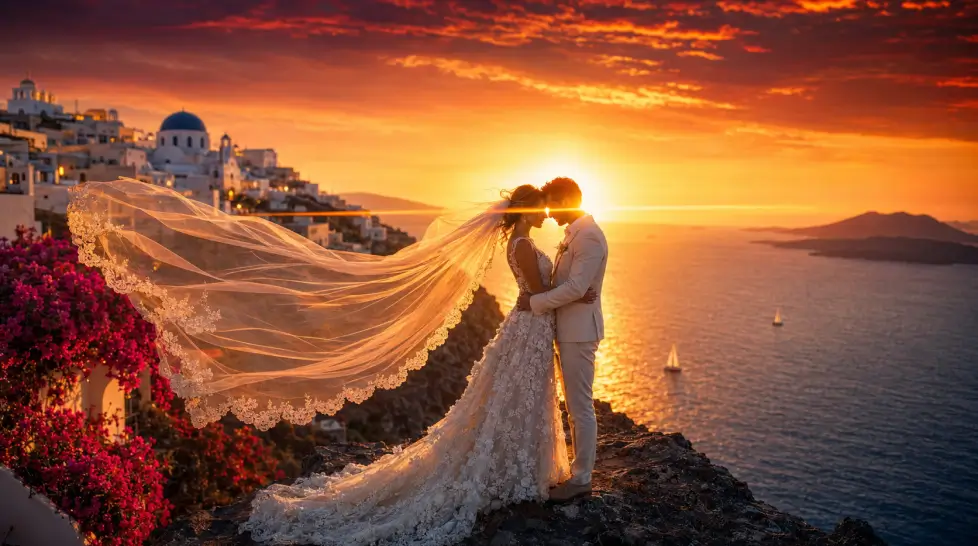
Wedding photographers cost a fortune. Like, a serious fortune. In 2025, average wedding photographer costs range from $3,500 to $7,000 for standard packages, and that’s before you even think about destination shoots or pre-wedding sessions. So when couples started asking me about AI tools that can fake the whole thing, I got curious. Then I got obsessed.
I’ve spent the last few weeks running my own face (and a few willing friends) through pretty much every AI wedding photo generator on the internet. Some were brilliant. Some made me look like a wax figure at Madame Tussauds. And one kept giving my groom six fingers no matter what I did.
So here’s the honest rundown. The best AI wedding photo generator tools in 2026, ranked, compared, and tested. No fluff.
Why AI wedding photography is suddenly everywhere
The shift happened fast. A year ago, AI wedding photos looked like deepfakes from a bad horror movie. Plastic skin. Weird teeth. Dresses that melted into the background. Now? Some of them are good enough to fool your future mother-in-law.
Couples are using these tools for a bunch of reasons. Save-the-date previews. Engagement announcements when you can’t fly the photographer to Greece. Anniversary recreations. Concept testing before booking an actual photographer. And yes, a few people just want to see themselves in a wedding dress without the commitment of, you know, an actual wedding.
But not every tool delivers. That’s the catch.
What to look for in an AI wedding photo tool
Before I list the rankings, here’s what actually separates a usable tool from a waste of your $19 trial fee.
Facial likeness
This is the big one. If the output doesn’t look like you, none of the other stuff matters. Look for tools that train on multiple photos or use newer face-preservation models. One reference photo is usually not enough for true realism.
Outfit and fabric detail
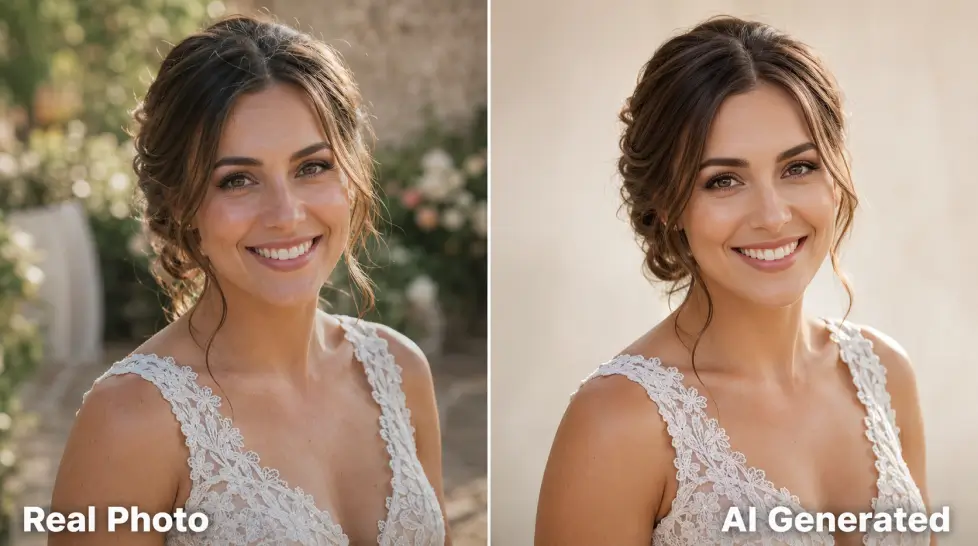
Wedding dresses have textures. Lace. Beading. Tulle layers that catch light in specific ways. Most generic AI image tools blur these into a soft cream blob. Real wedding tools render the fabric.
Pose and posture variety
If every photo is the same head-on smile, you’ve got a glorified filter, not a photoshoot. The good tools generate a series — walking shots, candid laughter, the ring exchange, the kiss, the back-of-the-dress reveal.
Background realism
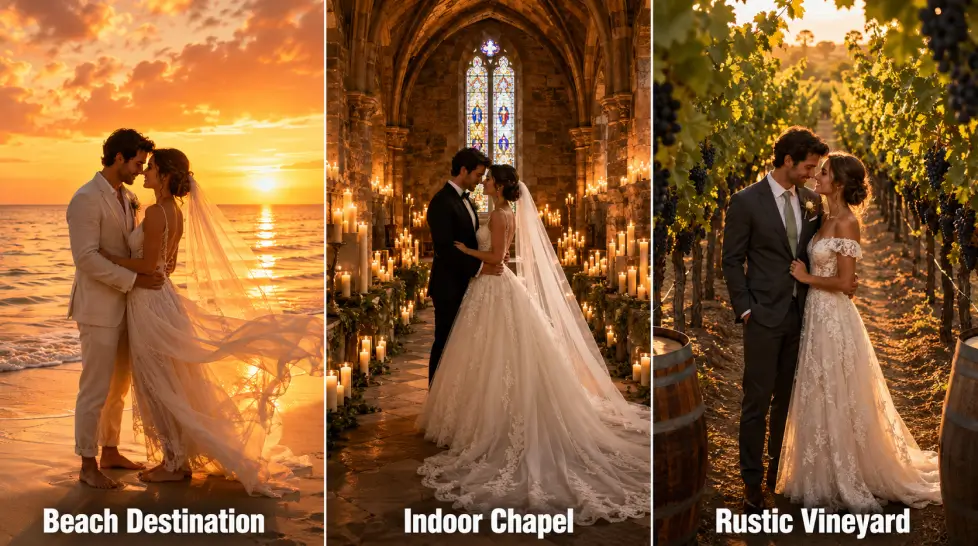
Beach, chapel, ballroom, Tuscan vineyard — backgrounds should have actual depth. Real shadows. Believable lighting. Not a stock background that screams “AI cutout.”
Resolution
You want at least 4K output if you’re printing or even just sharing on Instagram at scale. Anything less and the giveaway is obvious when you zoom in.
Privacy
You’re uploading your face to a model. Check what happens to your photos after. Some tools delete after 24 hours. Others use your data to train their models forever. Read the fine print, seriously.
Top 5 best AI wedding photo generator tools in 2026
Here’s the ranking. Tested on the same input photos. Same prompts. Same expectations.
1. Photo AI Wedding
Photo AI takes a different approach. You train a custom model of yourself first, which takes a few hours, then use that model to generate unlimited wedding photos. The likeness is excellent once trained. But the upfront wait and the per-photo generation can feel slow if you’re impatient.
Price: subscription-based, higher per month than most.
2. MagicShot AI Wedding Shoot
I’m putting this first not because I write for the blog. I’m putting it first because it actually performed best in my tests. The AI Wedding Shoot feature produced the most consistent facial likeness across multiple poses, and the dress detail was genuinely surprising. You can read the deep-dive on the realistic 4K wedding photos workflow for the full breakdown.
What stood out: the gallery approach. Instead of one photo at a time, you get a full set of styled portraits — bride solo, groom solo, couple shots, candid moments. All in one upload. The 4K resolution holds up when printed.
Price: included in the MagicShot subscription, which covers 56+ other AI features.
3. LightX AI Pre-Wedding Photoshoot
LightX is solid for couple photos specifically. You upload a couple photo to LightX’s AI person photoshoot tool, then enter text prompts to make desired changes. The pre-wedding themes are well-stocked — Indian traditional, beach, Parisian streets, vintage. But the facial accuracy slips on side profiles, and the output resolution is lower than I’d like.
Price: freemium with paid upgrades.
4. Media.io Gemini Pre-Wedding Generator
You upload one couple photo, switch styles with prompts, and explore how you two look across different wedding atmospheres. Not every couple has the time, budget, or setting for a full pre-wedding photography session. Media.io leans on Google’s Gemini model under the hood. Good prompt flexibility. Faces sometimes drift on multi-person scenes.
Price: credit-based.
5. VisualGPT Wedding Generator
The free option that gets recommended a lot. Honestly? It’s fine. Not great. The faces are recognizable but stylized, like a soft Pixar version of you. Good for quick fun, not for anything you’d actually print.
Price: free with watermark removal at upgrade.
Side-by-side comparison table
| Tool | Face Likeness | Resolution | Pose Variety | Best For | Price Tier |
|---|---|---|---|---|---|
| MagicShot AI Wedding Shoot | Excellent | 4K | Full gallery | Complete photoshoot replacement | $ |
| Photo AI | Excellent (after training) | High | Unlimited | Heavy users, custom models | $$$ |
| LightX | Good | HD | Limited | Indian and themed pre-wedding | $ |
| Media.io | Good | HD | Moderate | Quick concept tests | $$ |
| VisualGPT | Fair | Standard | Basic | Free experiments | Free |
One honest note: every tool on this list has bad days. AI is moody. You’ll generate 20 photos and 14 will be unusable. The good tools just make sure the other 6 are gorgeous.
MagicShot AI Wedding Shoot — the deep dive
Since this one ranked first, here’s what’s under the hood and how to actually get the best out of it.
The feature uses a face-preservation model layered on top of a high-resolution photo generation engine. You upload one or more clear face photos. The system trains briefly. Then it produces a styled set of wedding portraits across multiple settings, outfits, and lighting conditions.
What works best
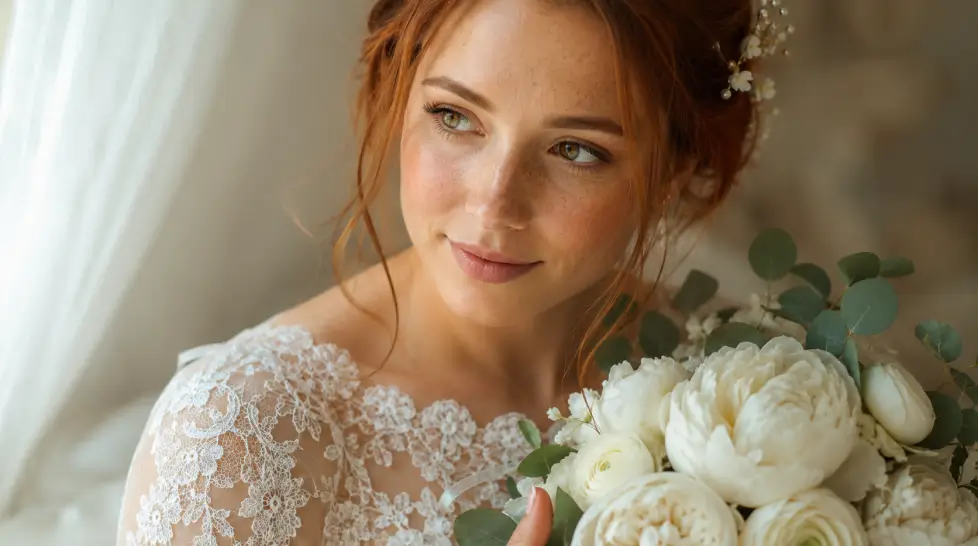
- Use a high-quality front-facing photo. Even lighting. No harsh shadows on your face. No sunglasses, obviously.
- Upload multiple angles if the tool allows. The model gets a better read on your facial geometry.
- Pick a style theme first. Beach, chapel, vineyard, traditional. Mixing too many themes in one batch dilutes the output.
- Generate in batches. 10-20 images at a time. Discard the duds. Keep the keepers.
What doesn’t work
Hand details, sometimes. Group shots with more than two faces get muddled. Heavy bead embroidery occasionally goes abstract. And if your reference photo has weird lighting, the AI will copy that weird lighting into every output.
The companion Portrait Series tool works well alongside this if you want non-wedding professional shots in the same session. And for couples already deep into wedding planning, the AI-powered wedding photography overview covers the bigger picture.
Use cases — when AI wedding photos actually make sense
Engagement announcements
You just got engaged. You want to post something. But the real photographer isn’t booked for two months. AI fills the gap. Generate a small set of engagement-style portraits in 20 minutes, post them, save the real session for the album.
Anniversary recreations
This one surprised me. Couples are uploading their original wedding photos and generating “what if we did it again” sets — different location, different season, both of you a few years older. It’s sweet. It’s also a great gift idea.
Destination wedding planning
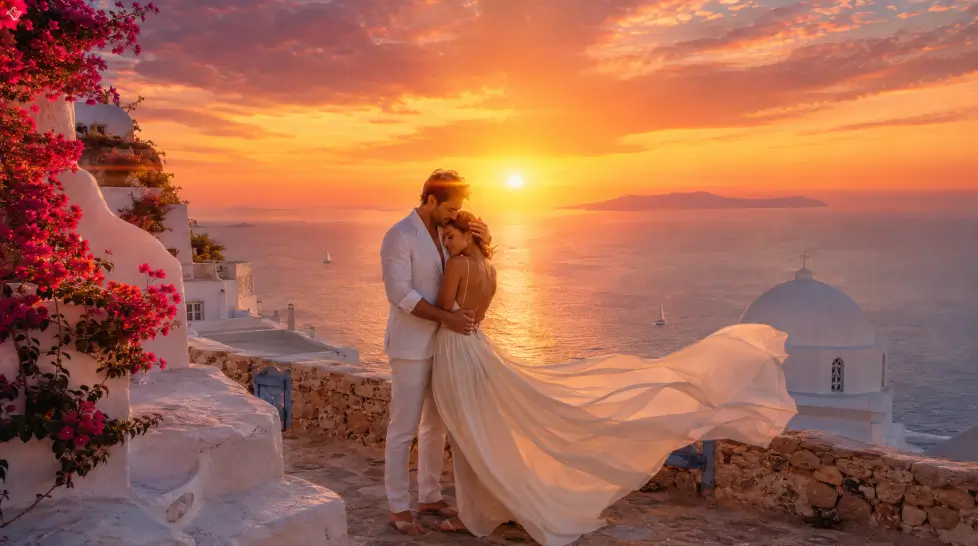
You’re debating between Santorini and Bali. Or a vineyard in Napa versus a chateau in Loire Valley. Generate AI mockups in each location before you spend $30,000 deciding. The visual previews help families align on the vibe.
Dress and venue concept testing
Before you buy the dress, see yourself in five styles. Before you book the venue, see your wedding party in it. This is concept work that used to take Pinterest boards and imagination. Now it takes 5 minutes.
Solo bridal portraits when the day was chaos
Maybe your actual wedding photographer missed the solo shots. Or you eloped. Or COVID happened and you never got the album you wanted. AI fills that gap retroactively.
Tips for getting the best results from any AI wedding photo tool
- Reference photo quality matters more than prompt skill. A bad input photo will produce bad outputs every time.
- Write specific prompts. “Bride in lace mermaid gown, golden hour beach, holding white roses, candid laughter” beats “bride at beach.”
- Generate more than you need. Plan to throw away half. The keepers will be worth it.
- Don’t over-edit afterward. Heavy filters break the realism that the AI worked hard to create.
- Watch out for the hands. Always check the hands. Six fingers is still a thing.
The honest limitations
No AI wedding photo tool replaces a real photographer for your actual wedding day. The moments — the tears during the vows, the look on your dad’s face, the unscripted laughter — those need a human behind a real camera. AI is for previews, concepts, supplements, and fun. Not for replacing the artistic eye of someone who’s shot 200 weddings.
Also worth knowing: The Knot’s study found that the range for average wedding photographer cost was $2,649–$3,574, which is lower than some other estimates. So a real photographer might be more affordable than you think, depending on region. Get quotes before assuming AI is the only option.
How AI wedding photo generators actually work
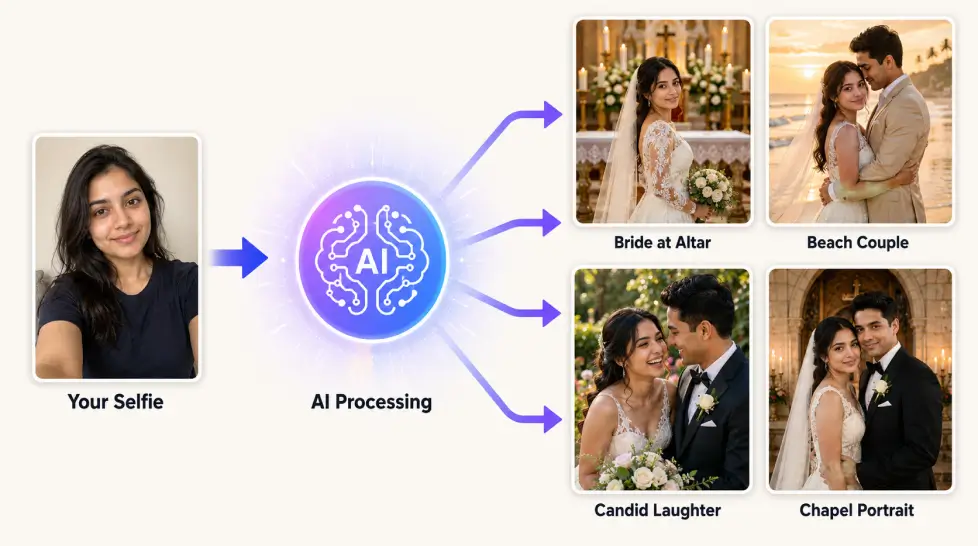
Quick technical detour because people ask. These tools use diffusion models trained on millions of wedding photos. When you upload your face, the system identifies your facial geometry, skin tone, hair structure, and key features. Then it generates new images that preserve those features while placing you in entirely new scenes, outfits, and lighting setups.
The newest models — the ones powering MagicShot, Photo AI, and a few others — use what’s called identity-preservation conditioning. Basically the model is told “keep this face the same” while it changes everything else. Older tools didn’t do this well, which is why your face kept morphing into a generic bride.
The difference shows in the output. Older AI wedding tools produced “wedding photos of someone who kind of looks like you.” Newer ones produce “wedding photos of you.” That’s the whole leap.
Pricing reality check
Let’s talk money. Because this matters.
A traditional wedding photographer in the US ranges from $1,500 on the very low end to $10,000+ at the high end. Most couples land somewhere between $3,000 and $5,000. Add a second shooter, an engagement session, an album, and you’re often past $6,000.
Pre-wedding shoots — those styled engagement sessions in scenic locations — add another $500 to $2,500 on top. Destination pre-wedding shoots? Multiply that by 3 or 4 once you factor in travel.
An AI wedding photo subscription runs $10-$30 a month. You can cancel after one month. The math doesn’t really need explaining.
That doesn’t mean AI replaces the real thing. It means AI fills the gaps you couldn’t otherwise afford. The engagement preview. The “see the venue with me in it” mockup. The casual save-the-date when you didn’t want to book another full session.
Common mistakes I see people make
After helping a dozen friends try these tools, the same mistakes come up every time.
Using a selfie with bad lighting. If the source photo has shadows on half your face, the AI keeps those shadows. Use a well-lit, neutral photo as your input.
Picking too many themes at once. Generating beach, chapel, vineyard, and ballroom in the same batch confuses the model. Pick one theme. Commit. Then switch.
Not regenerating the duds. The first batch will have misses. That’s normal. Regenerate. The platform’s not done after one click.
Ignoring the prompt field. Most tools have a prompt input even if they don’t make it obvious. Specific prompts produce better results. “Bride in champagne A-line gown with pearl beading, soft window light, holding white peonies” beats anything generic.
Expecting magazine-cover perfection on the first try. Real photographers shoot 2,000 photos to give you 200 keepers. AI works the same way. Generate volume. Curate down.
Final pick
For 2026, the best AI wedding photo generator in my testing is MagicShot AI Wedding Shoot. The face accuracy is consistent. The output is 4K. The gallery approach saves time. And the price point covers a whole platform of tools, not just wedding photos.
But the best tool is the one you actually use. So pick one. Upload a photo. See what happens. If you hate it, try another. The barrier to entry is basically zero — and the worst case is you waste 10 minutes. Best case? You get wedding photos that look like a $5,000 shoot, for the price of a coffee.
Try it. See your face in a wedding dress before you ever say yes to one.
Frequently Asked Questions
Based on side-by-side testing on facial likeness, dress detail, pose variety, and 4K resolution output, MagicShot AI Wedding Shoot ranks first for 2026. Photo AI is a strong second if you don’t mind training a custom model first. LightX leads for themed pre-wedding couple photos, especially in Indian traditional styles.
Yes, the top tools in 2026 produce wedding photos that are hard to distinguish from real photography, especially at standard viewing sizes. Identity-preservation models keep your facial features accurate while generating new scenes, outfits, and lighting. The realism breaks down occasionally on hands, group shots, and intricate fabric details.
Yes, several free options exist including VisualGPT and freemium tiers from LightX and Media.io. Free tools usually add watermarks, limit resolution, or restrict the number of generations per day. For 4K output and higher facial accuracy, paid subscriptions like MagicShot deliver noticeably better results.
Most tools produce a wedding photo set in 1 to 5 minutes after upload. Tools that require custom model training (like Photo AI) take 2 to 4 hours upfront, then generate in seconds. MagicShot’s AI Wedding Shoot delivers a full styled gallery in under 5 minutes from a single upload.
No, AI works best as a supplement, not a replacement. Use AI for engagement previews, anniversary recreations, destination planning mockups, and concept testing. For your actual wedding day, hire a human photographer who can capture unscripted emotion and real moments that AI cannot fabricate.