Best AI Video Generators in 2026: Every Model Tested and Ranked
- Best Tools
- 16 min read
- Published: May 13, 2026
- Harish Prajapat
Pick the wrong AI video generator and you’ll spend a week regenerating the same clip. Pick the right one and you’ll have a finished spot in 20 minutes. That gap is wider in 2026 than it’s ever been.
Here’s what changed. Twelve months ago, AI video was a novelty – choppy motion, melted faces, audio that sounded like a malfunctioning robot. Now? Over 124 million people use AI video platforms every month, and the top models are producing clips that pass for traditional production.
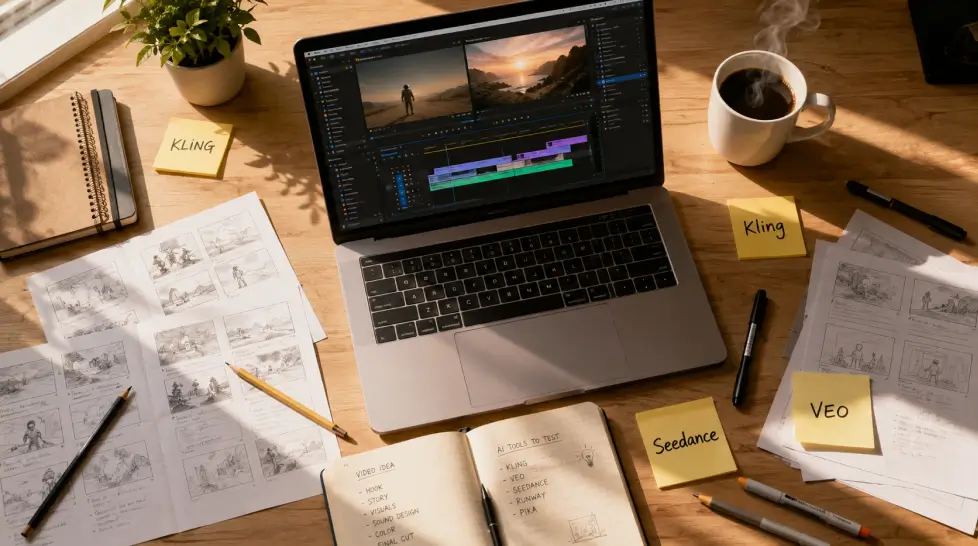
But not all generators are equal. Not even close. Some nail dialogue and butcher motion. Some give you 4K at 60fps and choke on a simple panning shot. I’ve spent the last six weeks running the same prompts through every major model – Kling, VEO 3.1, Seedance 2.0, Sora 2, Wan, Runway, and a handful of also-rans – and the results were all over the map.
This guide ranks the 8 best AI video generators of 2026 based on actual side-by-side testing. Not specs sheets. Real clips, real failures, real verdicts. Let’s get into it.
How we evaluated each AI video generator
Before I rank anything, here’s the rubric. Because rankings without methodology are just opinions with confidence.
I ran every model through the same five prompt categories:
- Photoreal portrait with dialogue — tests lip-sync, facial micro-expression, voice quality
- Cinematic wide shot with camera move — tests prompt understanding, motion coherence, physics
- Product spin / commercial shot — tests material rendering, lighting consistency, e-commerce viability
- Action sequence with multiple subjects — tests character consistency, collision physics, scene continuity
- Stylized animation (anime / 3D / illustration) — tests creative range and style transfer
Each output got scored on six dimensions: visual quality, motion realism, prompt accuracy, audio (where supported), speed, and cost per second of usable footage. Then I weighted by use case — because the best AI video generator for a TikTok creator isn’t the same as the best one for a marketing agency.
One more thing I weighted heavily: the regenerate rate. How many tries did it take to get a usable clip? A model that nails it on the first attempt at $0.40 beats one that needs five tries at $0.10. The cheap one isn’t actually cheap.
What ‘best’ actually means in 2026
Best is contextual. Honestly. If you’re a solo creator making vertical content, your priority is speed and variety. If you’re a small agency, your priority is quality and commercial licensing. If you’re an indie filmmaker, your priority is shot-to-shot consistency.
I’ll call out the right pick for each scenario in the use-case section below. But for now, scoring is based on overall versatility plus the ceiling of what each model can produce when you push it.
The top 8 AI video generators of 2026, ranked
1. MagicShot (multi-model platform — Kling Omni, VEO 3.1, Seedance 2.0, Wan 2.6)
I know, I know. The site you’re reading puts itself at number one. Roll your eyes if you want. But here’s why this ranking actually holds up.
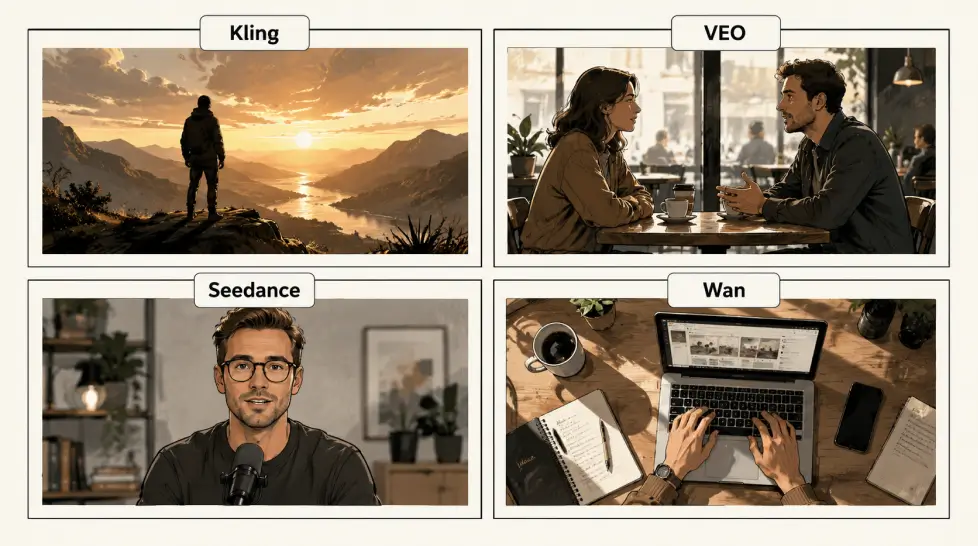
The single biggest insight from my testing was that no model wins every category. VEO 3.1 owns cinematic realism. Seedance 2.0 owns dialogue. Kling owns 4K and pure visual fidelity. Wan owns budget. The average enterprise now uses 3.2 different AI video tools simultaneously – and that fragmentation is a tax. Multiple subscriptions, multiple logins, multiple credit systems, no unified library.
MagicShot bundles all four top models – Kling Omni, VEO 3.1, Seedance 2.0, and Wan 2.6 – under one subscription. Pick the model per shot. That’s it. That’s the pitch.
I’ll be honest about the limits too. The credit system means you can burn through your monthly allotment fast if you’re running VEO 3.1 at max quality on every generation. And the free tier caps you at lower-resolution outputs. But for the price of one premium subscription elsewhere, you get the entire toolkit plus image generation, headshots, product photography, and 50+ other features.
Best for: Creators and businesses who need multiple model strengths without juggling five subscriptions.
Pricing: Starts at $9/month for the entry tier, with the full Pro tier under $30.
Try it: The MagicShot AI Video Generator gives you all four flagship models in one workspace.
2. Google VEO 3.1 (via Gemini or API)
VEO 3.1 is the model I reach for when realism matters more than anything else. Veo 3.1 leads in scene consistency and prompt understanding, and in my tests it was the most likely to produce a usable clip on the first attempt. Especially for anything involving complex physics — water, fabric, hair movement.
The other thing VEO 3.1 does that nothing else really matches: native audio. Veo 3.1’s native audio includes dialogue generation capabilities that the other models have not yet matched, making it the strongest choice for scenes that require realistic speech or conversation. The dialogue isn’t perfect — there’s still a slight uncanniness on long lines — but for short character lines and ambient SFX, it’s the cleanest single-pass audio I’ve heard from a generative model.
The catch. It’s expensive. Veo 3.1 Standard runs about $4.00 for 10 seconds at 1080p. That’s roughly 4x what you pay for a Seedance Fast clip, and the quality difference doesn’t justify it for every use case.
Best for: Cinematic shots, scenes with dialogue, narrative content where motion physics must look right.
Pricing: Via Gemini app on consumer plans; API pricing is premium.
Limitation: Slower generation times — expect 3 to 6 minutes per high-quality clip.
3. Kling 3.0 (Kuaishou)
Kling is the model that surprised me most. I’d written it off as a regional product, but the version 3.0 release in early 2026 changed the math. Kling 3.0 wins on visual quality (4K/60fps) and value (free tier available), and it’s the only major model I’ve tested that delivers native 4K output without an upscaling pass.
Where Kling struggles is in complex multi-character scenes — two people interacting can drift into uncanny territory. But for single-subject hero shots, product reveals, and stylized motion, the output rivals VEO at noticeably lower cost.
Best for: 4K hero shots, stylized commercial work, creators who want maximum resolution without paying premium API rates.
Pricing: Free tier available, paid plans roughly $10–$25/month.
Limitation: Multi-subject scene coherence still trails VEO.
4. ByteDance Seedance 2.0
Seedance is the dark horse. It came out of nowhere in late 2025 and quietly became the go-to model for anyone doing dialogue-heavy content. The reason is technical. Seedance 2.0 owns lip-sync accuracy with its phoneme-level approach — which means when a character speaks, the mouth movement actually matches the phonemes being spoken, not just the rough rhythm of speech.
The speed angle matters too. The Seedance 2.0 Fast tier is close to the cost sweet spot, and Fast mode generates a 10-second clip in well under a minute. For iteration-heavy workflows — where you’re refining a shot through 8 or 10 variations — that speed compounds.
Want to go deeper on this one? I wrote a full breakdown of Seedance 2.0 features and use cases that covers the model’s strengths in detail.
Best for: Talking-head content, character animations with dialogue, fast iteration workflows.
Pricing: Aggressive — Fast tier is among the cheapest in the category.
Limitation: Slightly slower on long single-shot sequences versus competitors.
5. OpenAI Sora 2
Sora 2 is what most people picture when they think ‘AI video.’ The Sora launch in 2024 made the category mainstream, and version 2 is genuinely impressive on cinematic shots. Physics, lighting, atmospheric effects — all top tier. For highest realism plus physics plus coherent cinematics, Sora 2 Pro and Veo 3.1 lead the pack.
So why is it ranked 5th? Access. Sora 2 is gated behind ChatGPT Pro tiers and has tight usage caps. If you’re producing a steady stream of video content, the friction adds up. Beautiful model, frustrating workflow.
Best for: Occasional cinematic projects, narrative storytelling, creators already on ChatGPT Pro.
Pricing: Bundled with ChatGPT Pro plans, gated access.
Limitation: Restrictive usage caps, less suited to high-volume production.
6. Runway Gen-4.5
Runway has been in this category since before it was a category. Gen-4.5 isn’t the absolute best at any one thing, but it’s the most complete creative platform. Director-style camera controls, motion brush, lip-sync, video-to-video — all polished, all in one timeline.
For editors who think in shots and sequences rather than single clips, Runway still wins on workflow. The model output is slightly behind VEO and Kling on raw quality, but the controls let you fix what’s broken instead of regenerating from scratch.
Best for: Editors and post-production teams who need shot-level control.
Pricing: Tiered, with Pro plans around $35–$95/month.
Limitation: Per-second cost is higher than newer competitors.
[IMAGE: A creative workspace with multiple monitors showing video editing timelines, color grading panels, and storyboards. Style: moody studio lighting, professional editing suite aesthetic.]
7. Luma Dream Machine
Luma sits in a specific lane: stylized, dreamlike, painterly video. If you want photorealism, look elsewhere. But for music videos, brand mood films, surreal art content — Luma produces a look you genuinely can’t replicate with the other models.
Generation is fast, the interface is clean, and the free tier is generous enough to do real work. The motion is sometimes inconsistent on long shots, but for 4 to 6 second beats, it’s hard to beat for vibes.
Best for: Music videos, mood reels, stylized social content.
Pricing: Free tier, paid plans start around $10/month.
Limitation: Not for photoreal or commercial product work.
8. VEED
Veed is one of the most practical AI video generators for everyday creators, marketers, and businesses. Instead of focusing purely on cinematic generation, Veed combines AI video creation with editing, subtitles, avatars, voiceovers, and social media optimization in one streamlined platform. It’s designed for speed and usability, making it easy to go from idea to publish-ready content in minutes.
What makes Veed stand out is its balance between simplicity and functionality. You can generate scripts, create AI voiceovers, add automatic captions, resize videos for different platforms, and edit everything directly in-browser without needing advanced editing experience. While it’s not aiming for Hollywood-style realism like Sora or Veo, it excels at helping teams consistently produce high-quality content fast.
Best for: Social media creators, marketers, educators, and businesses producing frequent short-form or branded video content.
Pricing: Free plan available; premium plans unlock advanced AI tools, exports, and collaboration features.
Side-by-side comparison table
Quick reference. Bookmark this.
| Model | Best at | Native audio | Max resolution | Speed (10s clip) | Free tier | Approx cost/10s |
|---|---|---|---|---|---|---|
| MagicShot (all 4) | Versatility | Yes (VEO) | 4K (Kling) | Varies | Yes | Bundled |
| VEO 3.1 | Cinematic realism | Yes | 1080p | 3–6 min | Limited | $4.00 |
| Kling 3.0 | 4K visual quality | Yes | 4K/60fps | 2–4 min | Yes | $2.80 |
| Seedance 2.0 | Lip-sync, speed | Yes | 1080p | <1 min (Fast) | Limited | ~$1.20 |
| Sora 2 | Physics, cinematics | Yes | 1080p | 2–5 min | No | Bundled w/ChatGPT |
| Runway Gen-4.5 | Shot controls | Limited | 1080p | 2–4 min | Yes | ~$3.00 |
| Luma | Stylized motion | No | 1080p | 1–2 min | Yes | ~$1.00 |
| VEED | Budget, Full Video Suite | Yes | 4K | 1–2 min | Yes | ~$0.80 |
A closer look at MagicShot’s four flagship models
Since MagicShot puts all four leading models under one roof, here’s how I actually use each one inside the platform. This is the workflow that emerged after weeks of testing.
When to pick Kling Omni
Kling Omni is my pick for hero shots. The single most important shot in a sequence — the one that has to look expensive — goes through Kling. Especially anything that benefits from 4K resolution or stylized cinematic motion. Car shots, product reveals, fashion editorial motion, abstract brand visuals.
I’d also default to Kling for anything in vertical format intended for premium social placement — the resolution headroom means you can crop and zoom in post without losing detail.
When to pick VEO 3.1
Anything with dialogue. Anything with complex physics. Anything where the camera is doing something fancy — orbit, parallax, dolly through a scene with multiple subjects.
VEO 3.1 is also what I’d pick for a narrative short film, a YouTube intro, or any cinematic content where the audience is going to watch attentively. Its prompt understanding is the closest thing to a director who actually heard you out.
When to pick Seedance 2.0
Talking heads. Character animation. Anything where a mouth has to move in sync with words. Seedance’s phoneme-level lip-sync makes it the right call for explainer videos, character vlogs, AI avatar content, and any sequence built around dialogue.
I also reach for Seedance when I’m iterating fast — like, generating 10 variations to find the right one. The Fast tier returns results in under a minute, which means I can run an entire shot exploration over coffee instead of over an afternoon.
When to pick Wan 2.6
Volume. When I need 30 B-roll clips for a TikTok week or a sequence of product spins for a Shopify store, Wan 2.6 is the workhorse. The quality ceiling is lower than the top three, but for content that’s getting cut into 1.5-second snippets in a fast edit, the difference doesn’t show.
It’s also the model I trust for image-to-video on social-format content where I want subtle motion rather than dramatic transformation.
The best AI video generator for your specific use case
Generic ‘best’ rankings only get you so far. Here’s the no-fluff version sorted by what you’re actually trying to do.
Best AI video generator for TikTok and Reels creators
Winner: MagicShot with Wan 2.6 and Seedance fallback
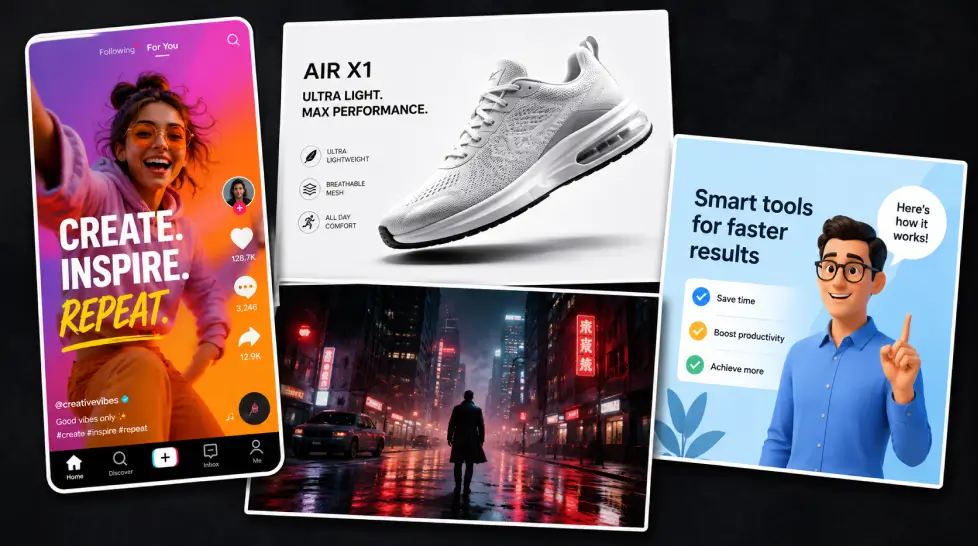
Short-form social rewards volume and variety more than perfection. You need to produce 5–10 clips a week, in vertical format, with the option to iterate on what works. Wan 2.6 handles the volume; Seedance handles anything with a talking face.
The MagicShot platform also has 28+ AI video effects baked in — Angel Wings, Mermaid, Hulk, Iron Suit and other viral templates that turn a single photo into a TikTok-ready clip in one click. If you’re chasing trends, that template library is a force multiplier.
Best AI video generator for e-commerce and product video
Winner: Kling for hero shots, Wan for variations
Product video has two jobs: look expensive on the hero shot, and produce enough variations to A/B test your ad creative. Kling’s 4K output handles the hero shot beautifully — material rendering on glass, metal, fabric is the best in the category. Then drop the same product photo into Wan to generate 8–10 variations on motion, lighting, angle.
For e-commerce specifically, MagicShot’s image-to-video feature lets you upload a product still and animate it directly — no prompt engineering required. Static photo in, motion product clip out.
Best AI video generator for cinematic and narrative content
Winner: VEO 3.1, with Sora 2 as backup
If your project has a script, characters, multiple scenes, and the audience is going to actually watch attentively — VEO 3.1. The physics, the prompt accuracy, the native audio. Sora 2 is right behind it if you have access. Everything else trails on this specific use case.
Best AI video generator for marketing teams and agencies
Winner: MagicShot (multi-model) or Runway
Agency work is messy. Different clients, different briefs, different style guides. You need a tool that can handle a polished corporate explainer Monday morning and a chaotic TikTok concept Tuesday afternoon. That’s why the average enterprise uses 3.2 different AI video tools simultaneously — but consolidating that into a single platform saves real money and admin time.
If your agency needs deep shot-level controls, VEED. If your agency needs maximum model variety with motion control built in, MagicShot’s motion control feature covers camera moves across all four models.
Best AI video generator for filmmakers and storytellers
Winner: Runway Gen-4.5 or VEO 3.1
Filmmakers need shot-to-shot consistency more than any other use case. Same character, same lighting, same world — across 30 or 40 shots. Runway’s director-style controls help on this front. VEO 3.1’s prompt consistency helps too. Honestly, neither solves it fully yet — but they get closer than anything else.
Best AI video generator for beginners
Winner: MagicShot or Luma
Beginners need two things: low friction and forgiving outputs. Luma’s interface is dead simple, and its stylized aesthetic forgives weird prompts. MagicShot’s preset templates and one-click effects do the same job — and bring in the better models when the user is ready. If you’re brand new, I wrote a separate guide on the best AI video editing tools for beginners that walks through the friction-free options.
How to actually get good results from any AI video generator
The single biggest predictor of output quality isn’t the model. It’s the prompt. After thousands of generations, here’s what consistently produces better video, regardless of which model you’re using.
Write prompts like a director, not a search engine
Bad prompt: ‘a dog running in a park.’
Better prompt: ‘A golden retriever sprinting across a sunlit meadow at golden hour, low tracking shot following at hip height, shallow depth of field, autumn leaves kicking up behind, cinematic 35mm look, no sound.’
The difference isn’t length for its own sake. It’s that the second prompt tells the model the four things it actually needs to know: the subject, the action, the camera, and the look. Subject + action + camera + look. Use that formula and your hit rate triples.
Specify what you don’t want
Negative prompts work. Most platforms accept them, and even when they don’t have a dedicated field, you can write ‘no text overlay, no zoom, no fade transitions’ directly into the main prompt and it’ll usually obey.
Iterate at low quality, finalize at high quality
This is the single biggest workflow shift that saved me time. Don’t generate at max quality on every attempt. Use Fast tiers — Seedance Fast, Wan, Kling Standard — to lock in the prompt and the concept. Only when you’ve got a clip you’d actually use, regenerate that exact same prompt at the highest quality tier.
You can burn through 100 Fast generations for the cost of 10 max-quality ones. The math favors iteration.
Start with image-to-video, not text-to-video
Text-to-video gives the model maximum freedom and minimum control. Image-to-video gives you the exact composition, lighting, and subject you want — and asks the model to do the easier job of adding motion.
For anything where look matters, I generate the still in a top image model first (FLUX, Imagen, Nano Banana), then feed that still into the video generator. Two steps. Better output every time.
Common mistakes that kill your output quality
I’ve made all of these. So has every creator I’ve talked to. Here’s the short list, so you don’t repeat them.
- Asking for too much motion. AI models struggle with chaos. ‘A character walking across the room’ is easier than ‘a character running through a crowd while explosions happen behind them.’ Limit motion to what serves the shot.
- Generating 10-second clips when 5 would do. Longer clips multiply the chance of artifacts. Most narrative shots cut at 2–4 seconds anyway. Generate shorter, edit together.
- Ignoring aspect ratio at generation time. If your final delivery is 9:16, generate at 9:16. Cropping a 16:9 clip after the fact loses resolution and recomposes the shot in ways the model didn’t intend.
- Skipping the seed. Most platforms let you fix a seed value, which means if a clip is 90% there but has one issue, you can regenerate with the same seed and tweaked prompt and keep most of what worked.
- Treating AI video as a one-shot solution. The best output in 2026 still involves editing. Cut between clips. Color grade. Add proper sound design. AI gives you better raw material — it doesn’t replace post-production.
The free vs paid question
Most of the platforms ranked above offer a free tier. Kling 3.0 has a free tier available, Gemini’s VEO 3.1 is bundled into consumer Gemini access, Luma and Wan both have generous free credits. MagicShot offers a free tier with watermarked outputs to test the platform end to end.
The honest answer on free tiers: they’re great for testing the model, useless for production. Watermarks, lower resolution, capped generations, and usually no access to the top-tier model variants. If you generate more than five videos a month, the paid plan pays for itself in time saved.
The price spread is wider than you’d expect though. Premium standalone subscriptions like Runway Pro or ChatGPT Pro run $35–$95/month for a single platform. MagicShot’s Pro tier sits under $30 and includes the full feature suite — image generation, 56+ tools, all four video models. For solo creators and small teams, the bundled play makes more economic sense than stacking subscriptions.
Where AI video is heading in late 2026
Three trends are reshaping this category right now, and they’ll be obvious by the end of the year.
Longer coherent shots. Today’s models cap usable output around 10–15 seconds before motion drifts. By Q4 2026, expect 30-second coherent clips with single-subject consistency. That changes what counts as ‘AI video’ versus ‘traditional production.’
Native multi-shot scenes. Current models generate one shot at a time. The next generation will accept a multi-shot script and produce cuts, angles, and continuity automatically. AI video generation volume grew 840% between January 2024 and January 2026 — that pace of growth is what’s funding the leap to multi-shot.
Real-time character consistency. Today, keeping the same character across 10 shots requires careful seed management and image conditioning. The next models will treat character identity as a first-class input, not a workaround.
What this means practically: if you’re learning AI video now, you’re learning a workflow that’s going to get dramatically more powerful in the next 12 months. The frustrations of today — character drift, short clips, manual continuity — are temporary. The skill of directing AI is permanent.
So which AI video generator should you actually pick?
If you only have time to choose one tool and you want maximum range, MagicShot’s bundled access to Kling Omni, VEO 3.1, Seedance 2.0, and Wan 2.6 is the most pragmatic pick. One subscription, four flagship models, plus 50+ other tools for stills, headshots, product photos, and editing.
If you only care about cinematic realism and budget isn’t a factor, VEO 3.1 direct. If you only care about 4K hero shots, Kling 3.0 direct. If you only care about talking heads with great lip-sync, Seedance 2.0.
Most creators don’t fit into ‘only one thing,’ though. Most weeks you need a TikTok intro Monday, a product reel Wednesday, a client explainer Friday. That’s the workflow MagicShot was built for, and that’s why it sits at the top of this list.
One last thing. The right AI video generator isn’t the one with the highest benchmark score. It’s the one you’ll actually open every day. Speed matters. Interface matters. Cost matters. Pick the tool that doesn’t make you dread the workflow — and produce more video than you would have otherwise.
That’s the real win.
Ready to test it yourself? Spin up a clip on the MagicShot Image to Video tool with any photo you’ve got — no prompt engineering required. Five minutes from now, you’ll know if this workflow is for you.
Frequently Asked Questions
There isn’t one winner — and anyone telling you otherwise is selling something. For cinematic realism and prompt understanding, VEO 3.1 leads. For 4K output and value, Kling is hard to beat. For lip-sync and fast iteration, Seedance 2.0 wins. The smartest move is picking a platform like MagicShot that gives you access to all four under one subscription, so you can match the model to the shot.
VEO 3.1 currently leads in scene consistency, physics, and prompt understanding, which makes it the strongest choice for photoreal cinematic shots. Seedance 2.0 is the realism pick when your scene involves spoken dialogue because its phoneme-level lip-sync is the most accurate of the three. Kling produces beautiful 4K motion but occasionally drifts on complex multi-character scenes.
Yes, but with limits. Most platforms — including Kling, Gemini’s VEO, and MagicShot — offer free credits or a free tier with watermarks and shorter clip lengths. The free tier is fine for testing, but if you’re publishing to clients or social channels, a paid plan removes watermarks and unlocks the better-quality model tiers.
Most 5–10 second clips render in 60 to 180 seconds on standard tiers. Higher-quality tiers like VEO 3.1 Standard or Kling Master can take 4–6 minutes per clip. Fast tiers like Seedance 2.0 Fast deliver in under a minute but trade some detail.
Most paid tiers on the major platforms grant commercial usage rights, but the specifics vary. Always check the platform’s terms – and avoid using recognizable celebrity faces, copyrighted characters, or trademarked logos in your prompts. MagicShot’s paid plans include commercial rights for content you generate.